ManageEngine ADSelfService Plus vs. SecureLink Enterprise Access

Overview
ProductRatingMost Used ByProduct SummaryStarting Price
ManageEngine ADSelfService Plus
Score 8.7 out of 10
Mid-Size Companies (51-1,000 employees)
ManageEngine's Self-Service Plus provides self-service password management, multi‑factor authentication, and single sign-on solution.
$0
No Expiration Offers most of the features for up to 50 users.
SecureLink Enterprise Access
Score 9.2 out of 10
N/A
SecureLink is a platform for remote support in regulated industries. Enterprise software vendors use SecureLink to deliver remote support and services. Hospitals, banks, casinos and other regulated entities use SecureLink to authenticate, control and audit remote access for their vendors, business associates and other 3rd parties.N/A
Pricing
ManageEngine ADSelfService PlusSecureLink Enterprise Access
Editions & Modules
Free edition
$0
No Expiration Offers most of the features for up to 50 users.
Standard edition
Starts at $295
per year for 100 users.
Professional edition
Starts at $345
per year for 100 users.
Endpoint MFA Standard edition
Starts at $195
per year for 100 users.
Endpoint MFA Professional edition
Starts at $295
per year for 100 users.
No answers on this topic
Offerings
Pricing Offerings
ManageEngine ADSelfService PlusSecureLink Enterprise Access
Free Trial
YesNo
Free/Freemium Version
YesNo
Premium Consulting/Integration Services
NoNo
Entry-level Setup FeeOptionalNo setup fee
Additional DetailsFailover and Secure Gateway Services add-on is $395 SMS add-on starts at $595 for 2000 SMS credits.
More Pricing Information
Community Pulse
ManageEngine ADSelfService PlusSecureLink Enterprise Access
Considered Both Products
ManageEngine ADSelfService Plus
Chose ManageEngine ADSelfService Plus
ADSSP is MUCH more flexible and feature-rich than Entra SSPR. Entra is extremely basic and has almost no flexibility or support. ADSSP has been able to handle almost all scenarios that we've tried to achieve. Entra SSPR does have the advantage of being a SaaS platform, but …
Chose ManageEngine ADSelfService Plus
I did some research but did not find any other solutions that worked the same way or did what I needed it to do. I've used other manage engine products in the past and knew I could trust their software.
Chose ManageEngine ADSelfService Plus
Entra ID is complicated to set up and costs a lot more. We are not a Microsoft-centric shop, so finding something that worked well across platforms was a primary consideration. Entra is also changing all of the time; is that still its name? ManageEngine SelfServicePlus has …
Chose ManageEngine ADSelfService Plus
I have not used other products other than Microsoft integrated notifications, but those don't use email. I'm sure I could schedule a PowerShell script to send end-user emails, but it wouldn't be as customizable, and I'd need a separate report for admins.
Chose ManageEngine ADSelfService Plus
We have multiple products of ManageEngine in use, so it made logical sense to stick with them due to the integrations available with their other products, hence others weren't considered.
SecureLink Enterprise Access
Chose SecureLink Enterprise Access
I've used WebEx and a few other products like that, but never as an enterprise class solution. Securelink is one of those systems that just seems to make sense when you look at it. Honestly, I stopped my research after i saw this product.
Chose SecureLink Enterprise Access
Securelink seems to work better than LogMein for a large enterprise group. Our company has over 10,000 different connections and securelink manages them well.
Best Alternatives
ManageEngine ADSelfService PlusSecureLink Enterprise Access
Small Businesses
RoboForm
RoboForm
Score 8.4 out of 10
ThreatLocker
ThreatLocker
Score 9.1 out of 10
Medium-sized Companies
Dashlane Password Manager
Score 9.1 out of 10
Palo Alto Networks Prisma Access
Score 8.6 out of 10
Enterprises
KeePass
KeePass
Score 8.9 out of 10
Palo Alto Networks Prisma Access
Score 8.6 out of 10
All AlternativesView all alternativesView all alternatives
User Ratings
ManageEngine ADSelfService PlusSecureLink Enterprise Access
Likelihood to Recommend
8.9
(0 ratings)
8.3
(0 ratings)
Likelihood to Renew
-
(0 ratings)
8.6
(0 ratings)
Usability
8.7
(0 ratings)
-
(0 ratings)
Performance
-
(0 ratings)
9.0
(0 ratings)
Support Rating
-
(0 ratings)
9.0
(0 ratings)
User Testimonials
ManageEngine ADSelfService PlusSecureLink Enterprise Access
Likelihood to Recommend
ADSSP works very well if you have an AD environment and want to give users a mechanism to do initial password setup and subsequent password resets. It especially shines when you have different requirements for different audiences. For example, students can use personal email or SMS as verification to set up their password, but employees need strong MFA sources to do the same thing.
Read full review
If you need to connect to other servers and PC's then securelink will give you the access you need.
Read full review
Pros
  • Remote password changes when not connected to a VPN or at a remote office
  • MFA for certain user groups allows standard users to work normally without additional effort
  • Excellent reporting
  • MFA for certain services such as terminal access greatly enhances security to these servers.
Read full review
  • Intuitive. It's been so easy to use and set up. I can set up a vendor, they get the email on how to log in with a link to the site, and they can figure out what to do, for the most part.
  • I like the fact that they are still relatively small as an organization. I have strong communication channels with the support staff and they are extremely responsive to any questions I have.
  • It's a well thought of product.
Read full review
Cons
  • Assist with post-implementation reviews to ensure we configured everything correctly
  • Better integration with mobile devices such as an app to change M365 passwords for our mobile-only users
  • It would be great if password changes of mobile users updates the AD so these accounts don't reflect as dormant AD accounts.
Read full review
  • JAVA updates can sometimes break the securelink connection. Securelink needs to do a better job of updating the product to work with new JAVA updates.
  • Internet Explorer updates can sometimes break the securelink connection. Securelink needs to do a better job of updating the product to work with new versions of IE.
Read full review
Likelihood to Renew
No answers on this topic
The only thing that keeps this from being a 10 is that I'm not the sole decision maker. If I was, it would be a 10. Who knows if Oracle is going to produce an overpriced option that does not work well that I'll be forced to move to
Read full review
Usability
I give the URL to the portal to an employee and most everyone is able to use it without any issues or questions. That says a lot for itself
Read full review
No answers on this topic
Support Rating
No answers on this topic
The employees at Securelink have always been responsive and seem to be invested in the success of my company. They truly understand what their product means to us so if there is a problem, they are always willing to help. In the rare event that something is found on their end, they will be proactive and reach out to someone to help and get something on calendar for a fix
Read full review
Alternatives Considered
Entra ID is complicated to set up and costs a lot more. We are not a Microsoft-centric shop, so finding something that worked well across platforms was a primary consideration. Entra is also changing all of the time; is that still its name? ManageEngine SelfServicePlus has proven very easy for all of our users, and we haven't had any changes that caused end-user frustration.
Read full review
I've used WebEx and a few other products like that, but never as an enterprise class solution. Securelink is one of those systems that just seems to make sense when you look at it. Honestly, I stopped my research after i saw this product
Read full review
Return on Investment
  • Significantly reduced number of support calls for forgotten password, so less support services people required
  • The ability to remotely change AD and M365 passwords saved a lot of time and costs of people travelling to offices to change passwords and we were able to reduce the password expiry time to be in line with best practice.
Read full review
  • Better customer service
  • Increased employee efficiency in connecting to client servers
  • Any securelink problems cause us to be unable to help our clients with issues and we are at a standstill until Securelink is repaired
Read full review
ScreenShots

ManageEngine ADSelfService Plus Screenshots
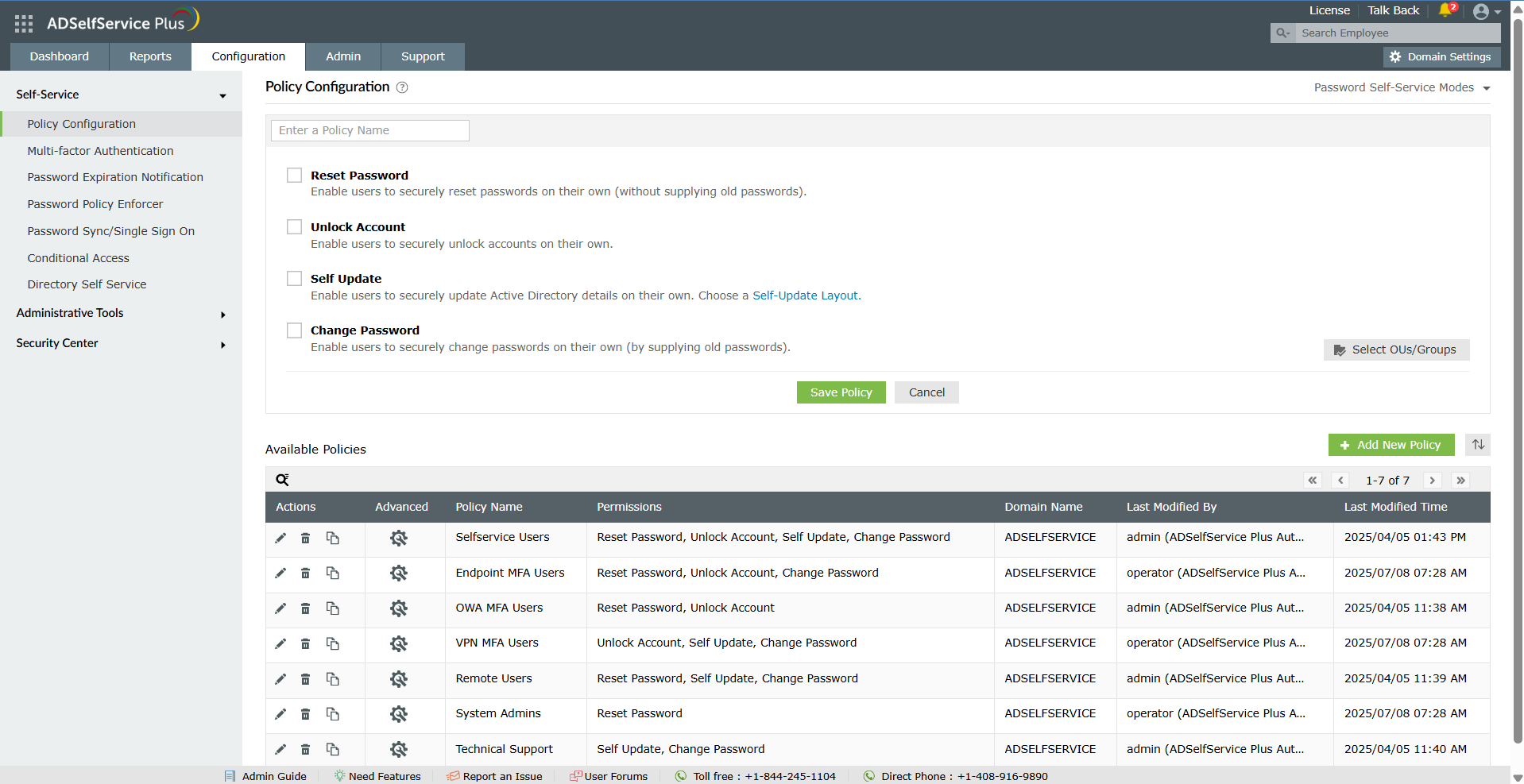
Screenshot of the dashboard to monitor password security, MFA adoption, and self-service activity from a centralized dashboard for improved visibility and control.Screenshot of the self-service password reset and account unlock capabilities, to reduce help desk tickets and streamline account recovery.Screenshot of multi-factor authentication for endpoints, VPNs, applications, and remote access.Screenshot of secure single sign-on and password sync for established and custom applications.Screenshot of the dashboard offering granular visibility into MFA enrollment status across users and OUs with detailed, exportable reports to simplify compliance audits and strengthen access security.
