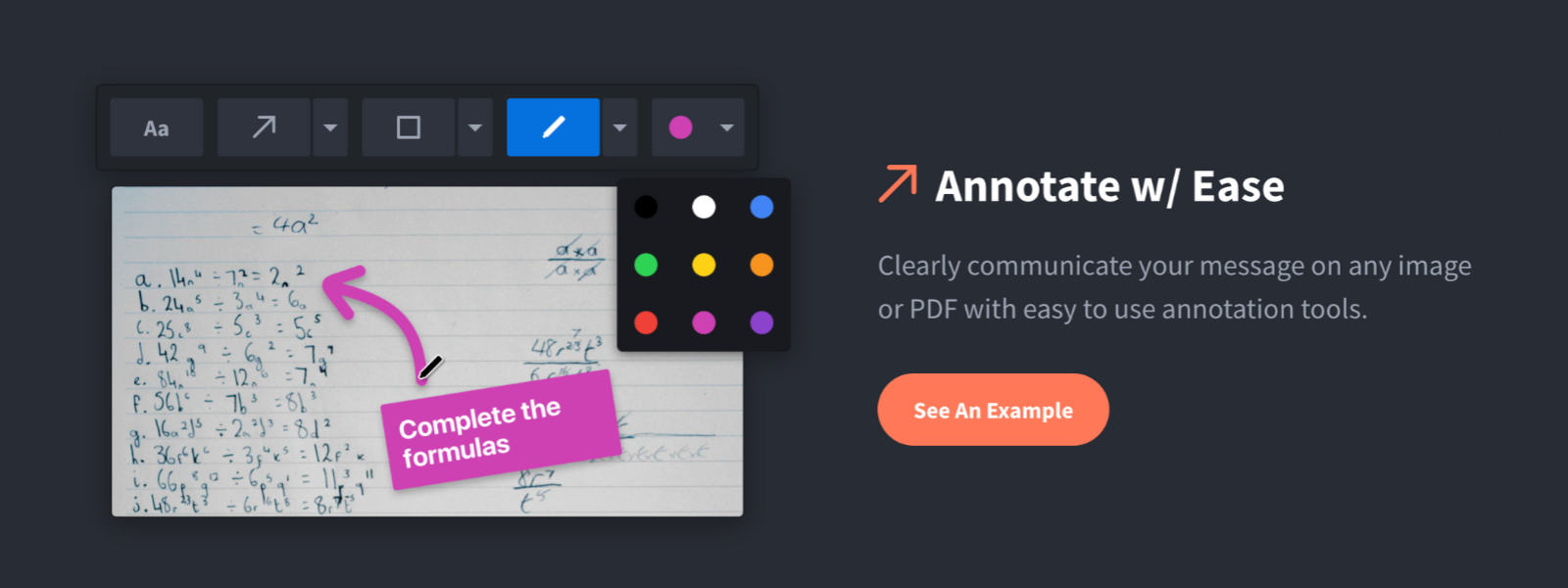
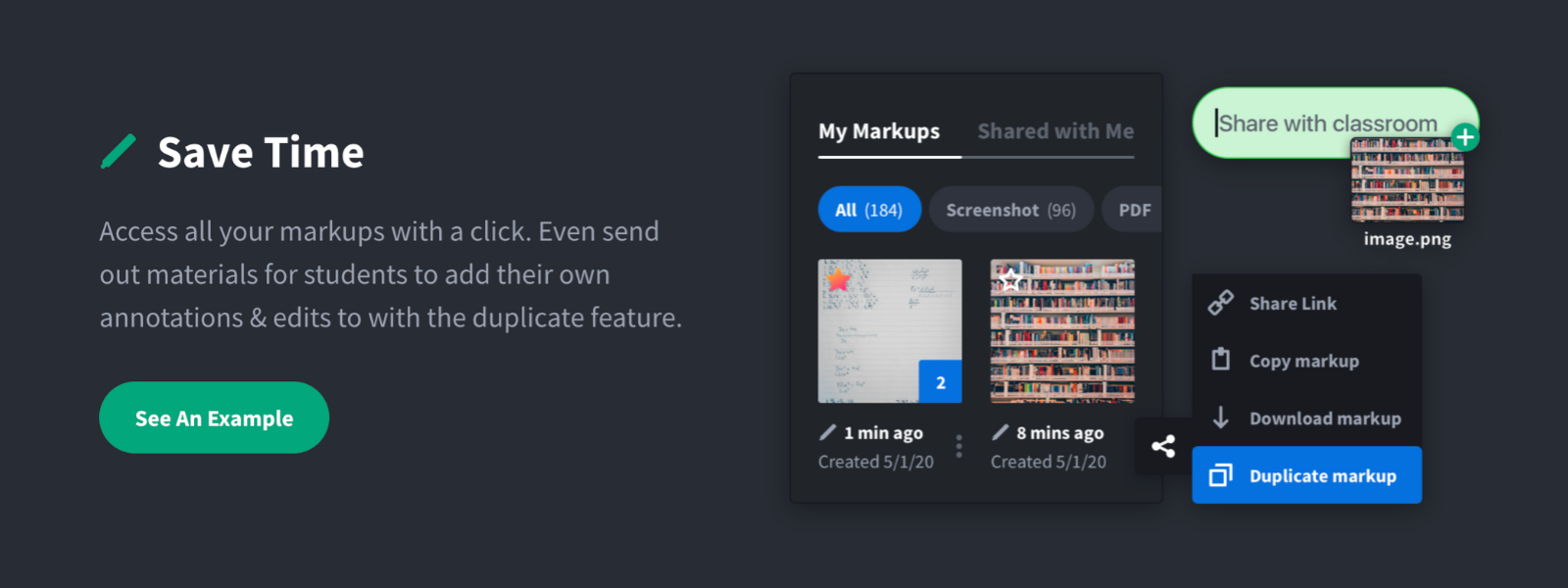
Screenshot, Annotate & Share Markup Hero is an annotation and screenshot tool designed to allow users to capture ideas, communicate clearly, and save time. Features Include: Screenshots Desktop app for Mac, Windows & Linux Works on any device including mobile Chrome extension Annotate screenshots, PDF's, images and URL's Always editable - annotations do not flatten permanently Arrow, text, rectangle, oval,…
$5
all features, unlimited markups, unlimited storage, unlimited bandwidth
Photobucket
Score5 out of 10
N/A
Photobucket headquartered in Denver offers their cloud services for uploading, sharing, linking and finding photos, videos and graphics. Service plans may include hosting, photo editing, private album sharing or sharing to social media, and caption and title creation and editing.
N/A
Pricing
Markup Hero
Photobucket
Editions & Modules
Superhero
$5/month
all features, unlimited markups, unlimited storage, unlimited bandwidth
Hero
FREE
10 markups per month, 3 days editing history
No answers on this topic
Offerings
Pricing Offerings
Markup Hero
Photobucket
Free Trial
Yes
No
Free/Freemium Version
Yes
No
Premium Consulting/Integration Services
No
No
Entry-level Setup Fee
No setup fee
No setup fee
Additional Details
—
—
More Pricing Information
Features
Markup Hero
Photobucket
File Sharing & Management
Comparison of File Sharing & Management features of Markup Hero and Photobucket
Feature
Markup Hero
-
Ratings
Photobucket
7.6
2 Ratings
10% below category average
Versioning
00 Ratings
7.01 Ratings
Document collaboration
00 Ratings
8.01 Ratings
Access control
00 Ratings
7.52 Ratings
File search
00 Ratings
7.52 Ratings
Device sync
00 Ratings
8.01 Ratings
Cloud Storage Security & Administration
Comparison of Cloud Storage Security & Administration features of Markup Hero and Photobucket
Feature
Markup Hero
-
Ratings
Photobucket
9.0
1 Ratings
4% above category average
User and role management
00 Ratings
9.01 Ratings
File organization
00 Ratings
9.01 Ratings
Device management
00 Ratings
9.01 Ratings
Cloud Storage Platform
Comparison of Cloud Storage Platform features of Markup Hero and Photobucket
For us, it's sending real estate setup sheets with multiple properties and lots of comments and feedback. It's great for quick feedback and shares. If I need to make a custom graphic tho its not quite powerful enough as Photoshop or other tools. The former is about 90% of my use cases, the latter only 10% so it's still worth it. But I can see they are adding more and more design oriented features so I suspect I won't need Photoshop much longer.
Photobucket used to be great in the late 2000s to early 2010s. Even free account holders could enjoy many of its features and quickly and easily share photos. However, these days there are so many better alternatives, while Photobucket's feature set has been limited to premium and higher-tier accounts. Cloud storage providers now offer generous bandwidth caps, so offloading media is a thing of the past - even for the most budget-conscious freelancers. Photo-specific features provided by these service providers are constantly improving. [...] As time goes on, the list of reasons that used to differentiate Photobucket grows thin given their [in my experience,] shady past in holding photos hostage without a premium plan, I can no longer recommend this service. Price-wise, only their unlimited plan is worth considering since, for capped storage plans, the usual suspects (Apple iCloud, Google Photos, Amazon Prime) have them beat. Likewise, Photobucket's built-in image editor is very convenient for making basic changes without having to fire up a separate photo editor
A de minimis incentive was given to thank the reviewer for their time. The incentive was not used to bias or drive a particular response, nor was the incentive contingent on a positive endorsement. More Info
A de minimis incentive was given to thank the reviewer for their time. The incentive was not used to bias or drive a particular response, nor was the incentive contingent on a positive endorsement. More Info
A de minimis incentive was given to thank the reviewer for their time. The incentive was not used to bias or drive a particular response, nor was the incentive contingent on a positive endorsement. More Info
Markup Hero stands out because it is truly web based and supports PDFs (among a host of other file types). The annotation tools are significantly smoother and always editable. I don't know of any other products that provide a web experience that allows for edits at anytime. Plus the team is clearly working hard to iterate the product and regularly delivering new features.
[I] also had an ImageEvent premium account, and it was far easier to manage images in Photobucket. ImageEvent's UI is very dated, and its feature set has largely remained stagnant. Photobucket has evolved over the past decade and offers a clean enough user interface to quickly accomplish what needs to be done.
A de minimis incentive was given to thank the reviewer for their time. The incentive was not used to bias or drive a particular response, nor was the incentive contingent on a positive endorsement. More Info
A de minimis incentive was given to thank the reviewer for their time. The incentive was not used to bias or drive a particular response, nor was the incentive contingent on a positive endorsement. More Info