Microsoft System Center vs. Syncro

Overview
ProductRatingMost Used ByProduct SummaryStarting Price
Microsoft System Center
Score 8.3 out of 10
N/A
Microsoft System Center Suite is a family of IT management software for network monitoring, updating and patching, endpoint protection with anti-malware, data protection and backup, ITIL- structured IT service management, remote administration and more. It is available in two editions: standard and datacenter. Datacenter provides unlimited virtualization for high density private clouds, while standard is for lightly or non-virtualized private cloud workloads.
$1,323
per month
Syncro
Score 7.4 out of 10
N/A
Syncro offers an Extended Monitoring and Management (XMM) platform for midsized MSPs and internal IT teams. The platform integrates RMM (endpoint management), professional services automation (PSA), and Microsoft 365 multi-tenant management to help organizations simplify operations, strengthen security, and scale.
$159
per month per user
Pricing
Microsoft System CenterSyncro
Editions & Modules
Standard Edition
$1323
Datacenter Edition
$3607
Core
$159
per month per user
Team
$209
per month per user
Offerings
Pricing Offerings
Microsoft System CenterSyncro
Free Trial
NoYes
Free/Freemium Version
NoNo
Premium Consulting/Integration Services
NoNo
Entry-level Setup FeeNo setup feeNo setup fee
Additional DetailsDiscount available for annual payment.
More Pricing Information
Community Pulse
Microsoft System CenterSyncro
Features
Microsoft System CenterSyncro
Application Performance Management
Comparison of Application Performance Management features of Product A and Product B
Microsoft System Center
-
Ratings
Syncro
6.7
3 Ratings
5% below category average
Virtualization monitoring00 Ratings7.43 Ratings
IT Asset Discovery00 Ratings6.12 Ratings
Monitoring Tasks
Comparison of Monitoring Tasks features of Product A and Product B
Microsoft System Center
-
Ratings
Syncro
7.5
4 Ratings
3% above category average
Remote monitoring00 Ratings8.54 Ratings
Network device monitoring00 Ratings6.63 Ratings
Activity Monitoring00 Ratings7.33 Ratings
Management Tasks
Comparison of Management Tasks features of Product A and Product B
Microsoft System Center
-
Ratings
Syncro
7.5
3 Ratings
7% above category average
Patch Management00 Ratings7.93 Ratings
Policy-based automation00 Ratings7.23 Ratings
Remote Access
Comparison of Remote Access features of Product A and Product B
Microsoft System Center
-
Ratings
Syncro
7.3
3 Ratings
9% above category average
Attended device access00 Ratings8.73 Ratings
Unattended device access00 Ratings7.63 Ratings
Mobile device access00 Ratings7.01 Ratings
Virtual device access00 Ratings8.02 Ratings
Multiple-display support00 Ratings4.52 Ratings
Multiple concurrent sessions00 Ratings7.83 Ratings
Best Alternatives
Microsoft System CenterSyncro
Small Businesses

No answers on this topic

Panda Systems Management
Score 7.8 out of 10
Medium-sized Companies

No answers on this topic

Action1
Action1
Score 9.5 out of 10
Enterprises

No answers on this topic

TeamViewer
TeamViewer
Score 8.6 out of 10
All AlternativesView all alternativesView all alternatives
User Ratings
Microsoft System CenterSyncro
Likelihood to Recommend
9.0
(21 ratings)
6.8
(5 ratings)
Usability
9.0
(2 ratings)
7.1
(4 ratings)
Support Rating
8.0
(1 ratings)
-
(0 ratings)
User Testimonials
Microsoft System CenterSyncro
Likelihood to Recommend
Microsoft
For companies with more than 10 Windows devices and needing to standardize the OS, AV, access, share resources, and install software. SCCM is the way to go. This software is unnecessary if the business is all remote users and not in an office-type setting. There are cloud offerings or none to accomplish what a business needs.
Read full review
SyncroMSP Servably Inc
SyncroMSP is great for MSPs starting out or wanting to keep their costs low. Some RMM software will charge per install - and price breaks only available as your base grows to a significant number. As Syncro is a "per agent" cost, the costs for an MSP are (a) known and (b) easily to manage as the team grows. The third-party integration element is very useful for MSPs looking to be able to not only onsell additional services, but the management of these services is simple for anybody to use
Read full review
Pros
Microsoft
  • Allows the grouping of devices by user.
  • Allows controlling updates being deployed to user devices.
  • Allows for the repurposing of machines by being able to load new or updated software on machines that already are in the system.
  • Allows us the ability to wipe a machine clean and restore it back to the configuration that was assigned the machine.
Read full review
SyncroMSP Servably Inc
  • Due to the cloud based platform, we could scale the based on our needs relatively with ease.
  • We also utilized the auto billing features which were convenience.
  • The consolidation of both RMM and RSA decreased the amount of software we needed.
  • Also, the user friendliness of the platform allowed employees to use easy.
Read full review
Cons
Microsoft
  • Needs web based storefront for requesting new software
  • Needs ability to manage the packaging work flow better
  • Sometimes is slow to download and there is no indication the entire catalog is being loaded, resulting in confused users not being able to find common software in the available list.
Read full review
SyncroMSP Servably Inc
  • Better project management
  • Ability to create teams
Read full review
Usability
Microsoft
It is not user-friendly for the most part. With IT infrastructure, sometimes it cannot handle excess requests. Every few months, you will need an upgrade in terms of server resources to keep up with incoming alerts and requests. This does not happen all of the time, but it does happen when there are too many requests.
Read full review
SyncroMSP Servably Inc
Too expensive for what it is and the lack of support and bug fixes is annoying
Read full review
Support Rating
Microsoft
If I had to dislike something about the system it would be how much it changes once you upgrade. This could be more of a problem of mine since I get used to one way and don't like it when it changes so much. I am enjoying the newest update, but it is a mess when you are actually going through the upgrades.
Read full review
SyncroMSP Servably Inc
No answers on this topic
Alternatives Considered
Microsoft
We previously used a mix of FOG and Clonezilla to image machines. The biggest issues with these products is that changing one piece of the image required you to rebuild the entire image itself. These pieces of software also did not allow you to manage applications and Windows Updates, causing IT to have to constantly touch machines after they were imaged and update or manage them with a much more hands on approach.
Read full review
SyncroMSP Servably Inc
Much easier to learn and use
Read full review
Return on Investment
Microsoft
  • We have been able to automate our patch management, firmware and other security concerns.
  • We have a standardized "image" ensuring our setup is consistent across the enterprise. This alone has saved us in time to support and time to understand how to use our desktops.
Read full review
SyncroMSP Servably Inc
  • The integrated AV solution with Bitdefender is very cheap - yet very a very high quality NGAV solution. It allows us to ensure our clients have access to an NGAV solution at an affordable price
  • Syncro has allowed us to expend our business into new areas which were not able to be accessed previously. This means that we can now service our clients in different ways than previously.
  • The fixed cost pricing allows our teams to understand what their costs are - but also allow us to grow the business and customer base with no increase in costs until we increase our technical team.
Read full review
ScreenShots

Syncro Screenshots

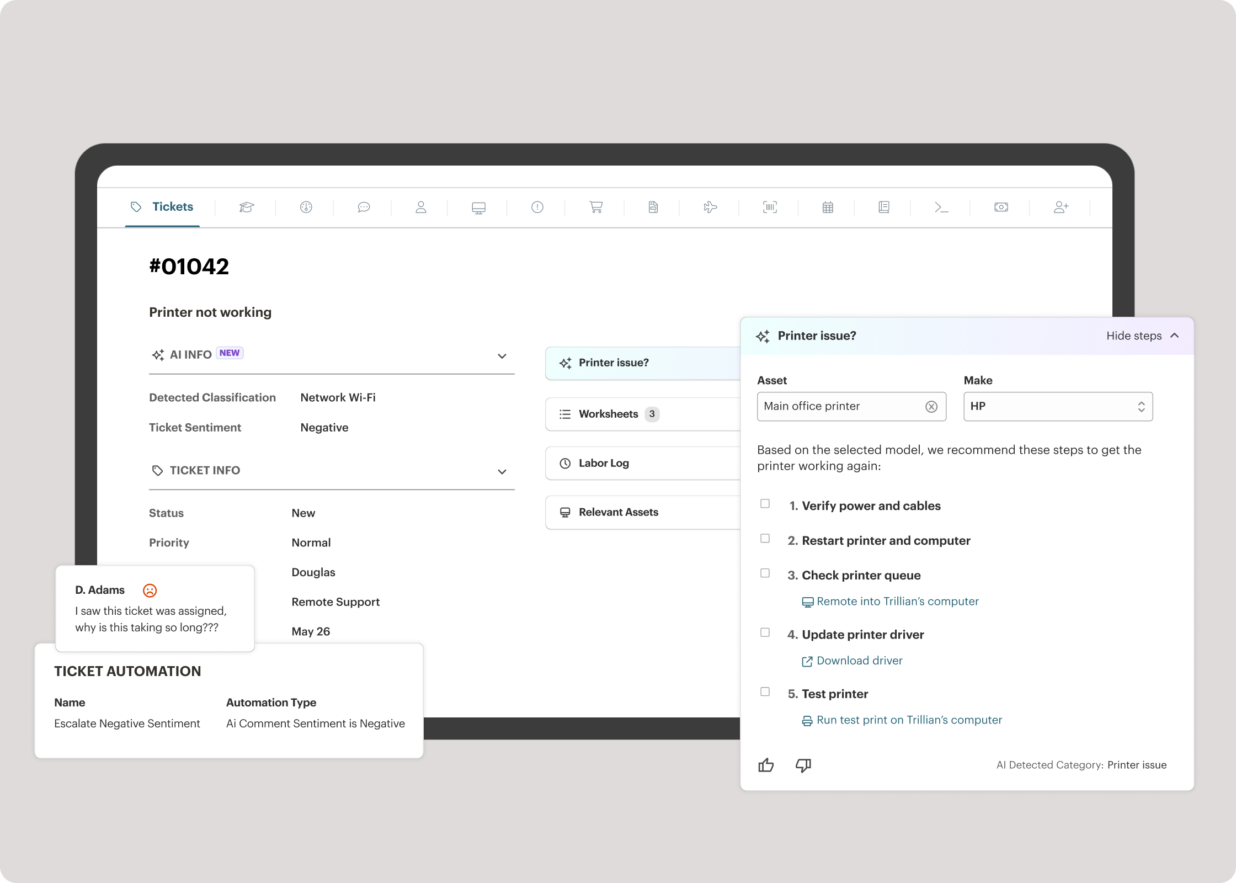
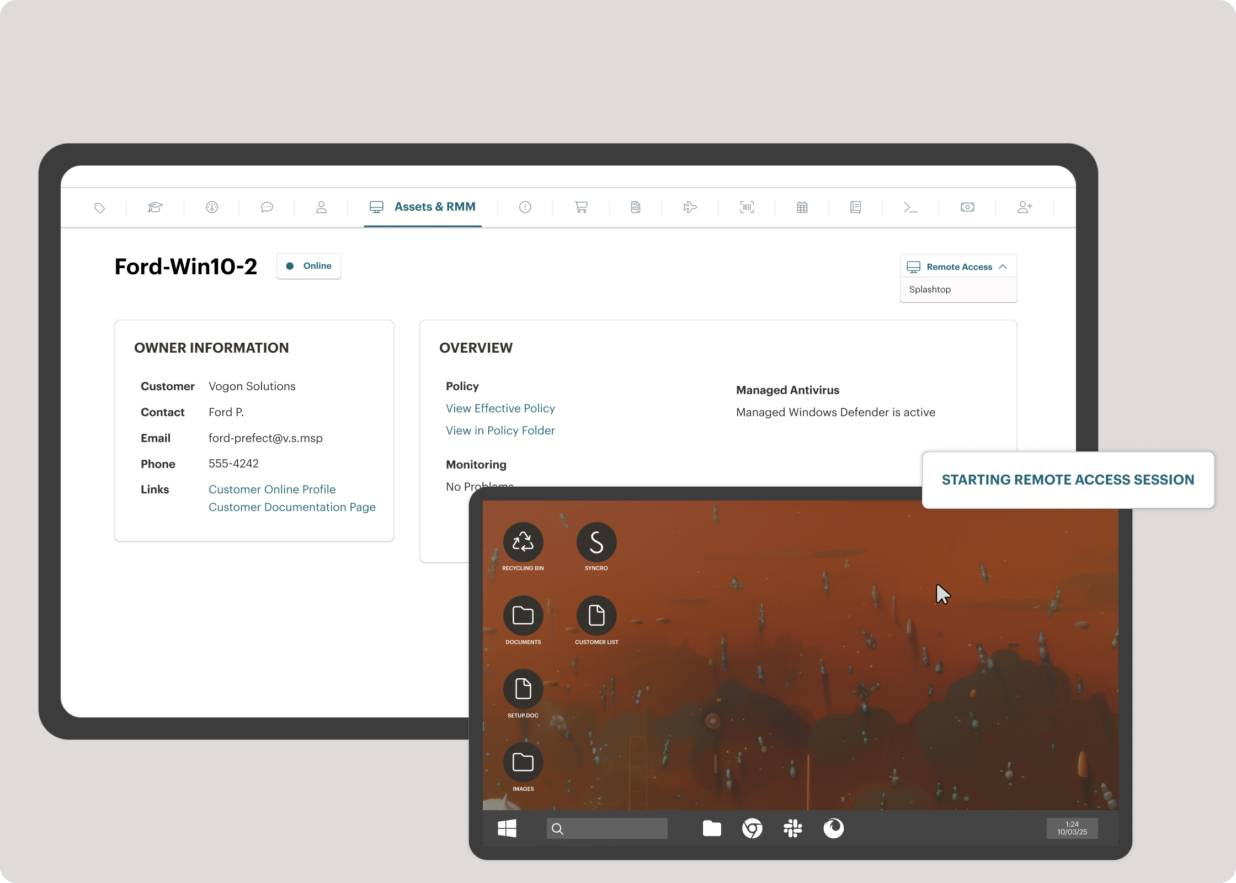
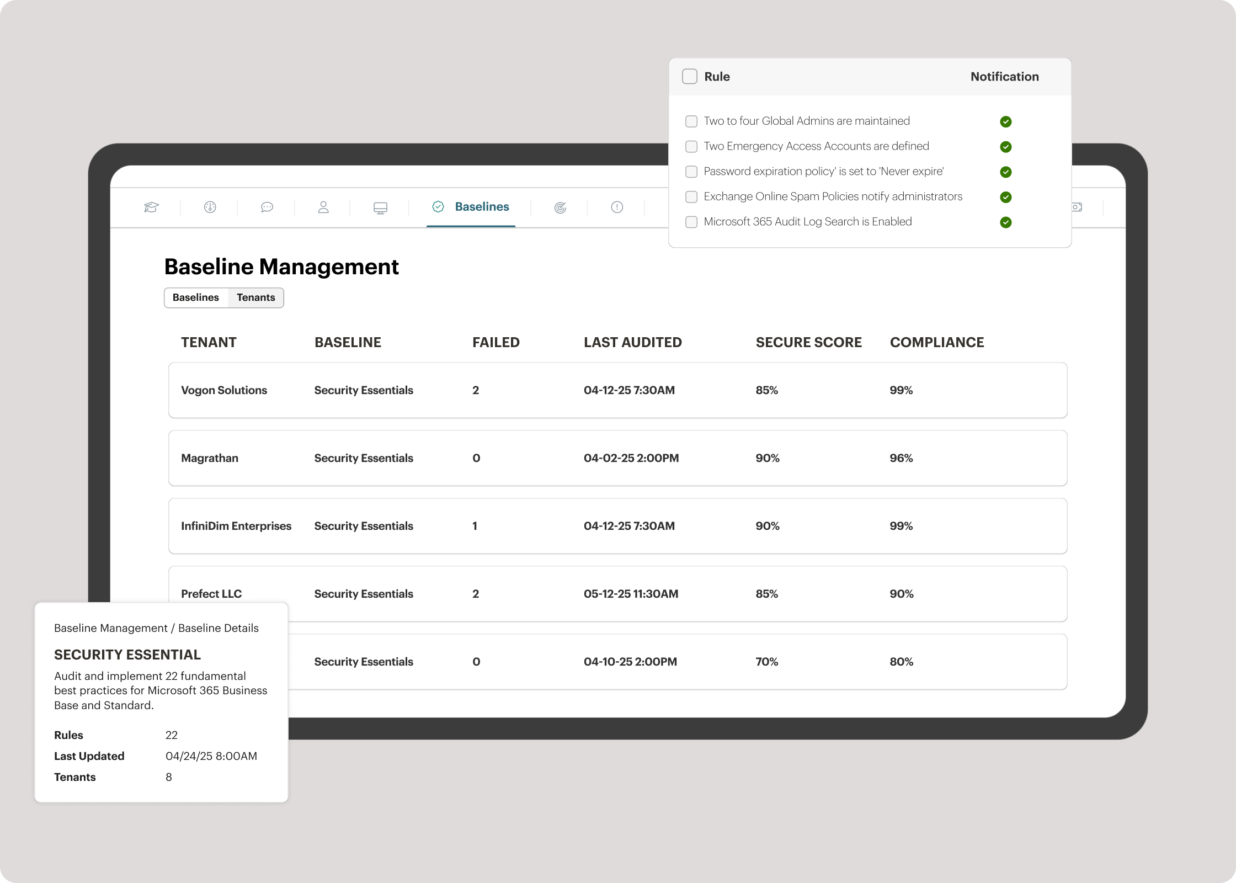
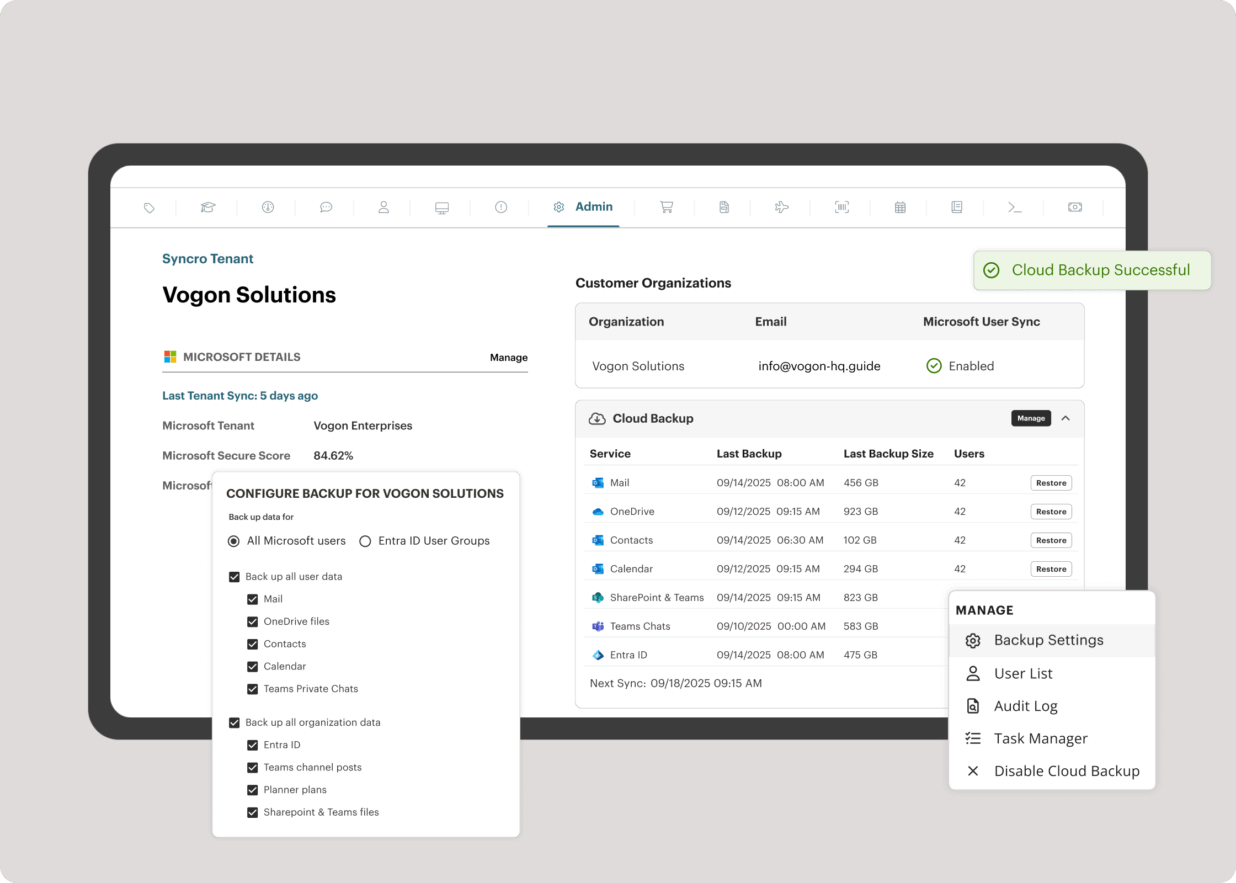
Screenshot of the interface to monitor unlimited endpoints, run scripts, deploy patches, customize alerts, and proactively address potential issues before they become problems.Screenshot of Syncro’s intelligent Smart Ticket Management, which automatically routes tickets and gets information in front of techs, displays relevant context from prior tickets, and surfaces recommended remediation steps to speed up resolution times.Screenshot of where to securely access endpoints and resolve issues anytime, from anywhere, via Splashtop — included with the Syncro subscription at no extra cost.Screenshot of Syncro automating Entra ID tasks and admin work including user syncs, password resets, and license billing.Screenshot of the interface to benchmark M365 tenants against CIS-aligned best practices — offering guided configuration, centralized visibility, drift detection, and automated alerts to help maintain compliance.Screenshot of Microsoft 365 and Entra ID backup, which helps to safeguard against data loss, reinforce compliance, and ensure business continuity without compromise.