A solution to turn any space into a meeting room designed for inclusive collaboration, where everyone can fully participate.
$40
per month (annual subscription) per room
RemoteMeeting
Score 8.0 out of 10
Small Businesses (1-50 employees)
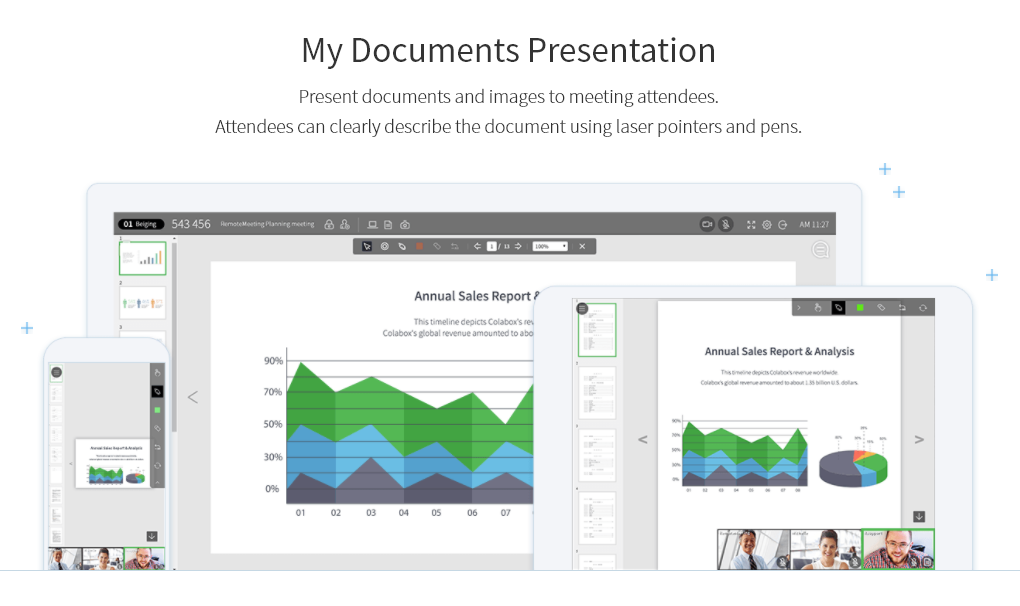
A web-based video conferencing tool. Supports mobile, browser and AI minutes. RemoteMeeting is a video conferencing solution. Use a browser to start and join video conferences. No need for a dedicated application. Present a desktop, share documents and interactively mark on them. Create automated meeting minute as record them for later review. RemoteMeeting can detect the speaker automatically and pin it in the main screen for a more immersive…
$0.20
per usage
Pricing
Microsoft Teams Rooms
RemoteMeeting
Editions & Modules
No answers on this topic
RemoteMeeting Pay-per-USE
$0.20 / min
per usage
RemoteMeeting Pay-per-USER
$17.99 / month
per user
Offerings
Pricing Offerings
Microsoft Teams Rooms
RemoteMeeting
Free Trial
Yes
Yes
Free/Freemium Version
Yes
No
Premium Consulting/Integration Services
No
No
Entry-level Setup Fee
No setup fee
No setup fee
Additional Details
—
** Server deployment option available upon request.
More Pricing Information
Features
Microsoft Teams Rooms
RemoteMeeting
Performance & Compatibility of Online Events Software
Comparison of Performance & Compatibility of Online Events Software features of Product A and Product B
Microsoft Teams Rooms
7.9
6 Ratings
0% below category average
RemoteMeeting
8.0
1 Ratings
1% above category average
High quality audio
8.76 Ratings
8.01 Ratings
High quality video
8.26 Ratings
8.01 Ratings
Low bandwidth requirements
7.15 Ratings
8.01 Ratings
Mobile support
7.85 Ratings
8.01 Ratings
Screen Sharing
Comparison of Screen Sharing features of Product A and Product B
Microsoft Teams Rooms
8.2
6 Ratings
4% above category average
RemoteMeeting
8.0
1 Ratings
1% above category average
Desktop sharing
8.56 Ratings
8.01 Ratings
Whiteboards
7.96 Ratings
8.01 Ratings
Online Meetings / Events
Comparison of Online Meetings / Events features of Product A and Product B
Microsoft Teams Rooms
8.4
6 Ratings
3% above category average
RemoteMeeting
8.0
1 Ratings
2% below category average
Calendar integration
8.76 Ratings
8.01 Ratings
Meeting initiation
8.65 Ratings
8.01 Ratings
Integrates with social media
8.03 Ratings
8.01 Ratings
Record meetings / events
8.76 Ratings
8.01 Ratings
Slideshows
8.26 Ratings
8.01 Ratings
Online Events Collaboration
Comparison of Online Events Collaboration features of Product A and Product B
Microsoft Teams Rooms
8.3
6 Ratings
3% above category average
RemoteMeeting
8.0
1 Ratings
1% below category average
Live chat
8.06 Ratings
8.01 Ratings
Audience polling
8.36 Ratings
8.01 Ratings
Q&A
8.56 Ratings
8.01 Ratings
Online Events Security
Comparison of Online Events Security features of Product A and Product B
Microsoft Teams Rooms
8.4
6 Ratings
5% above category average
RemoteMeeting
8.0
1 Ratings
0% below category average
User authentication
9.26 Ratings
8.01 Ratings
Participant roles & permissions
8.26 Ratings
8.01 Ratings
Confidential attendee list
8.04 Ratings
8.01 Ratings
VoIP system collaboration
Comparison of VoIP system collaboration features of Product A and Product B
We use Microsoft Teams Rooms across all of our main conference suites. This ensure our staff have consistent meeting experiences in out part of the education sector - meetings generally become hybrid fairly frequently and can even extend to pupils or staff working from home. We did try some of the poly equipment in a classroom environment but due to noise levels and the amount of pupils and staff it quickly became a non starter. We were advised to stick with participant numbers aligned to our purchased hardware before we tried this.
RemoteMeeting is a virtual conference room system that offers a simplified user experience with a modern and intuitive design and speed of just one click, it is a meeting tool that always has a room available for my team from anywhere and any device With powerful meeting modes for any occasion, it fully suits our daily virtual communication needs to connect with colleagues, customers, employees and vendors with the ease of just screen sharing with the unique and enjoyable collaboration experience.
Camera view selection is a nice feature which allows remote users to choose the camera feedback to select for better experience.
Live reactions like hand claps, thumbs up, raised hands,etc can be used to indicate to presenters that a meeting attendee has a question. This is cool.
We can connect our laptop seamlessly to the Microsoft Teams Rooms to share our content or presentation which makes things very simple.
RemoteMeeting works in an extraordinary way to initiate meetings through videoconferences in real time sharing screen audio and video provides dynamic meetings in 3D With avatar profiles that make the experience of the participants much more enjoyable.
For team collaboration RemoteMeeting has fallen like a glove, it is a platform that allows high-level business videoconferences to be carried out with security and excellent wireless connection.
RemoteMeeting is a modern and high-level video conferencing solution that provides a quality service, it is a tool where meetings are not boring, so it offers positive and satisfactory results, it provides flexible and intuitive features with solutions that fit our needs. user, ease, visually pleasing interface, safety and quality.
Microsoft Teams Rooms has been very useful for our small business. As mentioned, it has allowed us to connect with our team more regularly, share important information, and keep productivity up by allowing our team to get on remotely and not have to commute to be together in person.
I consider MTR better because it first allows integration with all the Microsoft apps and is more cost-effective, considering all the included services such as the Office app, Cloud Storage, and email.
The results we have obtained with RemoteMeeting have been unparalleled, it is an online meeting solution that improves the way we share screen perfectly from anywhere because it provides collaboration tools for more efficient meetings from offering virtual backgrounds, face focus to automatically detect the face on the screen, separate video and information display for multiple monitors, simplicity security and speed is a perfect tool.
RemoteMeeting has a positive impact on my organization by offering simplified meetings that significantly increase the collaboration and productivity of my work team, offering cloud-based virtual meeting solutions that improve customer relations, reduce work time and additional costs, as well as Provide progress in projects and efficiency.
It is a video conferencing solution that improves the way we communicate with colleagues, customers, employees, partners and suppliers with a simplified experience with privacy protection, making all participants feel comfortable and safe in meetings, since we use RemoteMeeting. Work flow has increased by 15%, sales have increased and work teams develop a better relationship with each other.