Chose MindManager
GitMind not only has various templates in its library but also lets users work online.

| Product | Rating | Most Used By | Product Summary | Starting Price |
|---|---|---|---|---|
 MindManager | N/A | MindManager is a mind mapping and project management tool that aims to boost users’ productivity. It is designed to facilitate a wide range of project types, and includes cross-platform functionality and 3rd party integrations. | $105 per year | |
 Padlet | N/A | Padlet offers boards and canvases for visual thinkers and learners. The boards can be used to collect, organize, and present any idea. The application includes sandboxes for whiteboarding, lessons, and activities. Users of Padlet can: Collaborate on files with clients Store instructional videos Share marketing assets Manage real-estate listings on a map Create interactive lessons Design collaborative worksheets Make… | N/A |
| MindManager | Padlet | |||||||||||||||
|---|---|---|---|---|---|---|---|---|---|---|---|---|---|---|---|---|
| Editions & Modules |
| No answers on this topic | ||||||||||||||
| Offerings |
| |||||||||||||||
| Entry-level Setup Fee | No setup fee | No setup fee | ||||||||||||||
| Additional Details | — | — | ||||||||||||||
| More Pricing Information | ||||||||||||||||
| MindManager | Padlet | |
|---|---|---|
| Considered Both Products |  MindManager  Volker Sieber Owner Chose MindManager MindManager is not as extensive, but includes all relevant functions and is easier to use  Tony Fortin, LSSBB Analyse et planification Chose MindManager Integrates with Microsoft Office suite, network infrastructure, and web links. Remains efficient even after adding multiple links. Intégration avec la suite Office de Microsoft et les infrastructures réseaux et lien web. Reste performant même après l'ajout de plusieurs liens.  Ronald Urban Support Specialist Chose MindManager MindManager succeeded in every aspect, there is no real comparison possible. The sum of features that can be used with the MindManager is not available in any other product on the market. Based on that and on the continuous improvement of the MindManager there can not really be …  Georg Sima Business Development Chose MindManager I have known and followed MindManager developments since 2000 and maintain my knowledge base. I even used it to create my wheel of life based on the Indian model and would also like to use the MM in a VR version. No tool offers comparable holistic functions - as well as - 25 …  Torgrim Sandvoll Product Manager Chose MindManager MindManager covers all our needs (information management, brainstorming and planning, project management, sharing and collaboration) in one tool, and we do not have to jump back and forth between different applications. It's a very flexible tool that can be customized to your …  Oliver Baum Head of OMN Product Chose MindManager We opted for MindManager many years ago. The main reasons are the product's stability, continuous development, general range of functions, and export options, especially for Office.  Andreas Vogt CEO Chose MindManager The continuity in the product maintenance of MindManager and the options offered by the API for add-ins, direct COM access and the use of macros are decisive for us. This allows us to automate business processes without being bound and limited in a universe of a specific …  Rene Zamora President and CEO Chose MindManager Easier to use, an app as well as browser tool.  Philippe Audet Project Manager Chose MindManager Draw.IO is free to use but MindManager still have better keyboard flow. |  Padlet No answer on this topic |
| MindManager | Padlet | |||||||||||||||||||||||||||||||||
|---|---|---|---|---|---|---|---|---|---|---|---|---|---|---|---|---|---|---|---|---|---|---|---|---|---|---|---|---|---|---|---|---|---|---|
| Mind Mapping |
|
| MindManager | Padlet | |
|---|---|---|
| Small Businesses |  Whimsical Score 9.3 out of 10 |  Lucid Visual Collaboration Suite Score 9.0 out of 10 |
| Medium-sized Companies | Whimsical Score 9.3 out of 10 | Lucid Visual Collaboration Suite Score 9.0 out of 10 |
| Enterprises | Whimsical Score 9.3 out of 10 |  Miro Score 9.1 out of 10 |
| All Alternatives | View all alternatives | View all alternatives |
| MindManager | Padlet | |
|---|---|---|
| Likelihood to Recommend | 7.8 (0 ratings) | - (0 ratings) |
| Likelihood to Renew | 9.1 (0 ratings) | - (0 ratings) |
| Usability | 9.9 (0 ratings) | - (0 ratings) |
| Availability | 8.7 (0 ratings) | - (0 ratings) |
| Performance | 8.8 (0 ratings) | - (0 ratings) |
| Support Rating | 6.4 (0 ratings) | - (0 ratings) |
| Online Training | 7.3 (0 ratings) | - (0 ratings) |
| Implementation Rating | 8.0 (0 ratings) | - (0 ratings) |
| Configurability | 8.8 (0 ratings) | - (0 ratings) |
| Ease of integration | 9.0 (0 ratings) | - (0 ratings) |
| Product Scalability | 8.8 (0 ratings) | - (0 ratings) |
| Vendor post-sale | 9.0 (0 ratings) | - (0 ratings) |
| Vendor pre-sale | 9.0 (0 ratings) | - (0 ratings) |
| MindManager | Padlet | |
|---|---|---|
| Likelihood to Recommend |
| No answers on this topic |
| Pros |
| No answers on this topic |
| Cons |
 Shane Layt ILS Manager QTEC | No answers on this topic |
| Likelihood to Renew |
 Thomas Kleinschmidt, CIM(R) Manager, Private Client; CCO | No answers on this topic |
| Usability |
| No answers on this topic |
| Reliability and Availability |
| No answers on this topic |
| Performance |
| No answers on this topic |
| Support Rating |
 Scott E. Miller Owner / President | No answers on this topic |
| Online Training |
| No answers on this topic |
| Implementation Rating |
| No answers on this topic |
| Alternatives Considered |
| No answers on this topic |
| Scalability |
| No answers on this topic |
| Return on Investment |
 Manu Mejías Founder. CEO. R&D. Engineering. Innovation. | No answers on this topic |
| ScreenShots | MindManager Screenshots      | Padlet Screenshots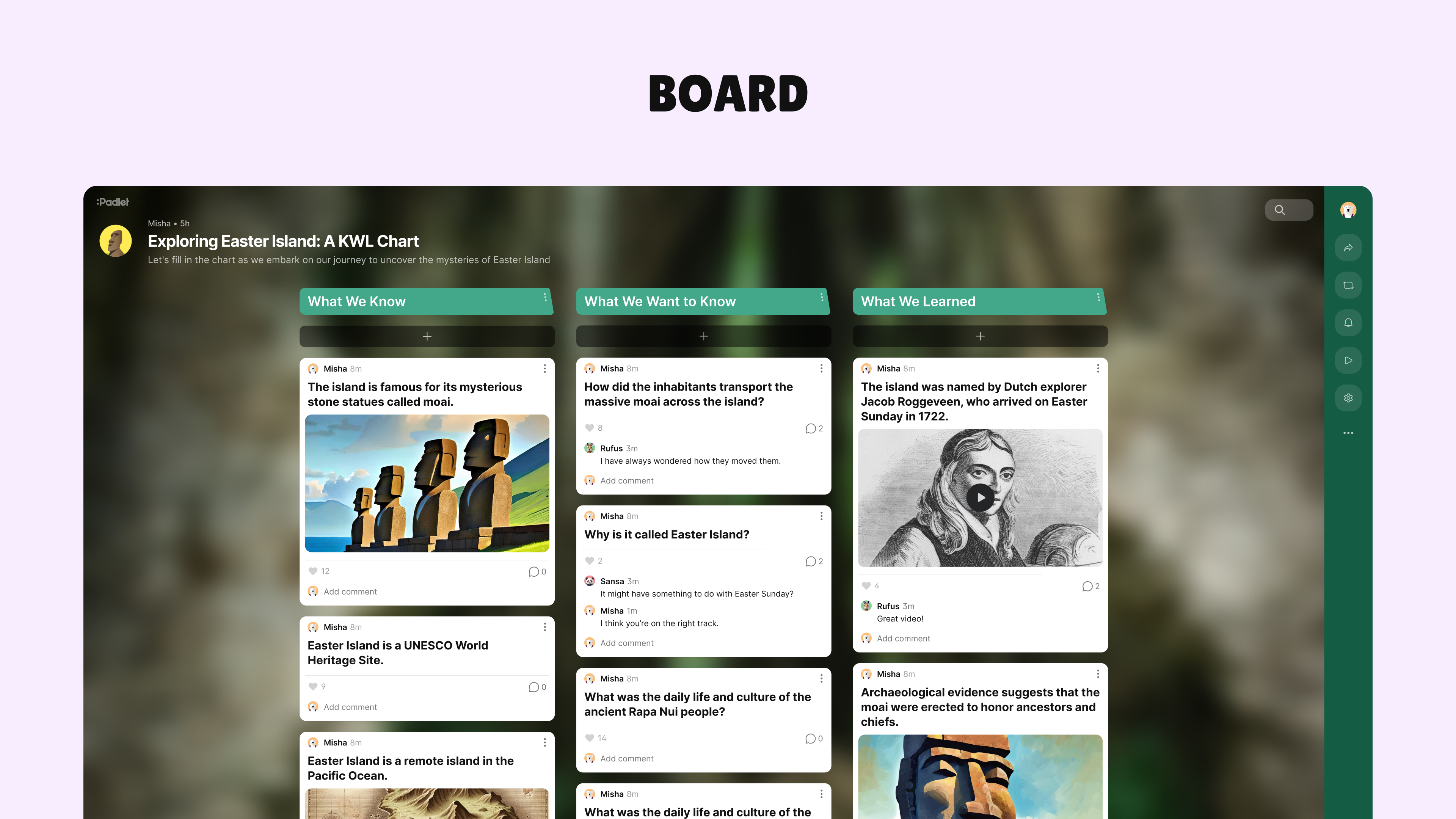 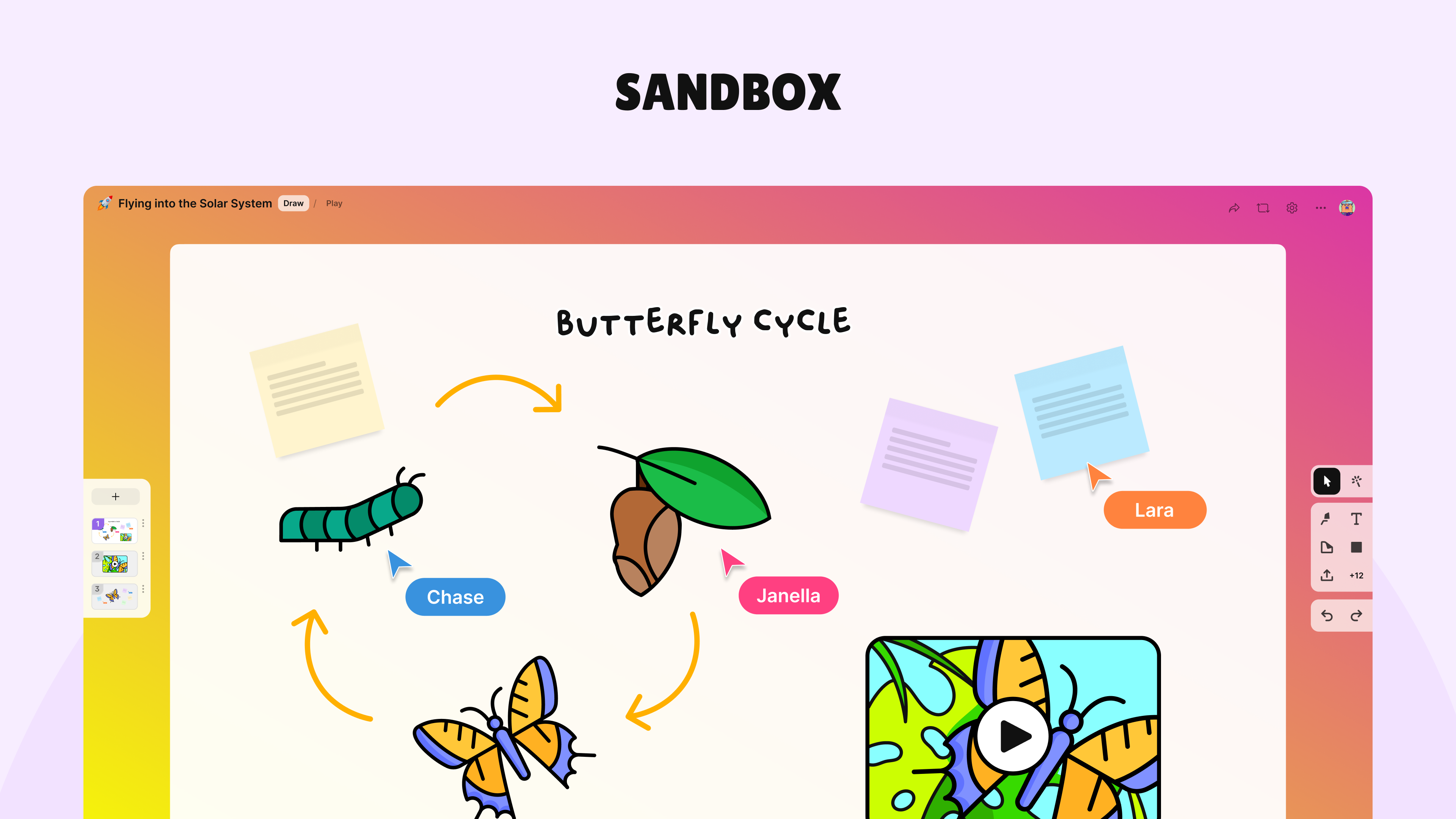 |