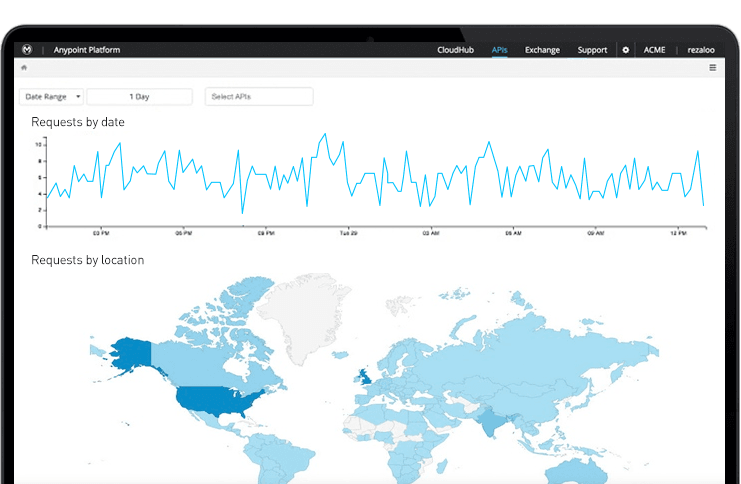
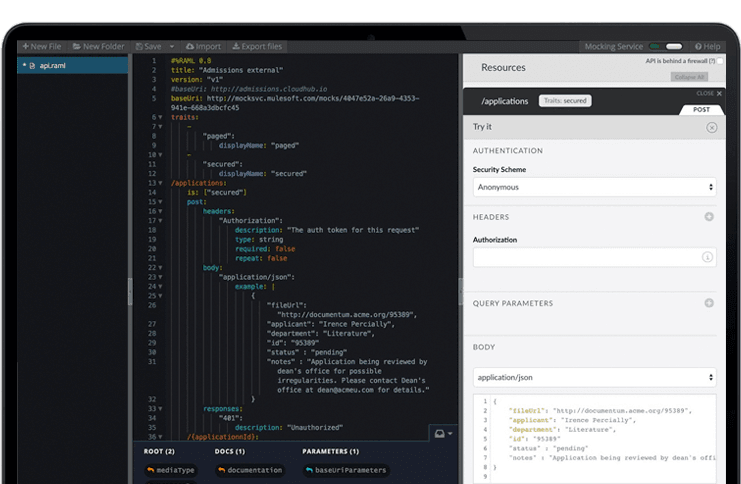
The Anypoint Platform developed by MuleSoft and acquired by Salesforce in early 2018 is designed to
connect apps, data, and devices anywhere, on-premises or in the cloud. This platform was built to
offer out-of-the-box connectors as well as tools that architects and developers can adopt quickly to
design, build and manage the entire lifecycle of their APIs, applications, and products.
N/A
SAP Build
Score8 out of 10
N/A
SAP Build is a business application development and automation solution with a comprehensive suite of low-code, pro-code, and generative AI tools. SAP Build is for developers, IT professionals, and business users/citizen developers who want to create and customize business applications.
$1.82
per month per user
Pricing
Anypoint Platform
SAP Build
Editions & Modules
No answers on this topic
SAP Build Process Automation - Standard User
$1.82
per month per user
SAP Build Process Automation - Advanced User
$15
per month per user
SAP Build Process Automation - Attended Automation
$534
per month
SAP Build Process Automation - Unattended Automation
MuleSoft Anypoint Platform is best tool in the market for developing APIs with complex structures communicating with various different types of applications including web applications as well as legacy applications. Also applications including database connectivity for fetching and updating data in the DB tables. I cant think of any scenario which MuleSoft Anypoint Platform could not be used for developing the integrations.
A de minimis incentive was given to thank the reviewer for their time. The incentive was not used to bias or drive a particular response, nor was the incentive contingent on a positive endorsement. More Info
SAP Build is a strong and reliable partner with a rich FAQ and consulting power. New features make sense and are easy to distribute within the team and to end users. The community is nice, and there are many discussions on product development, shared solutions, and productivity improvements. UI is also one of the strongest points.
A de minimis incentive was given to thank the reviewer for their time. The incentive was not used to bias or drive a particular response, nor was the incentive contingent on a positive endorsement. TR verified that a representative sample of customers was invited. More Info
A de minimis incentive was given to thank the reviewer for their time. The incentive was not used to bias or drive a particular response, nor was the incentive contingent on a positive endorsement. More Info
SAP Build Workzone is a cloud ready service that it can provide access to users over cloud. It really liked it because for Non-SAP users they don't need to have seperate logins to access SAP systems
SAP Build LCNC helps to create an app either from scratch or take reference from existing apps and develop on top of it
SAP Build Code is pro-developer tool helps for creating enterprise ready web apps
A de minimis incentive was given to thank the reviewer for their time. The incentive was not used to bias or drive a particular response, nor was the incentive contingent on a positive endorsement. TR verified that a representative sample of customers was invited. More Info
Has more features than what we really need so we're paying for more than we use. Sort of like paying for an Abrams tank when all we really need is a Toyota Corolla.
Not a value product, tends to be expensive.
Takes a while for developers to learn to use Mulesoft Anypoint.
A de minimis incentive was given to thank the reviewer for their time. The incentive was not used to bias or drive a particular response, nor was the incentive contingent on a positive endorsement. More Info
Comparing to other RPA Tools, SAP Build automation lacks enough user guidance.
Licensing is a little bit confusing.
From a technical perspective, older versions of the automation part are not always stable, but the other services (workflow, business rules, apps, etc.) are much more stable.
A de minimis incentive was given to thank the reviewer for their time. The incentive was not used to bias or drive a particular response, nor was the incentive contingent on a positive endorsement. TR verified that a representative sample of customers was invited. More Info
SAP Build that enables rapid creation of enterprise-grade applications, automations, and business sites. It empowers both business users and developers to collaborate effectively while leveraging SAP-grade security, identity, and integration capabilities. SAP Build integrates seamlessly with SAP systems, supports governance and lifecycle management, and accelerates digital transformation by reducing development time and effort.
A de minimis incentive was given to thank the reviewer for their time. The incentive was not used to bias or drive a particular response, nor was the incentive contingent on a positive endorsement. More Info
We have migrated our existing over 100+ APIs from legacy to MuleSoft Anypoint Platform and the processing has seen over 40% improvement and saved huge amount in overall annual billing. From development perspective, MuleSoft Vibe has made developers life so easy and reduced development time. Extensive logging, and build-in connectors for other integration tools, logging and repo is providing kind of one place solutions. Any point Platform is providing various options like runtime, API manager, Access management, segregation of Business groups and so many other option which is helping us to monitor, configure and manage all our APIs in one place
The overall re-usability is very good for SAP Build app. Rating 9 shows that it is very effectively uses the No code or low code functionality. Drag and drop of UI components is very effective in this SAP Build app. No prior coding experience is needed but to develop some logic flow you need to be very logical and optimistic thinker
A de minimis incentive was given to thank the reviewer for their time. The incentive was not used to bias or drive a particular response, nor was the incentive contingent on a positive endorsement. More Info
Anypoint Platform support is very responsive. There is also a huge knowledge base and an active online forum where answers to most questions can be found. When needed support engages the engineering group so adequate solutions or workarounds are always provided.
A de minimis incentive was given to thank the reviewer for their time. The incentive was not used to bias or drive a particular response, nor was the incentive contingent on a positive endorsement. More Info
There are, for example, great blog writings about automation cases and examples. The studio version is updated often. There are also useful OpenSAP online courses.
A de minimis incentive was given to thank the reviewer for their time. The incentive was not used to bias or drive a particular response, nor was the incentive contingent on a positive endorsement. More Info
I have started with MuleSoft Fundamentals course provided by MuleSoft training at start. This was sufficient to do initial learning and get onboarded. The online documentation with different Runtime versions/deprecated functions and keywords are well documented. The automated solution provided by MuleSoft Anypoint Platform to upgrade 3.0 to 4.0 gave a good head start while learning MuleSoft Anypoint Platform and working altogether with Online training and documentations
Online training helped to understand the drag and drop processes, building UI. Creating a workflow and process automation. Developing workflow and deploying WF. Helped to reduce the errors. It helped to understand the training easily. And online training gave good insights for low code no code solutions and create actions, forms.
A de minimis incentive was given to thank the reviewer for their time. The incentive was not used to bias or drive a particular response, nor was the incentive contingent on a positive endorsement. More Info
Once we have moved all of our system integration APIs to the MuleSoft Anypoint Platform, we will need to communicate with a wide variety of external systems. All of our business and service logic is stored in the aforementioned core systems. Anypoint Platform (and all of our APIs) makes it easy to connect to various other platforms. In order to link to these many other systems, connectors and/or components are utilized, and they are simple to configure and integrate.
A de minimis incentive was given to thank the reviewer for their time. The incentive was not used to bias or drive a particular response, nor was the incentive contingent on a positive endorsement. More Info
Seamlessly connected to SAP S4 Hana systems and development and deployment is easy as compared to Microsoft Visual Studio. Low code no code facility is awesome in SAP Build app where as in Visual Studio drag and drop of components is provided but still needs to write bulky code for functionality. Performance is better for SAP Build app.
A de minimis incentive was given to thank the reviewer for their time. The incentive was not used to bias or drive a particular response, nor was the incentive contingent on a positive endorsement. More Info
A de minimis incentive was given to thank the reviewer for their time. The incentive was not used to bias or drive a particular response, nor was the incentive contingent on a positive endorsement. More Info