TrustRadius: an HG Insights company

Save this comparison

Save this comparison

Add Product

Recommended Comparisons

    Overview
    ProductRatingMost Used ByProduct SummaryStarting Price

    Mural

    Score7.7 out of 10
    N/AMURAL (formerly Mural.ly) from Tactivos (DBA MURAL) in San Francisco is described by the vendor as a digital workspace and visual collaboration tool, designed for creative teams to make the process of design more efficient for distributed teams, working remotely.

    $12

    per month

    Prism PPM

    Score9.1 out of 10
    Mid-Size Companies (51-1,000 employees)
    Prism PPM (formerly WorkOtter) is a Project Portfolio Management platform for IT PMOs, enterprise project management offices, and transformation offices. The software manages work from idea intake through planning, execution, lessons learned, and project closeout; it groups projects into programs and portfolios for prioritization and scenario planning. Key Capabilities Project delivery: Project Management capabilities include Gantt,…

    $240

    per year per user

    Pricing
    MuralPrism PPM
    Editions & Modules
    Starter
    $12
    per month
    Plus
    $20
    per month
    Enterprise
    Contact sales team
    Standard
    $240
    per year per user
    Business
    $360
    per year per user
    Enterprise
    Contact Sales
    Offerings
    Pricing Offerings
    MuralPrism PPM
    Free Trial
    YesNo
    Free/Freemium Version
    NoNo
    Premium Consulting/Integration Services
    NoYes
    Entry-level Setup FeeNo setup feeRequired
    Additional DetailsPlans are billed annually.—
    More Pricing Information
    Community Pulse
    MuralPrism PPM
    Considered Both Products
    Mural
    No answer on this topic
    Prism PPM
    No answer on this topic
    Key User Insights
    Would buy again
    100%
    Would buy again
    21 Answers
    No answers on this topic
    Delivers good value for the price
    100%
    Delivers good value for the price
    16 Answers
    No answers on this topic
    Happy with the feature set
    100%
    Happy with the feature set
    21 Answers
    No answers on this topic
    Lived up to sales and marketing promises
    100%
    Lived up to sales and marketing promises
    15 Answers
    No answers on this topic
    Implementation went as expected
    94%
    Implementation went as expected
    15 Answers
    No answers on this topic
    Best Alternatives
    MuralPrism PPM
    Small Businesses
    Whimsical
    Score9.3 out of 10
    No answers on this topic
    Medium-sized Companies
    Whimsical
    Score9.3 out of 10
    Microsoft Project Server
    Score5.1 out of 10
    Enterprises
    Whimsical
    Score9.3 out of 10
    Planview PPM Pro
    Score8.9 out of 10
    All AlternativesView all alternativesView all alternatives
    User Ratings
    MuralPrism PPM
    Likelihood to Recommend
    8.1
    (21 ratings)
    10.0
    (2 ratings)
    Usability
    7.0
    (1 ratings)
    -
    (0 ratings)
    Support Rating
    9.0
    (1 ratings)
    -
    (0 ratings)
    User Testimonials
    MuralPrism PPM
    Likelihood to Recommend
    Mural
    I've recommended MURAL to a lot of people in a lot of fields. This is a great tool for any group of people that might stand around a white board if they were in person. Even if they are in person, I still recommend it pretty often because, unlike a white board, MURAL is virtual, so it can go offline with you. I've recommended it to other Software Teams, individual software developers, engineering teams, Sales Managers, Office Staff, Manufacturing teams, and more.
    Read full review
    Prism PPM
    I know it works well for IT but not sure how it would work for construction. I think construction has a different set of needs.
    Read full review
    Pros
    Mural
    • enables easy for all collaboration especially in the hybrid environment
    • makes brainstorming better as users can create digital sticky notes, draw diagrams, and add images to visually represent concepts and ideas
    • it helps to visualize data effectively - users can create charts, graphs, and diagrams to present data-driven insights to team members and stakeholders
    Incentivized
    Read full review
    Prism PPM
    • Users find it easy to use which is important if you have a large number of users who don't have time for a lot of training or when new hires come on-board.
    • WorkOtter has a lot of advanced features that we don't use but when we do need one, it is nice to know the feature is waiting for us. We have used several of these features for special projects.
    • It does a good job with resource management.
    Read full review
    Cons
    Mural
    • It'd be nice that the zoom regulation could be easier to manage
    • The advanced features are a little bit easy to adopt. Why not adding some agile trainings, or some other tools to facilitate their adoption
    • A faster and easier way to Integrate with ms office
    Incentivized
    Read full review
    Prism PPM
    • Nothing significant. Maybe could be faster at times but I'm not sure if that is our own internet connection.
    Read full review
    Usability
    Mural
    Overall, MURAL is really easy to use, but there are a couple downsides. It's really easy to make areas of the board consistent because double clicking adds stickies that match those around the current one. It's really easy to connect the elements. And it's really easy to organize elements. Inconsistent controls, Panning, Line Connections, and latency are the only issues I had. My biggest issue is that the MURAL mouse buttons are very different from
    most similar software. This always causes me problems switching to a
    graphics software or 3D modelling software. Because MURAL uses the same button to pan and move elements, it's really easy to move things when panning around. The lines can also be a (sometimes huge) problem because thew will occasionally disappear or connect to things incorrectly. I think this is tied to latency issues which, in addition to causing phantom lines, can sometimes cause confusion to your team.
    Read full review
    Prism PPM
    No answers on this topic
    Support Rating
    Mural
    Chat support tends to get back to you within a few hours and are always helpful.
    Read full review
    Prism PPM
    No answers on this topic
    Alternatives Considered
    Mural
    Mural was easier to use and share compared with Whiteboard. Whiteboard's functionality is limited. It is also integrated into Teams in an odd way that makes it difficult for team members to refer to old whiteboards. Mural as a stand alone web app is better.
    Incentivized
    Read full review
    Prism PPM
    No answers on this topic
    Return on Investment
    Mural
    • Mural allows us to draft communications for clients that aim to increase the NPS of the organization
    • Mural allows us to keep up with the agile framework, which reduces Time to Market of our products and initiatives
    • Mural allows us to identify blockers in our day to day tasks, which reduces the Cicle Time of our Kanban cards
    Incentivized
    Read full review
    Prism PPM
    • I think it has really helped us make sure we are using resources effectively but I think it is hard to prove. Although we don't have hard ROI numbers, I believe the general feeling is that you really need a good PPM tool or will waste a lot of time and money.
    • It helps with communication since we have a standard process.
    Read full review
    ScreenShots

    Mural Screenshots

    Screenshot of the brainstorming templates that brings more minds to the table and helps turn good ideas into extraordinary work.Screenshot of energizers and icebreakers that help teams feel connected and open-minded so they can tackle big problems.Screenshot of strategic plan sharing, to improve people's sense of safety and expectation, leaving more brain space for creativity and innovation.Screenshot of retrospectives, which help teams get better and happier over time.

    Prism PPM Screenshots

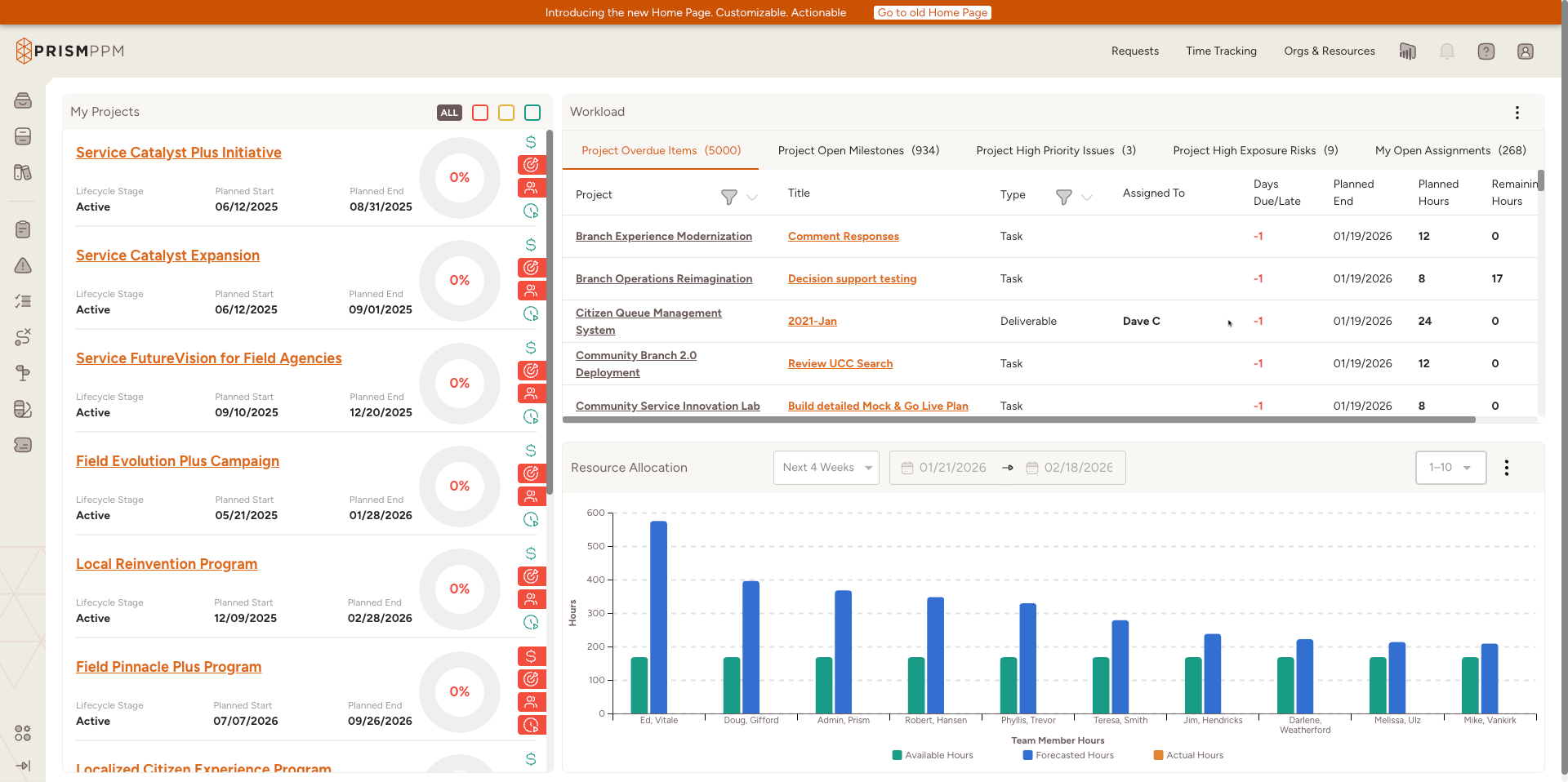
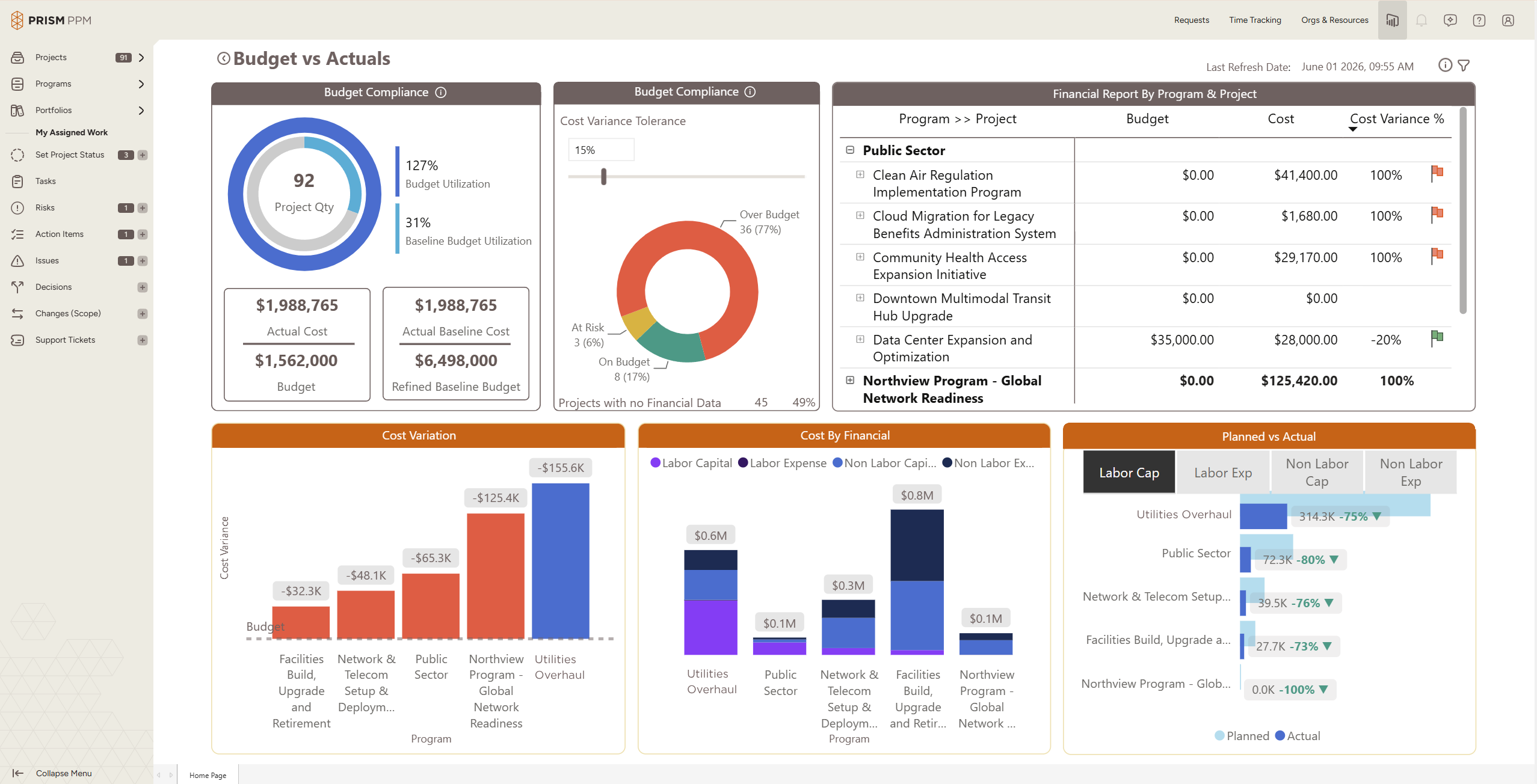
    Screenshot of Role-based My Home page shows active projects, status and health scoresScreenshot of Program health dashboard with the ability to drill into individual projects and detailsScreenshot of Data hygiene dashboard identifies missing or stale data, ensuring reporting is accurate and completeScreenshot of Track actual and forecast resource utilization to understand capacity and contraintsScreenshot of Understand budget implications and get ahead of overages at a project, program or whole portfolio levelScreenshot of Use AI Chat to quickly create projects, populate risk registries, and determine initial staffing needs