Navicat Premium is a multi-connection database development and administration tool which can simultaneously connect 7 databases (MySQL, MariaDB, MongoDB, SQL Server, Oracle, PostgreSQL, and SQLite) from a single application. Compatible with cloud databases like Amazon RDS, Amazon Aurora, Amazon Redshift, Microsoft Azure, Oracle Cloud, Google Cloud, Alibaba Cloud, Tencent Cloud, MongoDB Atlas and Huawei Cloud, developerws can quickly and easily build, manage and maintain databases.
N/A
Toad Database Developer Tools
Score 8.8 out of 10
N/A
Toad by Quest is a database management toolset that database developers, administrators and data analysts use to simplify workflows, create code free from defects, automate frequent or repetitive processes, and minimize risks. Editions include Toad for Oracle, which automates administration tasks and helps proactively manage databases while embracing performance optimization and risk mitigation. Similar editions exist for IBM DB2, SQL Server, SAP, or MySQL and Postgres environments (Toad Edge).
$229
per year
SolarWinds Database Performance Monitor
Score 8.9 out of 10
N/A
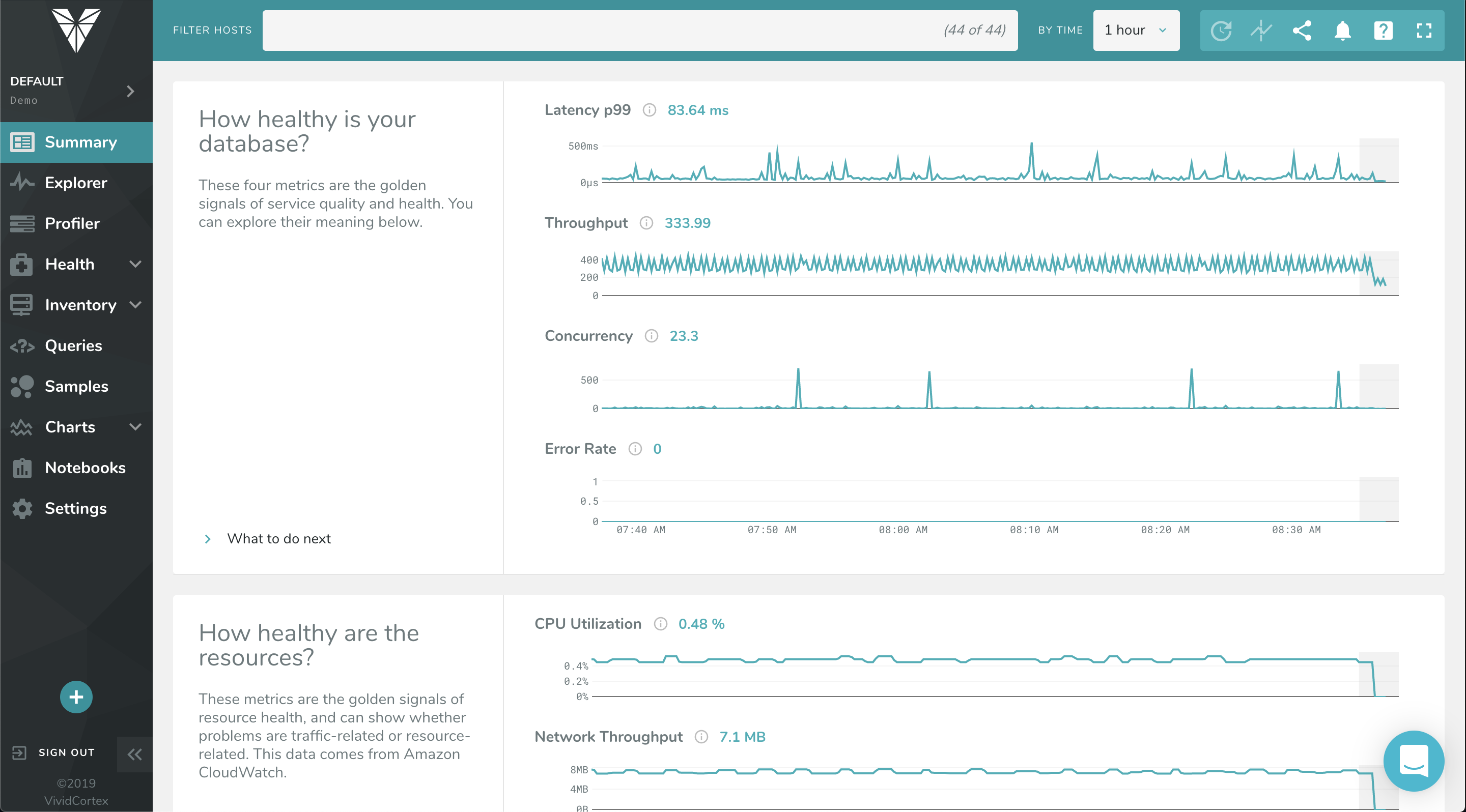
VividCortex, acquired by SolarWinds in
December 2019, provides database performance monitoring designed to increase
system performance, team efficiency, and infrastructure cost savings. The GDPR-
and SOC 2-compliant platform offers visibility into major open-source databases—MySQL,
PostgreSQL, Amazon Aurora, MongoDB, and Redis—for the engineering team at
scale. Industry leaders like Etsy, GitHub, SendGrid, and Yelp rely on Database
Performance Monitor for all-query monitoring and drill…
Toad is much better than Tableau query writer. Tableau is not intuitive and requires knowledge of proprietary database language to fully implement. Tableau does not perform as quickly and accurately as Toad. Toad is very easy and slim to install. Additional hardware is often …
Navicat Premium is a very well-rounded tool with a reasonable licensing fee given its feature set. It is primarily suited for technical resources who must work with a variety of different database systems, but who may not be database or command line tool wizards. However, its query building and job batch scheduling feature support end-users as they build competency, and it continues to hold its value even as users outgrow their training wheels. Navicat is probably not so appropriate for DBAs and others for whom database development and management is already a career path; these folks have their preferred toolsets, both vendor-supplied and homegrown, and they might consider the additional licensing cost to outweigh the value they'd personally get out of Navicat.
Toad for Oracle is very well suited for all Oracle implementations, be it single instance or RAC. It is best suited for use of Oracle DBA, Developer and Database Engineers. I don't recommend Toad for Oracle for Project Managers or Solution Architects. This can be a pricier choice for these people. They can do fine with free options like SQL Developer.
Computing resources consumed by the DB instance, DPA queries & wait time, deadlock conditions, virtual infrastructure resources. The addition of NPM & DPA integration as well as cross-correlation in the identification of issues with the network or server or DB is all stupid-proof. Monitoring is more than just health and resource consumption, it's also performance. DB performance analysis is key to maintaining healthy DB instances.
Toad is a de-facto standard tool for data developers and analysts. Generally speaking it provides almost every function needed to manage data in EDW with great performance and stability.
The nature of clinical data is big-sized: one table may have billions of rows. Toad provides critical functions to manage SQLs, e.g. Top SQL that can monitor and manage SQLs using CPU power and network bandwidth, so that EDW administrator can optimize ETL operations in the best efficiency.
Many of our data analysts are not computer science backgrounded (having clinical / nursing background). Toad provides great auditing tools such as Tuning Lab or SQL Scanner, so that data analysts can train themselves with guidance of the tool.
The power and control it gives is at the same time kind of a negative thing. There's too many options available, even when you don't need them. For simple database operations it's sometimes easier to just use SQL Developer since navigation is way more intuitive and easy.
Related with the above: there is a steep learning curve. However, since this is the main tool for any Oracle developer, this is not that much of a problem.
If I remember well, Toad used to be free, some 20 years ago. Or at least had a free version. It would be nice to have a free version. The dedicated Oracle developers and DBA's won't use the free version, but all the rest of us developers might use it instead of SQL Developer. It would make communications between everybody somewhat easier.
There is quite a lot to learn because Navicat Premium is a very comprehensive database management and development tool, but it's User Interface is intuitive enough to pick up fairly quickly. I have also referred to the documentation on occasion, and can attest that it is quite good. I feel that it works best on a large monitor, but that's fairly common for this sort of software.
I give is an 8 because nothing is a 10 and there is always room for improvement. I believe the user who is not as technologically inclined would be better suited with an easier way to identify the options for setting the layout up for Toad's GUI. To some it is very cumbersome and confusing.
Very robust online community and well as excellent support staff. Easy to follow video tutorials. Detailed sample configurations are provided with guided walk-throughs via remote classroom instruction. Very fast response from support staff. No internal hires were necessary for support as vendor support staff fully met all technical expertise. 24/7 incident reporting and tracking is great.
I give the overall support for Toad for Oracle a 10/10. This is because whenever there has been an issue with this software, our team has got an immediate response. The same can not be said for similar software. The most recent example of this is when we needed to renew our licenses. Some employees were unable to log in to code with the given license key. Support was able to resolve the issue quickly.
Toad is much better than Tableau query writer. Tableau is not intuitive and requires knowledge of proprietary database language to fully implement. Tableau does not perform as quickly and accurately as Toad. Toad is very easy and slim to install. Additional hardware is often required to run Tableau smoothly. Support for Tableau is even more expensive than Toad support.
Quick and easy query development helps reduce man-hours in a project which converts to real dollars.
Query analysis and tuning result in low database overhead and low latency, thus translating into real dollars because a system can thus handle more requests from customers.
Ease of use makes it easy to deploy greenhorns in projects with minimal training, thus helping save money. Otherwise menial and simple jobs would have required experienced DBAs.