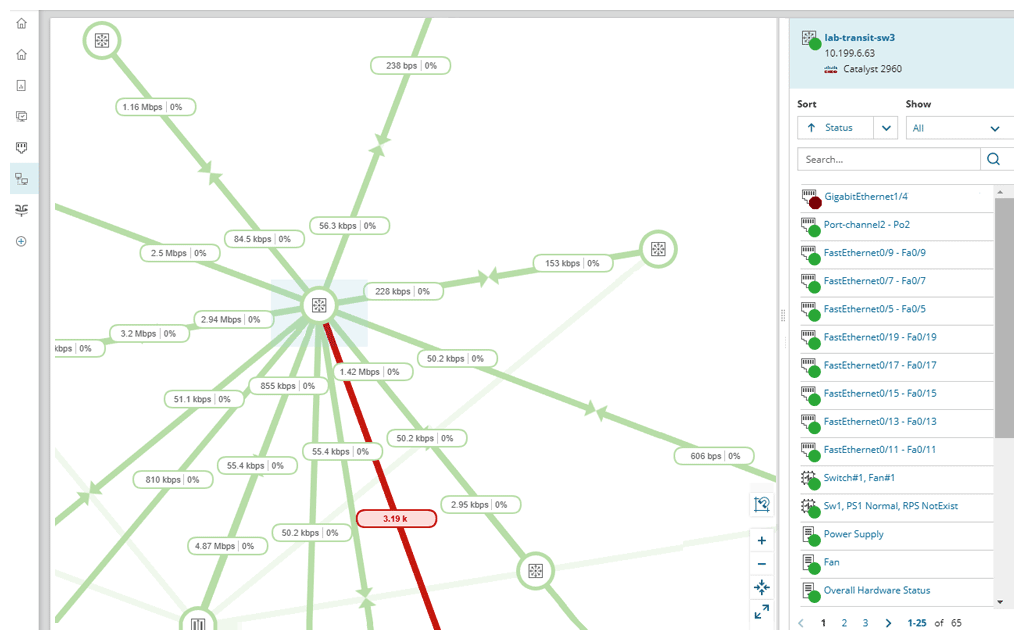
NetBrain, founded in 2004, provides a no-code automation platform for hybrid network observability, allowing organizations to enhance their operational efficiency through automated workflows. The platform applies automation across three key workflows: troubleshooting, change management, and assessment.
N/A
SolarWinds NPM
Score 7.9 out of 10
N/A
SolarWinds NPM is a monitoring and performance management platform. It provides performance troubleshooting support, auto network discovery, customizable thresholds, and can be rapidly deployed.
$1,638
per year
Pricing
NetBrain Technologies
SolarWinds Network Performance Monitor (NPM)
Editions & Modules
No answers on this topic
NPM
$1,638
per year
Offerings
Pricing Offerings
NetBrain Technologies
SolarWinds NPM
Free Trial
Yes
Yes
Free/Freemium Version
No
No
Premium Consulting/Integration Services
Yes
No
Entry-level Setup Fee
No setup fee
Optional
Additional Details
—
—
More Pricing Information
Community Pulse
NetBrain Technologies
SolarWinds Network Performance Monitor (NPM)
Considered Both Products
NetBrain Technologies
Verified User
Team Lead
Chose NetBrain Technologies
The others were cumbersome, slow and there is a huge learning curve for the installation, configuration and just daily monitoring. NetBrain was the easiest of all to setup then let it run and build our network and map it out. Once it was complete, we immediately identified …
NetBrain is a specialized tool and other tools in the market nowhere stands up to its capabilities. Some capabilities are beyond what competitor are meant to designed for example - Network configuration auditing using a simple click, Out of the box runbook reports availability …
Intermapper is an easy to use product. We can create a network topology for each of our monitored sites by simply adding a node then use a simple network management protocol (SNMP) to probe and pull relevant information. NetBrain has a better network discovery element.
The price point is better. The two products listed specialize in different things. NetBrain was really good at troubleshooting and documenting the network, and LiveAction provided deeper more detailed insights into NetFlow. NPM is a good mix of both products and works best for …
Before SolarWinds, we used eHealth. It was absolutely awful. The user interface was extremely clunky; getting basic charts took at least a half dozen screens. There were no usable ready-made dashboards. No alerts. Just not even in the same class as NPM. We liked NetBrain …
Great for our large global environment. Works well with our legacy and newer equipment. Ease of install was exciting compared to other products we POC'd. Less of a learning curve when training Teams on how to monitor and troubleshoot while in production. Service desk were able to capture the logs and load into our ticketing system with ease.
SolarWinds Network Performance Monitor (NPM) is excellent on node monitoring, for servers, switches, voice routers, etc. It also provides quick information on the dashboard, so you can take a look an in a few seconds determine is an entire site is down, if portions are down, and what may be causing the issue. We have experienced some difficulty when working with our wireless environment. It is less than natural when attempting to determine if a wireless access point is down itself, or if the switch feeding the access point is down, either port or switch. It does a very good job telling you if a switch is down, but troubleshooting the devices (specifically access points) it struggles.
The entire IT staff relies on NPM in its daily operations. It would be impossible for us to maintain our level of service without it. If SolarWinds gets to proud of their product and begins to over charge for it, we would be forced to reconsider and use a different product. But as it stands it is worth the price to renew it.
SolarWinds Network Performance Monitor (NPM) is quite an extensive product, covering all our bases and requirements. There are a lot of customizable options and features which you can work with for their alerting which is really useful. I haven't found anything yet which I thought SolarWinds Network Performance Monitor (NPM) could do, but it actually couldn't so overall it works nicely and does the job.
In all of the times that we called support, someone at SolarWinds had the answer for us in a timely manner. Through thwack and other internet searching, we have been able to resolve all of our issues that arose to our satisfaction. The support staff have always been knowledgeable of their products or had a fellow support staff member to rely on to get the needed answers.
The training is good but during the implementation, you can get situations not learned during the training. The trainer was very open to hearing the questions about use cases and always sharing his experience. I really recommend having official training to take advantage of all features that the NPM can bring.
Make sure your inventory is accurate. Stand up some virtual machines for testing prior to installation. Make sure your database and its credentials are setup. Think about things you want to monitor that may not be obvious - UPS units, Door hardware, PBX systems, Fabric Channel switches, firewalls, routers, switches. Try to setup SNMP on these devices and have an IP that you will assign to the new server. If you do that it will go well.
We use NPM along with PRTG Network Monitor. While NPM is great at monitoring network devices and network links and some aspects of the servers, PRTG provides more in-depth monitoring for Server systems, applications and application ports such as Web Ports etc. PRTG also provides a more comprehensive Root cause analysis.
SolarWinds allows us to proactively address hardware issues before they impact the business. We recently had a server that was experiencing issues sporadically and we were able to use the data from SolarWinds to track down and correct the issue before it tanked the server.
SolarWinds gives our IT department some piece of mind knowing that they'll be alerted of any issues real time.
We can use SolarWinds data to justify needed to replace or upgrade certain equipment that is key to our core business.