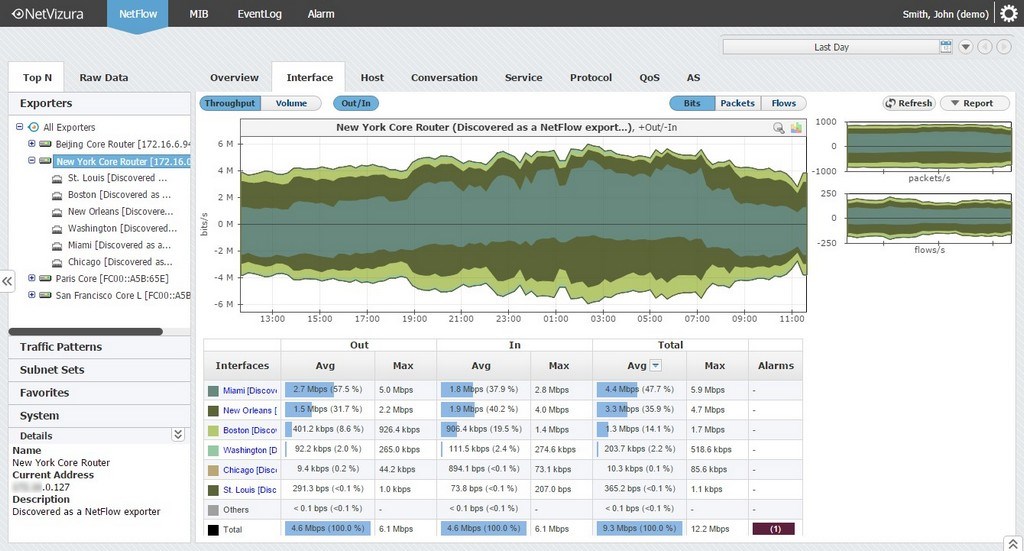
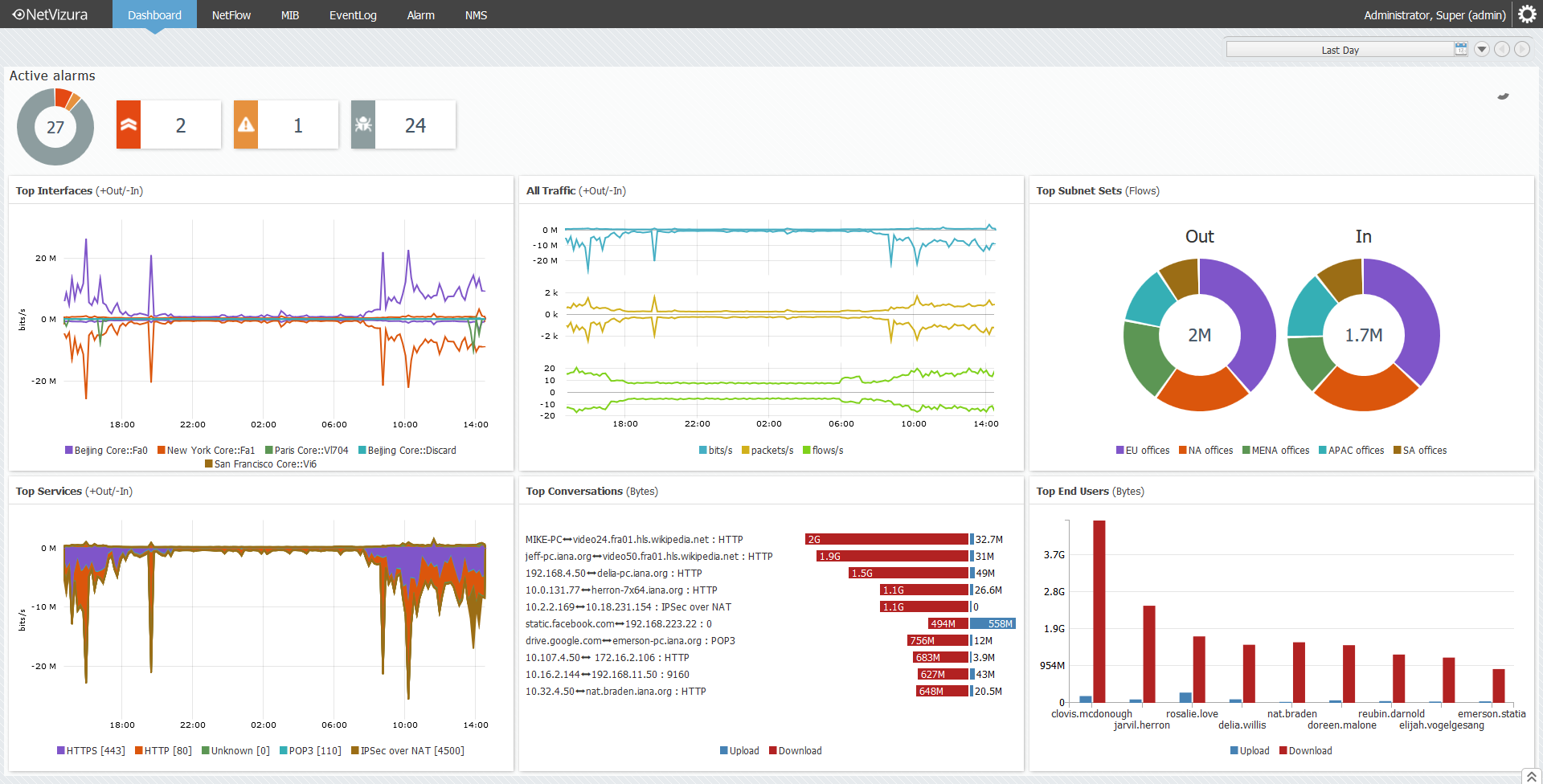
NetVizura NetFlow Analyzer, from Soneco, is designed to help network admins with network traffic monitoring, analysis and reporting. The vendor says their solution enables users to do the following:
Monitor network bandwidth on routers and interfaces Monitor custom traffic on IP subnets and IP subnets groups Monitor end user traffic (username based) Quickly get insight into traffic structure (top talkers) by hosts, services, protocols, conversations, QoS,…
N/A
SolarWinds Engineer's Toolset
Score 7.7 out of 10
N/A
SolarWinds® Engineer’s Toolset (ETS) helps users monitor and troubleshoot a network with over 60 tools for network management. ETS allows users to monitor and receive alerts in real time on network availability and health, and perform network diagnostics for faster troubleshooting and resolution of complex
network issues. With ETS users can deploy an array of network discovery tools including Port Scanner, Switch Port Mapper or advanced Subnet Calculator, manage Cisco®
devices with specialized…
$1,585
Per Instance
SPDocKit
Score 10.0 out of 10
N/A
SysKit, in Zagreb, offers SPDocKit as the Ultimate SharePoint On-Premises Administration Tool, used to automate routine administrators’ tasks such as document configuration and exploration of SharePoint structure.
N/A
Pricing
NetVizura NetFlow Analyzer
SolarWinds Engineer's Toolset
SysKit SPDocKit
Editions & Modules
No answers on this topic
One Time Price
$1,585
Per Instance
No answers on this topic
Offerings
Pricing Offerings
NetVizura NetFlow Analyzer
SolarWinds Engineer's Toolset
SPDocKit
Free Trial
Yes
Yes
No
Free/Freemium Version
Yes
No
No
Premium Consulting/Integration Services
No
No
No
Entry-level Setup Fee
No setup fee
No setup fee
No setup fee
Additional Details
Price is based on the number of processed flows. No limitations on the number of user, interfaces etc.
—
—
More Pricing Information
Community Pulse
NetVizura NetFlow Analyzer
SolarWinds Engineer's Toolset
SysKit SPDocKit
Considered Multiple Products
NetVizura NetFlow Analyzer
Verified User
Anonymous
Chose NetVizura NetFlow Analyzer
In comparison to SolarWinds, scrutinizer, and WhatsUp I would say the ease of setup and the graphical interface. The flow of the interface to monitor bandwidth, performance and detect anomalies makes it a winner over the other three. Compared to PRTG is how it organizes the …
I haven't compared any tools similar to SolarWinds Engineer's Toolset. This might be because I'm pretty biased when it comes to monitoring, and reporting solutions. I've found that SolarWinds provides the biggest bang for the buck in my opinion. I'm sure there are other …
We honestly didn't look at much beyond this because of all of the tools this toolset had in it. We found a use for a good chunk of them right away, and are finding more every month it seems like. We really wanted to make use of the majority of the tools included so we could …
To be honest, I'm not aware of any other toolset from a competitor that is remotely comparable. All other monitoring systems/vendors tend to use standard browser viewable monitoring systems and the option to use a locally installed software, to obtain the same results is not …
We have used LogicMonitor, PRTG and WhatsUp Gold previously which are similar to SolarWinds Engineer's Toolset capability. However SolarWinds Engineer's Toolset is completely unique with features like - Realtime monitoring, diagnostics on the fly, network discovery, easy …
These tools complement the Engineer's Toolset. They are excellent at detecting most issues and at keeping the network monitored and protected. However, when it comes time to dig into an issue, especially a hard to fix intermittent issue, these products lack the granularity of …
I love the NPM package, but if you are doing one-off monitoring to diagnose, SolarWinds Engineer's Toolset is more than adequate. The main drawback with SolarWinds Engineer's Toolset is the monitoring is only valid as long as you have the laptop on (obviously). NPM provides for …
Because it's a great tool. Very useful, convenient and reliant, We use it to monitor out production servers and it works just great. I use it pretty much every day, and it is very good monitoring system, that allows proactively troubleshoot certain areas, because you can see …
SolarWinds NPM and NCM use a lot of the tools available in the toolset. This is a nice combo of the two with a little bit of IPAM thrown in. I would say the toolset is geared more toward the field engineer, that will be doing work that may sever communications to the rest of …
I am unaware of any other product on the market that does what SysKit SPDocKit does. SPDocKit has certainly been doing it the longest, and it offers a unique value proposition and set of capabilities.
The capacity planning was a big help in our company as we grew the number of connected locations. Grow or die is pretty much the business model of today but that growth is only as good as the network it travels on. Being able to recommend appropriate network requirements is a big deal in our line of business.
[SolarWinds Engineer's Toolset is] a great tool for monitoring database servers, highly recommended. The very good thing is that it keeps the history for two weeks, and you can see the time slice for all the server activities. Helps a lot to identify the memory and CPU bottlenecks, research blocking issues and kill the sessions, if necessary.
The product is second to none in providing an accurate and detailed view of a SharePoint farm, its composition, and its configuration. It is an essential tool for discovery purposes, and it should be used anytime business continuity and disaster recover plans/documentations are being prepared. Since SharePoint doesn't include a "farm clone" method, SPDocKit provides the next best thing in attempts to replicate configuration. It can also be used as a Q&A checkpoint through the use of farm snapshots to highlight differences that exist between two or more environments.
Discovery. When trying to learn the ins and outs of an unfamiliar SharePoint farm configuration, SPDocKit creates a complete and accurate picture.
Documentation. Documenting farm configurations manually is a very time and labor intensive process, so I turn to SPDocKit to automate the process for me.
Change Tracking. SPDocKit can take a series of farm snapshots over time, and it can highlight and track differences in configuration and settings from snapshot to snapshot.
The unifying component that is intended to be the initial interface to the tools seems clunky. I prefer to start the tools individually rather than using it.
The port scanner could use some improvements to make it easier to use.
Cloud Readiness. Unfortunately, SPDocKit cannot run against SharePoint Online (SPO) environments due to its reliance on server APIs that aren't exposed in the cloud.
Variations. SPDocKit exists in a number of forms for licensing purposes, and not all versions are equivalent. It's sometimes difficult to know what version of the product houses the feature that I want to use, as well as whether or not I'm licensed for it.
SysKit support is second to none. On occasions where I've had questions about any aspect of SPDocKit, I've reached out to SysKit through available channels and usually gotten back a detailed and helpful answer within 24 hours of my request submission. They're also very friendly and supply more information that may be related to my inquiry or problem. I never feel like customer support is an afterthought with SysKit.
In comparison to SolarWinds, Scrutinizer, and WhatsUp I would say the ease of setup and the graphical interface. The flow of the interface to monitor bandwidth, performance and detect anomalies makes it a winner over the other three. Compared to PRTG is how it organizes the information and search ability. Wireshark is a quick and dirty look and NetFlow analyzer is more for data mining and analyzing over time.
These tools complement the Engineer's Toolset. They are excellent at detecting most issues and at keeping the network monitored and protected. However, when it comes time to dig into an issue, especially a hard to fix intermittent issue, these products lack the granularity of monitoring needed for these types of issues. Having said that the toolset is not made to do full time enterprise level monitoring. With these tools and the toolset I am able to have a more complete view of the network and deliver higher levels of service and quicker responses to issues.
I am unaware of any other product on the market that does what SysKit SPDocKit does. SPDocKit has certainly been doing it the longest, and it offers a unique value proposition and set of capabilities.
The product cost may appear large, but when you compare the cost and reuse of the product to what it would cost in time and effort to carry out its functions manually, the cost is truly a drop in the bucket.
Since I operate as a consultant, I consider the SysKit SPDocKit tool essential to the work I do. It allows me to go into new environments, generate a farm report, and use that report as something I provide to the client - as well as for my own purposes.