Groove by OptimizeCX is a shared inbox for small and mid-sized SaaS teams. It’s presented as a help desk built for speed and not complexity, and is designed to help manage customer conversations across channels.
$87
per quarter per user
ProProfs Help Desk
Score8.1 out of 10
Mid-Size Companies (51-1,000 employees)
ProProfs Help Desk is a customer support tool that promises to help agents track and resolve customer-care-related issues. The cloud-based software aims to enable businesses to deliver a delightful customer experience. This becomes possible with faster and effective ticket resolution. Key benefits and capabilities include: Timely resolution of customer queries: Customers feel delighted with timely responses. ProProfs help desk ticketing system allows managers and system…
$29.99
per month per user
Pricing
Groove by OptimizeCX
ProProfs Help Desk
Editions & Modules
Standard
$29
per month (billed quarterly) per user
Plus
$45
per month (billed quarterly) per user
Pro
$70
per month (billed quarterly) per user
Free
$0
Unlimited Users
Team
$29.99
per month per user
ENTERPRISE
$ 499 per month
Unlimited Users
Offerings
Pricing Offerings
Groove by OptimizeCX
ProProfs Help Desk
Free Trial
Yes
Yes
Free/Freemium Version
No
Yes
Premium Consulting/Integration Services
No
No
Entry-level Setup Fee
No setup fee
No setup fee
Additional Details
—
—
More Pricing Information
Features
Groove by OptimizeCX
ProProfs Help Desk
Incident and problem management
Comparison of Incident and problem management features of Groove by OptimizeCX and ProProfs Help Desk
Feature
Groove by OptimizeCX
1.4
6 Ratings
142% below category average
ProProfs Help Desk
8.2
1 Ratings
0% above category average
Organize and prioritize service tickets
1.26 Ratings
8.21 Ratings
Expert directory
1.23 Ratings
00 Ratings
Subscription-based notifications
1.03 Ratings
00 Ratings
ITSM collaboration and documentation
2.03 Ratings
7.31 Ratings
Ticket creation and submission
2.05 Ratings
9.11 Ratings
Ticket response
1.15 Ratings
8.21 Ratings
Self Help Community
Comparison of Self Help Community features of Groove by OptimizeCX and ProProfs Help Desk
Feature
Groove by OptimizeCX
1.4
5 Ratings
140% below category average
ProProfs Help Desk
8.2
1 Ratings
2% above category average
External knowledge base
1.44 Ratings
00 Ratings
Internal knowledge base
1.44 Ratings
8.21 Ratings
Multi-Channel Help
Comparison of Multi-Channel Help features of Groove by OptimizeCX and ProProfs Help Desk
Groove is great for people who are wanting to provide accountability and organization for teams across your business. It is suited well for an organization that has many email requests coming in every day, because you can assign tickets to specific team members. It would not be suited for an organization that utilizes more phone support, than email support
As this tool is an affordable option, this help desk software is best suited for startups to deal with their customer base and build customer-centric brand value. This helps in not only helped me increase customer loyalty but also ensured customer retention, increasing my company’s profits substantially. But, this tool does have a few minor drawbacks. The most important feature, for me, that is missing from this tool is skill-based routing. Without this feature, our agents lose a lot of time in replying to just one customer question. Sometimes, the ticket needs to be reassigned to a specialized agent - and until they are available, the ticket remains open.
Creates Tickets when someone emails in or you can create a ticket within the groove system.
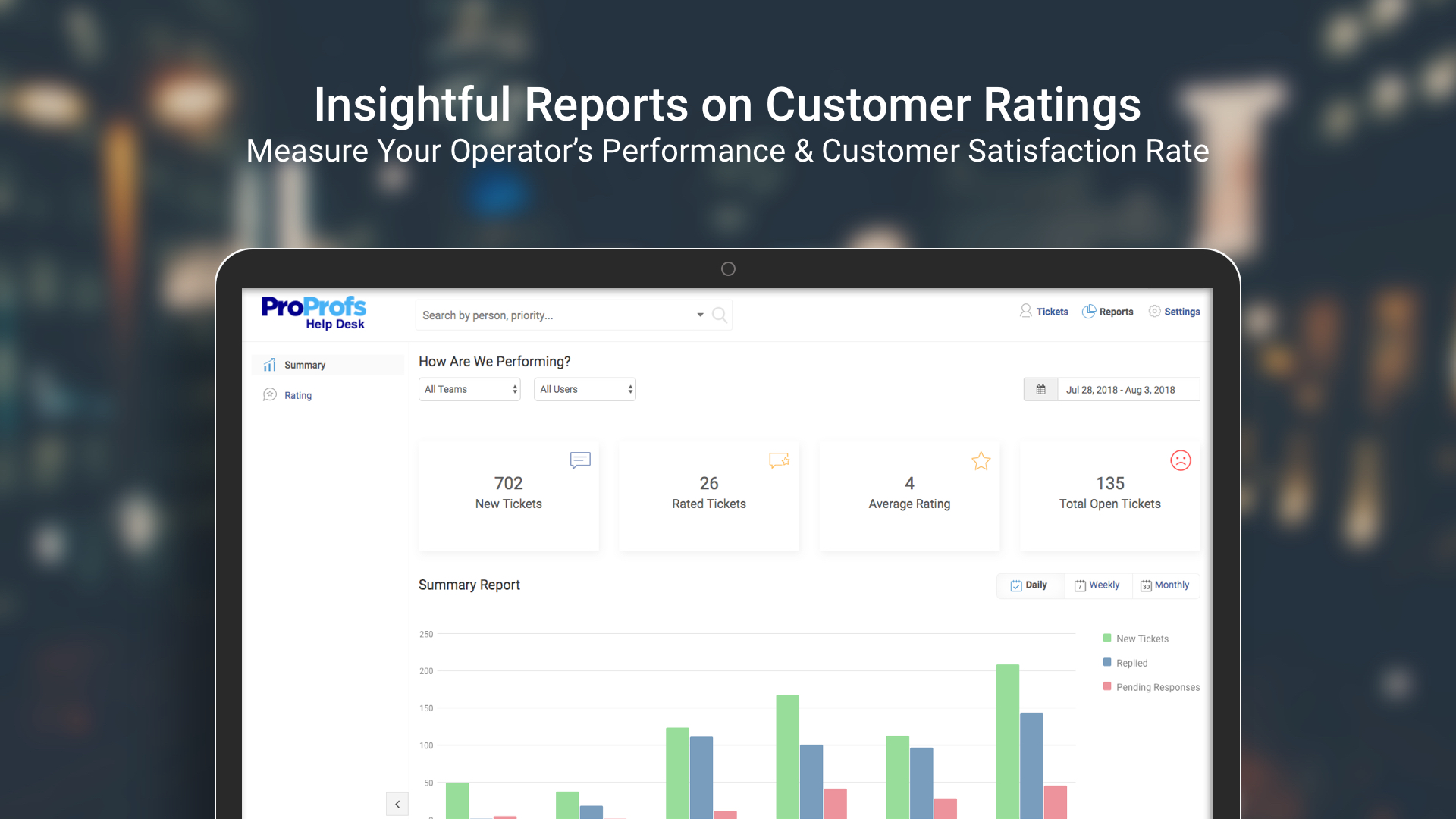
They have great reports on response times and the average amount of time it took for a ticket to close. You can even see individuals average response times as well as specific teams.
We use their Knowledge Base which is a great tool for creating FAQ and sending people to that.
A de minimis incentive was given to thank the reviewer for their time. The incentive was not used to bias or drive a particular response, nor was the incentive contingent on a positive endorsement. More Info
Sometimes customers ask questions that require more than one agent to look into the matter. For such situations, ProProfs Help Desk has the “child ticket” feature. This literally made my life so so easy! Whenever I was in this situation, all I had to do was create a child ticket and assign it to another agent and give him a heads up on what has been going on. Answering a customer’s question accurately becomes really easy with this feature.
Our entire team’s performance was always static. We never knew how anyone was performing or was anyone making any difference in the overall company’s value. With this tool, it became easy to see how every agent is performing and whether there was any positive impact on both - the company and our current customer base.
A de minimis incentive was given to thank the reviewer for their time. The incentive was not used to bias or drive a particular response, nor was the incentive contingent on a positive endorsement. More Info
This tool does route tickets, but the one drawback is that the tickets are;t assigned to a specialized agent. It is randomly assigned to any available agent, and if he doesn’t have expertise in terms of the customer question, it becomes hard to give an accurate answer.
Giving automatic responses to customers makes our life easy, but we can’t personalize these messages. This sometimes makes our customers feel that they are talking to a bot, making it difficult to answer their questions without them having a hostile reaction to the automated answers.
I'm giving them a 3 for the really great support they gave for general questions. They also have a good knowledge base. I'm giving them only a 3 though because of my last customer service when I need a billing resolution. I was very disappointed in how they handled that. I also find it very bad practice to send out ONE email notice that they were raising my rate three times as much at the end of the month. When I was with Desk.com, I had numerous emails over months letting me know their billing plans were changing. Even worse than refusing to refund me the difference was that they just stopped responding to me.
We also use Trello for project management. I have used both systems and we like Groove because it allows for our clients to contact us via email. They do not have to go to a ticket submission page, they can just email us directly and it will create a ticket. Groove also provides analytics on how long it takes to respond to tickets
I shifted from Kayako to ProProfs Help Desk for mainly two reasons, UI and features. ProProfs Help Desk definitely has a more user-friendly interface and the features offered by this tool are also more compared to Kayako. A few features that aren’t available in Kayako but are available in ProProfs Help Desk are multiple shared inboxes, private notes, and email ticketing.