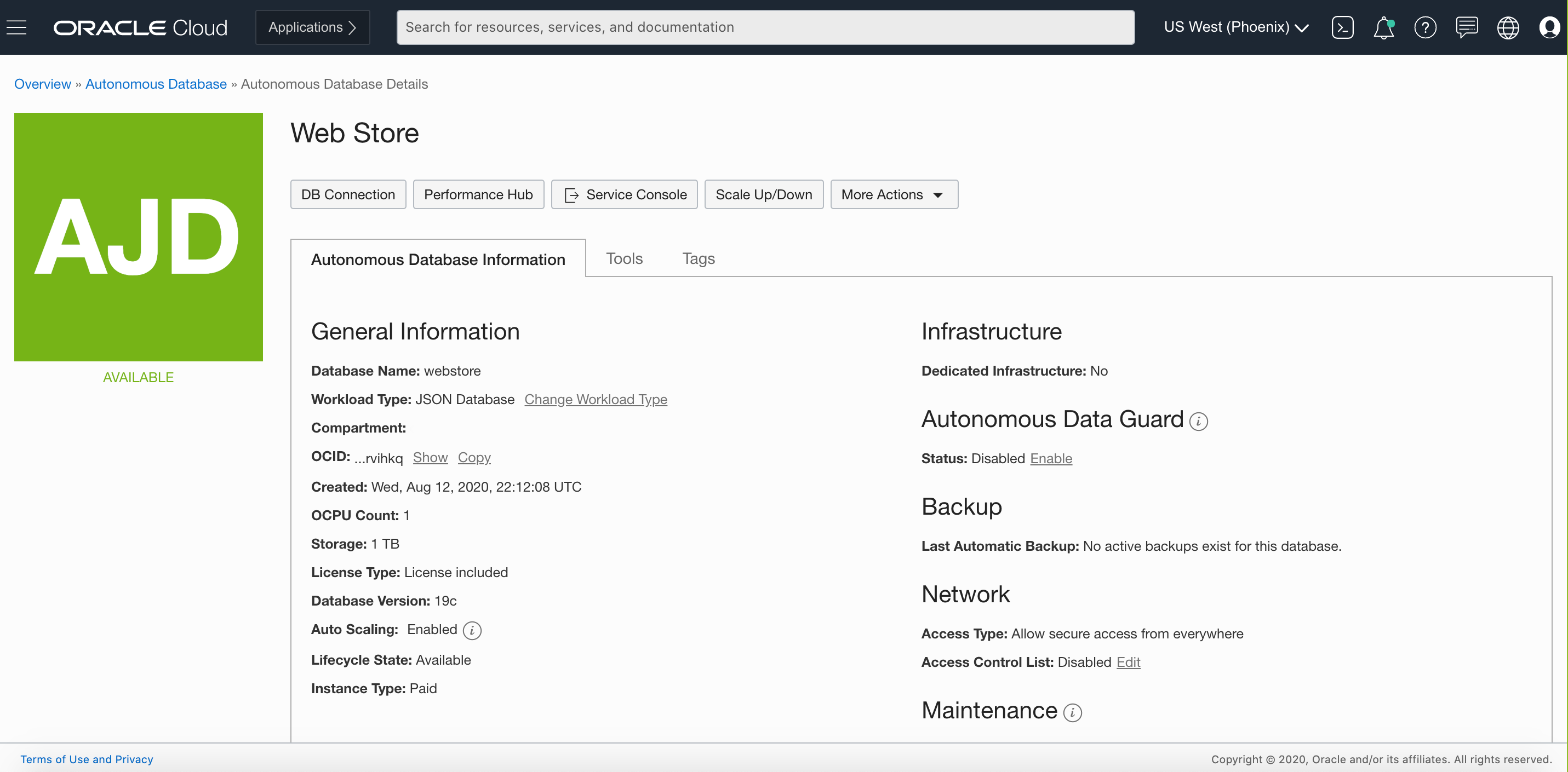
Oracle Autonomous Database provides a self-driving, self-securing, self-repairing cloud service that eliminate the overhead and human errors associated with traditional database administration. Oracle Autonomous Database takes care of configuration, tuning, backup, patching, encryption, scaling, and more.
N/A
Microsoft SQL Server
Score8.7 out of 10
N/A
Microsoft SQL Server is a relational database.
$1,418
Per License
Pricing
Oracle Autonomous Database
Microsoft SQL Server
Editions & Modules
No answers on this topic
Subscription
$1,418.00
Per License
Enterprise
$13,748.00
Per License
Offerings
Pricing Offerings
Oracle Autonomous Database
Microsoft SQL Server
Free Trial
Yes
No
Free/Freemium Version
Yes
No
Premium Consulting/Integration Services
Yes
No
Entry-level Setup Fee
Optional
No setup fee
Additional Details
—
—
More Pricing Information
Community Pulse
Oracle Autonomous Database
Microsoft SQL Server
Considered Both Products
Oracle
Verified User
Chose Oracle Autonomous Database
Oracle DB is levels of magnitude more rich in its functionality, it is much stronger in security, DR, HA, etc. However, the main drawback is its cost compared to MySQL.
A de minimis incentive was given to thank the reviewer for their time. The incentive was not used to bias or drive a particular response, nor was the incentive contingent on a positive endorsement. More Info
A de minimis incentive was given to thank the reviewer for their time. The incentive was not used to bias or drive a particular response, nor was the incentive contingent on a positive endorsement. More Info
Pro - Stability. Does everything anyone could need. If it's not there it will be on the next update. There is plenty of support for it. It's been around for a long time and it's reliable. The support is well documented and has a great reputation. Cons - Errors have been found in the documentation provided by Oracle with guidelines, etc. Oracles salespeople have a reputation of being obnoxious and condescending.
A de minimis incentive was given to thank the reviewer for their time. The incentive was not used to bias or drive a particular response, nor was the incentive contingent on a positive endorsement. TR verified that a representative sample of customers was invited. More Info
Microsoft SQL is ubiquitous, while MySQL runs under the hood all over the place. Microsoft SQL is the platform taught in colleges and certification courses and is the one most likely to be used by businesses because it is backed by Microsoft. Its interface is friendly (well, as pleasant as SQL can be) and has been used by so many for so long that resources are freely available if you encounter any issues.
A de minimis incentive was given to thank the reviewer for their time. The incentive was not used to bias or drive a particular response, nor was the incentive contingent on a positive endorsement. More Info
A de minimis incentive was given to thank the reviewer for their time. The incentive was not used to bias or drive a particular response, nor was the incentive contingent on a positive endorsement. More Info
A de minimis incentive was given to thank the reviewer for their time. The incentive was not used to bias or drive a particular response, nor was the incentive contingent on a positive endorsement. More Info
There is no access to the physical host of the DB. This is expected from a managed DB. Everything must be done through the console or via API calls. This is a new learning curve for the DBAs.
Due to the lack of physical host access, certain features are not supported, such as Transportable tablespaces and Oracle LogMiner.
Certain special data types, (such as XMLType) are not allowed; be sure the app vendor certifies their product on this platform.
A de minimis incentive was given to thank the reviewer for their time. The incentive was not used to bias or drive a particular response, nor was the incentive contingent on a positive endorsement. More Info
Microsoft SQL Server Enterprise edition has a high cost but is the only edition which supports SQL Always On Availability Groups. It would be nice to include this feature in the Standard version.
Licensing of Microsoft SQL Server is a quite complex matter, it would be good to simplify licensing in the future. For example, per core vs per user CAL licensing, as well as complex licensing scenarios in the Cloud and on Edge locations.
It would be good to include native tools for converting Oracle, DB2, Postgresql and MySQL/MariaDB databases (schema and data) for import into Microsoft SQL Server.
A de minimis incentive was given to thank the reviewer for their time. The incentive was not used to bias or drive a particular response, nor was the incentive contingent on a positive endorsement. More Info
Because it does exactly what we need: it enables us to manage our development and testing database environments in a quick and simple way without requiring support from a database administrators team.
A de minimis incentive was given to thank the reviewer for their time. The incentive was not used to bias or drive a particular response, nor was the incentive contingent on a positive endorsement. More Info
We understand that the Microsoft SQL Server will continue to advance, offering the same robust and reliable platform while adding new features that enable us, as a software center, to create a superior product. That provides excellent performance while reducing the hardware requirements and the total cost of ownership of our solution.
A de minimis incentive was given to thank the reviewer for their time. The incentive was not used to bias or drive a particular response, nor was the incentive contingent on a positive endorsement. More Info
The product is continuously evolving and new features are added frequently. Management options through the OCI (Oracle Cloud Infrastructure) console and through the command line and API are being enhanced frequently.
A de minimis incentive was given to thank the reviewer for their time. The incentive was not used to bias or drive a particular response, nor was the incentive contingent on a positive endorsement. More Info
SQL Server mostly 'just works' or generates error messages to help you sort out the trouble. You can usually count on the product to get the job done and keep an eye on your potential mistakes. Interaction with other Microsoft products makes operating as a Windows user pretty straight forward. Digging through the multitude of dialogs and wizards can be a pain, but the answer is usually there somewhere.
A de minimis incentive was given to thank the reviewer for their time. The incentive was not used to bias or drive a particular response, nor was the incentive contingent on a positive endorsement. More Info
A de minimis incentive was given to thank the reviewer for their time. The incentive was not used to bias or drive a particular response, nor was the incentive contingent on a positive endorsement. More Info
A de minimis incentive was given to thank the reviewer for their time. The incentive was not used to bias or drive a particular response, nor was the incentive contingent on a positive endorsement. More Info
We managed to handle most of our problems by looking into Microsoft's official documentation that has everything explained and almost every function has an example that illustrates in detail how a particular functionality works. Just like PowerShell has the ability to show you an example of how some cmdlet works, that is the case also here, and in my opinion, it is a very good practice and I like it.
A de minimis incentive was given to thank the reviewer for their time. The incentive was not used to bias or drive a particular response, nor was the incentive contingent on a positive endorsement. More Info
A de minimis incentive was given to thank the reviewer for their time. The incentive was not used to bias or drive a particular response, nor was the incentive contingent on a positive endorsement. More Info
A de minimis incentive was given to thank the reviewer for their time. The incentive was not used to bias or drive a particular response, nor was the incentive contingent on a positive endorsement. More Info
Other than SQL taking quite a bit of time to actually install there are no problems with installation. Even on hardware that has good performance SQL can still take close to an hour to install a typical server with management and reporting services.
A de minimis incentive was given to thank the reviewer for their time. The incentive was not used to bias or drive a particular response, nor was the incentive contingent on a positive endorsement. More Info
I found Oracle Autonomous Database very secure to store data and private information.I always feel secure with Oracle Autonomous Databases disaster recovery features.It is very effective to build applications for mobile and desktop devices lesser code using a low code development framework namely Oracle Application Express (ApEx).
A de minimis incentive was given to thank the reviewer for their time. The incentive was not used to bias or drive a particular response, nor was the incentive contingent on a positive endorsement. More Info
[Microsoft] SQL Server has a much better community and professional support and is overall just a more reliable system with Microsoft behind it. I've used MySQL in the past and SQL Server has just become more comfortable for me and is my go to RDBMS.
A de minimis incentive was given to thank the reviewer for their time. The incentive was not used to bias or drive a particular response, nor was the incentive contingent on a positive endorsement. More Info
A de minimis incentive was given to thank the reviewer for their time. The incentive was not used to bias or drive a particular response, nor was the incentive contingent on a positive endorsement. More Info
A de minimis incentive was given to thank the reviewer for their time. The incentive was not used to bias or drive a particular response, nor was the incentive contingent on a positive endorsement. More Info
Increased accuracy - We went from multiple users having different versions of an Excel spreadsheet to a single source of truth for our reporting.
Increased Efficiency - We can now generate reports at any time from a single source rather than multiple users spending their time collating data and generating reports.
Improved Security - Enterprise level security on a dedicated server rather than financial files on multiple laptop hard drives.
A de minimis incentive was given to thank the reviewer for their time. The incentive was not used to bias or drive a particular response, nor was the incentive contingent on a positive endorsement. More Info