Chose Parallels RAS
Provides similar function to Microsoft Remote Desktop services, including administrative and user quality of life, ability to get support, at the cost of licensing of course.

| Product | Rating | Most Used By | Product Summary | Starting Price |
|---|---|---|---|---|
 Parallels RAS | N/A | Parallels Remote Application Server (Parallels RAS, formerly 2X RAS), is application virtualization technology, billed as a solution to extend the life of legacy OS (like Windows XP) with its virtual desktop for any device. Maltese company 2X Software developed the technology, but was acquired by Parallels (in Seattle, WA) in February, 2015 to extend their cross-platform support solutions. | N/A | |
 Proxmox VE | N/A | Proxmox Virtual Environment is an open source server virtualization management solution based on QEMU/KVM and LXC. Users can manage virtual machines, containers, highly available clusters, storage and networks via a web interface or CLI. Proxmox VE code is licensed under the GNU Affero General Public License, version 3. The project is developed and maintained by Proxmox Server Solutions GmbH. | $90 year & CPU socket |
| Parallels Remote Application Server (Parallels RAS) | Proxmox VE | |||||||||||||||
|---|---|---|---|---|---|---|---|---|---|---|---|---|---|---|---|---|
| Editions & Modules | No answers on this topic |
| ||||||||||||||
| Offerings |
| |||||||||||||||
| Entry-level Setup Fee | No setup fee | No setup fee | ||||||||||||||
| Additional Details | — | Proxmox Virtual Environment's source code is published under the free software license GNU AGPL, v3 and thus is freely available for download, use and share. A Proxmox VE Subscription is an additional service program that helps IT professionals and businesses keep Proxmox VE deployments up-to-date. A subscription provides access to the stable Proxmox VE Enterprise Repository delivering software updates and security enhancements, technical help and support. | ||||||||||||||
| More Pricing Information | ||||||||||||||||
| Parallels Remote Application Server (Parallels RAS) | Proxmox VE | |
|---|---|---|
| Considered Both Products |  Parallels RAS  Freddy Garcia Desktop Analyst Chose Parallels RAS Easy to use and configure  Dany Briard IT Director , I&Ops, Security Chose Parallels RAS it requires strong IT skills to manage the "behind the scene" engine. Parallels Remote Application Server (Parallels RAS) solved all that.  Marzieh Hooshmand Consultant Chose Parallels RAS Better support and higher speed than competitors  Sven De Bondt Owner Chose Parallels RAS Price is better for Parallels and Easier to install/roll out. | Proxmox VE  Armando Insfran Network Development Manager Chose Proxmox VE Based on my experience , I selected Proxmox VE because it offers a range of powerful features and functionalities at a lower cost than proprietary platforms such as VMware ESXi and Citrix Hypervisor. Additionally, Proxmox VE is an open-source platform, which means that users …  Mauro Giannandrea DevOps Specialist Chose Proxmox VE Proxmox VE is cheaper than VMware, especially upscaling an HA architecture. Compared with other free or less expensive solutions, Proxmox VE is high compatible with more types of hardware solutions and more VM types. From my point of view, Proxmox VE has no competitor at the …  Joseph Brower Owner and Lead Engineer Chose Proxmox VE Proxmox emulates hardware exceptionally well. This makes migration easier between systems. Additionally, the licensing model is friendly and the system is quite featureful. On top of that, by having a common base (Debian Linux) we have access to tools without needing to jump …  Joe Foran Director Of Information Technology and HIPAA Privacy Officer Chose Proxmox VE With an incredibly easy to use interface, quick setup, and wide support for different hardware we found it was the perfect lab tool for our department to build, stage, and eventually move VMs into production with.  Eric Renfro System Administrator Chose Proxmox VE VMWare pricing is steep when compared to the Proxmox VE licensing model. You can use Proxmox VE GPL for free to fully evaluate every aspect of it. VMWare also requires you to install software on your virtual machine instances to which you wouldn't normally need. Proxmox VE just … |
| Parallels Remote Application Server (Parallels RAS) | Proxmox VE | ||||||||||||||||||
|---|---|---|---|---|---|---|---|---|---|---|---|---|---|---|---|---|---|---|---|
| Server Virtualization |
|
| Parallels Remote Application Server (Parallels RAS) | Proxmox VE | |
|---|---|---|
| Small Businesses |  VMware Fusion Score 7.3 out of 10 |  DigitalOcean Droplets Score 9.7 out of 10 |
| Medium-sized Companies | VMware Fusion Score 7.3 out of 10 |  VMware vSOM (discontinued) Score 10.0 out of 10 |
| Enterprises | VMware Fusion Score 7.3 out of 10 | VMware vSOM (discontinued) Score 10.0 out of 10 |
| All Alternatives | View all alternatives | View all alternatives |
| Parallels Remote Application Server (Parallels RAS) | Proxmox VE | |
|---|---|---|
| Likelihood to Recommend | 9.7 (0 ratings) | 8.4 (0 ratings) |
| Likelihood to Renew | 8.3 (0 ratings) | 10.0 (0 ratings) |
| Usability | 8.4 (0 ratings) | 8.0 (0 ratings) |
| Availability | 9.1 (0 ratings) | 9.0 (0 ratings) |
| Performance | 4.5 (0 ratings) | 10.0 (0 ratings) |
| Support Rating | 7.8 (0 ratings) | 10.0 (0 ratings) |
| Online Training | 7.3 (0 ratings) | - (0 ratings) |
| Implementation Rating | 7.6 (0 ratings) | 10.0 (0 ratings) |
| Configurability | 7.3 (0 ratings) | - (0 ratings) |
| Ease of integration | 4.5 (0 ratings) | - (0 ratings) |
| Product Scalability | 7.3 (0 ratings) | 10.0 (0 ratings) |
| Vendor post-sale | 9.1 (0 ratings) | - (0 ratings) |
| Vendor pre-sale | 9.1 (0 ratings) | - (0 ratings) |
| Parallels Remote Application Server (Parallels RAS) | Proxmox VE | |
|---|---|---|
| Likelihood to Recommend |
|
Armando Insfran Network Development Manager |
| Pros |
|
|
| Cons |
|
|
| Likelihood to Renew |
 Craig Cormier IT Manager |
Eric Renfro System Administrator |
| Usability |
|
|
| Reliability and Availability |
 iain Stephen Information Systems Manager |
Eric Renfro System Administrator |
| Performance |
iain Stephen Information Systems Manager |
Eric Renfro System Administrator |
| Support Rating |
|
Eric Renfro System Administrator |
| Online Training |
Craig Cormier IT Manager | No answers on this topic |
| Implementation Rating |
iain Stephen Information Systems Manager |
Eric Renfro System Administrator |
| Alternatives Considered |
|
|
| Scalability |
iain Stephen Information Systems Manager |
Eric Renfro System Administrator |
| Return on Investment |
|
Joseph Brower Owner and Lead Engineer |
| ScreenShots | Parallels RAS Screenshots  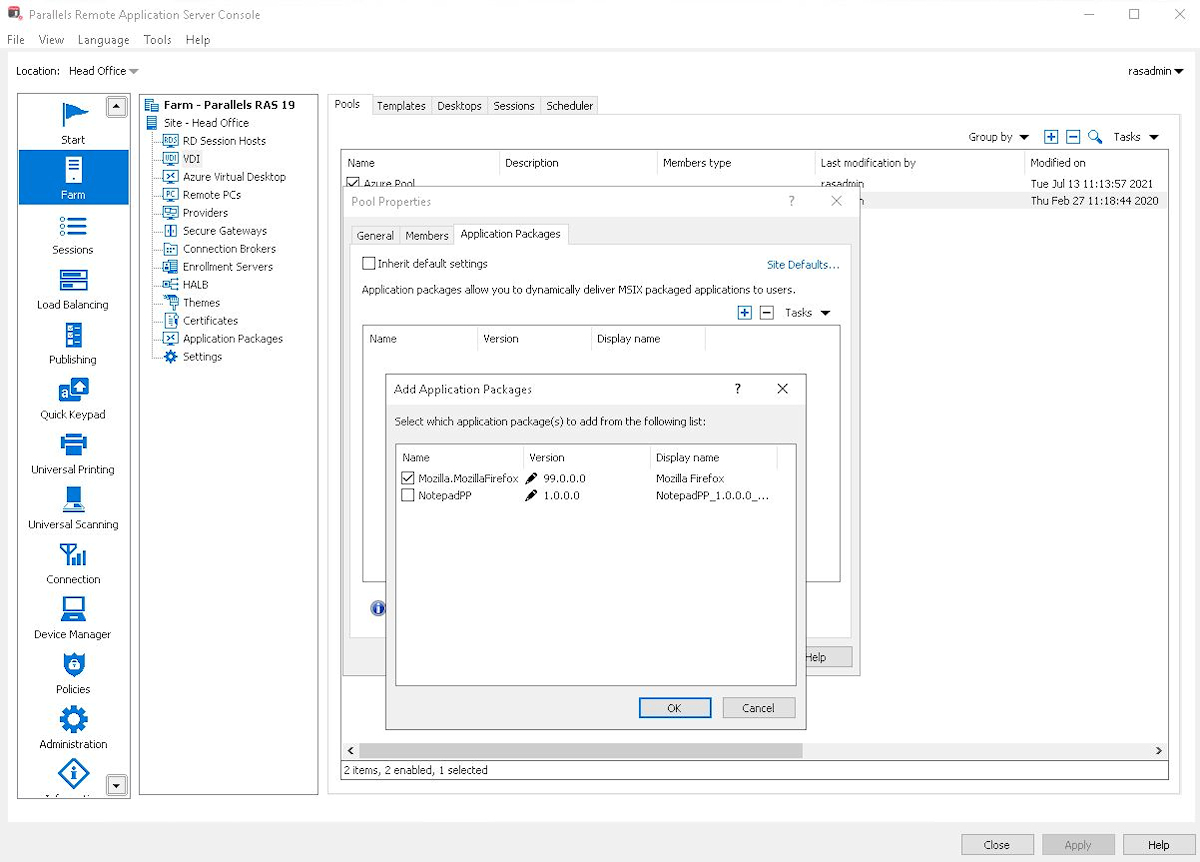    |