TrustRadius: an HG Insights company

Save this comparison

Save this comparison

Add Product

Recommended Comparisons

    Overview
    ProductRatingMost Used ByProduct SummaryStarting Price

    Pexels

    Score8 out of 10
    N/APexels, headquartered in Berlin, offers stock photos and video under the Creative Commons Zero license, from a global network of creators.N/A

    PlayPlay

    Score6.9 out of 10
    N/APlayPlay is an online video maker that any communication professional can use to produce, in minutes, videos ready to publish on social media, blogs or on internal channels. Stories, interviews, news clips, events and product promotions, job offers… Engage audiences with video! The vendor states that PlayPlay is best for, but not limited to: small to large companies that need to create engaging videos for social media, highlight internal initiatives and employee projects, and build…

    $217

    1 User per month

    Pricing
    PexelsPlayPlay
    Editions & Modules
    No answers on this topic
    Basic
    $217.00
    1 User per month
    Offerings
    Pricing Offerings
    PexelsPlayPlay
    Free Trial
    NoYes
    Free/Freemium Version
    NoNo
    Premium Consulting/Integration Services
    NoNo
    Entry-level Setup FeeNo setup feeNo setup fee
    Additional Details—Enterprise plan also available, catered to your company's specific requirements. Let's talk!
    More Pricing Information
    Community Pulse
    PexelsPlayPlay
    Considered Both Products
    Pexels
    No answer on this topic
    PlayPlay
    No answer on this topic
    Key User Insights
    Would buy again
    94%
    Would buy again
    34 Answers
    No answers on this topic
    Delivers good value for the price
    100%
    Delivers good value for the price
    36 Answers
    No answers on this topic
    Happy with the feature set
    100%
    Happy with the feature set
    36 Answers
    No answers on this topic
    Lived up to sales and marketing promises
    100%
    Lived up to sales and marketing promises
    29 Answers
    No answers on this topic
    Implementation went as expected
    100%
    Implementation went as expected
    30 Answers
    No answers on this topic
    Features
    PexelsPlayPlay
    Video Security
    Comparison of Video Security features of Pexels and PlayPlay
    Feature
    Pexels
    -
    Ratings
    PlayPlay
    9.3
    1 Ratings
    8% above category average
    User management00 Ratings8.01 Ratings
    Video link sharing00 Ratings10.01 Ratings
    Internal video00 Ratings9.01 Ratings
    External video00 Ratings10.01 Ratings
    Video Player
    Comparison of Video Player features of Pexels and PlayPlay
    Feature
    Pexels
    -
    Ratings
    PlayPlay
    8.5
    1 Ratings
    4% above category average
    Player customization00 Ratings8.01 Ratings
    Mobile compatibility00 Ratings9.01 Ratings
    Video Hosting, Management & Storage
    Comparison of Video Hosting, Management & Storage features of Pexels and PlayPlay
    Feature
    Pexels
    -
    Ratings
    PlayPlay
    8.7
    1 Ratings
    1% above category average
    On-Demand video00 Ratings8.01 Ratings
    Video upload & format support00 Ratings9.01 Ratings
    Video library / File management00 Ratings9.01 Ratings
    Best Alternatives
    PexelsPlayPlay
    Small Businesses
    Depositphotos
    Score9.1 out of 10
    Vidyard
    Score8.3 out of 10
    Medium-sized Companies
    Pixabay
    Score9 out of 10
    Vidyard
    Score8.3 out of 10
    Enterprises
    Adobe Stock
    Score8.3 out of 10
    Panopto
    Score7.5 out of 10
    All AlternativesView all alternativesView all alternatives
    User Ratings
    PexelsPlayPlay
    Likelihood to Recommend
    8.0
    (36 ratings)
    10.0
    (1 ratings)
    Likelihood to Renew
    8.0
    (1 ratings)
    -
    (0 ratings)
    Usability
    8.5
    (3 ratings)
    -
    (0 ratings)
    User Testimonials
    PexelsPlayPlay
    Likelihood to Recommend
    Pexels
    1. Small businesses with small or non-existent budgets still need assets to create content 2. Individual content makers or freelancers who need stock assets 3. Corporate eLearning wants to modernize and replace all old-fashioned, outdated, brightly lit studio photos with more realistic and relevant imagery that will resonate with modern audiences and learners.
    Incentivized
    Read full review
    PlayPlay
    For any company that wants to use more video in their content and marketing overall, PlayPlay is your best bet. Anyone can make a video--no expertise required. Honestly, it's really fun to do, and you feel like a creative genius afterward! If you are making long-form videos or need something for a TV commercial, PlayPlay doesn't make sense. But you can absolutely take snippets from other video projects and break them into smaller videos. That's what we love to do. Also, they just launched a podcast tool to help podcasters use video to promote their episodes.
    Read full review
    Pros
    Pexels
    • High-resolution images – Pexels is full of images that are high enough in resolution to look beautiful on their own, but also high quality enough to be combined with other images without distracting pixelization
    • Stock videos – other free stock sites are often limited to just images, but Pexels has a wide range of videos available as well, which we use to plus up decks
    • Good search functions – while not as robust as some paid sites, Pexels' search functions make it pretty easy to track down what you need
    • Licensing – it's very straightforward to know what you can and can't do with a Pexels photo, which protects my company and our clients
    Incentivized
    Read full review
    PlayPlay
    • Very simple-to-use but super professional looking video templates
    • Intuitive platform for creating a story with video
    • One-click resizing for social formats
    • Amazing customer success--if you need it--offering recommendations to make your video look amazing
    • Access to Getty Premier for video and image stock
    Read full review
    Cons
    Pexels
    • I do think that the library should grow. For example, I was looking for an image of a living room with a fireplace and there were only a few options
    • I get tricked sometimes because I see images I want to use but they are from some other company and they are paid
    • Improve search understanding for multi-word searches
    Incentivized
    Read full review
    PlayPlay
    • Product is very easy to use; I got a little stuck on changing font colors with text
    • Automatic subtitling is amazing, but you do need to adjust the words per screen
    Read full review
    Usability
    Pexels
    Pexels is extremely easy to use. Because it integrates with Canva, it makes our workflow smoother. This also saves us a significant amount of time running our business. The interface is also clean and easy to understand and follow, leading to an increase in productivity and much greater efficiency. Overall, this saves us time and money
    Incentivized
    Read full review
    PlayPlay
    No answers on this topic
    Alternatives Considered
    Pexels
    Pexels has a few unique features that stand out, the most important being a 1-click download from the search results. No need to navigate to another page to find a "download" button. This reduces the time required to find and download an appropriate image. The search results load fast, with lazy loading, so there's no annoying pagination at the bottom. I often travel as I work, and at times my internet connection can be slow or unstable. This kind of feature may seem minor to some users, but when on a slower connection, it makes a big difference. If a search term is too broad, it can recommend related keywords to search for - this helps to find the right image faster.
    Read full review
    PlayPlay
    No answers on this topic
    Return on Investment
    Pexels
    • Social media campaigns created with photos from Pexels achieves 40% higher engagement vs others.
    • Thanks to faster and easier content sourcing provided by Pexels, our campaign generation period has dropped to an average of 4 hours, instead of 2 days.
    • Their stock images adorn our offices.... and it's a much lore cheerful space for that reason. Staff are happier, and stay in the office longer.
    Incentivized
    Read full review
    PlayPlay
    • Huge ROI--we're saving thousands on editing costs
    • It's another way to repurpose content
    • Our staff has loved using the product--also less work for them
    Read full review
    ScreenShots

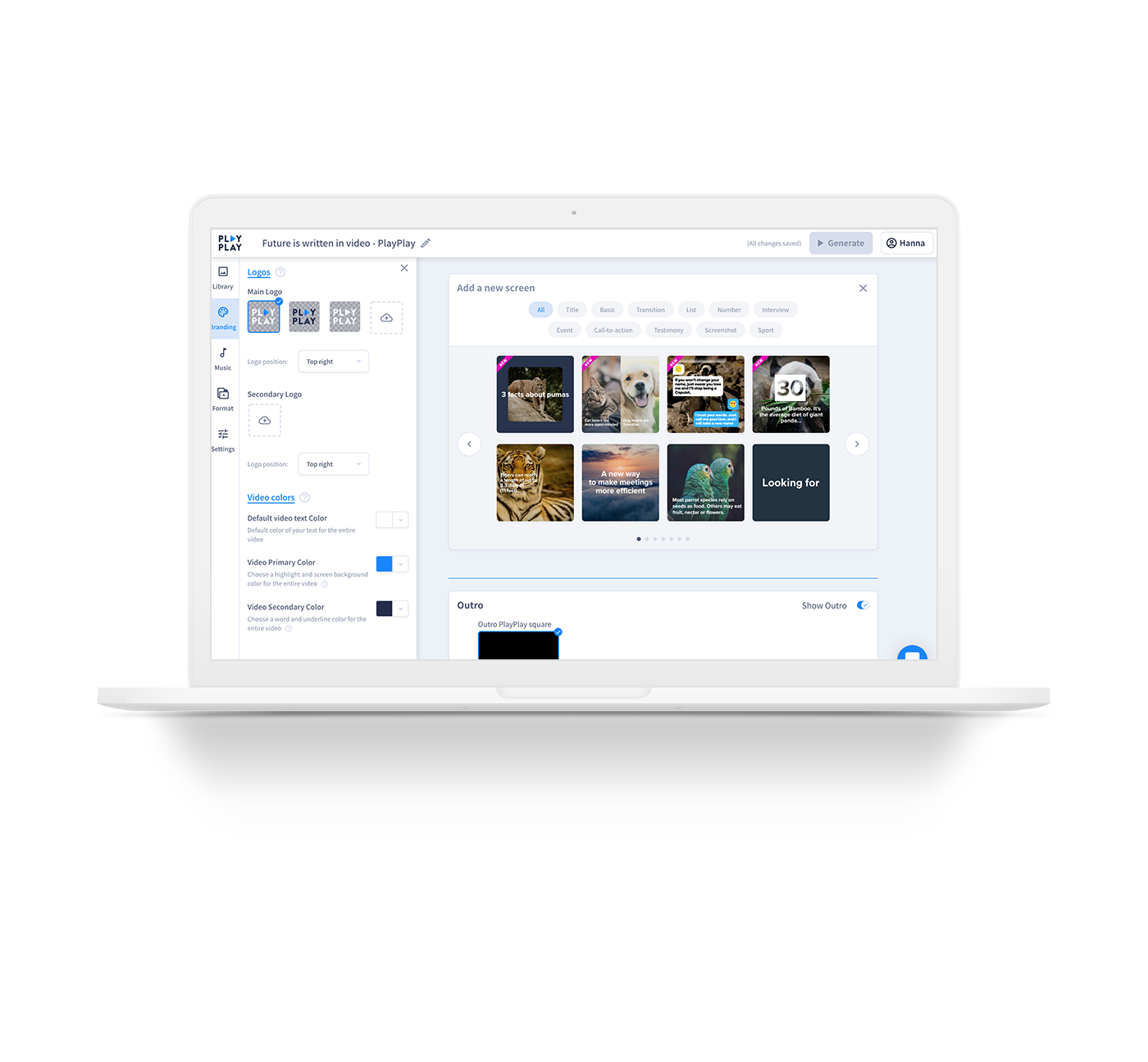
    PlayPlay Screenshots

    Screenshot of TemplatesScreenshot of Select different screens and build your video according to your objectivesScreenshot of Need inspiration? Choose  from a variety of templates to help get you started