Pin vs. Recruit CRM

Overview
ProductRatingMost Used ByProduct SummaryStarting Price
Pin
Score 0.0 out of 10
N/A
Pin is an AI-powered recruiting platform built to help recruiters and founders quickly identify, engage, and hire top talent. Designed for speed and efficiency, Pin simplifies every step of the hiring process—from uncovering hard-to-find candidates to sending personalized outreach and scheduling interviews. Key Features and Benefits: AI-Powered Sourcing: Pin’s advanced search engine analyzes resumes in detail to surface the most qualified candidates to meet…
$299
per month per user
Recruit CRM
Score 8.7 out of 10
N/A
Recruit CRM is an ATS + CRM built for recruitment and executive search firms. It centralizes candidates, clients, jobs, and candidate communications. Key features include AI resume parsing, intelligent candidate matching, automated sourcing, GPT-powered content generation, and customizable workflow automation. A visual Kanban pipeline, AI search, and no-code integrations streamline operations, reduce manual work, and help recruiters fill roles faster while maintaining a structured, data-driven…
$95
per month per user
Pricing
PinRecruit CRM
Editions & Modules
Professional
$299
per month
Enterprise
Custom Quote
Pro
$95
per month per user
Business
$125
per month per user
Business
$135
per month per user
Enterprise
$259
per month per user
Offerings
Pricing Offerings
PinRecruit CRM
Free Trial
NoYes
Free/Freemium Version
NoYes
Premium Consulting/Integration Services
NoYes
Entry-level Setup FeeNo setup feeNo setup fee
Additional DetailsDiscount available for annual pricing on the Professional tier plan.Up to 20% discount for annual pricing on Pro and Business plans.
More Pricing Information
Community Pulse
PinRecruit CRM
Features
PinRecruit CRM
Recruiting / ATS
Comparison of Recruiting / ATS features of Product A and Product B
Pin
-
Ratings
Recruit CRM
8.7
14 Ratings
9% above category average
Job Requisition Management00 Ratings9.013 Ratings
Company Website Posting00 Ratings7.013 Ratings
Publish to Social Media00 Ratings9.010 Ratings
Job Search Site Posting00 Ratings8.010 Ratings
Customized Application Form00 Ratings10.013 Ratings
Resume Management00 Ratings8.014 Ratings
Duplicate Candidate Prevention00 Ratings9.013 Ratings
Candidate Search00 Ratings10.014 Ratings
Applicant Tracking00 Ratings9.013 Ratings
Collaboration00 Ratings9.012 Ratings
Task Creation and Delegation00 Ratings8.013 Ratings
Email Templates00 Ratings9.013 Ratings
User Permissions00 Ratings8.012 Ratings
Notifications and Alerts00 Ratings9.012 Ratings
Reporting00 Ratings8.012 Ratings
Best Alternatives
PinRecruit CRM
Small Businesses
Recruit CRM
Recruit CRM
Score 8.7 out of 10
Breezy HR
Breezy HR
Score 8.9 out of 10
Medium-sized Companies
Lever
Lever
Score 9.6 out of 10
Breezy HR
Breezy HR
Score 8.9 out of 10
Enterprises
SAP SuccessFactors HCM
Score 8.4 out of 10
PeopleStrong
PeopleStrong
Score 10.0 out of 10
All AlternativesView all alternativesView all alternatives
User Ratings
PinRecruit CRM
Likelihood to Recommend
-
(0 ratings)
9.0
(14 ratings)
Usability
-
(0 ratings)
9.1
(12 ratings)
Support Rating
-
(0 ratings)
9.5
(12 ratings)
User Testimonials
PinRecruit CRM
Likelihood to Recommend
Pin
No answers on this topic
Recruit CRM
Another way to describe your CRM experience is to show your skills and abilities in using CRM software and tools. For example, you can mention the specific CRM platforms or systems that you have used or are familiar with, such as Salesforce, HubSpot, Zoho, or Microsoft Dynamics.Highlight both technical and transferable skills. Showcase your ability to collaborate with and contribute to a team in addition to your capabilities in CRM applications. This way, the interviewer can see how your skills are assets to their organization. Highlight any special certifications in CRM software you haveTalent Shortage.Attracting the Right Candidates.Targeting Passive Candidates.Engaging with Qualified Candidates.Reducing Time-to-hire.Building a Strong Employer Brand.Creating an Efficient Recruiting Process.Eliminating Bias in Hiring.
Read full review
Pros
Pin
No answers on this topic
Recruit CRM
  • Easy parsing Resume
  • Adding contacts, Companies, candidates with ease from Linkedin
  • setting tasks and calendar invites
  • Advanced boolean search of candidates
  • reports on Activities
  • Fully Customize system
  • Email triggers
  • contact stages
  • Hiring pipeline
  • Deals pipeline
  • Phone calling & Recording Settings
  • Deal Pipeline
Read full review
Cons
Pin
No answers on this topic
Recruit CRM
  • They are adding a lot of features all the time which can be annoying
  • They are usually catching up with features that other programs have rather than being more innovative
  • Other than this, I do not really have any complaints about this software
Read full review
Usability
Pin
No answers on this topic
Recruit CRM
There is always room for improvement and I believe RCRM is a great system that is adapting to what it's users want and need. The system suits our needs and is a huge improvement from our previous system. I can't say enough good things about the customer service. They have great follow up and always get back to me within the same day. If there is ever an unknown, there is a timeline given for follow up and a promise to get it resolved. They always come through. It's important to have a team behind your software that listens and adapts.
Read full review
Support Rating
Pin
No answers on this topic
Recruit CRM
Again, the customer service team is awesome. They always respond in the same day and have resolved any issue I have ever had. They have made improvements to the system on a weekly basis, always improving for their users. There is a forum where you can leave your feature suggestions and vote on ones left by other users. The reps will jump on a call or screen share with you if you need to be walked through anything. They go above and beyond.
Read full review
Alternatives Considered
Pin
No answers on this topic
Recruit CRM
We evaluated about 3-5 different vendors. The low barrier to entry made it an easy target to test out. Forcing an upfront annual fee was not in our interest without extensively testing the product. We also had a very basic requirement - an easy way to intake a large number of candidates and move them through a recruitment process. We didn't need anything else special at the time and recruit CRM was the most straightforward application that would provide us with a solution.
Read full review
Return on Investment
Pin
No answers on this topic
Recruit CRM
  • Huge Impact on ROI (This is going from having no ATS to having an ATS)
  • Allowed us to focus more work on our user experiences rather than building our own tool to manage recruitment operations
  • Has allowed us to maintain a relatively low cost in our tooling
Read full review
ScreenShots

Pin Screenshots

Screenshot of Pin’s sourcing engine, which leverages LLM to search every resume in Pin's database, understanding even the smallest details. Using a description of an ideal candidate, Pin will quickly suggest candidates who match this search criteria with precision.Screenshot of personalized outreach, available using Pin's custom field variables and AI-powered sentence tags, for tailored messages that resonate.Screenshot of a smart inbox that makes it easy to catch missed replies. Pin can also craft emails in tone and suggest timely responses. Follow-up and break-up emails are also recommended if there's no response after a set amount of time, ensuring the connection is maintained.Screenshot of where calendar events can be generated directly from the availability shared in email threads with candidates. The Auto-schedule Meetings feature automatically finds a suitable time and schedules the meeting based on the availability and preferences of the user, and the candidate.

Recruit CRM Screenshots

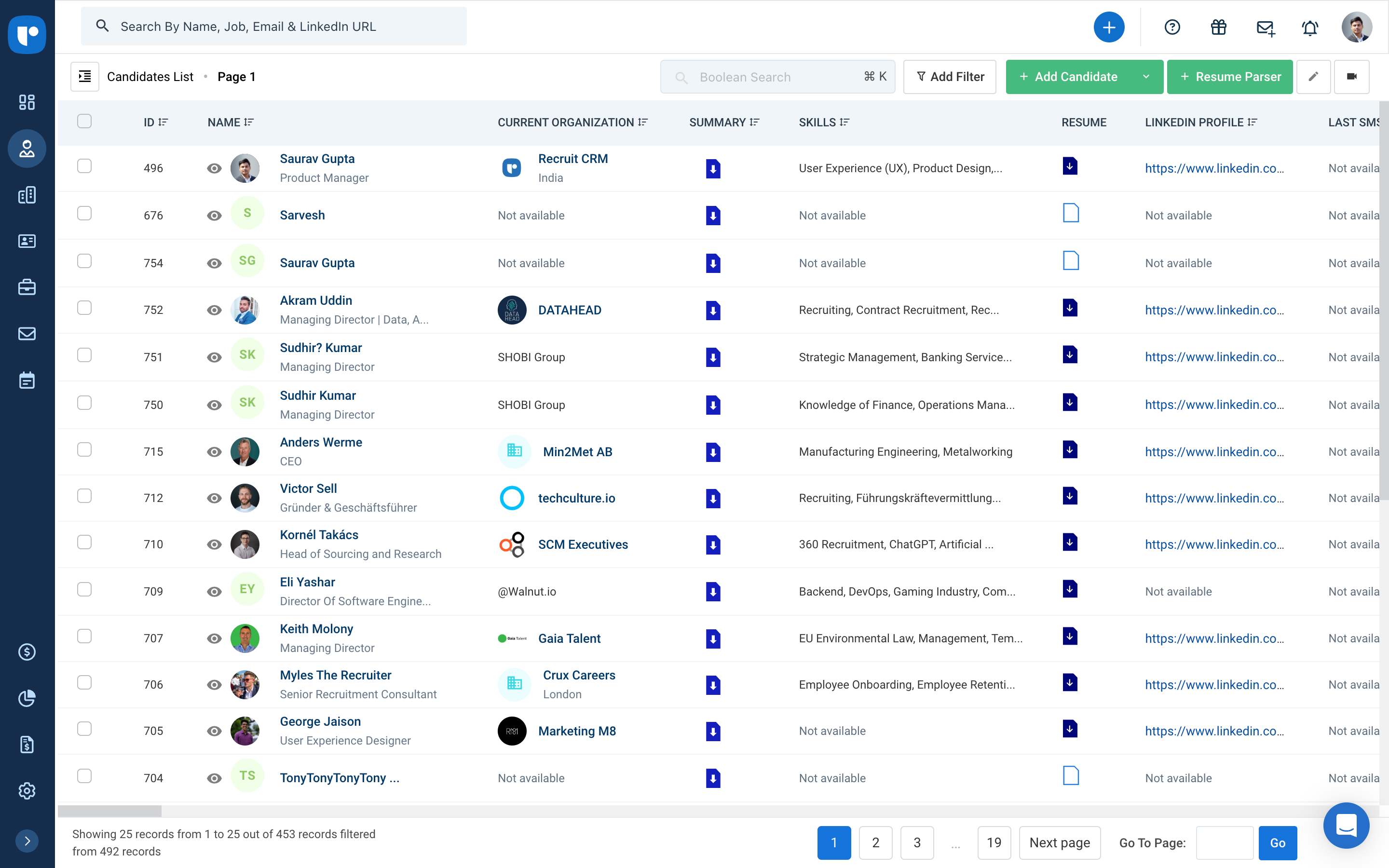
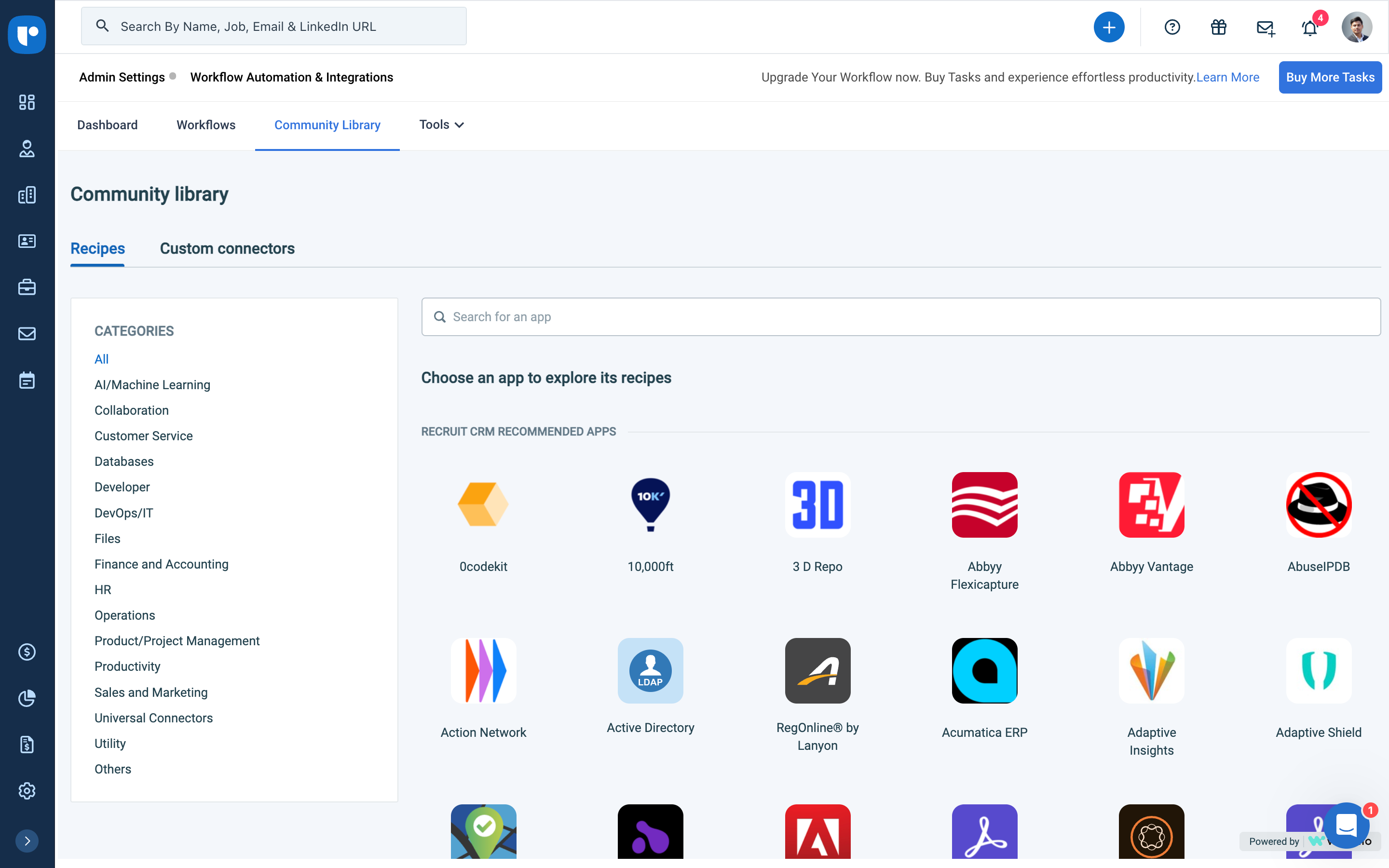
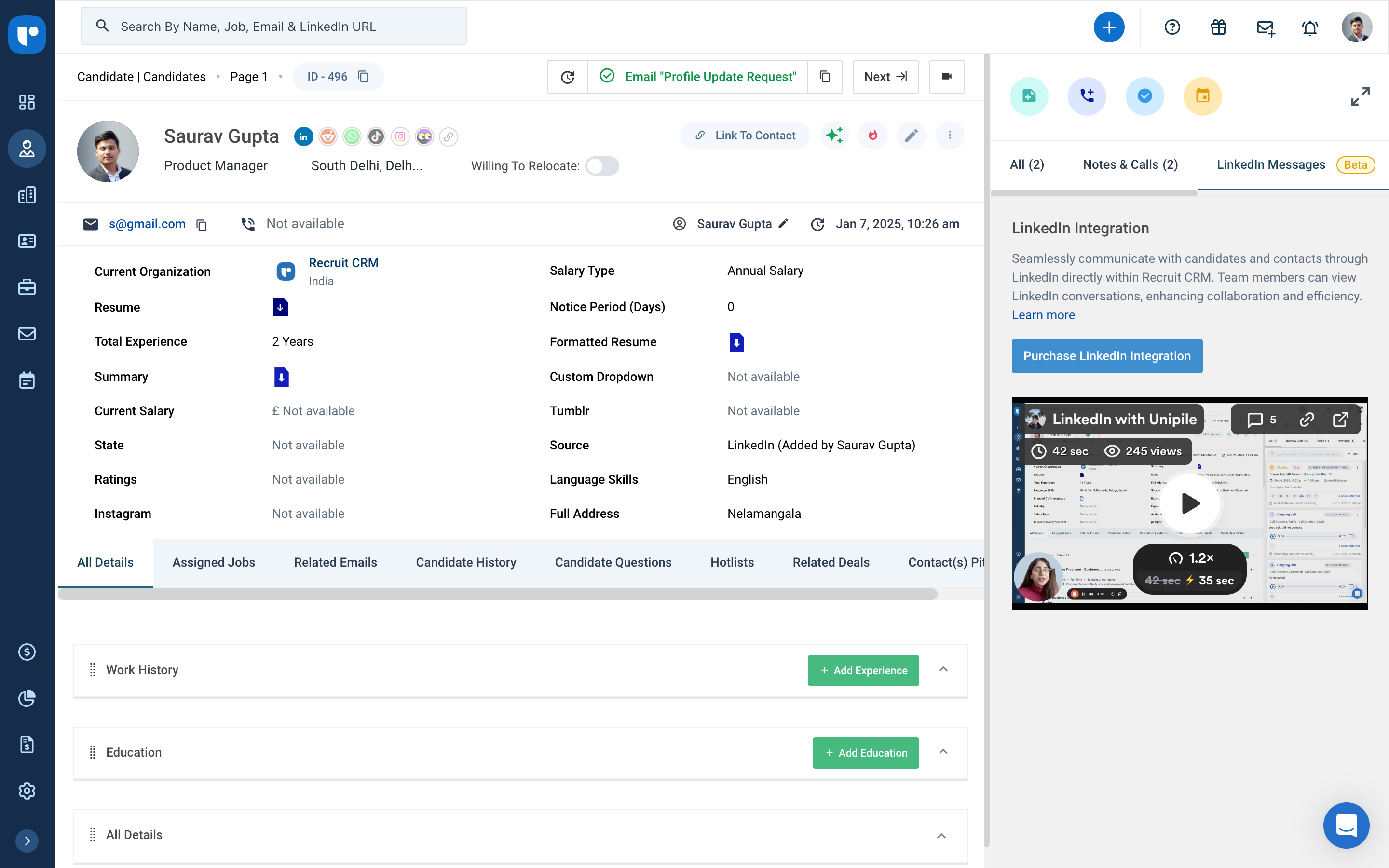
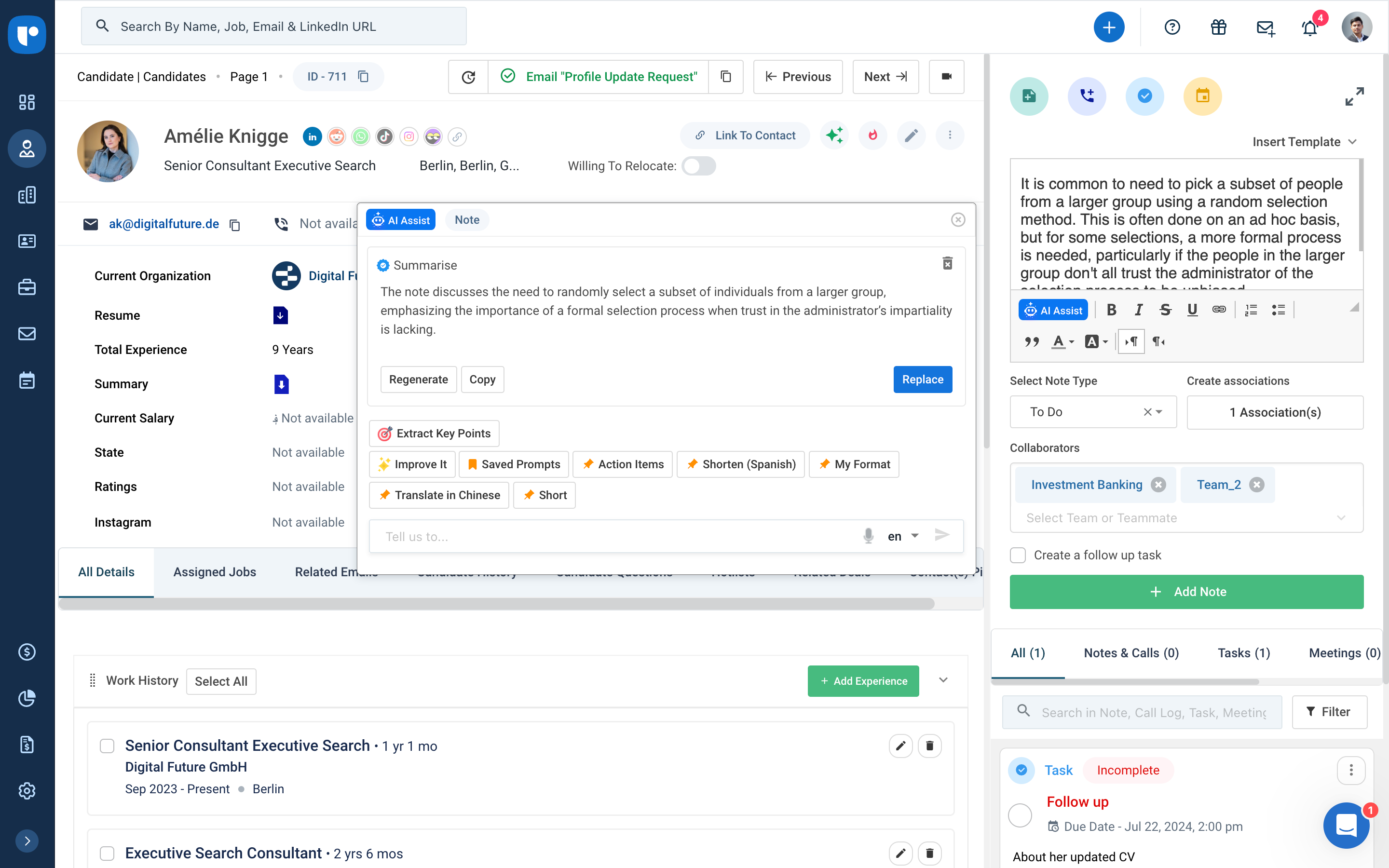
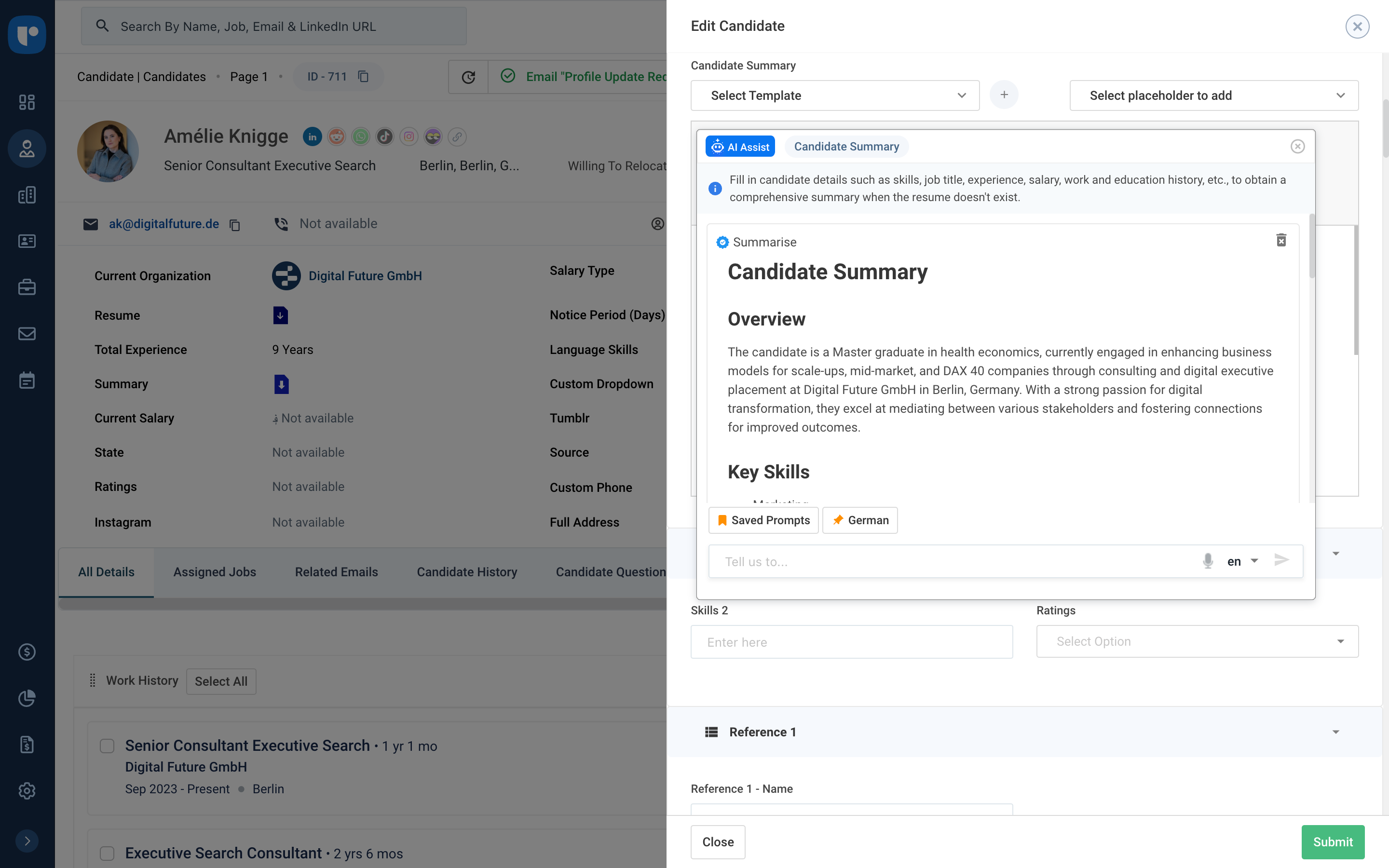
Screenshot of the dashboardScreenshot of Candidate List PageScreenshot of AI Workflow automationsScreenshot of Candidate details pageScreenshot of the AI assist toolScreenshot of AI Candidate Summary