TrustRadius: an HG Insights company

Save this comparison

Save this comparison

Add Product

Recommended Comparisons

    Overview
    ProductRatingMost Used ByProduct SummaryStarting Price

    PractiTest

    Score8 out of 10
    N/APractiTest is presented as a cloud-based test management tool that provides its customers with an end-to-end system to meet testing and QA needs. It is described by the vendor as flexible but methodological, enabling organizations to ensure visibility and communication at all levels. The solution aims to help users and project development teams streamline and manage their testing processes, while providing management with a clear and simple view of their project status at all times.

    $39

    user

    BitBar

    Score6.3 out of 10
    N/ABitBar allows users to test applications across the latest and most popular real browsers and devices. Users can scale testing by increasing test coverage and decreasing test execution time by running automated tests in parallel across browsers and devices. BitBar integrates with the user's current tech stack or CI/CD pipeline. Key Features: * BitBar offers one cloud for all testing platforms whether it be web, native, or hybrid applications. * Test an application across real…

    $39

    per month

    Pricing
    PractiTestBitBar
    Editions & Modules
    Professional
    $39.00
    user
    Enterprise
    $49.00
    user
    No answers on this topic
    Offerings
    Pricing Offerings
    PractiTestBitBar
    Free Trial
    YesYes
    Free/Freemium Version
    NoNo
    Premium Consulting/Integration Services
    NoNo
    Entry-level Setup FeeOptionalNo setup fee
    Additional Details—Enterprise packages are available for larger teams and customers.
    More Pricing Information
    Community Pulse
    PractiTestBitBar
    Considered Both Products
    PractiTest
    No answer on this topic
    SmartBear
    No answer on this topic
    Key User Insights
    Would buy again
    No answers on this topic
    83%
    Would buy again
    5 Answers
    Delivers good value for the price
    No answers on this topic
    100%
    Delivers good value for the price
    5 Answers
    Happy with the feature set
    No answers on this topic
    100%
    Happy with the feature set
    6 Answers
    Lived up to sales and marketing promises
    No answers on this topic
    No answers on this topic
    Implementation went as expected
    No answers on this topic
    100%
    Implementation went as expected
    6 Answers
    Features
    PractiTestBitBar
    Test Management
    Comparison of Test Management features of PractiTest and BitBar
    Feature
    PractiTest
    8.5
    4 Ratings
    5% above category average
    BitBar
    -
    Ratings
    Centralized test management9.24 Ratings00 Ratings
    Map tests to user stories8.44 Ratings00 Ratings
    Test execution reporting8.44 Ratings00 Ratings
    Defect management8.03 Ratings00 Ratings
    Best Alternatives
    PractiTestBitBar
    Small Businesses
    No answers on this topic
    TestMu AI (Formerly LambdaTest)
    Score8.9 out of 10
    Medium-sized Companies
    No answers on this topic
    TestMu AI (Formerly LambdaTest)
    Score8.9 out of 10
    Enterprises
    No answers on this topic
    TestMu AI (Formerly LambdaTest)
    Score8.9 out of 10
    All AlternativesView all alternativesView all alternatives
    User Ratings
    PractiTestBitBar
    Likelihood to Recommend
    8.7
    (4 ratings)
    8.2
    (6 ratings)
    Support Rating
    10.0
    (1 ratings)
    -
    (0 ratings)
    User Testimonials
    PractiTestBitBar
    Likelihood to Recommend
    PractiTest
    PractiTest works GREAT as a test case repository. It is very easy to gather metrics, filter, and sort based on custom fields. We were able to work with the API to pull our automation results in as well. The support team is always very quick with their responses and monitors the "in-app chat." They are very open to answering questions, providing best practice materials, and looking for additional feedback. If you already have a central location for all of your test cases and testing needs, then I guess you probably wouldn't need to add another. However, PractiTest has high capability and potential, so if it's set up properly you can easily save time managing your tests.
    Incentivized
    Read full review
    SmartBear
    CrossBrowserTesting is a great tool to use when you have a new page or new content that you want to test on an array of devices/browsers. In the diverse online world nowadays, it is nearly impossible to ensure optimization for every case. CBT allows you to get closer to that goal.
    Incentivized
    Read full review
    Pros
    PractiTest
    • Effective Test case template.
    • Can integrate with different Atlassian products.
    • Report generation.
    Incentivized
    Read full review
    SmartBear
    • Allows me to test on our development server with ease which is behind a firewall.
    • Using automation for my tests.
    • Screenshots of the problems on each page.
    • Ability to jump between screen sizes quickly.
    Incentivized
    Read full review
    Cons
    PractiTest
    • Linking the defect with Jira throws an error quite some times which can be improved in the future.
    Incentivized
    Read full review
    SmartBear
    • Test case support is somewhat limited in customization ability.
    • Not a unique problem to them (or their 'fault'), but content behind VPN or intranet cannot be scanned.
    • Pricing with tier level and features can sometimes be confusing (ie. what is and what is not included).
    Incentivized
    Read full review
    Support Rating
    PractiTest
    The chat button is available to anyone who logs into PractiTest. In my experience, the support has always been very quick, very friendly, and very thorough. They make sure that your question is answered in a way that you understand it. They also provide documentation of best practices so you are never left hanging on what to do next.
    Incentivized
    Read full review
    SmartBear
    No answers on this topic
    Alternatives Considered
    PractiTest
    I've used many different Test Case Repository tools, and while each of them has its perks, I like the capabilities of PractiTest best. When creating a test in qTest for example, you can only input information into the fields provided, and you have everything set up in a folder tree structure. With PractiTest, we are able to create custom fields and filter our tests based on those fields to provide more accurate information in a readily available format while quickly searching for the filter instead of through a folder tree. TestRail did not appear to meet our needs as a company. It just didn't have the potential that we found with PractiTest. Zephyr for example worked seamlessly with Jira, which is really nice since that is what we use for the most part. However since we cater to many different clients, we needed an external Test Case repository so we could use something that wasn't tied to 1 Jira instance.
    Incentivized
    Read full review
    SmartBear
    Selenium: 1. Selenium is Open source tool 2. Needs proper framework development and integration with multiple 3rd party tools 3. Not much secure 4. Needs scripting knowledge for people working on it 5. takes time and effort CrossBrowser Testing: 1. Licensed , so secure 2. Less time , less effort 3. Quick results 4. No scripting language knowledge needed 5. More coverage 6. Without any framework creation also we can test on multiple devices/browsers
    Incentivized
    Read full review
    Return on Investment
    PractiTest
    • Test Reporting
    • Defect Management
    Incentivized
    Read full review
    SmartBear
    • By using CrossBrowserTesting we are saving many hours a week in manual work hours.
    • Our automated Selenium tests run in a fraction of the time it takes to manually test our components, so we can spend more time building great user experiences and less time triaging bugs.
    Read full review
    ScreenShots

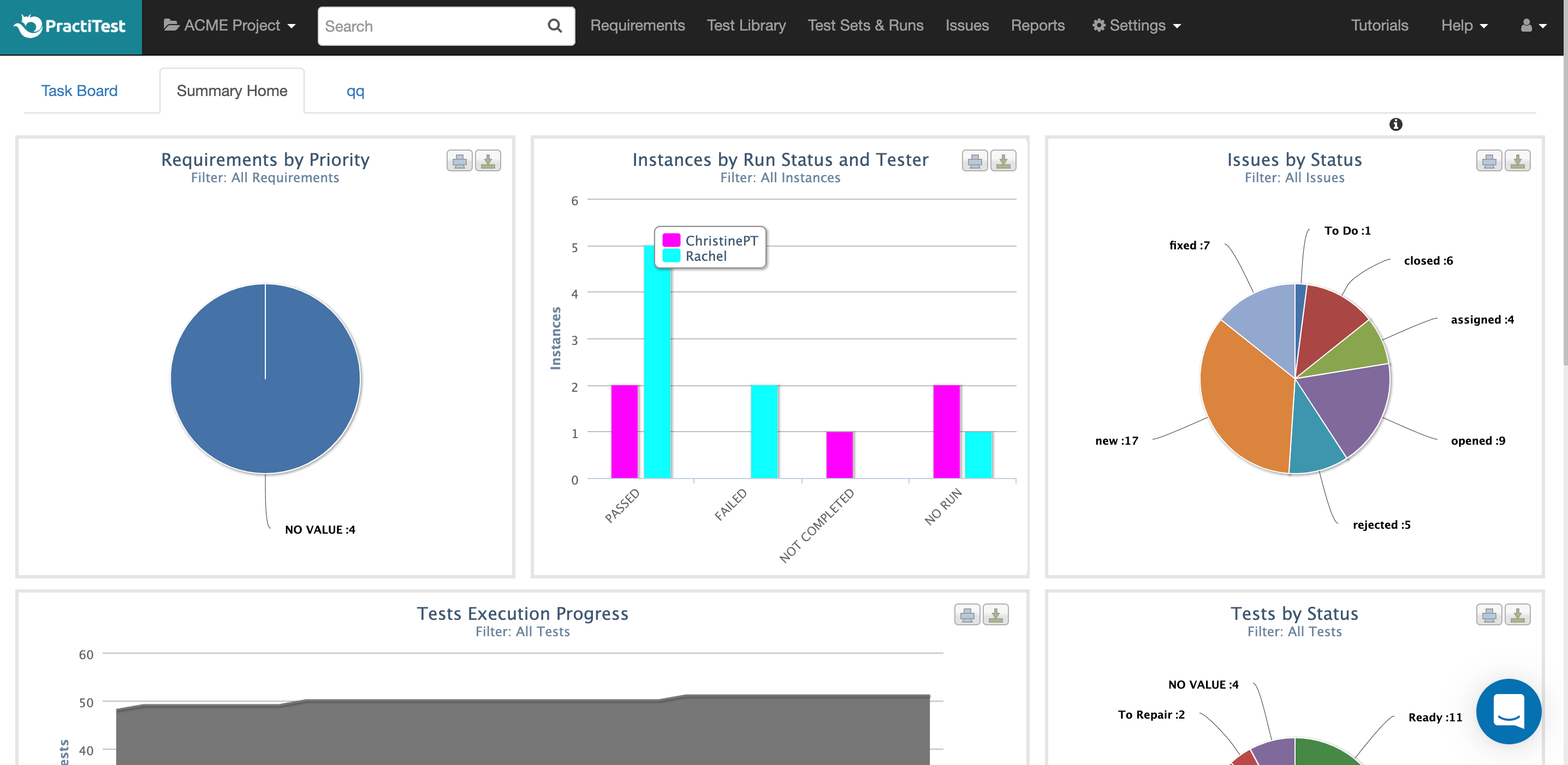
    PractiTest Screenshots

    Product screenshotProduct screenshotProduct screenshotProduct screenshot