
ProProfs Project vs. Stackby
| Product | Rating | Most Used By | Product Summary | Starting Price |
|---|---|---|---|---|
 ProProfs Project | Score8.3 out of 10 | Mid-Size Companies (51-1,000 employees) | ProProfs Project is an online project management software for managing both teams and multiple projects on one dashboard. From creating project goals and objectives to tracking work progress, this PM tool aims to allow users to meet project deadlines efficiently. The PM tool allows users to communicate with in-house or remote teams - anytime, anywhere. Moreover, the vendor says users can generate insightful reports and accurate invoices in just a few clicks. Along with these features,… | $0 3 Projects |
 Stackby | Score8.8 out of 10 | N/A | Stackby is designed to bring together the simplicity of spreadsheets, the functionality of databases and integrations with best business APIs to let anyone build their own tools, the way they want. No coding needed. Users can build a database from scratch, import data from pre-existing sources like spreadsheets or Google Sheets, or choose from over 100 pre-built templates across multiple categories. Stackby offers over 25 unique column types like text,… | $5 per month per user |
| ProProfs Project | Stackby | |||||||||||||||
|---|---|---|---|---|---|---|---|---|---|---|---|---|---|---|---|---|
| Editions & Modules |
|
| ||||||||||||||
| Offerings |
| |||||||||||||||
| Entry-level Setup Fee | No setup fee | No setup fee | ||||||||||||||
| Additional Details | — | 20% discount for annual pricing. | ||||||||||||||
| More Pricing Information | ||||||||||||||||
| ProProfs Project | Stackby | |
|---|---|---|
| Considered Both Products | No answer on this topic | No answer on this topic |
| Key User Insights | ||
| Would buy again | ||
100% Would buy again 5 Answers | 100% Would buy again 15 Answers | |
| Delivers good value for the price | ||
100% Delivers good value for the price 5 Answers | 100% Delivers good value for the price 15 Answers | |
| Happy with the feature set | ||
100% Happy with the feature set 5 Answers | 100% Happy with the feature set 15 Answers | |
| Lived up to sales and marketing promises | ||
No answers on this topic | 100% Lived up to sales and marketing promises 14 Answers | |
| Implementation went as expected | ||
No answers on this topic | 87% Implementation went as expected 13 Answers | |
| ProProfs Project | Stackby | |||||||||||||||||||||||||||||||||||||||||||
|---|---|---|---|---|---|---|---|---|---|---|---|---|---|---|---|---|---|---|---|---|---|---|---|---|---|---|---|---|---|---|---|---|---|---|---|---|---|---|---|---|---|---|---|---|
| Project Management |
| |||||||||||||||||||||||||||||||||||||||||||
| Professional Services Automation |
| |||||||||||||||||||||||||||||||||||||||||||
| ProProfs Project | Stackby | |
|---|---|---|
| Small Businesses |  Any.do Score8 out of 10 |  Microsoft Excel Score9 out of 10 |
| Medium-sized Companies |  KanbanFlow Score7.3 out of 10 | Microsoft Excel Score9 out of 10 |
| Enterprises |  Microsoft To Do Score7.9 out of 10 | Microsoft Excel Score9 out of 10 |
| All Alternatives | View all alternatives | View all alternatives |
| ProProfs Project | Stackby | |
|---|---|---|
| Likelihood to Recommend | 8.2 | 8.8 |
| Usability | - | 7.3 |
| Support Rating | 10.0 | 10.0 |
| ProProfs Project | Stackby | |
|---|---|---|
| Likelihood to Recommend |
|
|
| Pros |
|
|
| Cons |
|
|
| Usability | No answers on this topic |
|
| Support Rating |
|
|
| Alternatives Considered |
|
|
| Return on Investment |
|
|
| ScreenShots | ProProfs Project Screenshots  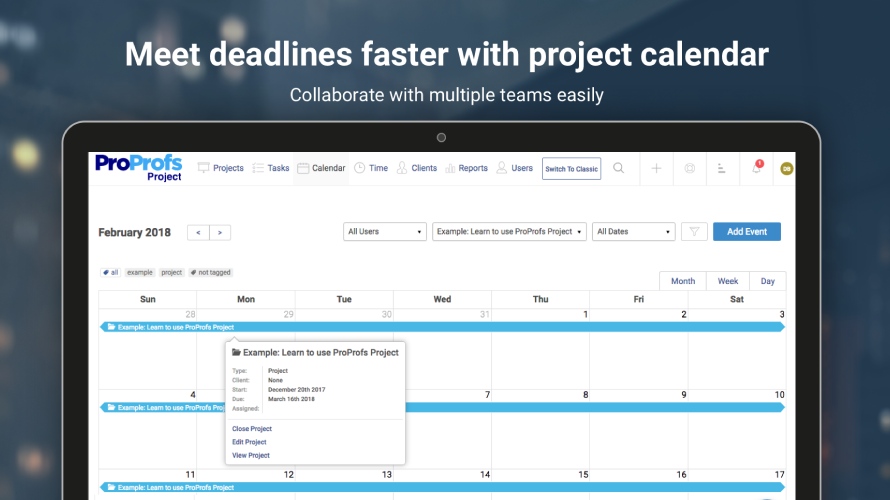   | Stackby Screenshots     |




