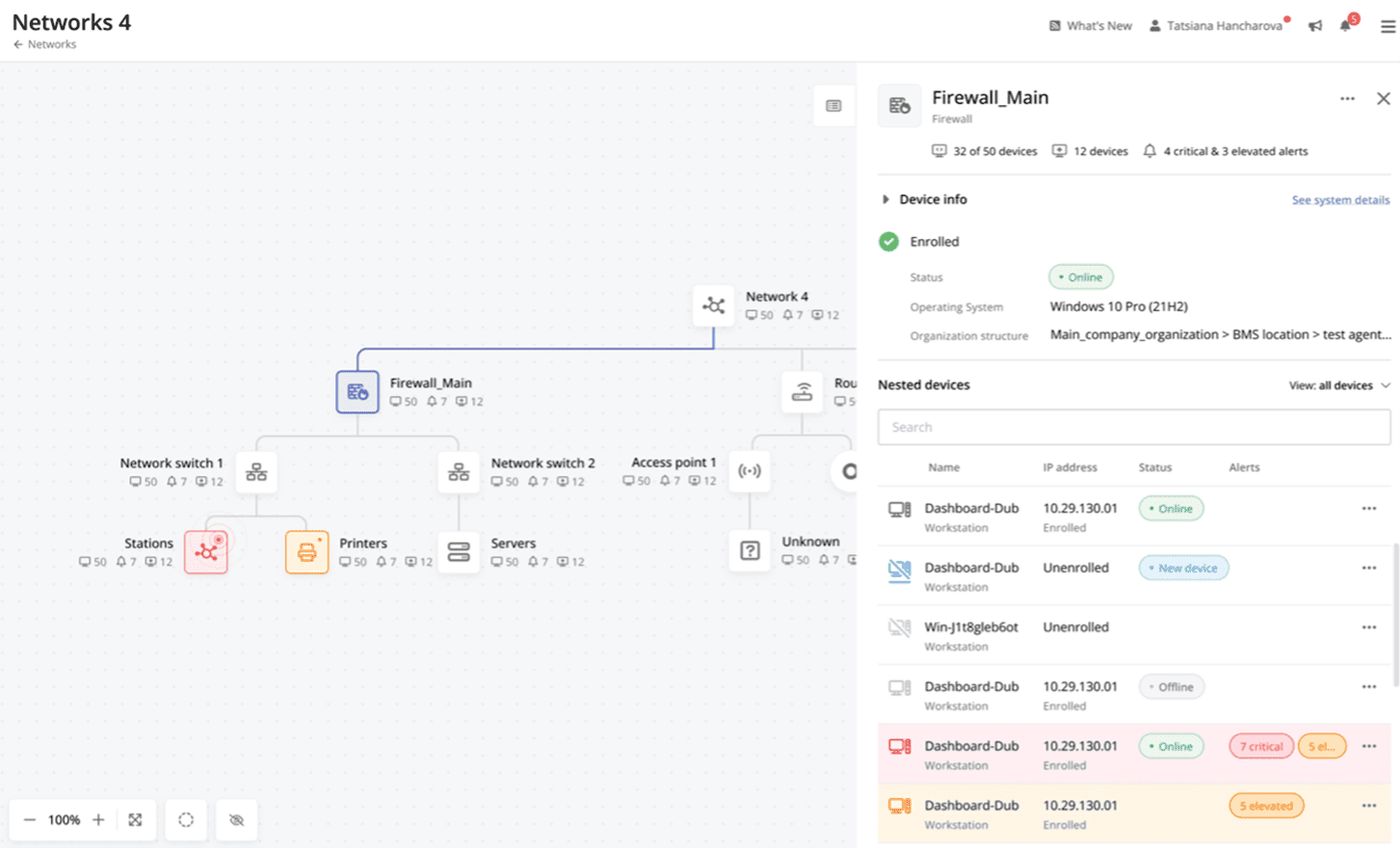
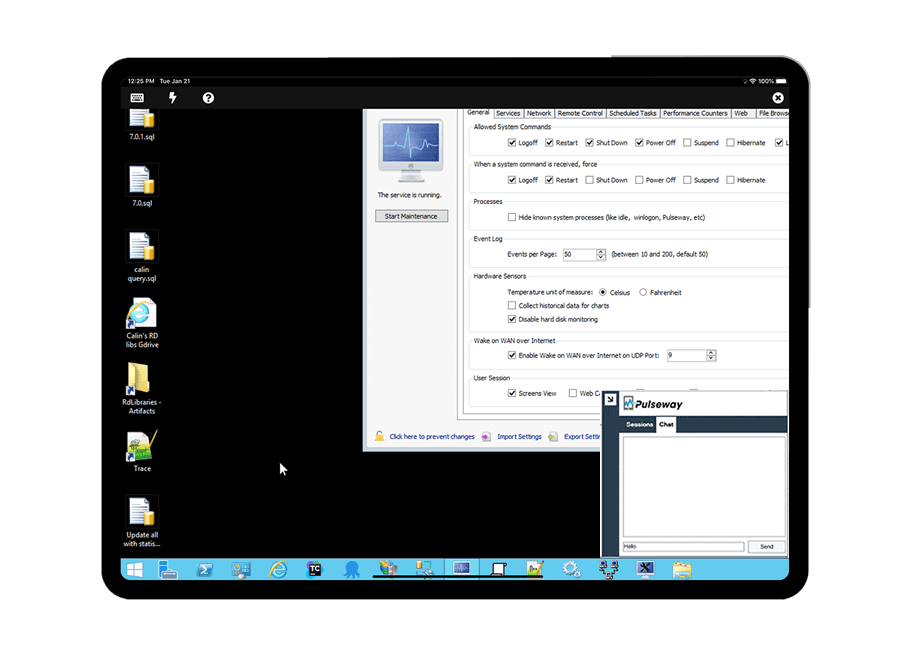
Pulseway is an IT monitoring and management solution that enables users to monitor, manage and control all systems and servers from a smartphone, tablet or browser. For system administrators, Pulseway sends a notification, so they can see an issue and sort it in seconds. Pulseway features: Automation: Auto-remediation workflows, so that IT issues are fixed before users even notice them. Mobile Access: Customers can monitor, manage, connect with…
$0.80
per month per installation
VMware vCenter
Score 8.4 out of 10
N/A
VMware vCenter is an advanced server management software that provides a centralized platform for controlling vSphere environments for visibility across hybrid clouds. VMware vCenter is no longer sold as a standalone product and is now available as a part of VMware Cloud Foundation.
$6,044
per year
Pricing
Pulseway
VMware vCenter
Editions & Modules
Enterprise
$0.80
per month per installation
Basic
6,044
per year
Production
6,244
per year
Offerings
Pricing Offerings
Pulseway
VMware vCenter
Free Trial
Yes
No
Free/Freemium Version
Yes
No
Premium Consulting/Integration Services
Yes
No
Entry-level Setup Fee
No setup fee
No setup fee
Additional Details
No hidden fees or contracts. Term-based discounts.
If you have to manage a large number of computers, especially spread over multiple clients or a large physical area. This is one of the main products that allows us to act as a Managed Service Provider (MSP) and actually manage our clients devices and not just react to issues as clients call them in. Clients really love the proactive approach it allows us to take. Sadly as we became more familiar with options out there we found this area lacking and what was actually holding us back.
The VMware vCenter server is very useful in maintaining the CPU/RAM/datastore resources are balanced when there are multiple ESX/ESXi host servers. It is clear what resources are being used, and it is easy to migrate VMs to different ESX/ESXi hosts. Being able to remotely connect to the VM servers in vCenter when you cannot have other remote connections helps in maintenance and troubleshooting.
It monitors computers and notifies us of any issues with any computer.
It allows remote control of computers, such as requesting a computer to reboot itself.
It is very highly configurable to monitor exactly what we need to monitor. For example, on server, we can have it notify us any time the server is shutdown or rebooted. On the other hand, for a desktop computer, we don't have to be bothered with notifications when a user decides to reboot his computer.
Currently, the HTML 5-based vSphere Client lets you manage the essential functions of vSphere from any browser, however, it would be nice if they would port all management functions over to the HTML 5-based Client.
Performing updates and upgrades to the infrastructure is a bit challenging for someone that may not be as intimate with vSphere. I think the updates/upgrades should be more integrated into the UI and provide the ability to push to the hosts, etc...
It would also be nice to have a more robust snapshot management tool to prevent snapshot overgrowth. It would be nice to be able to set a lifespan for the snapshot(s)
We are very dependent on this software, it has become a much needed tool to perform the daily tasks that are required to maintain the virtual server environment. VMware has become very pricey over the years, so we are looking for alternatives for cost savings strategy, but nothing has been found to be on par to what we are currently using
The tool is easy to use however it is can be daunting with the amount of features available in it. Last I checked, their knowledge base was not very expansive and they relied a lot on the changelog for how to do some stuff. This can make it hard to learn how to do some more advanced things like the automation.
I work with vCenter for 10+ years and i love it. I can find my way around and can help building and expanding the platform. It is easy to use and there are a lot good communities for the extra support when needed. Even the Homelab community is of great value.
I have never had to use the support for Pulseway. However, when initially starting out, we would receive emails every so often asking how we are doing and if there is any support that they can provide. I would imagine that any request would be supplied with the same great support!
VMware support has always been fantastic and they have been invaluable in solving tougher issues that have been run into. Most of the time, any oddities encountered are fixed by available updates. This can be deduced by support quickly with logs within vCenter. We have not run into something yet that support was unable to help with. They either have a solution already, or they are able to find one quickly.
Since moving away from the Windows Server hosting the vCenter application and instead using a virtual appliance, it has become much easier to implement and deploy the new versions. We can easily create a snapshot or clone of the vCenter vApp to ensure any problems encountered during the upgrade can be mitigated with a fall back to the old version to prevent unscheduled downtime.
Pulseway has the most features, the best looking app with the best design and better usability than any others we evaluated. We liked the uniformity of the app design across all platforms (Windows, Android, Apple) and the notifications displayed on each platform. The price was a major contributor to our selection of Pulseway compared to the competition.
Problems can be dealt with more rapidly because I have access to systems from anywhere. I don't have to carry a computer with me nor do I have to find a location with potentially non-secure wifi to gain access to my systems.
I can handle 99% of my system admin tasks using Pulseway and never have to touch a system or connect to the console.
Pulseway gives so much control over a system that I don't need to spend extra money on other software to perform management tasks.