Python's IDLE is the integrated development environment (IDE) and learning platform for Python, presented as a basic and simple IDE appropriate for learners in educational settings.
$0
Qlik Cloud Analytics (Qlik Sense)
Score8.1 out of 10
N/A
Qlik Sense® is a self-service BI platform for data discovery and visualization. It supports a full range of analytics use cases—data governance, pixel-perfect reporting, and collaboration. Its Associative Engine indexes and connects relationships between data points for creating actionable insights.
$200
per month
Pricing
Python IDLE
Qlik Cloud Analytics (Qlik Sense)
Editions & Modules
No answers on this topic
Starter
$200
per month
Standard
$825
per month
Premium
$2750
per month
Qlik Sense (On-Premise)
Contact Sales
Offerings
Pricing Offerings
Python IDLE
Qlik Cloud Analytics (Qlik Sense)
Free Trial
No
No
Free/Freemium Version
Yes
No
Premium Consulting/Integration Services
No
Yes
Entry-level Setup Fee
No setup fee
No setup fee
Additional Details
—
—
More Pricing Information
Community Pulse
Python IDLE
Qlik Cloud Analytics (Qlik Sense)
Considered Both Products
Python Software Foundation
No answer on this topic
Qlik
Verified User
Chose Qlik Cloud Analytics (Qlik Sense)
I prefer Qlik due to its ability to combine multiple data sources and flexibility offer by the data load editor, other tools lack this capability or they don't do as good of a job as Qlik
A de minimis incentive was given to thank the reviewer for their time. The incentive was not used to bias or drive a particular response, nor was the incentive contingent on a positive endorsement. TR verified that a representative sample of customers was invited. More Info
Verified User
Chose Qlik Cloud Analytics (Qlik Sense)
We wish we would have selected Power BI as our solution. The main reason for that is that in order to view a visualization in Qlik Sense you need a license. With Power BI that is not required.
A de minimis incentive was given to thank the reviewer for their time. The incentive was not used to bias or drive a particular response, nor was the incentive contingent on a positive endorsement. More Info
Director of Digital Transformation Strategy in Information Technology at SDI (Logistics & Supply Chain, 201-500 employees)
Chose Qlik Cloud Analytics (Qlik Sense)
While the same can be said for many of the other tools we evaluated, Qlik's robust community and free training programs were a major benefit to driving the democratization of data at our company. Qlik also offered local in person events (pre-COVID) that provided free training …
A de minimis incentive was given to thank the reviewer for their time. The incentive was not used to bias or drive a particular response, nor was the incentive contingent on a positive endorsement. More Info
Verified User
Chose Qlik Cloud Analytics (Qlik Sense)
I have worked on IBM Cognos , Power BI for reporting and Dashboards in different organisations.
I can say the Cognos is for standard reporting with inbuilt scheduling and mail delivery services, Power BI is a bit more user friendly unlike Cognos and QlikSense.
A de minimis incentive was given to thank the reviewer for their time. The incentive was not used to bias or drive a particular response, nor was the incentive contingent on a positive endorsement. More Info
Scenarios where python IDLE is well suited 1-Quick scripting and prototyping 2-Education and training 3-small projects utilities 4-exploring python libraries and modules Scenarios where python is less appropriate 1 large scale projects 2 complex debugging and profiling 3 multi language development 4 Advanced code analysis and inspection
Qlik Sense is a program whose purpose is to greatly improve all your operations and use of all data in an organic way. The mission will always be to increase the economic and commercial processes of the company in a short time. I recommended it for its high technology, which was Created for this area, the results are successful. We have noticed how it has increased relationships with our clients thanks to the credibility and security that we provide.
A de minimis incentive was given to thank the reviewer for their time. The incentive was not used to bias or drive a particular response, nor was the incentive contingent on a positive endorsement. More Info
A de minimis incentive was given to thank the reviewer for their time. The incentive was not used to bias or drive a particular response, nor was the incentive contingent on a positive endorsement. More Info
A de minimis incentive was given to thank the reviewer for their time. The incentive was not used to bias or drive a particular response, nor was the incentive contingent on a positive endorsement. More Info
A de minimis incentive was given to thank the reviewer for their time. The incentive was not used to bias or drive a particular response, nor was the incentive contingent on a positive endorsement. More Info
A de minimis incentive was given to thank the reviewer for their time. The incentive was not used to bias or drive a particular response, nor was the incentive contingent on a positive endorsement. More Info
Qlik Sense is a constantly improving it's software and working with its' users to make it better. They are great at keeping their users informed of progress and care about delivering a quality product
A de minimis incentive was given to thank the reviewer for their time. The incentive was not used to bias or drive a particular response, nor was the incentive contingent on a positive endorsement. TR verified that a representative sample of customers was invited. More Info
The IDE Python IDLE is a good place to start as it helps you become familiar with the way Python works and understand its syntax.
This IDE allows you to configure the environment, font, size, colors, .....
It also looks like any simple text editor for any operating system, I work with Windows or Linux interchangeably, and you don't have to learn to use the IDE before programming.
Once the IDE is executed you can start programming directly in it.
A de minimis incentive was given to thank the reviewer for their time. The incentive was not used to bias or drive a particular response, nor was the incentive contingent on a positive endorsement. More Info
Qlik Sense has a better and easy to learn user interface compared with other analytics tool which always help us to create regular and adhoc reports within the stipulated time frame and can be easily refreshed at a scheduled time and sent to multiple stakeholders for timely update regarding the Key metrics indicator.
A de minimis incentive was given to thank the reviewer for their time. The incentive was not used to bias or drive a particular response, nor was the incentive contingent on a positive endorsement. More Info
Python IDLE support is what the community can give you. As it is free software, it does not have support provided by the manufacturer or by third-parties.
In any case, for most of the problems that normal users can find, the solution, or alternatives, can be found quickly online.
As this IDE is made in Python, the support is the same group of Python developers.
A de minimis incentive was given to thank the reviewer for their time. The incentive was not used to bias or drive a particular response, nor was the incentive contingent on a positive endorsement. More Info
Qlik is great for companies with lots of business domains and departments because it scales well, especially if data that is reported is saved in SQL and similar structures. Its ease of use and good UI enables business units to create and manage their own reports. That removes a great burden of creating and managing/modifying these pages from the IT team. Overall, it's a win-win for both IT and business units.
A de minimis incentive was given to thank the reviewer for their time. The incentive was not used to bias or drive a particular response, nor was the incentive contingent on a positive endorsement. More Info
A de minimis incentive was given to thank the reviewer for their time. The incentive was not used to bias or drive a particular response, nor was the incentive contingent on a positive endorsement. More Info
A de minimis incentive was given to thank the reviewer for their time. The incentive was not used to bias or drive a particular response, nor was the incentive contingent on a positive endorsement. More Info
A de minimis incentive was given to thank the reviewer for their time. The incentive was not used to bias or drive a particular response, nor was the incentive contingent on a positive endorsement. More Info
It's easy to set up and run quick analysis in Python IDLE on my local machine. The output is direct and easy to read. But sometimes I prefer Jupyter Notebook when the datasets are large, since it would take too long to run on my local machine. It is easier to run Jupyter Notebook on my cloud desktop
A de minimis incentive was given to thank the reviewer for their time. The incentive was not used to bias or drive a particular response, nor was the incentive contingent on a positive endorsement. More Info
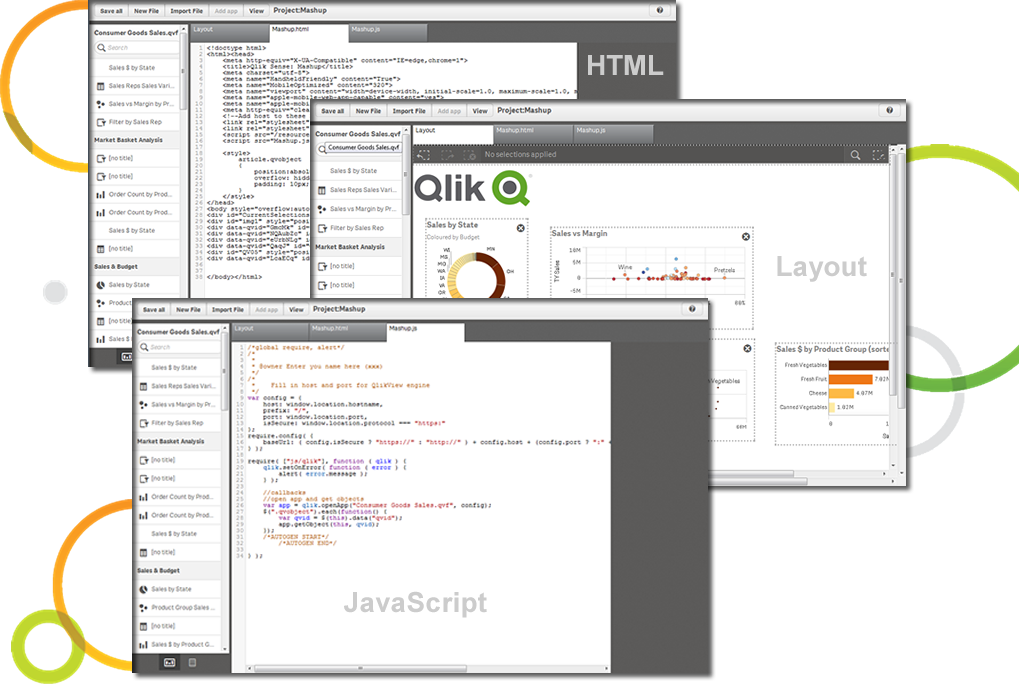
The customization of the platform opens up plenty of other options depending on the use cases. The API layer is incredibly rich and makes integration of Qlik based visualization into web pages a simple and effective pattern. It's been very easy to use with a great community made up of professionals. Qlik Sense has introduces artificial Intelligence into my data visualization and reporting activity.
A de minimis incentive was given to thank the reviewer for their time. The incentive was not used to bias or drive a particular response, nor was the incentive contingent on a positive endorsement. More Info
A de minimis incentive was given to thank the reviewer for their time. The incentive was not used to bias or drive a particular response, nor was the incentive contingent on a positive endorsement. TR verified that a representative sample of customers was invited. More Info