Rentman AV Rental Software vs. SAP Ruum

Overview
ProductRatingMost Used ByProduct SummaryStarting Price
Rentman AV Rental Software
Score 9.0 out of 10
Small Businesses (1-50 employees)
Rentman is a cloud-based resource management and planning software that helps AV & Event companies manage their daily operations and improve their workflows. Key features include Equipment Scheduling, Equipment Tracking, Crew Scheduling and Quoting & Invoicing. With Equipment Scheduling the user can plan equipment. Visually track equipment stock levels and their location at any point in time. Always know how many items are available with the timeline view and book…
$48
per month
SAP Ruum
Score 9.0 out of 10
N/A
SAP Ruum is a presented by the vendor as a lightweight project management, task management, and collaboration software, with use cases and templates for marketing, sales teams, HR tasks (e.g. onboarding), or organizing information for sharing with stakeholders.N/A
Pricing
Rentman AV Rental SoftwareSAP Ruum
Editions & Modules
Crew Scheduling Essential
$9 Power user/ month
Equipment Tracking
$9 Power user/ month
Quoting & Invoicing
$9 Power user/ month
Equipment Scheduling Standard
$19 Power user/ month
Crew Scheduling Standard
$19 Power user/ month
Equipment Scheduling Pro
$25 Power user/ month
Crew Scheduling Pro
$25 Power user/ month
Rentman Platform
$39 per month
No answers on this topic
Offerings
Pricing Offerings
Rentman AV Rental SoftwareSAP Ruum
Free Trial
YesNo
Free/Freemium Version
NoNo
Premium Consulting/Integration Services
YesNo
Entry-level Setup FeeNo setup feeNo setup fee
Additional DetailsRentman is a platform that can be customized with different products and add-ons. The Rentman Platform costs $39 per month and there are additional fees based on the number of products, add-ons, and power users that you choose.
More Pricing Information
Community Pulse
Rentman AV Rental SoftwareSAP Ruum
Features
Rentman AV Rental SoftwareSAP Ruum
Project Management
Comparison of Project Management features of Product A and Product B
Rentman AV Rental Software
-
Ratings
SAP Ruum
9.2
2 Ratings
18% above category average
Task Management00 Ratings10.02 Ratings
Gantt Charts00 Ratings9.01 Ratings
Scheduling00 Ratings10.02 Ratings
Workflow Automation00 Ratings8.82 Ratings
Mobile Access00 Ratings9.01 Ratings
Search00 Ratings8.82 Ratings
Visual planning tools00 Ratings8.82 Ratings
Communication
Comparison of Communication features of Product A and Product B
Rentman AV Rental Software
-
Ratings
SAP Ruum
8.8
2 Ratings
10% above category average
Chat00 Ratings8.82 Ratings
Notifications00 Ratings8.82 Ratings
Discussions00 Ratings8.42 Ratings
Surveys00 Ratings8.22 Ratings
Internal knowledgebase00 Ratings8.42 Ratings
Integrates with GoToMeeting00 Ratings9.01 Ratings
Integrates with Gmail and Google Hangouts00 Ratings10.01 Ratings
Integrates with Outlook00 Ratings9.01 Ratings
File Sharing & Management
Comparison of File Sharing & Management features of Product A and Product B
Rentman AV Rental Software
-
Ratings
SAP Ruum
8.4
2 Ratings
5% above category average
Versioning00 Ratings8.22 Ratings
Video files00 Ratings7.82 Ratings
Audio files00 Ratings8.22 Ratings
Document collaboration00 Ratings8.82 Ratings
Access control00 Ratings8.42 Ratings
Advanced security features00 Ratings8.22 Ratings
Integrates with Google Drive00 Ratings9.01 Ratings
Device sync00 Ratings8.22 Ratings
Best Alternatives
Rentman AV Rental SoftwareSAP Ruum
Small Businesses
Stackby
Stackby
Score 9.0 out of 10
Stackby
Stackby
Score 9.0 out of 10
Medium-sized Companies
InEight
InEight
Score 9.5 out of 10
Troop Messenger
Troop Messenger
Score 9.8 out of 10
Enterprises
InEight
InEight
Score 9.5 out of 10
HCL Connections
HCL Connections
Score 9.0 out of 10
All AlternativesView all alternativesView all alternatives
User Ratings
Rentman AV Rental SoftwareSAP Ruum
Likelihood to Recommend
-
(0 ratings)
9.4
(2 ratings)
User Testimonials
Rentman AV Rental SoftwareSAP Ruum
Likelihood to Recommend
Rentman
No answers on this topic
SAP
Ruum [by SAP] is well-suited for the task creation and assignment with the responsible persons for the follow-ups and collaboration, which can be used for both internal or external projects. Ruum [by SAP] can also be used for internal tasks, milestones, project and workflow management and team management functionalities respectively. Ruum [by SAP] may not be well suited for those who want to use the CRM tools for the related marketing activities management in [a] particular situation.
Read full review
Pros
Rentman
No answers on this topic
SAP
  • Ruum by SAP supports brainstorming, and in the end, there is content management.
  • Further, Ruum by SAP helps in task and backlog management.
  • The processes are also well mapped.
  • Goal setting and feedback tracking are also included in the feature.
Read full review
Cons
Rentman
No answers on this topic
SAP
  • Mobile device enhancement functionalities
  • Broader integration support with other systems
Read full review
Alternatives Considered
Rentman
No answers on this topic
SAP
The starting price for Ruum by SAP is very affordable, and there is a free trial, available. Further, Ruum by SAP has all forms of training, which gives full knowledge to people who want to work with the software. Again, backlog management, where feedback is issued on the progress of every task is a major boost from the application.
Read full review
Return on Investment
Rentman
No answers on this topic
SAP
  • No code knowledge required for Ruum application
  • Effective collaboration with external parties
  • Better project planning and milestones management
Read full review
ScreenShots

Rentman AV Rental Software Screenshots

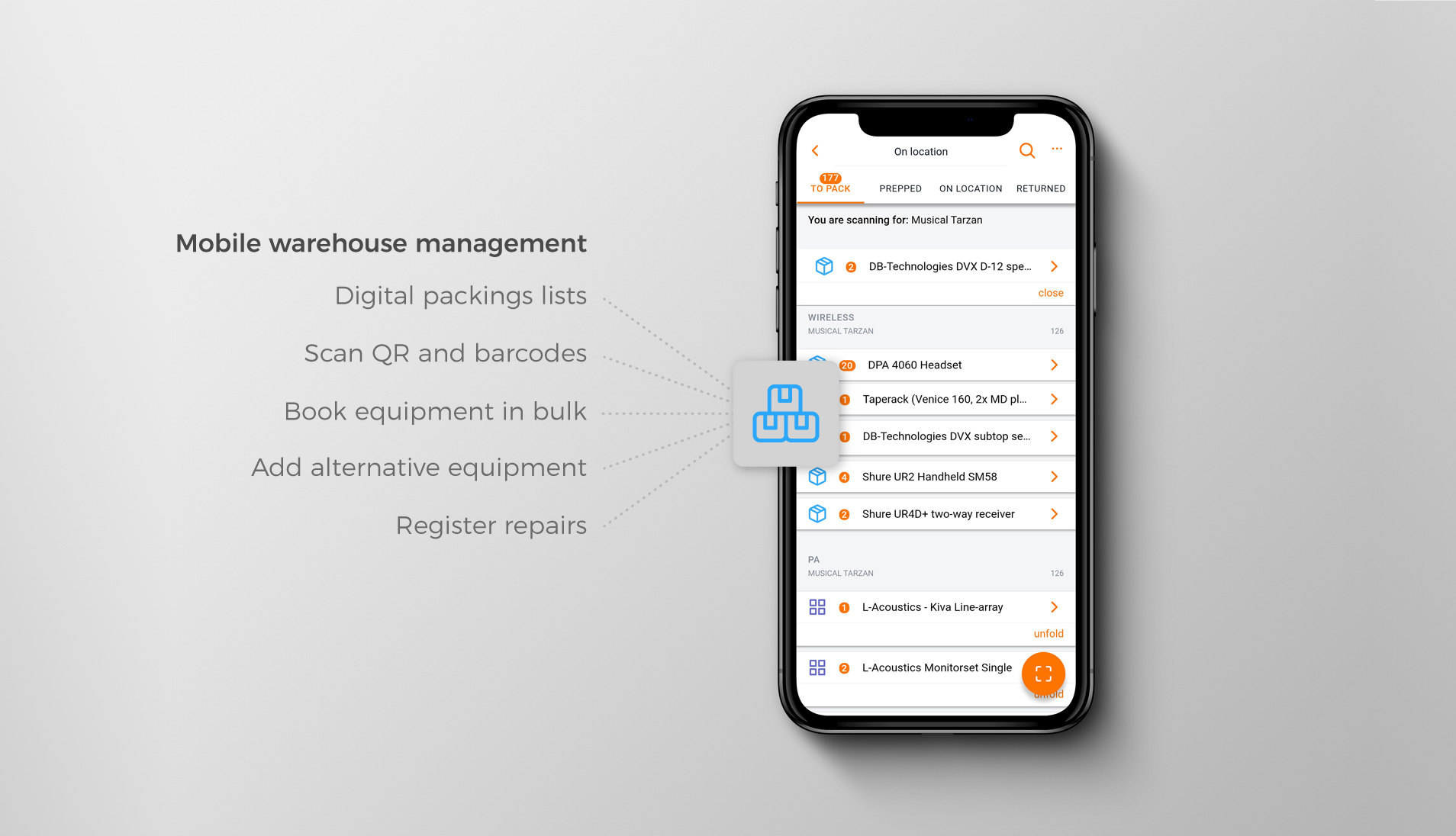
Screenshot of Desktop view of the Rentman Crew Planner where staff and freelancers can be planned or invited.Screenshot of Desktop view of the Rentman Project Overview providing insight into upcoming rental and event productions.Screenshot of Using the Rentman Mobile App in the warehouse to book gear in or out using the device camera.Screenshot of Warehouse management features of the Rentman Mobile App.Screenshot of Checking project information for an upcoming job and attaching files in the desktop view that can later be accessed through the mobile app as well.