Crisp is a Social Media Safety and crisis monitoring firm, boasting technology that is trusted by some of the world’s largest, most well-known brands to provide fast, precise detection of critical issues and crises. Crisp is a Kroll company since the May 2022 acquisition.
N/A
ZoomSphere
Score9.1 out of 10
N/A
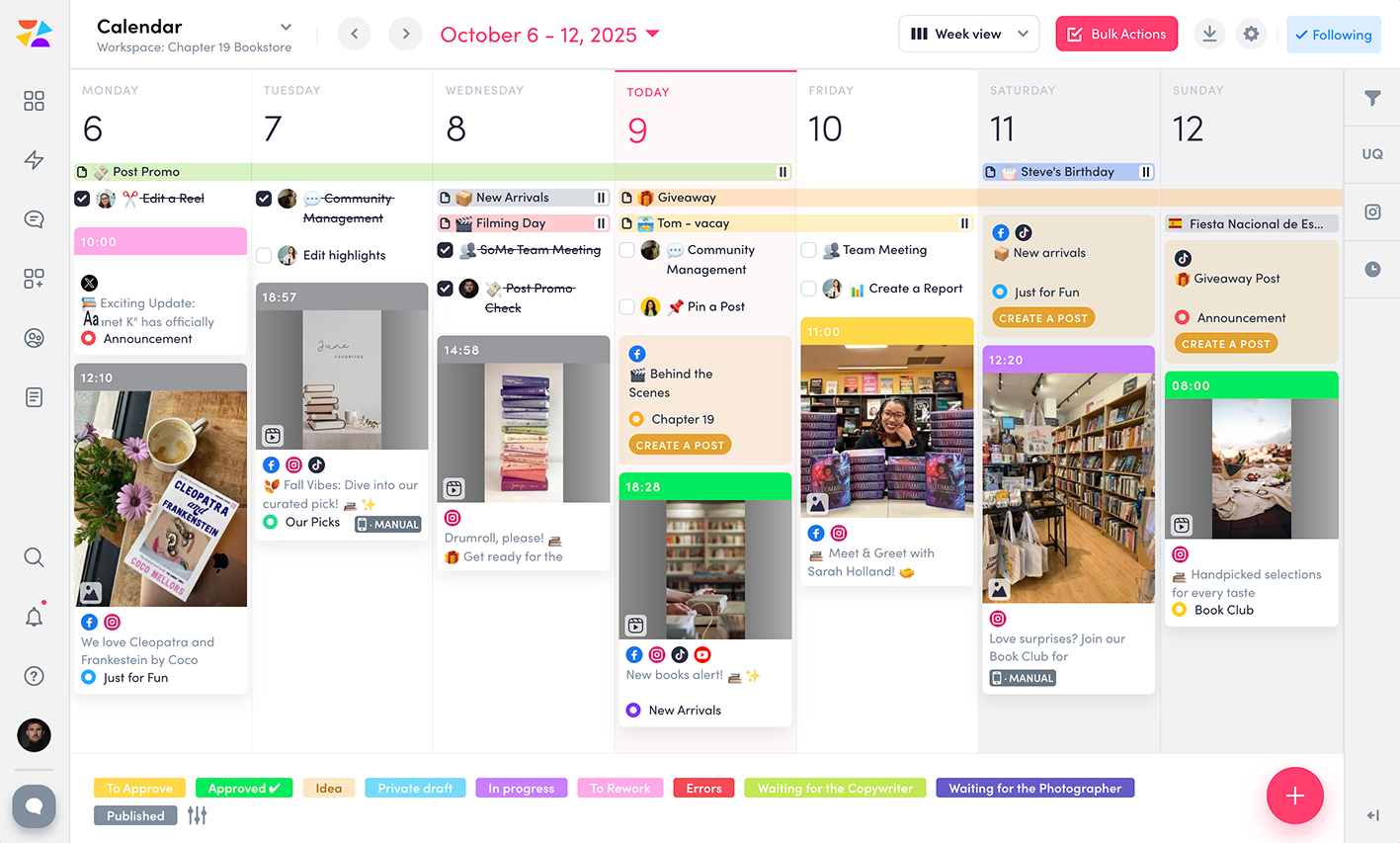
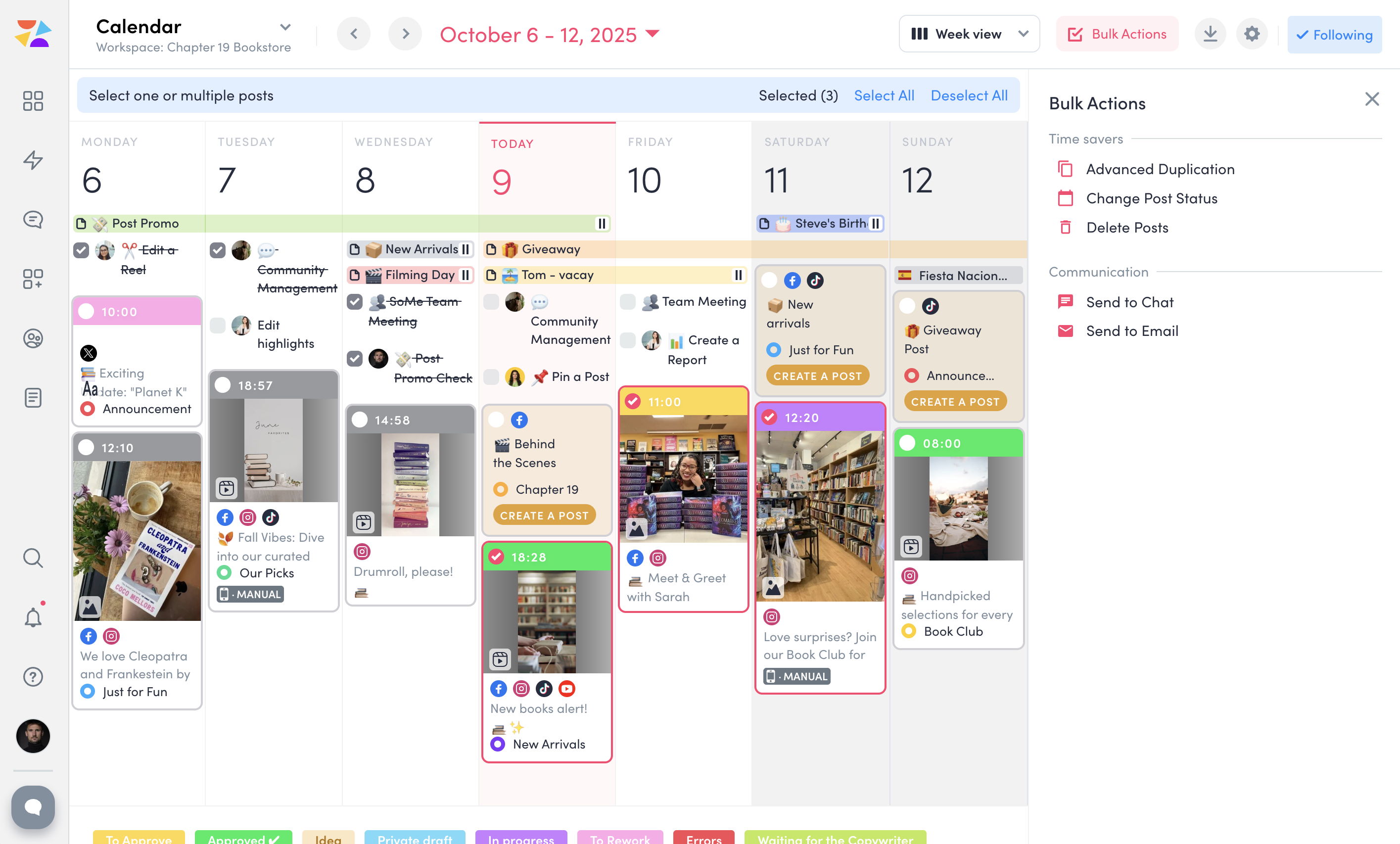
ZoomSphere is a social media scheduling and management solution designed for teams to plan, schedule, auto-publish, and analyze their social media content across multiple platforms.
ZoomSphere is primarily used by social media managers, marketing teams, and agencies to streamline content workflows, improve collaboration, and track performance across various social media platforms, including Instagram, Facebook, TikTok, LinkedIn, YouTube, and X. The software helps users automate…
$29
per month
Pricing
Resolver
ZoomSphere
Editions & Modules
No answers on this topic
Leads Manager
$29
per month
ZoomSphere
$199
per month
Offerings
Pricing Offerings
Resolver
ZoomSphere
Free Trial
No
Yes
Free/Freemium Version
No
No
Premium Consulting/Integration Services
No
No
Entry-level Setup Fee
No setup fee
No setup fee
Additional Details
—
Two month discount available for annual billing.
More Pricing Information
Features
Resolver
ZoomSphere
Publishing
Comparison of Publishing features of Resolver and ZoomSphere
Feature
Resolver
-
Ratings
ZoomSphere
8.0
1 Ratings
2% below category average
Content planning and scheduling
00 Ratings
8.01 Ratings
Audience targeting
00 Ratings
7.01 Ratings
Workflow management
00 Ratings
9.01 Ratings
Marketing
Comparison of Marketing features of Resolver and ZoomSphere
Feature
Resolver
-
Ratings
ZoomSphere
9.0
1 Ratings
15% above category average
Content marketing
00 Ratings
9.01 Ratings
Channel coverage/integration
Comparison of Channel coverage/integration features of Resolver and ZoomSphere
Feature
Resolver
-
Ratings
ZoomSphere
8.4
1 Ratings
1% above category average
Twitter
00 Ratings
10.01 Ratings
Facebook
00 Ratings
10.01 Ratings
LinkedIn
00 Ratings
8.01 Ratings
Instagram
00 Ratings
7.01 Ratings
YouTube
00 Ratings
7.01 Ratings
Reporting/analytics
Comparison of Reporting/analytics features of Resolver and ZoomSphere
Feature
Resolver
-
Ratings
ZoomSphere
8.3
1 Ratings
7% above category average
Campaign success analytics
00 Ratings
8.01 Ratings
Real-time tracking
00 Ratings
7.01 Ratings
Competitor analysis
00 Ratings
10.01 Ratings
Account management
Comparison of Account management features of Resolver and ZoomSphere
Feature
Resolver
-
Ratings
ZoomSphere
8.5
1 Ratings
7% above category average
Role-based user permissions & privileges
00 Ratings
10.01 Ratings
Mobile access
00 Ratings
7.01 Ratings
Best Alternatives
Resolver
ZoomSphere
Small Businesses
No answers on this topic
Sendible
Score7.2 out of 10
Medium-sized Companies
No answers on this topic
Emplifi
Score8.9 out of 10
Enterprises
No answers on this topic
Salesforce Marketing Cloud Social Studio (discontinued)
At $95 per month for unlimited seats, it's the cheapest solution for both support and marketing/sales teams if you need multiple seats. At the same time, everything works so smoothly and efficiently that you'd never believe it is such a cheap tool. Small teams could leverage their Free plan or the Pro tier, however, to get access to advanced features like chatbots or CRM integrations you'd need to get the unlimited package. Magic Browsing is another top feature that allows support teams to see what the client is doing on the website and guide him through the needed steps to troubleshoot any issues
A de minimis incentive was given to thank the reviewer for their time. The incentive was not used to bias or drive a particular response, nor was the incentive contingent on a positive endorsement. More Info
ZoomSphere is suited for all companies - from small to big, for one brand or more brands within company. With ZoomSphere you can leverage your social media presence - but you need to use lot of apps ZoomSphere has. I think that ZoomSphere is not suited for company that want to use ZoomSphere for only one purpose, for example content creation and publishing. There are plenty of ways how to use ZoomSphere more complex.
A de minimis incentive was given to thank the reviewer for their time. The incentive was not used to bias or drive a particular response, nor was the incentive contingent on a positive endorsement. More Info
A de minimis incentive was given to thank the reviewer for their time. The incentive was not used to bias or drive a particular response, nor was the incentive contingent on a positive endorsement. More Info
A de minimis incentive was given to thank the reviewer for their time. The incentive was not used to bias or drive a particular response, nor was the incentive contingent on a positive endorsement. More Info
Additional features for improving conversions like popup banners or guided tours to allow clients to combine multiple tools into one (like Intercom does)
A de minimis incentive was given to thank the reviewer for their time. The incentive was not used to bias or drive a particular response, nor was the incentive contingent on a positive endorsement. More Info
A de minimis incentive was given to thank the reviewer for their time. The incentive was not used to bias or drive a particular response, nor was the incentive contingent on a positive endorsement. More Info
There is always a space for improvement, but overall I see ZoomSphere as a valuable partner and tool for our business on social media. Maybe in a future rest of the apps in tool (community management, social media listening,...) will be on a same level as competitors and we will use only one tool for whole social media management. But if not, ZoomSphere is still awesome for the most of it
A de minimis incentive was given to thank the reviewer for their time. The incentive was not used to bias or drive a particular response, nor was the incentive contingent on a positive endorsement. More Info
Whenever I contacted customer service, I had a great response within minutes. Sometimes was not easy to solve, but somehow we figured it out. I would like to reccommend more proactive communication with clients regarding product roadmap, for example "In 1Q we will launch XY,..." Client should know that before implementation - client can prepare for news, client can test something,...
A de minimis incentive was given to thank the reviewer for their time. The incentive was not used to bias or drive a particular response, nor was the incentive contingent on a positive endorsement. More Info
Crisp has fewer auxiliary features that Intercom (popup builder and guided tours is something that comes to mind), however [I feel it] has MUCH better pricing tiers. It does 95% of things Intercom can do at 5% of the price. Both Drift and Freshworks provide similar solutions which are more expensive, but also have technical issues, which resulted in poorer performance of our website
A de minimis incentive was given to thank the reviewer for their time. The incentive was not used to bias or drive a particular response, nor was the incentive contingent on a positive endorsement. More Info
We see ZoomSphere as a better option than Kontentino. They are almost the same in way you can use the tool, but ZoomSphere has better UI and UX and also customer service. We also know that pricing levels are better with ZoomSphere than Kontentino. But both tools are quite awesome for social media management. Just book a demo, have a trial and you will see by yourself.
A de minimis incentive was given to thank the reviewer for their time. The incentive was not used to bias or drive a particular response, nor was the incentive contingent on a positive endorsement. More Info
Radically increased conversion rates due to proactive chat bots
Increased customer satisfaction due to stellar support (built in screen share saves a ton of time for troubleshooting, unlimited number of agents helps to improve response times etc)
A de minimis incentive was given to thank the reviewer for their time. The incentive was not used to bias or drive a particular response, nor was the incentive contingent on a positive endorsement. More Info
A de minimis incentive was given to thank the reviewer for their time. The incentive was not used to bias or drive a particular response, nor was the incentive contingent on a positive endorsement. More Info