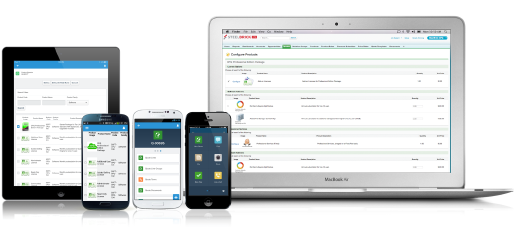
Salesforce Revenue Cloud (formerly Salesforce CPQ or SteelBrick) is built and delivered on the Salesforce Platform and Salesforce1 Mobile App which enables users to create accurate sales quotes quickly and submit error-free orders on the fly from any device.
$30
Per User per Month
sticky.io
Score 9.0 out of 10
N/A
sticky.io (formerly LimeLight), headquartered in San Francisco, offers their subscription business management platform supporting ecommerce transactions and recurring billing along with customer management, payment gateway, and fraud protected transacting.
N/A
Pricing
Salesforce Agentforce Revenue Management
sticky.io
Editions & Modules
Basic
$30
Per User per Month
Professional
$50
Per User per Month
Enterprise
$75
Per User per Month
No answers on this topic
Offerings
Pricing Offerings
Agentforce Revenue Management
sticky.io
Free Trial
Yes
No
Free/Freemium Version
No
No
Premium Consulting/Integration Services
Yes
No
Entry-level Setup Fee
Optional
No setup fee
Additional Details
—
—
More Pricing Information
Community Pulse
Salesforce Agentforce Revenue Management
sticky.io
Features
Salesforce Agentforce Revenue Management
sticky.io
CPQ
Comparison of CPQ features of Product A and Product B
What I like best is the ease of use to be able to track all opportunities and quotes in my daily sales tracker I also like the fact that you can reorganize the view for your opportunities. For instance, it is very similar to a spreadsheet where you can filter them by date, dollar amount, name, and several other ways. I found this to be less appropriate when we have to do multiple roles while assigning one task to multiple users. Column resizing within the Quote Line Editor is not supported in the Salesforce mobile app.
Lime Light CRM was built specifically for online marketers, helping them to manage their online sales, contacts, orders, and payments. The software combines a number of features and 3rd party provider integrations to offer the ability to store customer data, build online eCommerce campaigns, create sales reports, and automate order management activities, as well as track, store and report on affiliate data.
For an easy to learn CRM this would be it, you can fully train someone on Limelight in less than a few days
It allows for various wildcard searches to be performed in different fields, which speeds up productivity and requires less request to repeat information to locate accounts while speaking to clients.
The CRM holds multiple user accounts and products, and shows failed attempts to purchase and gives reason codes for why the purchase was not successful. Allows for different views to review client accounts.
Our Salesforce is very messy, which tells me it's not super easy to clean up.
I always have a really hard time removing a contacts from an account - it seems like you can't simply remove the relationship so we have lots of people named DO NOT CONTACT or things of that nature.
Sometimes when saving it doesn't seem like things actually save.
Note taking can be a hassle, when writing notes there is not a separate tab, or dedicated area which allows for multiple users to leave notes for future users, or administrators to reference regarding actions made to the account, users must search per line item to view notes, or go to a different view to see all notes which is still per line item as you toggle through the notes
If the client has been with the product for several months or years it is a lot of notes you have to reference through which hurts productivity and creates longer calls. A huge con is when you are canceling out a user account, or if you are changing a recurring date if the user clicks the back button after the tasks completes refreshing the webpage to reflect the new dates, the new changes will go undone and revert back to the original data as if no changes were made resulting in user error. The client continues to be billed and discounts continue to apply.
The CRM needs to fix this to prompt "Do you want to undo discount/date change/cancellation?" if the back button is clicked to eliminate user error based on the software limitations. Features which can be customized to automatically perform after actions are done on an account need a function to allow for agents to resend emails if the user did not get them. If automatic emails go to users canceling and they did not get it you have to restart the product then cancel it again to have another automatic email sent to the client/customer or manually send an email. For refunds, if the automatic email did not go out you have to manually send out the email which is time-consuming allocating to another agent or for the current agent. There is a need for an upgrade which allows that after an automatic email has been sent a button will appear which says "resend cancellation" "resend refund" this should also be true if the user inputted the email wrong and it was only noticed by agent after the automatic email was sent and the agent needs to update the email for the client/customer to be able to receive the email at the correct address.
I would give it an eight because it's very customizable in the way that you want to create it. I think I'm just docking points because sometimes there can be a little too much customization, which can make it a little complicated, but it just depends on the complexity of your business and how you guys build it out in the first place.
There have been some issues with multi-year pricing of certain products and services which we have been assured will be resolved but I guess are still underway, the support team apart from this has not been needed much and in the rare scenarios, it has been needed the resolutions of conflicts has been prompt and quick, so the overall support would have my high regards for being so helpful and customer-oriented so as to assure good performance of their toolset and customer satisfaction.
There is no comparison to a fully functional instance of CPQ. Nothing comes close due to the amount of customization and ease of use that CPQ offers once it's fully built out. Other solutions may be easier to build or administer, but for the users and business needs, CPQ is the best solution possible.
Easy access to reporting on closed-won, closed-lost, and open quotes.
Accuracy in data referenced in a quote - it's typically accurate as it is pulled directly from opportunity, looking up to associated subscription start/end dates, etc..
We lose valuable time in creating quotes ourselves. Quotes were requested and created through sales ops previously, sales did not have access to the excel templates used to generate quotes.