SAP Integration Suite vs. WSO2 Integration Platform

Overview
ProductRatingMost Used ByProduct SummaryStarting Price
SAP Integration Suite
Score 8.5 out of 10
N/A
SAP Integration Suite is a modern, secure integration platform as a service (iPaaS) that connects applications, data, processes, and AI agents across SAP and non‑SAP environments.
$11,199
per year
WSO2 Integration Platform
Score 10.0 out of 10
N/A
WSO2 Integration Platform (WSO2 Integrator) is an AI-native integration engine that connects disparate systems, automates complex workflows, and supports real-time event streaming. The platform provides a centralized environment to orchestrate APIs, file-based transfers, and autonomous AI agents across the enterprise.N/A
Pricing
SAP Integration SuiteWSO2 Integration Platform
Editions & Modules
No answers on this topic
Offerings
Pricing Offerings
SAP Integration SuiteWSO2 Integration Platform
Free Trial
YesNo
Free/Freemium Version
NoNo
Premium Consulting/Integration Services
NoNo
Entry-level Setup FeeNo setup feeNo setup fee
Additional DetailsAccess to free tier services does not expire while there is an active Pay-As-You-Go or CPEA account with SAP. Once a free tier service limit has been reached users have the option to update from a free to a paid service plan in the same account.
More Pricing Information
Community Pulse
SAP Integration SuiteWSO2 Integration Platform
Features
SAP Integration SuiteWSO2 Integration Platform
Cloud Data Integration
Comparison of Cloud Data Integration features of Product A and Product B
SAP Integration Suite
7.9
271 Ratings
2% below category average
WSO2 Integration Platform
-
Ratings
Pre-built connectors8.4256 Ratings00 Ratings
Connector modification7.8219 Ratings00 Ratings
Support for real-time and batch integration8.1250 Ratings00 Ratings
Data quality services8.0227 Ratings00 Ratings
Data security features8.2239 Ratings00 Ratings
Monitoring console7.1247 Ratings00 Ratings
Best Alternatives
SAP Integration SuiteWSO2 Integration Platform
Small Businesses
Make
Make
Score 9.3 out of 10
Make
Make
Score 9.3 out of 10
Medium-sized Companies
Workato
Workato
Score 9.3 out of 10
Workato
Workato
Score 9.3 out of 10
Enterprises
Workato
Workato
Score 9.3 out of 10
Workato
Workato
Score 9.3 out of 10
All AlternativesView all alternativesView all alternatives
User Ratings
SAP Integration SuiteWSO2 Integration Platform
Likelihood to Recommend
8.4
(357 ratings)
10.0
(1 ratings)
Likelihood to Renew
8.8
(13 ratings)
-
(0 ratings)
Usability
6.2
(5 ratings)
-
(0 ratings)
Support Rating
7.5
(8 ratings)
-
(0 ratings)
Implementation Rating
7.0
(2 ratings)
-
(0 ratings)
User Testimonials
SAP Integration SuiteWSO2 Integration Platform
Likelihood to Recommend
SAP
Good at: 1. Integrations with in SAP applications, especially with event based triggers 2. Can be integrated very well with other BTP services to attain Batch processing and store credentials 3. Supports many authentication models Improvements: 1. No version history available compared to as it is available in S4HANA 2. Need a lot of improvement in git hub connections
Read full review
WSO2
The best-suited scenario is the service chain pattern or all patterns used in online mode. The less appropriate scenario is a batch service the duration time of the service is more than 10minutes because it is necessary to increase the HTTP timeout.
Read full review
Pros
SAP
  • The extensive catalog of pre package integrations that have in the discovery center. That allows developers to find solutions that can fit the needs.
  • Monitor of the integrations and api deployed.
  • API management has been for us a very usefull tool inside integration suite, to be able to have the API Hub with the documentation of our apis.
Read full review
WSO2
  • Service chain pattern
  • Message transformation
  • Call more than one backend service
  • Call service with different protocoll as the client use
  • Use file as input
  • Use mail as input
Read full review
Cons
SAP
  • Provide more pre-built integrations to use within SuccessFactors or other modules instead of everything having to be custom built
  • Support is unable to provide advice on custom builds so you often have to engage a 3rd party partner
  • Works best when you have the functional and technical teams working together. Otherwise, the system is too technical for a functional user to create integration and a technical user not always understand the functional perspective
Read full review
WSO2
  • View deploy artifact in date time order
  • Easy way to map data
  • Easy way to manage payload
Read full review
Likelihood to Renew
SAP
It is in place, our system integrators are familiar with it, and it fits into the ecosystem. A better user interface, flow build and debugging experience would see it grow, many technical staff do not enjoy using it for this reason, however it is quite capable and powerful behind this one shortcoming.
Read full review
WSO2
No answers on this topic
Usability
SAP
The user interface is messy and not intuitive. It has a steep learning curve, and flows developed around are easy to make a mess with layout and can be difficult to follow. The debugging is also quite difficult, it takes some time to figure out how to follow the flow and examine data. Error handling is also difficult and not intuitive, it is better to let some errors leak and monitor through ALM.
Read full review
WSO2
No answers on this topic
Support Rating
SAP
The support for SAP Integration Suite is satisfactory. We leverage SAP support through our manage services partner. So far, we have not had many major issues. One concern, to make our rating a ten, would be turnaround time on high priority incidents. SAP Integration Suite drives our key business functions forward. Without a reasonable service level agreement on turnaround, we sometimes find us running into issues running pay, etc.
Read full review
WSO2
No answers on this topic
Implementation Rating
SAP
Work with an SAP implementation partner, if possible.
Read full review
WSO2
No answers on this topic
Alternatives Considered
SAP
Before deploying SAP Integration Suite, we assessed Oracle Financial Services Analytics and IBM Risk Analytics. While Oracle had proved its mettle in the exceptional database support and IBM in presenting risk model tools, SAP Integration Suite overwhelmed others by being effortlessly integrated with our existing banking framework.
Read full review
WSO2
We can start with the community version and then when we moved into production we can buy the supported version. The supported and community version have the same code so we can do every test before deciding to buy the supported version.
Read full review
Return on Investment
SAP
  • Positive impact would be availability of pre-defined integration content via templates.
  • One can re-use a template as a starting point to modify and adopt to client-specific integration flow.
  • Availability of adaptors and connectors, making it easier to piece together the integration flow.
Read full review
WSO2
  • Reduce development time to the service integration
  • We can use junior developer
  • Clustered in easy way
Read full review
ScreenShots

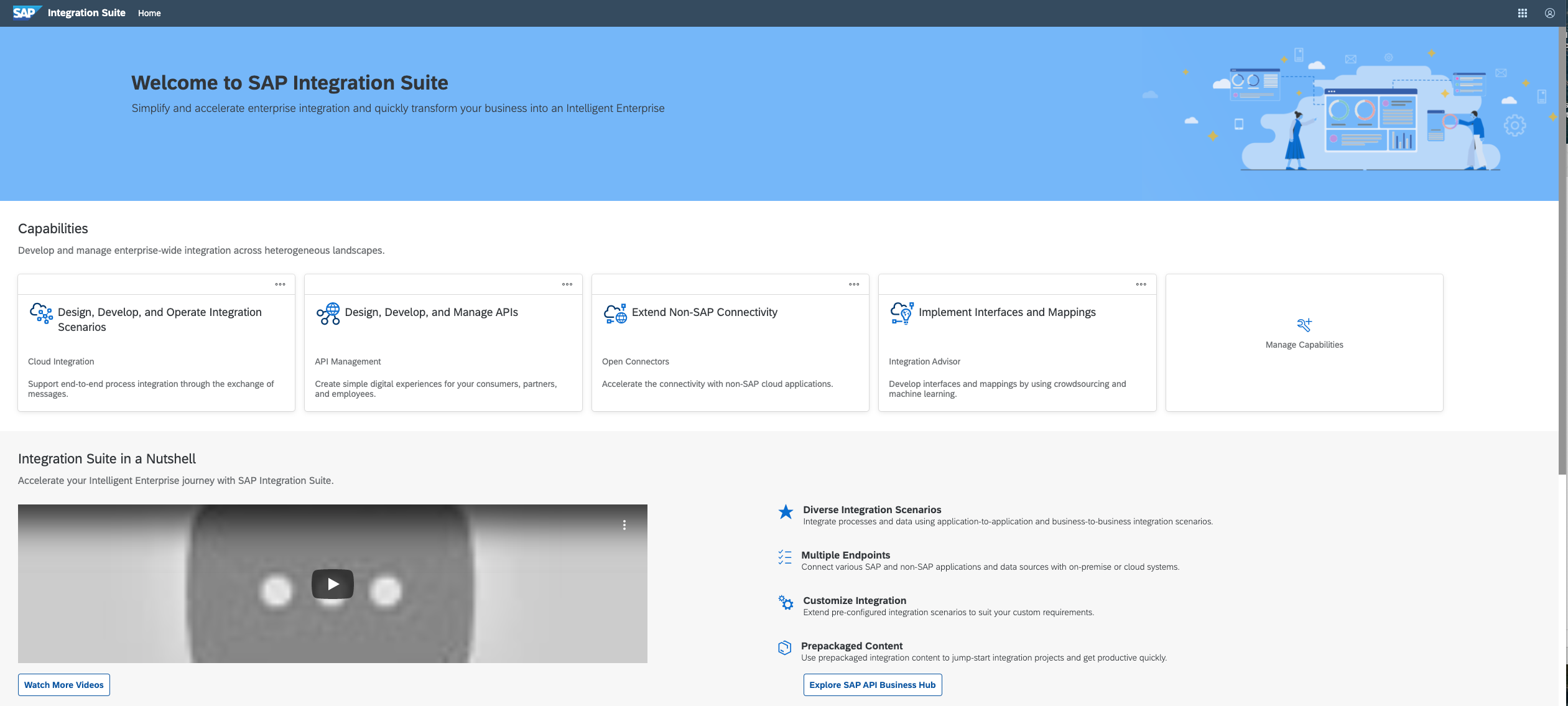
SAP Integration Suite Screenshots

Screenshot of Screenshot of Screenshot of Screenshot of Screenshot of