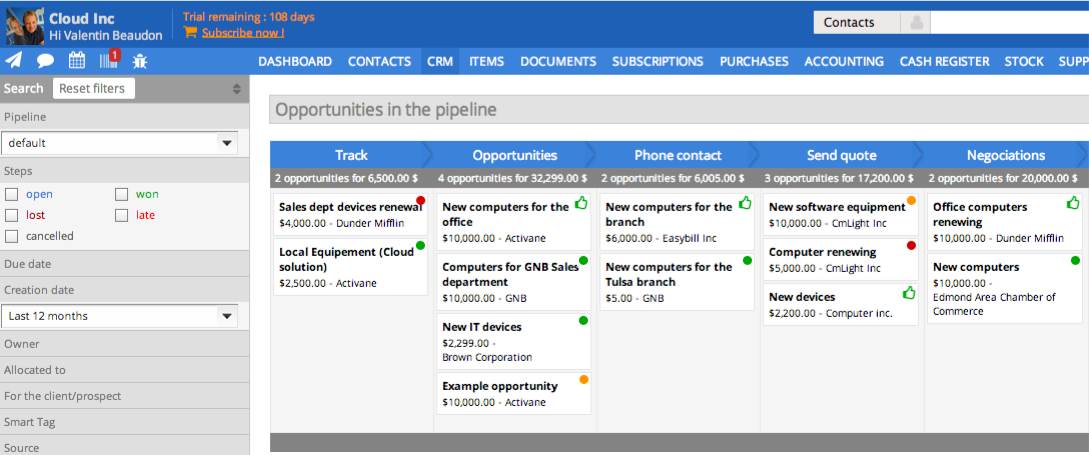
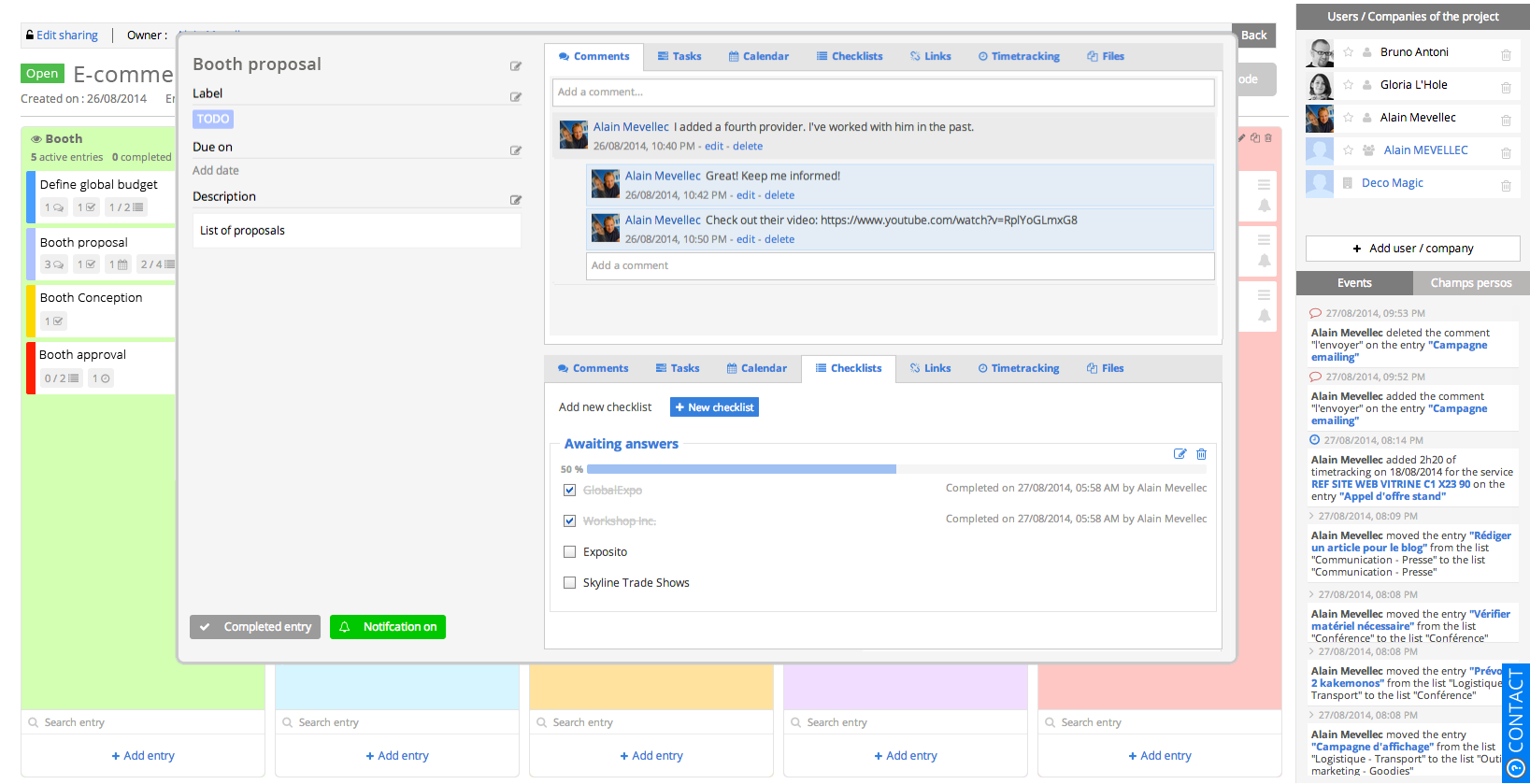
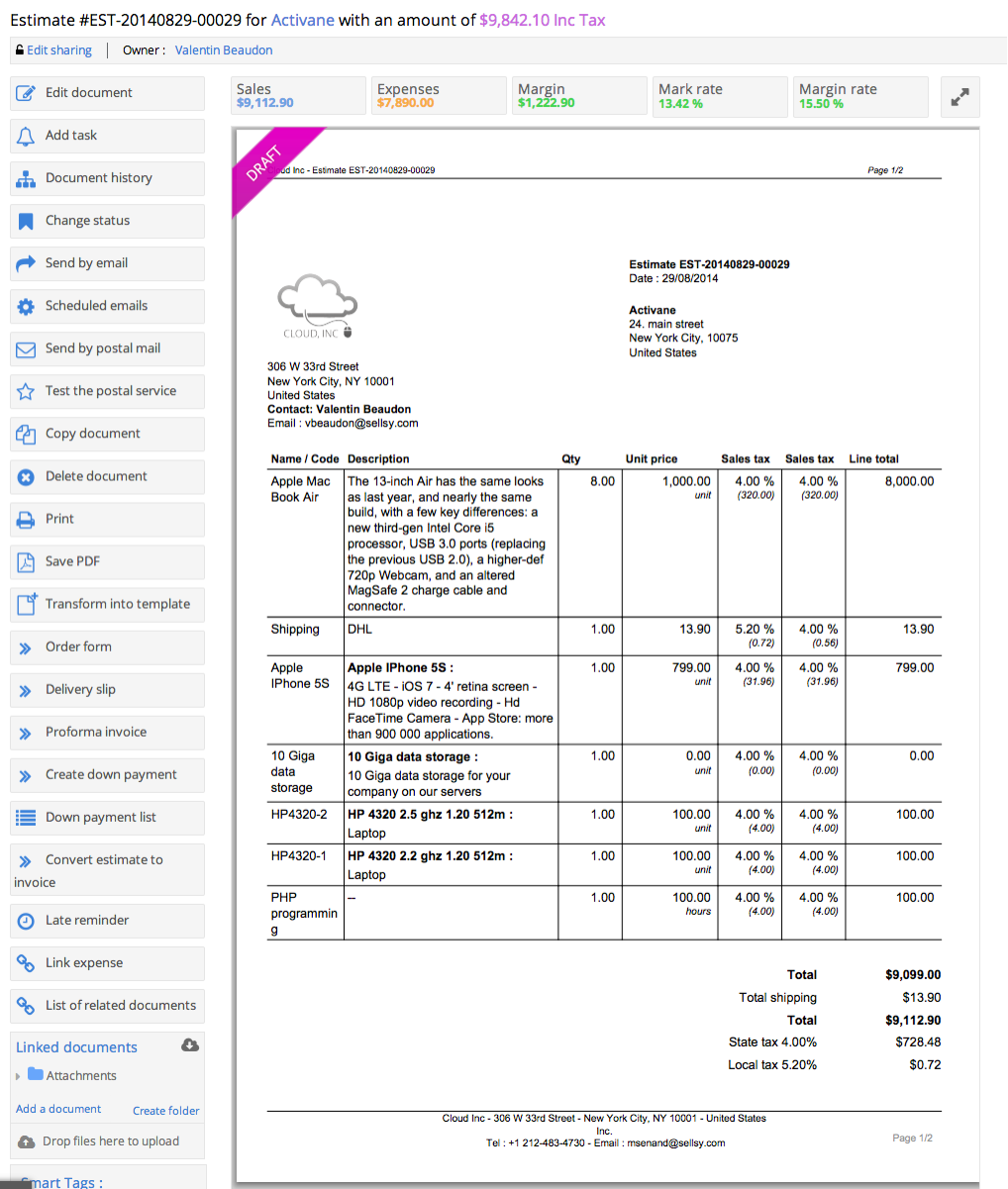
Sellsy is one integrated suite for sales management. Some key features include: CRM Pipelines, Invoicing, Time Tracking, HelpDesk, ERP, and POS.
$30.90
per month
Progress ShareFile
Score8.7 out of 10
N/A
ShareFile is a cloud-based file sharing and storage service built for business. The product was acquired by Citrix Systems in 2011, and is now offered by Progress Software.
$54.45
per month 3 users (minimum)
Pricing
Sellsy
Progress ShareFile
Editions & Modules
Staff member access
$10.00
Per User per Month
CRM pipelines license
$10.00
Per User per Month
Purchases and margins; Expenses; Subscriptions management; Helpdesk management
We like sellsy. Its not perfect and as other users have pointed out, there is and always will be, room for improvement.
If you require deep integration with Google apps and Microsoft Office 365, then Sellsy may not be for you. Sellsy just about manages to work with google in so far that it can sync contacts, calendar, sales docs and incoming email with google. There is currently no way to make sent email appear in the sent items section of sellsy unless you compose the email within the sellsy app. The O365 integration is not nearly as powerful as sellsy does not sync sellsy contacts or calendar with microsoft (in its current form).
I believe that one of the primary functions of any business management app should be the capability to centrally manage all of a company's business clients, contacts etc. and sync this data to all employee accounts with the 2 biggest players for business email (Microsoft and Google) as a minimum. This data should never be an island stored only on 1 application. The Discovery that sellsy does not currently sync contacts and calendars with O365 was a disappointment. If Sellsy started supporting exchange sync for Microsoft Office 365 we would immediately dump google and switch over. In fact Sellsy is the only reason we continue to use Gapps as we need our contacts and calendars synced to our mobile devices.
We have built up a list of small little things that do not work as expected since we started using sellsy and continually pass them on to the development team. Many are small trivial things from an engineering perspective but are still annoying nonetheless, especially to users who wish to get the job done. Employees are easily frustrated if they have to fight with software to do certain tasks. Annoyances in the user experience (no matter how small) can lead to lost productivity which in turn costs money in the business world. However based on our experience with Sellsy support we believe that they do listen carefully to their customers concerns and are on the path to deliver a quality experience to their customers through the process of frequent updates to the software. You can easily establish how good a SAAS provider is by measuring their ability to fix problems soon after they are initially reported.
In simple terms Sellsy is an incredibly feature rich application and is way ahead of the competition. It represents good value for money and is backed up by free support.
When we have a particularly large ad or job printing file that would "clog up" the email process, using ShareFile is very helpful. It's also useful for particular photographers we work with to upload a batch of photos all at once. Where it doesn't work as well for us is when trying to get clients to make use of a login to access folders. We find them reluctant to take on the learning curve. It works best for us when we just send them a clickable download link, and at most just require a tracking name and email address.
Workflows to get customer/affiliate responses to comments on documents.
I used to have the signature feature initially, but it was removed from the original plan, so I could only use it if I chose to select the higher plan price.
I love the upload notifications and reports on user activity.
The document storage versions are fantastic. I am the only user with Delete privileges, and I love that I can make those selections.
Integrations with Microsoft 365 - FANTASTIC - thank you.
A de minimis incentive was given to thank the reviewer for their time. The incentive was not used to bias or drive a particular response, nor was the incentive contingent on a positive endorsement. More Info
Training. The only real issue I have with Sellsy is that its got so many features its hard to understand them all. I looked for training videos and they are all in French. Thats a big problem for a guy who grew up in NJ.
I would embed training videos directly into the software. This way as you add services, you get a full tutorial immediately.
The web console is not the most user friendly site to use to get to, and send my files.
We have had users that have not liked the change in workflow to get files from Progress ShareFile when they were used to just clicking on files on an email.
That management of the tools are not the most user friendly. There have been some improvements but keeping up with certs and setting up new users can be more work than expected.
A de minimis incentive was given to thank the reviewer for their time. The incentive was not used to bias or drive a particular response, nor was the incentive contingent on a positive endorsement. More Info
Sellsy ticks the most boxes for us. While it could still do a lot of things better there is no other single app that offers the same spectrum of features at a comparable price for SMEs.
It's a highly effective and secure storage system, has robust workarounds for serving the various equipment limits of our users, meets high security requirements of HIPAA standards, significantly reduces our needs for producing paper trails.
A de minimis incentive was given to thank the reviewer for their time. The incentive was not used to bias or drive a particular response, nor was the incentive contingent on a positive endorsement. More Info
ShareFile is so easy to use I was able to download all of my projects files and have them set up to sync before my supervisor could even come over to explain the process to me. It is a neatly organized and intuitive software that allows even the less tech-savvy to become power users.
A de minimis incentive was given to thank the reviewer for their time. The incentive was not used to bias or drive a particular response, nor was the incentive contingent on a positive endorsement. More Info
A de minimis incentive was given to thank the reviewer for their time. The incentive was not used to bias or drive a particular response, nor was the incentive contingent on a positive endorsement. More Info
Easy to use, easy to integrate with Outlook. I only gave it a 9 because I have found that sometimes it does not play nicely with Outlook and can slow it down. But, when that happens (not frequent), I restart Outlook and all is well again
A de minimis incentive was given to thank the reviewer for their time. The incentive was not used to bias or drive a particular response, nor was the incentive contingent on a positive endorsement. More Info
Based on our experience. We have submitted a large amount of tickets and they have proven the Sellsy development team have the ability to respond fast and implement changes reasonably quickly. (Updated July 2015) It took sellsy a number of weeks to solve an issue with the billable hours section of their application. This delayed us from being able to invoice our client for completed works. Lots of small things like email tracking timestamps have never been fixed even though we highlighted this issue months ago. Though small it is growing more and more frustrating to be reminded every time we try to see what time a client read or opened an email from us.
Citrix was generally responsive and helpful in solving technical issues. Like any cloud based SaaS product there is a danger that it may go down. This was a rare occurrence over my three years of using the product. The more common issue we encountered was clients forgetting their login which was easily managed through a forgot password functionality.
A de minimis incentive was given to thank the reviewer for their time. The incentive was not used to bias or drive a particular response, nor was the incentive contingent on a positive endorsement. More Info
If you are importing data from a CSV, Sellsy recommends you use OpenOffice. OpenOffice is an absolute disaster on Windows 8 and crashes every few mins. While no fault of Sellsy they should not recommend software which makes an already challenging task even more difficult. A small gripe in hindsight but during the process was deeply frustrating. For any users looking to format your CSV Google, try importing CSV data into Excel and your life will be much more easy.
Good documentation for the API. With a little help from RS tech staff, any competent programmer should be able to integrate RightSignature with an existing system in a week or three. That help is easy to get as well
ShareFile is easier and does what you need. I have moved a few organizations from SharePoint to ShareFile. Just easier. You can setup different areas for different departments, setup their permissions and it is easy enough for them to do what they want in their zones. The mobile app works great as well. So you can all the features you really use from SP, but just easier to setup and use.
A de minimis incentive was given to thank the reviewer for their time. The incentive was not used to bias or drive a particular response, nor was the incentive contingent on a positive endorsement. More Info
The license model once you understand it is very flexible allowing you to select from the modules within sellsy. This gives small companies control of the cost facilitating them with the option to only pay for the features they use.
A de minimis incentive was given to thank the reviewer for their time. The incentive was not used to bias or drive a particular response, nor was the incentive contingent on a positive endorsement. More Info
All of our clients and consulting engineers find ShareFile easy to use, thus complementing our business.
Our staff also find ShareFile intuitive, accessible, and easy to use, making it an ideal, everyday indispensable desktop tool for everyone in our company.
ShareFile can be linked to our firm's primary website as a placed for private use. We haven't found need for this yet, but might in the future.
A de minimis incentive was given to thank the reviewer for their time. The incentive was not used to bias or drive a particular response, nor was the incentive contingent on a positive endorsement. TR verified that a representative sample of customers was invited. More Info