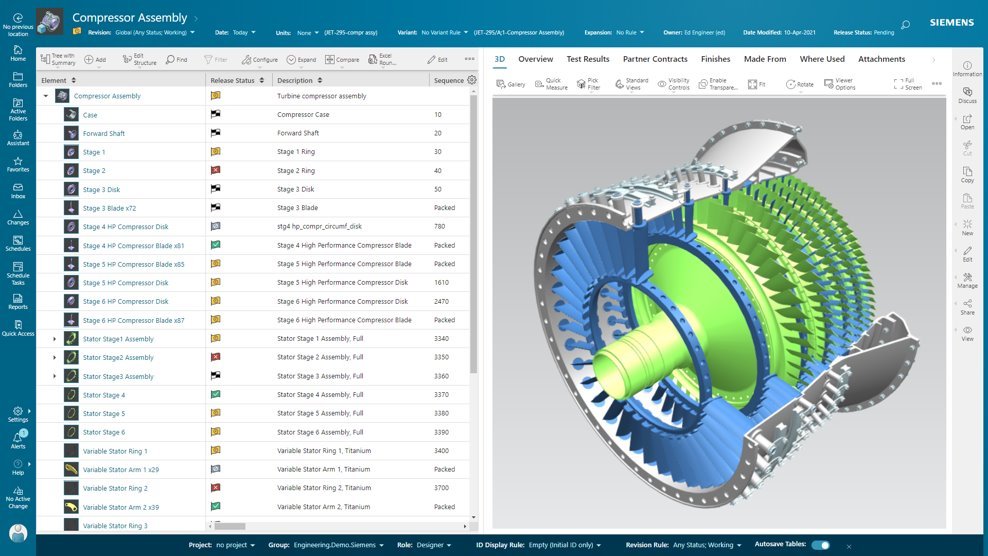
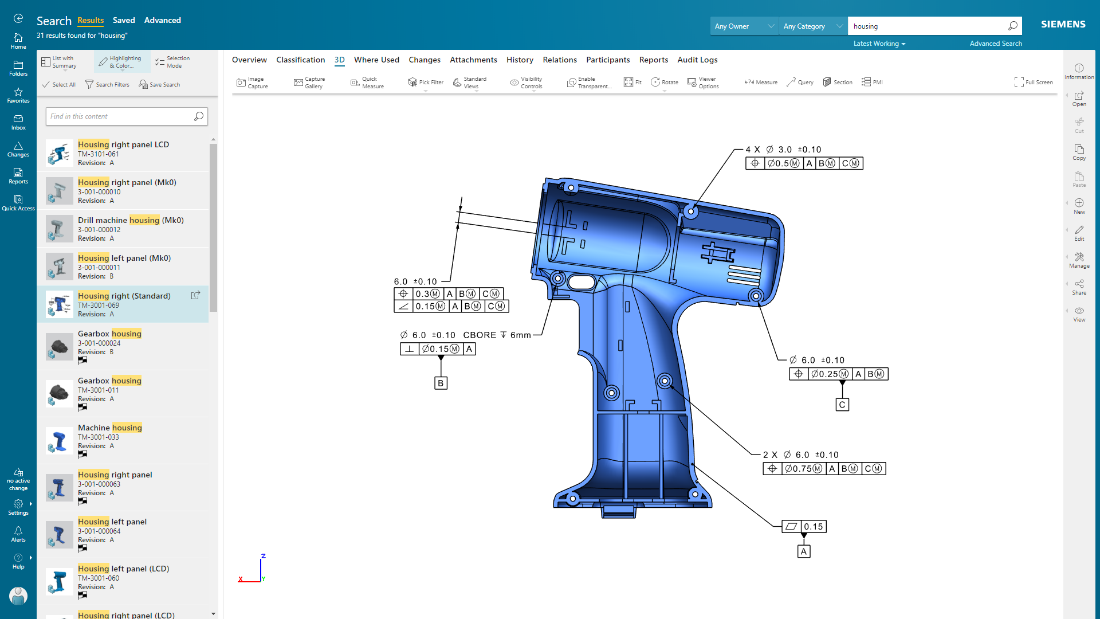
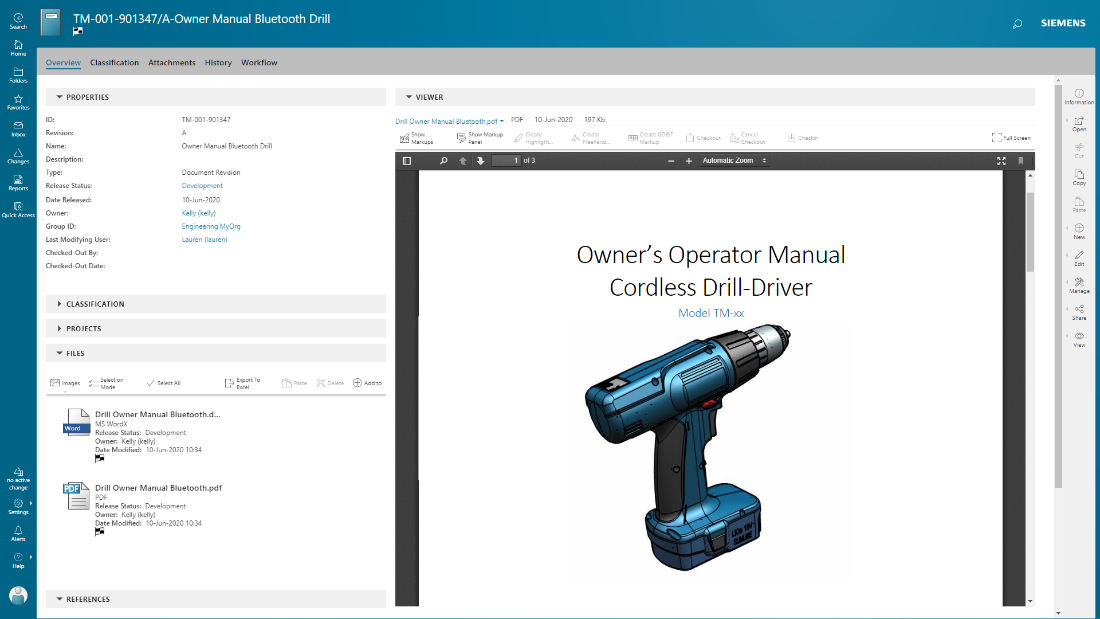
Teamcenter is a product lifecycle management system designed to help organizations integrate and standardize product development processes across functional silos.
N/A
SIMULIA
Score8 out of 10
N/A
SIMULIA from Dassault Systemes is a simulation application for 3d objects.
Teamcenter is perfect for working in large-scale projects related to manufacturing and engineering where collaboration and management of data are crucial. It is evident where the complexity of the products is high such as in automobile and aerospace industries. Some of its features may seem too elaborate for the small business with a less complex process and therefore too expensive. It is less useful in organizations that do not have complex PLM needs or have less IT capacity to implement the system.
A de minimis incentive was given to thank the reviewer for their time. The incentive was not used to bias or drive a particular response, nor was the incentive contingent on a positive endorsement. More Info
It appears to be evolving more towards large users with the 3D EXPERIENCE, while becoming less focused on small users like me, becoming more expensive and limiting the number of cores while most PC's now can easily run 8 cores. Of course it is great for non-linear and highly non-linear scenarios, and especially good at combing a huge variety of element types. I guess it is not best suited for linear analysis due to its high price, but even in this case you have to put in the balance the ability to make the best choice of finite elements and being so straightforward about actually using them.
A de minimis incentive was given to thank the reviewer for their time. The incentive was not used to bias or drive a particular response, nor was the incentive contingent on a positive endorsement. More Info
Teamcenter is a great PLM tool that allows collaboration between our teams, it’s possible to create a variety of teams that can all collaborate in one environment and share relevant information, I like that all the data can be integrated into the application so that it’s more organized and structured.
When working with Teamcenter, the roles can be properly distributed so it’s easy to see all the workflows and things that need to be done.
The interface is very nice and you can work through it if you don’t know some features. I like how well-integrated everything is and how easy it is to use and implement into your daily work routine.
One of my favorite aspects of Teamcenter is its reporting tools, they are definitely some of the best tools I have tried, allowing me to integrate data from different places into the platform and analyze it in different ways. Analyzing a variety of key metrics is possible and helps us have better results in our sales.
A de minimis incentive was given to thank the reviewer for their time. The incentive was not used to bias or drive a particular response, nor was the incentive contingent on a positive endorsement. More Info
Create and modify designs from within the CAE environment. Although it has very basic capabilities, it is quite capable of generating 2D and 3D parametric designs. I have even generated some "fancy" designs which ended up being a challenge for draftsmen in specialized solid modeling CAD. I also like the fact that being somewhat limited, it forces you to stick to simple and effective design.
Addressing structural instabilities such as snap-through or buckling. This was such a challenge when I started using Abaqus, I had to take a course on "achieving convergence". Coming from there, I can see how SIMULIA has become increasingly able to give you the numerical tools or tricks you need to achieve convergence consistently. In the past I often feared running into different convergence issues as I moved across different produce sizes, leading to changes in the analysis approach, which would make it more difficult to compare them. I just went through a 12-size family in 5 dimensional scenarios each, without a single issue after ensuring convergence with the first couple of sizes.
Beautiful pictures. The post-processing of results enables me to generate highly illustrative, fairly easy to understand and elegant presentations, by controlling transparency and results shown independently on different groups, which I can select by material, location, etc.
A de minimis incentive was given to thank the reviewer for their time. The incentive was not used to bias or drive a particular response, nor was the incentive contingent on a positive endorsement. More Info
A de minimis incentive was given to thank the reviewer for their time. The incentive was not used to bias or drive a particular response, nor was the incentive contingent on a positive endorsement. More Info
Exporting sketches. For example, you can import dxf for sketches, but you can't export dxf. This is a major drawback for me, because I often communicate with customers through dwg or dxf sketches. If I can't export dxf, my sketches in CAE are "dead". I have to redo them in the dwg sketch. It is so inconvenient, I often end up making the sketches in DraftSight, so I can export them to CAE but I still have the originals in dwg format.
CAE doesn't remember element type assignment by sets. Sometimes when I reconfigure or modify a design, I regenerate sets and surfaces, and this in turn updates material assignments, interactions and loads almost automatically. This doesn't happen with element types, so I often end up submitting a job with the wrong element types.
Mesh regeneration and re-mapping in 2D within the job. I need this a lot to model axisymmetric assemblies with sharp indentation the destroys the original mesh. I had it in MSC/MARC and it worked great. Abaqus has it only for 3D. I have tried alternatives like lagrangian/eulerian and eulerian domains but it's still more complicated.
A de minimis incentive was given to thank the reviewer for their time. The incentive was not used to bias or drive a particular response, nor was the incentive contingent on a positive endorsement. More Info
Because of our current customer needs, we will most likely maintain use of Siemens PLM products for some time. Aside from the initial software cost, we pay for yearly maintenance. Maintaining our yearly maintenance licensing with Siemens, we receive access to all of the latest software releases, as well as premier technical support
A de minimis incentive was given to thank the reviewer for their time. The incentive was not used to bias or drive a particular response, nor was the incentive contingent on a positive endorsement. More Info
As previously mentioned, due to the intense amount of features and modules present in the software, the usability of the software suffers greatly. Many of the features are not used in our context, and many of the modules are not purchased, but the options are still present on the interface leading to a lot of clutter, much of which is never used. The interfaces suffer from a lack of design and tend to feel like a conglomerate of Windows 98 elements.
A de minimis incentive was given to thank the reviewer for their time. The incentive was not used to bias or drive a particular response, nor was the incentive contingent on a positive endorsement. More Info
Extremely well organized and friendly, reflecting the latest approaches in solid modeling and adding the FEA part so seamlessly for the user. It's a joy to use. I'm aware some people would complain about the meshing capabilities and thus prefer using HYPERMESH. Fortunately not my case. I did wish I had HYPERMESH a couple of times, but for most of my projects CAE meshing is fine.
A de minimis incentive was given to thank the reviewer for their time. The incentive was not used to bias or drive a particular response, nor was the incentive contingent on a positive endorsement. More Info
In the time that we have used Teamcenter we have received a good response from the support team, they have great customer service, we have solved the problems that have arisen very quickly, and they are attentive and answer us if we have any questions.
A de minimis incentive was given to thank the reviewer for their time. The incentive was not used to bias or drive a particular response, nor was the incentive contingent on a positive endorsement. More Info
I keep getting the feeling that it is drifting away from small users. I don't feel so comfortable with the SWYM community approach. I felt much better when you could just email or call HKS and you would feel like you were talking to a real expert who understood your situation. When I was reassigned to reseller in Argentina, which is like the other side of the world for me, I appreciated the cultural closeness, but I had to say goodbye to the level of support I had from HKS and learned to "support myself."
A de minimis incentive was given to thank the reviewer for their time. The incentive was not used to bias or drive a particular response, nor was the incentive contingent on a positive endorsement. More Info
A de minimis incentive was given to thank the reviewer for their time. The incentive was not used to bias or drive a particular response, nor was the incentive contingent on a positive endorsement. TR verified that a representative sample of customers was invited. More Info
Earlier, some of the companies acquired by my organization were using PTC Windchill, but the overall stability, user experience and depth of functionality which are provided by Teamcenter doesn't match with any other PLM software and thus, all the acquired companies which were earlier using PTC Windchill has now slowly started into moving towards Teamcenter.
A de minimis incentive was given to thank the reviewer for their time. The incentive was not used to bias or drive a particular response, nor was the incentive contingent on a positive endorsement. More Info
MARC can do the job from an FEA point of view. It even appears better at a couple of things such as 2D remeshing and surviving with highly distorted meshes. So I regard it as a very competitive alternative. I prefer SIMULIA because the GUI is so much better, especially the ability to create actual parametric designs in CAE. ANSYS doesn't cut it for me. I tried it for 1 month and I would see how much I would struggle with convergence in large deformation and large displacement situations with hyperelastic materials with which I have to deal all the time. Also the GUI is not as well built an integrated as in SIMULIA.
A de minimis incentive was given to thank the reviewer for their time. The incentive was not used to bias or drive a particular response, nor was the incentive contingent on a positive endorsement. More Info
Teamcenter is easily on the best scalable solution. The single source of product information allows us to collaborate more effectively on the product lifecycle. Also, being a cloud solution, it is pretty straightforward to scale as the maintenance required is quite low . In addition, the overall cost is also easily manageable for businesses like ours.
Definitely, it has a very positive impact so to speak. What we are trying to do through our program, we are utilizing the full capacity of Teamcenter to produce one structure in an effective way. So before we implement this activity, the user has to prepare 10 to 15 structures to reach to our best possible data that can be set across the systems. But now with the complete capability of Teamcenter, we are able to do all these things into one structure itself and then let the system do all the automation or the things that users do not have to concentrate on. All of the automations are done behind the systems and then it is improving not only the efficiency of the end user, but also making a standardized way in order to proceed and transfer the data holistically towards other systems like SAP.
A de minimis incentive was given to thank the reviewer for their time. The incentive was not used to bias or drive a particular response, nor was the incentive contingent on a positive endorsement. TR verified that a representative sample of customers was invited. More Info
I don't even bother doing an ROI. Without SIMULIA I would be pretty much out of business. Except for the fact that I could still have an alternative with MSC/MARC.
Price is becoming a more difficult hurdle for small users. It appears I have survived because there was a 50% discount on my small 6-token package. Without this special price I would have to close my business. I'm currently exploring alternatives.
A more flexible scheme enabling to add tokens over short periods of time or paying per use could be an interesting possibility.
A de minimis incentive was given to thank the reviewer for their time. The incentive was not used to bias or drive a particular response, nor was the incentive contingent on a positive endorsement. More Info