draw.io vs. Slickplan

Overview
ProductRatingMost Used ByProduct SummaryStarting Price
draw.io
Score 7.7 out of 10
N/A
draw.io is an online diagramming tool with integrations with Jira, Google, and Confluence available free online or at cost depending on integration chosen.
$5
per month
Slickplan
Score 0.0 out of 10
N/A
Slickplan helps teams and agencies bring order to complex website planning projects – from initial ideas and concepts to production-ready deliverables. Rather than bouncing between docs, spreadsheets and disconnected tools, Slickplan provides a centralized space to structure site architecture, map user flows, plan and create content as well as review designs together. The application's goal is to help users achieve faster launches, fewer revisions, smoother handoffs to…
$11.99
per month
Pricing
draw.ioSlickplan
Editions & Modules
Up to 10 Users
$5
per month
Up to 20 Users
$11
per month
Up to 50 Users
$27.50
per month
Up to 75 Users
$41.25
per month
Up to 100 Users
$55
per month
Up to 200 Users
$95
per month
Up to 500 Users
$152.50
per month
Up to 750 Users
$190
per month
Up to 1,000 Users
$227.50
per month
Up to 2,000 Users
$377.50
per month
Up to 5,000 Users
$827.50
per month
Up to 10,000
1,577.50
per month
Basic – For simple projects or occasional planning needs
$11.99
per month
Pro – Best for growing teams that need complete workflows
$34.99
per month
Team – Ideal for larger teams collaborating across multiple projects
$69.99
per month
Agency – Built for enterprise clients with large, complex portfolios
$114.99
per month
Offerings
Pricing Offerings
draw.ioSlickplan
Free Trial
NoYes
Free/Freemium Version
NoYes
Premium Consulting/Integration Services
NoNo
Entry-level Setup FeeNo setup feeNo setup fee
Additional DetailsDiscount available for annual billing.
More Pricing Information
Community Pulse
draw.ioSlickplan
Best Alternatives
draw.ioSlickplan
Small Businesses
OmniGraffle
OmniGraffle
Score 9.7 out of 10
Ecwid by Lightspeed
Ecwid by Lightspeed
Score 10.0 out of 10
Medium-sized Companies
Cvent Event Diagramming
Score 9.3 out of 10
10Web
10Web
Score 5.5 out of 10
Enterprises
Cvent Event Diagramming
Score 9.3 out of 10
Adobe Experience Manager
Score 8.6 out of 10
All AlternativesView all alternativesView all alternatives
User Ratings
draw.ioSlickplan
Likelihood to Recommend
9.0
(19 ratings)
-
(0 ratings)
Usability
10.0
(1 ratings)
-
(0 ratings)
Support Rating
7.8
(5 ratings)
-
(0 ratings)
User Testimonials
draw.ioSlickplan
Likelihood to Recommend
JGraph (Draw.io)
draw.io can be more suitable for technical documentation for architectures, flow diagrams/charts, and conceptual images of an application infrastructure. However, this tool is not made for business intelligence work nor for dashboarding to monitor the technical components. From the administrative standpoint, this is not well suited for agile ceremony structures like retrospective boards or planning or even quarterly planning boards. The strength of draw.io lies strongly in being a lightweight diagramming tool.
Read full review
Slickplan
No answers on this topic
Pros
JGraph (Draw.io)
  • Draw.io offers a lot of shapes and customizability of how the diagrams are laid out. We've been able to create a lot of different things with it, and have barely scratched the surface of the sorts of things that we could do.
  • Draw.io is fairly intuitive in the way that you draw shapes and connect shapes together, I was able to figure it out without a tutorial.
  • Draw.io is fast and performant for me compared with some of the alternatives.
Read full review
Slickplan
No answers on this topic
Cons
JGraph (Draw.io)
  • When very elaborate diagrams are needed, it lacks the amount of tools and customization needed
  • Since this is an online tool, it can freeze and that causes you to lose that work up to that point
  • Performance can lag with very complex diagrams
Read full review
Slickplan
No answers on this topic
Usability
JGraph (Draw.io)
The UI is intuitive. It allows a new user to start diagramming almost instantly. Manipulating elements, linking them together, etc. are all easy to do. Draw.io nevertheless a broad variety of diagram templates to help get started and also of shapes to use in diagrams. Some situations can make it a bit tricky to use, such as when having multiple shapes on top of each other (e.g. shapes placed within swimlanes) but that's a minor issue.
Read full review
Slickplan
No answers on this topic
Support Rating
JGraph (Draw.io)
The support for draw.io is pretty decent, considering it is a free website. I had a question one time when I was trying to do something, so I sent an email to their support email and got a response fairly quickly with an answer to my question. They also have some excellent support tools on their support website for helping you get more familiar with their program, and I found that very helpful.
Read full review
Slickplan
No answers on this topic
Alternatives Considered
JGraph (Draw.io)
draw.io is open-source and free for many uses, which means minimal upfront cost and good value.It works in the browser, also has a desktop version (so you can use offline) which helps teams that may not always be online or want local backups. Useful when you want a diagram tool that “just works” without huge ecosystem lock-in.For organisations that value control, less vendor-dependency, this is a plus.
Read full review
Slickplan
No answers on this topic
Return on Investment
JGraph (Draw.io)
  • draw.io has surely impacted our organization positively by saving some crucial time.
  • It has not really impacted much monetarily to be honest.
  • The ROI we got from draw.io is that it has made complex things clear for everyone in our organization.
Read full review
Slickplan
No answers on this topic
ScreenShots

Slickplan Screenshots

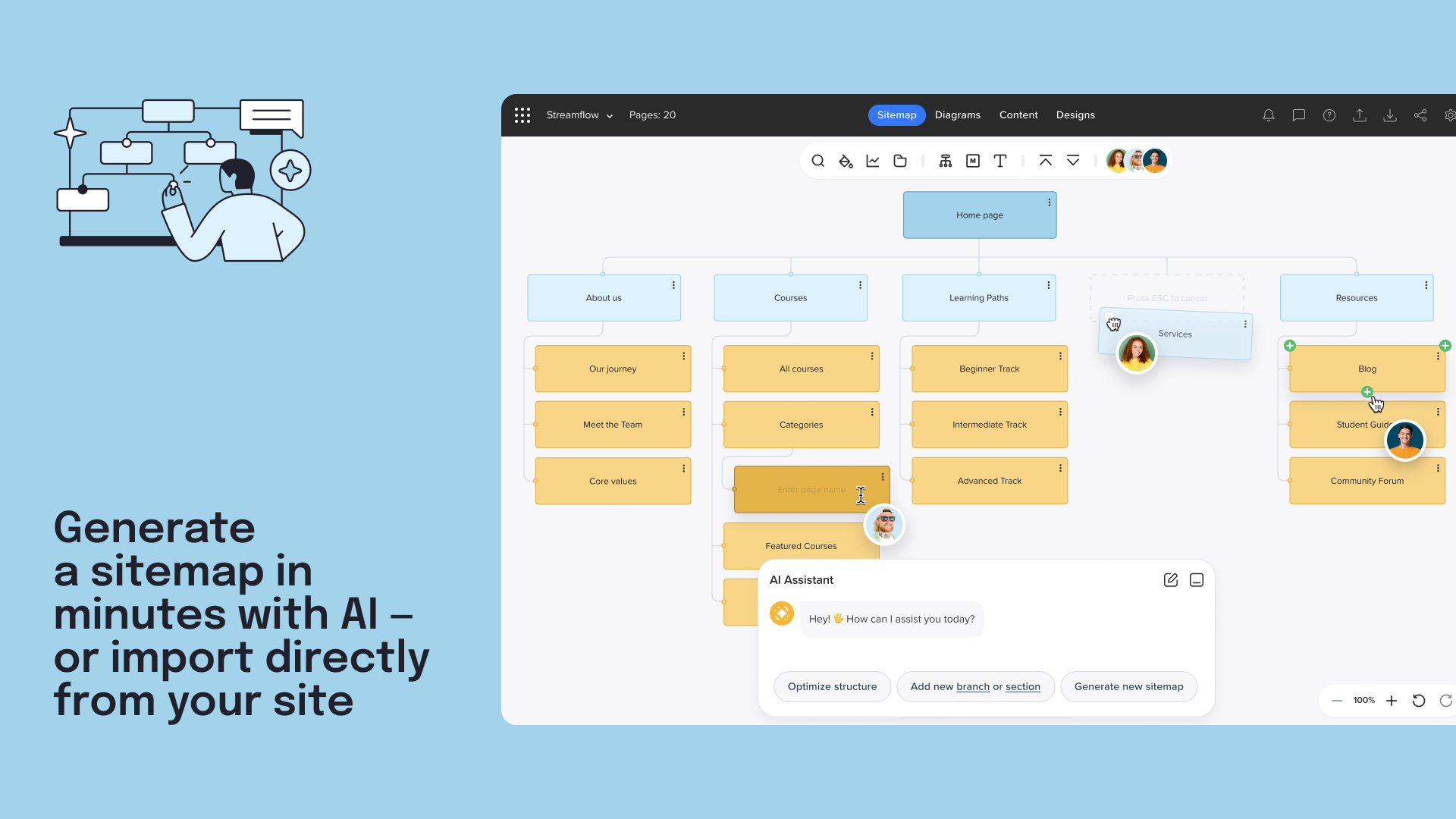
Screenshot of how to generate a sitemap with AI.Screenshot of a user testimonial.Screenshot of where to visually map user flows and customer journeys.Screenshot of a customer testimonial.Screenshot of the interface to collaborate on content with inline comments and suggestive edits.Screenshot of a customer testimonial.