TrustRadius: an HG Insights company

Save this comparison

Save this comparison

Add Product

Recommended Comparisons

    Overview
    ProductRatingMost Used ByProduct SummaryStarting Price

    SugarSync

    Score3.6 out of 10
    N/ASugarSync is a cloud storage and backup solution designed for small businesses.

    $7.50

    per month

    Videolink

    Score9.1 out of 10
    N/AVideolink brings clarity and collaboration to team conversations through video recording, sharing and instant playback. It can be used to record a screen or camera in seconds, send a link, and add visual context to information – whether it’s customer feedback, internal updates, or product walkthroughs. Instead of chasing down details in chat logs or ambiguous tickets, Videolink lets teams share ideas that are clear, direct, and…

    $0

    per active video

    Pricing
    SugarSyncVideolink
    Editions & Modules
    100 GB
    $7.49
    per month
    250 GB
    $9.99
    per month
    500 GB
    $18.95
    per month
    Free
    $0
    per month Up to 25 active videos and unlimited users
    Pro
    $20
    per month For 100 active videos and unlimited users
    Advanced
    Custom Plans
    Offerings
    Pricing Offerings
    SugarSyncVideolink
    Free Trial
    YesNo
    Free/Freemium Version
    NoYes
    Premium Consulting/Integration Services
    NoNo
    Entry-level Setup FeeNo setup feeOptional
    Additional Details—Only saved videos are counted. If a video is deleted, it only counts for the month it was active — never after. Videolink has no per-seat usage fees. You’re only billed for videos your team actually keeps.
    More Pricing Information
    Features
    SugarSyncVideolink
    File Sharing & Management
    Comparison of File Sharing & Management features of SugarSync and Videolink
    Feature
    SugarSync
    9.4
    8 Ratings
    11% above category average
    Videolink
    -
    Ratings
    Versioning8.06 Ratings00 Ratings
    Video files9.05 Ratings00 Ratings
    Audio files10.05 Ratings00 Ratings
    Document collaboration10.07 Ratings00 Ratings
    Access control10.08 Ratings00 Ratings
    File search9.08 Ratings00 Ratings
    Device sync10.08 Ratings00 Ratings
    Cloud Storage Security & Administration
    Comparison of Cloud Storage Security & Administration features of SugarSync and Videolink
    Feature
    SugarSync
    9.7
    8 Ratings
    11% above category average
    Videolink
    -
    Ratings
    User and role management10.07 Ratings00 Ratings
    File organization9.08 Ratings00 Ratings
    Device management10.08 Ratings00 Ratings
    Cloud Storage Platform
    Comparison of Cloud Storage Platform features of SugarSync and Videolink
    Feature
    SugarSync
    10.0
    8 Ratings
    14% above category average
    Videolink
    -
    Ratings
    Performance10.08 Ratings00 Ratings
    Reliability10.08 Ratings00 Ratings
    Storage Reports10.06 Ratings00 Ratings
    Best Alternatives
    SugarSyncVideolink
    Small Businesses
    IDrive Online Backup and Object Storage e2
    Score9.1 out of 10
    Sendspark
    Score10 out of 10
    Medium-sized Companies
    Apple iCloud
    Score8.4 out of 10
    Snagit
    Score9.7 out of 10
    Enterprises
    ownCloud
    Score9.2 out of 10
    Snagit
    Score9.7 out of 10
    All AlternativesView all alternativesView all alternatives
    User Ratings
    SugarSyncVideolink
    Likelihood to Recommend
    10.0
    (10 ratings)
    9.1
    (2 ratings)
    Likelihood to Renew
    9.0
    (3 ratings)
    -
    (0 ratings)
    Usability
    -
    (0 ratings)
    9.1
    (2 ratings)
    Support Rating
    10.0
    (1 ratings)
    -
    (0 ratings)
    User Testimonials
    SugarSyncVideolink
    Likelihood to Recommend
    Ziff Davis Inc
    When doing daily jobs, if you’re sharing large files, I think Dropbox works a lot better but if you have a system where you’re working within that system and you want to be able to work with that system and have certain folders that you have access to all the time then SugarSync might be just the ticket.
    Incentivized
    Read full review
    Videolink
    The way we work is evolving. Remote teams — especially after the COVID-19 pandemic — rely more than ever on tools that bridge the gap between distance and real-time collaboration.
    Asynchronous updates have become a key part of solving daily challenges, and we’ve seen the benefits first-hand as an organisation.
    Incentivized
    Read full review
    Pros
    Ziff Davis Inc
    • Sync files in any folder - rather than forcing you to store them in a certain place (Although this can be confusing too)
    • Works in the background - although this is true for all
    • You can share with others - including those who do not use SugarSync
    Incentivized
    Read full review
    Videolink
    • Quick video sharing
    • Basic editing
    • Inline comments
    Read full review
    Cons
    Ziff Davis Inc
    • Can only think of one thing. I have helped others to get going with SugarSync and they if they have problems it is understanding the cloud.... So maybe (if it dosen't exist already) I would like to have a animation of the proces with "flying" folders between desktops, clouds etc. Otherwise SugarSync is just great.
    Incentivized
    Read full review
    Videolink
    • More video editing tools
    Incentivized
    Read full review
    Likelihood to Renew
    Ziff Davis Inc
    1. Freemium model is the ideal marketing for an app like this. 2. Now their sync methods with Android are worse
    Read full review
    Videolink
    No answers on this topic
    Usability
    Ziff Davis Inc
    No answers on this topic
    Videolink
    The interface is clean, and features like video requests, in-browser editing, and commenting make the workflow seamless for our team.
    Read full review
    Support Rating
    Ziff Davis Inc
    Customer service is amazing, they are always fast to respond and very helpful.
    Incentivized
    Read full review
    Videolink
    No answers on this topic
    Alternatives Considered
    Ziff Davis Inc
    SugarSync, like all solutions, has its place in the data storage stack within a company. The main reason SugarSync is better than the other solutions is that it enables me to leave my hard drive organized and keep my existing file trees. I don't have to constantly move or copy files to a specific folder if I want them backed up.
    Incentivized
    Read full review
    Videolink
    No answers on this topic
    Return on Investment
    Ziff Davis Inc
    • There were some opensource alternatives but we wanted something with better support which SugarSync offers.
    • We achieved faster project collaboration with SugarSync.
    Incentivized
    Read full review
    Videolink
    • Productivity
    • Delivery-driven communication
    Incentivized
    Read full review
    ScreenShots

    Videolink Screenshots

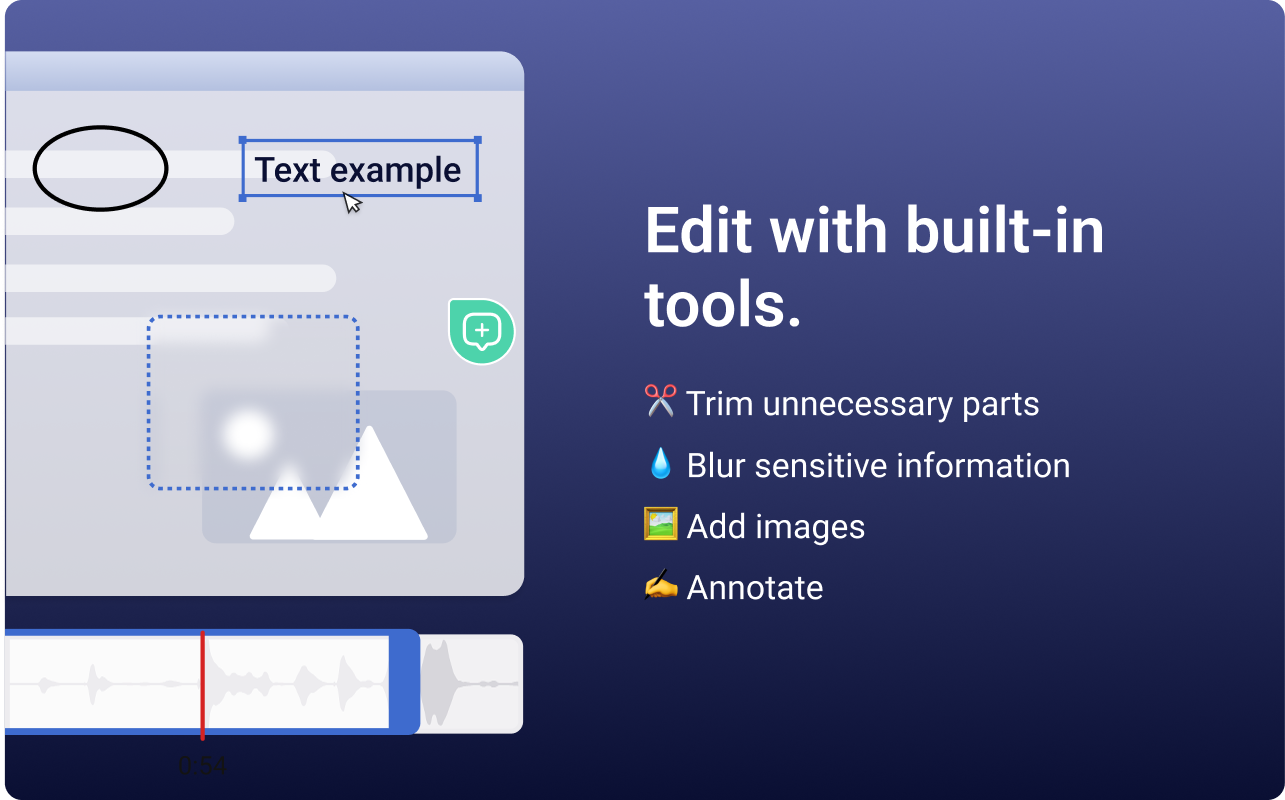
    Screenshot of the Videolink editor, used to trim out excess content, blur sensitive info, annotate key areas, and insert images.Screenshot of a Videolink page, used to create a personal shareable link – like govideolink.com/yourname – that lets anyone send a recorded video directly.Screenshot of single link sharing, so viewers don’t need an account to watch, comment, or provide feedback.