TrustRadius: an HG Insights company

Save this comparison

Save this comparison

Add Product

Recommended Comparisons

    Overview
    ProductRatingMost Used ByProduct SummaryStarting Price

    Teamsly

    N/AN/ATeamsly is a cloud-based workforce management platform for hourly, shift-based, deskless, frontline, and field teams. Available on the web, iOS, and Android, Teamsly brings employee scheduling, job and crew scheduling, time and attendance, GPS time tracking, timesheets, team communication, task management, digital forms, audits, employee training, paid time off, labor-cost management, and workforce reporting into one connected system. The platform is designed to…

    $29

    per month per Location

    Workday Workforce Management

    Score8.1 out of 10
    N/AWorkday Workforce Management is a workforce operations software that integrates HR, time, and scheduling data, to eliminate disjointed processes that halt day-to-day operations. Consistent with a worker-first approach, Workday provides mobile-first access to personalized pay, time, and schedules, giving workers frictionless on-the-go access. This helps overcome difficulties in retaining workers and keeps them engaged in a competitive labor…N/A
    Pricing
    TeamslyWorkday Workforce Management
    Editions & Modules
    Free
    $0
    per month Per Location
    Basic
    $29
    per month Per Location
    All-In-One
    $59
    per month Per Location
    No answers on this topic
    Offerings
    Pricing Offerings
    TeamslyWorkday Workforce Management
    Free Trial
    YesNo
    Free/Freemium Version
    YesNo
    Premium Consulting/Integration Services
    NoNo
    Entry-level Setup FeeNo setup feeNo setup fee
    Additional DetailsTeamsly uses flat per-location pricing rather than per-employee pricing. The Free plan supports one location with up to 10 employees. Basic and All-In-One paid plans include unlimited employees, helping businesses maintain predictable costs as their teams grow. Basic costs $29 per location per month with monthly billing or $24 per location per month when billed annually. All-In-One costs $59 per location per month with monthly billing or $49 per location per month when billed annually. Both paid plans include a 30-day free trial with no credit card required. Teamsly does not charge setup fees or require a locked-in contract, and customers can upgrade, downgrade, or change plans as their operational needs evolve.—
    More Pricing Information
    Community Pulse
    TeamslyWorkday Workforce Management
    Considered Both Products
    Teamsly
    No answer on this topic
    Workday
    No answer on this topic
    Key User Insights
    Would buy again
    No answers on this topic
    86%
    Would buy again
    12 Answers
    Delivers good value for the price
    No answers on this topic
    100%
    Delivers good value for the price
    10 Answers
    Happy with the feature set
    No answers on this topic
    100%
    Happy with the feature set
    14 Answers
    Lived up to sales and marketing promises
    No answers on this topic
    100%
    Lived up to sales and marketing promises
    5 Answers
    Implementation went as expected
    No answers on this topic
    83%
    Implementation went as expected
    5 Answers
    Features
    TeamslyWorkday Workforce Management
    Payroll Management
    Comparison of Payroll Management features of Teamsly and Workday Workforce Management
    Feature
    Teamsly
    -
    Ratings
    Workday Workforce Management
    9.0
    14 Ratings
    9% above category average
    Pay calculation00 Ratings9.811 Ratings
    Support for external payroll vendors00 Ratings7.66 Ratings
    Off-cycle/On-Demand payment00 Ratings9.08 Ratings
    Benefit plan administration00 Ratings9.710 Ratings
    Direct deposit files00 Ratings9.013 Ratings
    Salary revision and increment management00 Ratings8.913 Ratings
    Reimbursement management00 Ratings9.26 Ratings
    Best Alternatives
    TeamslyWorkday Workforce Management
    Small Businesses
    Deputy
    Score8.6 out of 10
    Patriot Payroll
    Score8.6 out of 10
    Medium-sized Companies
    Harri
    Score6 out of 10
    APS
    Score5.7 out of 10
    Enterprises
    Enterprise eTIME, by ADP (discontinued)
    Score10 out of 10
    ADP Streamline Payroll
    Score6.1 out of 10
    All AlternativesView all alternativesView all alternatives
    User Ratings
    TeamslyWorkday Workforce Management
    Likelihood to Recommend
    -
    (0 ratings)
    8.4
    (14 ratings)
    Usability
    -
    (0 ratings)
    7.7
    (12 ratings)
    User Testimonials
    TeamslyWorkday Workforce Management
    Likelihood to Recommend
    Teamsly
    No answers on this topic
    Workday
    Workday has solved many organizational needs we have from tracking time and attendance, performance and goals, compliance trainings, benefits and so much more. It is easy to adjust schedules, assign attendance points, run reports and more to keep up with employee performance. Being able to source new employees (in and out of the network) all within the same platform that we track time and benefits helps solve many needs in just one easy to use platform.
    Incentivized
    Read full review
    Pros
    Teamsly
    No answers on this topic
    Workday
    • Collaborate with HR on completed tasks
    • Review and Submit Timesheets for staff
    • Submit personal time off for supervisors to review and approve or decline.
    Incentivized
    Read full review
    Cons
    Teamsly
    No answers on this topic
    Workday
    • The tasks function is somewhat clunky, and its hard to see who the task is sent to next in order to follow up with them.
    • In-process referrals don't always show up in the "My Referrals" tab
    • Filters on tasks don't always work.
    Incentivized
    Read full review
    Usability
    Teamsly
    No answers on this topic
    Workday
    The UI is intimidating for a lot of people. You have to get used to where to click and search for specific information. What we have found that works is to have new hires sit with seasoned employees for tips and tricks on how to maneuver around in the system efficiently. It is important that new hires know from the start specific resources that they will need to access in using WFM daily and hone in on those skills and locations of data needed. Starting off, our experience shows that it's better to focus on the minimum tools and learn those well and build knowledge from there to make it less intimidating
    Incentivized
    Read full review
    Alternatives Considered
    Teamsly
    No answers on this topic
    Workday
    The only other tool I have used was paylocity. Paylocity is a great tool as well and is more user friendly, however it is not for as big of organizations as Workday is. I would say if you are under 1k employees go with Paylocity as it will be less expensive and has everything you need with a user friendly experience. Workday is great for larger orgs but doesn’t have as much of a user friendly experience
    Incentivized
    Read full review
    Return on Investment
    Teamsly
    No answers on this topic
    Workday
    • Workday Workforce Management has lowered the amount of time team members have to go to HR for questions.
    • The approval process for reimbursement is lightning fast.
    • I am no longer requested to research my team's different benefit options, which saves me a LOT of time during enrollment periods.
    Incentivized
    Read full review
    ScreenShots

    Teamsly Screenshots

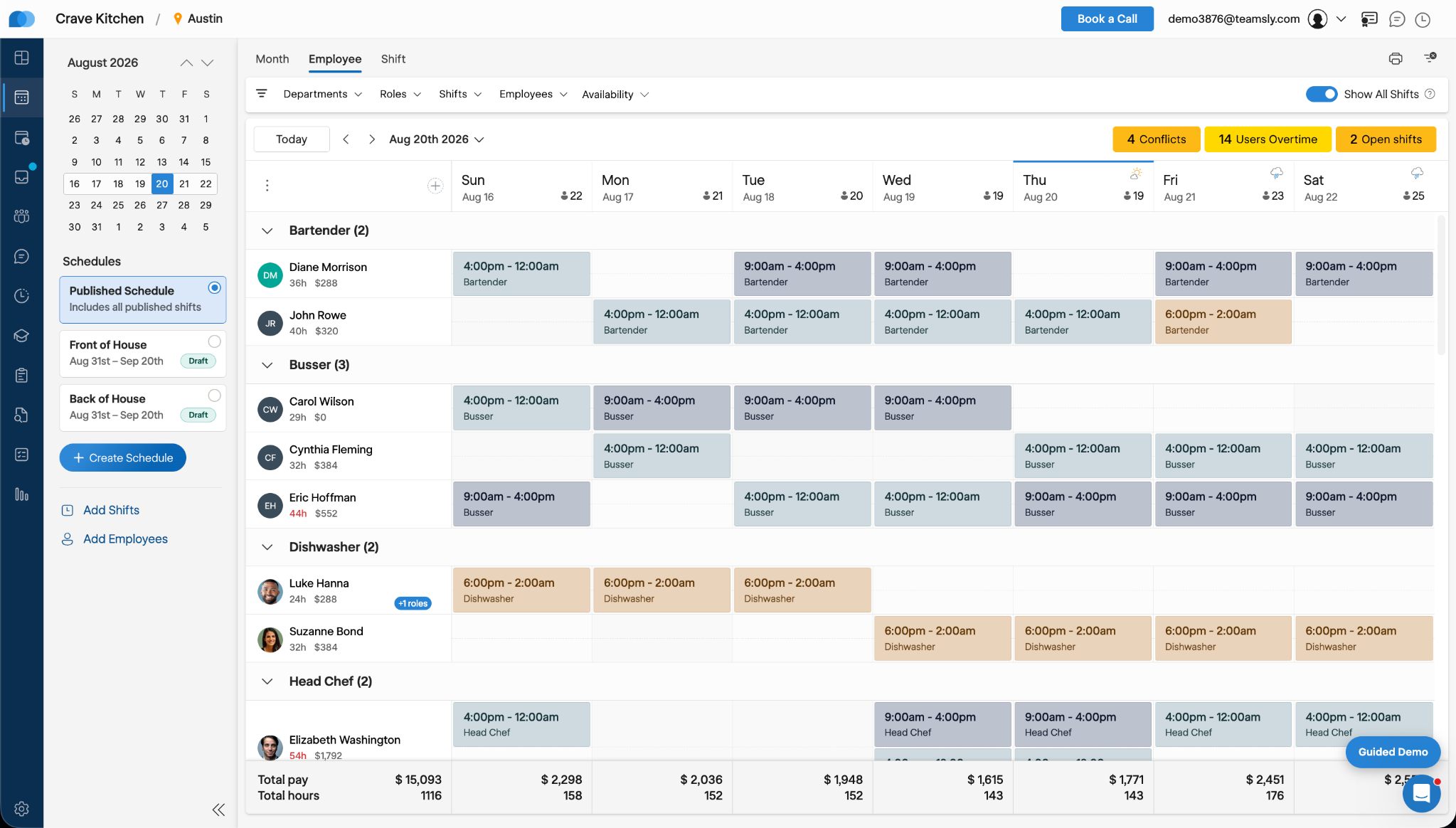
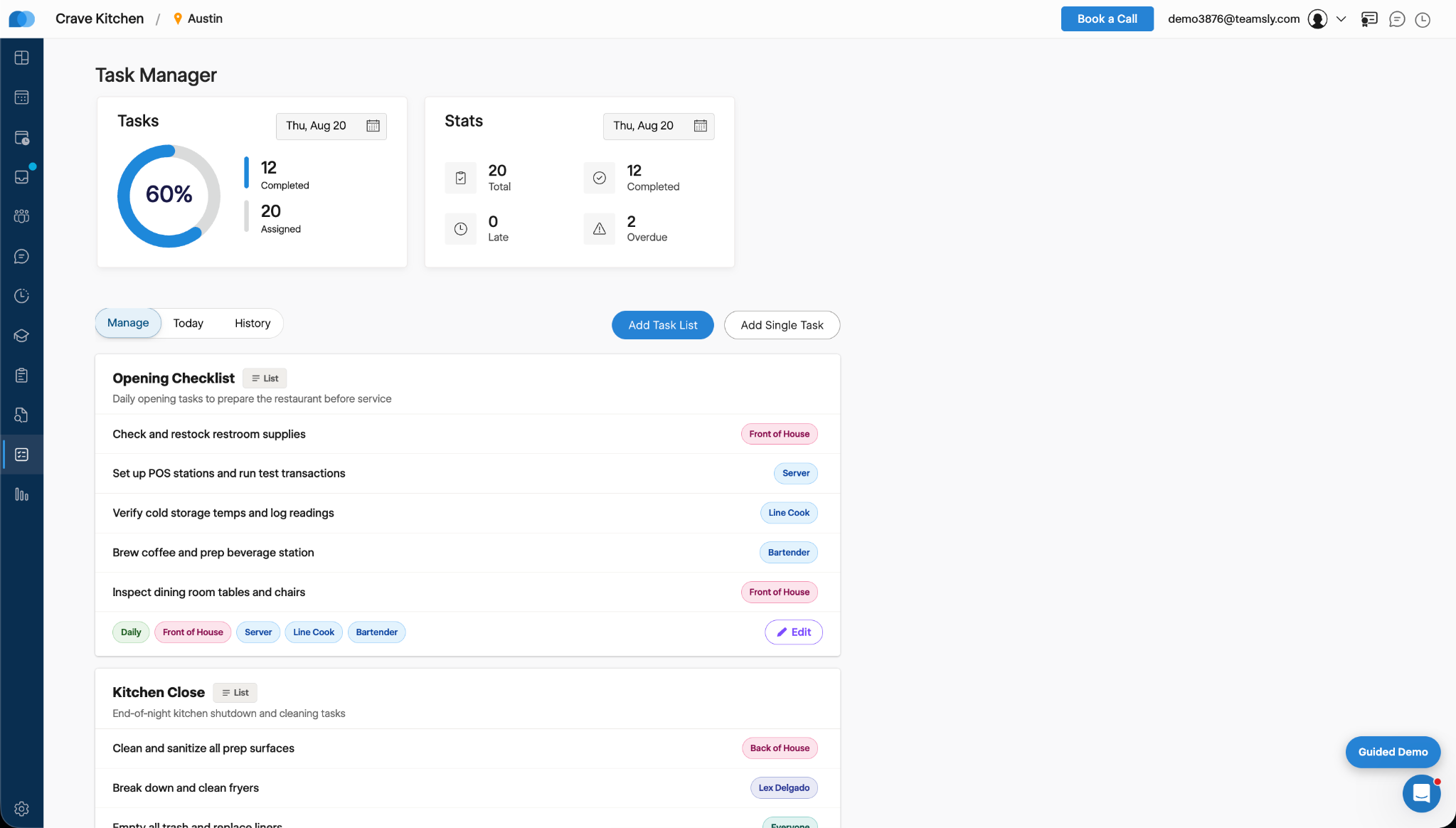
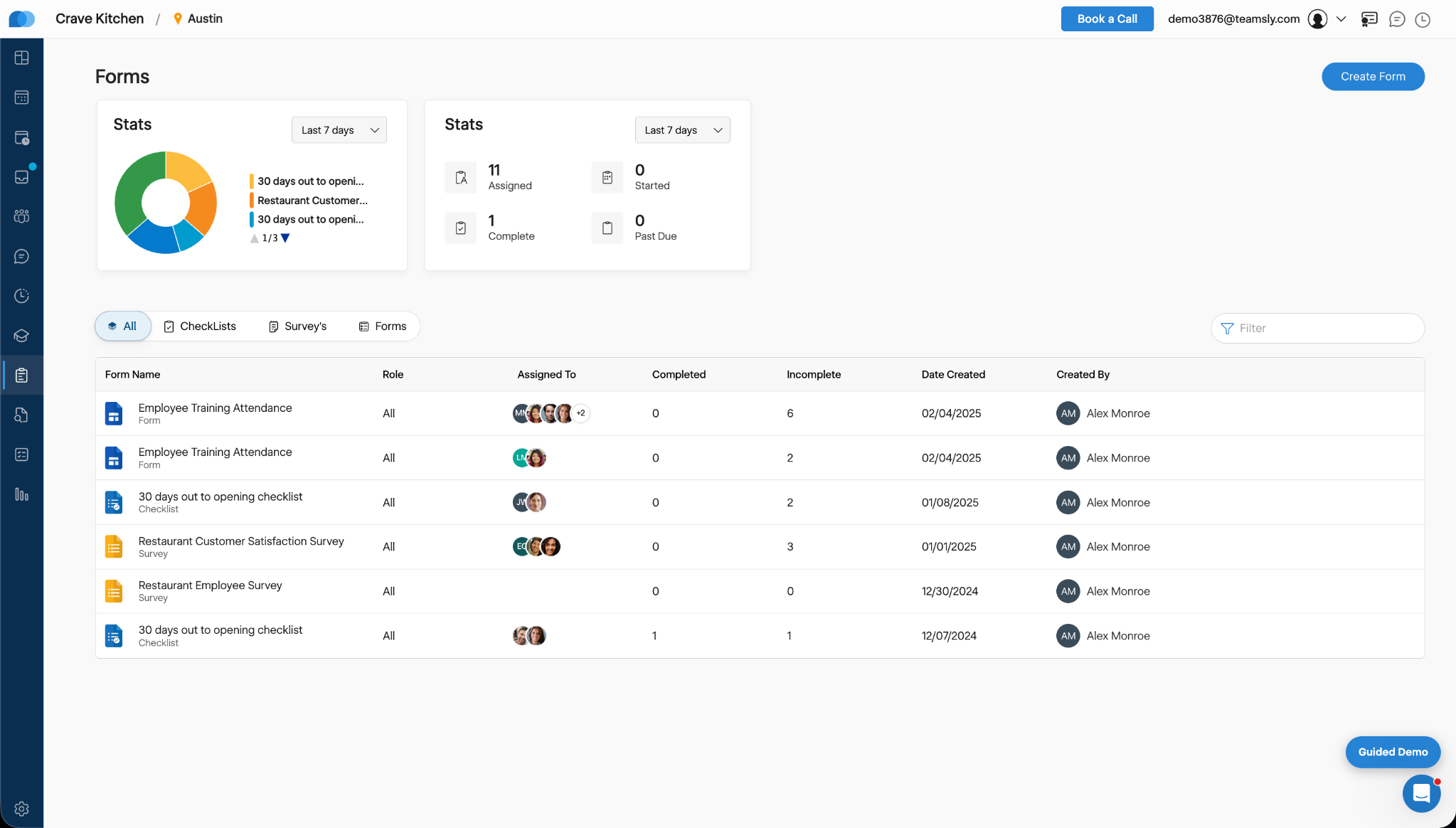
    Screenshot of Teamsly’s employee scheduling software, which gives managers a role-based weekly view of every employee and shift. Managers can create separate draft and published schedules, filter by department, role, shift, employee, or availability, identify scheduling conflicts, projected overtime, and open shifts, and review scheduled hours and estimated labor costs before publishing changes to the team.Screenshot of Teamsly’s workforce management dashboard. This brings daily staffing and operational data into one centralized view. Managers can monitor open shifts, shift swaps, employee requests, availability requests, scheduled coverage by role, paid hours, overtime, estimated pay, paid breaks, training quiz completion, and a visual shift timeline—making urgent staffing and workforce priorities easier to identify.Screenshot of Teamsly’s employee timesheet and time tracking software, which organizes timecards, paid hours, regular hours, overtime, paid and unpaid breaks, and estimated pay. Managers can compare scheduled hours with actual hours, spot timecard issues, review attendance data by employee and date range, add missing timecards, and download detailed reports for payroll preparation.Screenshot of Teamsly’s task management software, which helps managers create one-time tasks and recurring operational checklists, assign work by employee or role, and monitor completion from one dashboard. Status metrics show assigned, completed, late, and overdue work, while Today and History views strengthen accountability across opening, closing, cleaning, food preparation, and other repeatable team workflows.Screenshot of where Teamsly centralizes digital forms, checklists, and surveys for frontline and deskless teams. Managers can create and assign workflows such as employee training attendance forms, new-location opening checklists, customer satisfaction surveys, and employee surveys, then track assigned, started, completed, incomplete, and past-due submissions from a filterable reporting dashboard.Screenshot of Teamsly’s audit management software, which standardizes inspections and evaluations for employees, external participants, locations, equipment, and other operational subjects. Managers can assign audits, set scoring goals, monitor average scores, track completed and incomplete work, and identify past-due audits across food safety, employee hygiene, equipment maintenance, storage, workplace cleanliness, training, and knowledge.

    Workday Workforce Management Screenshots
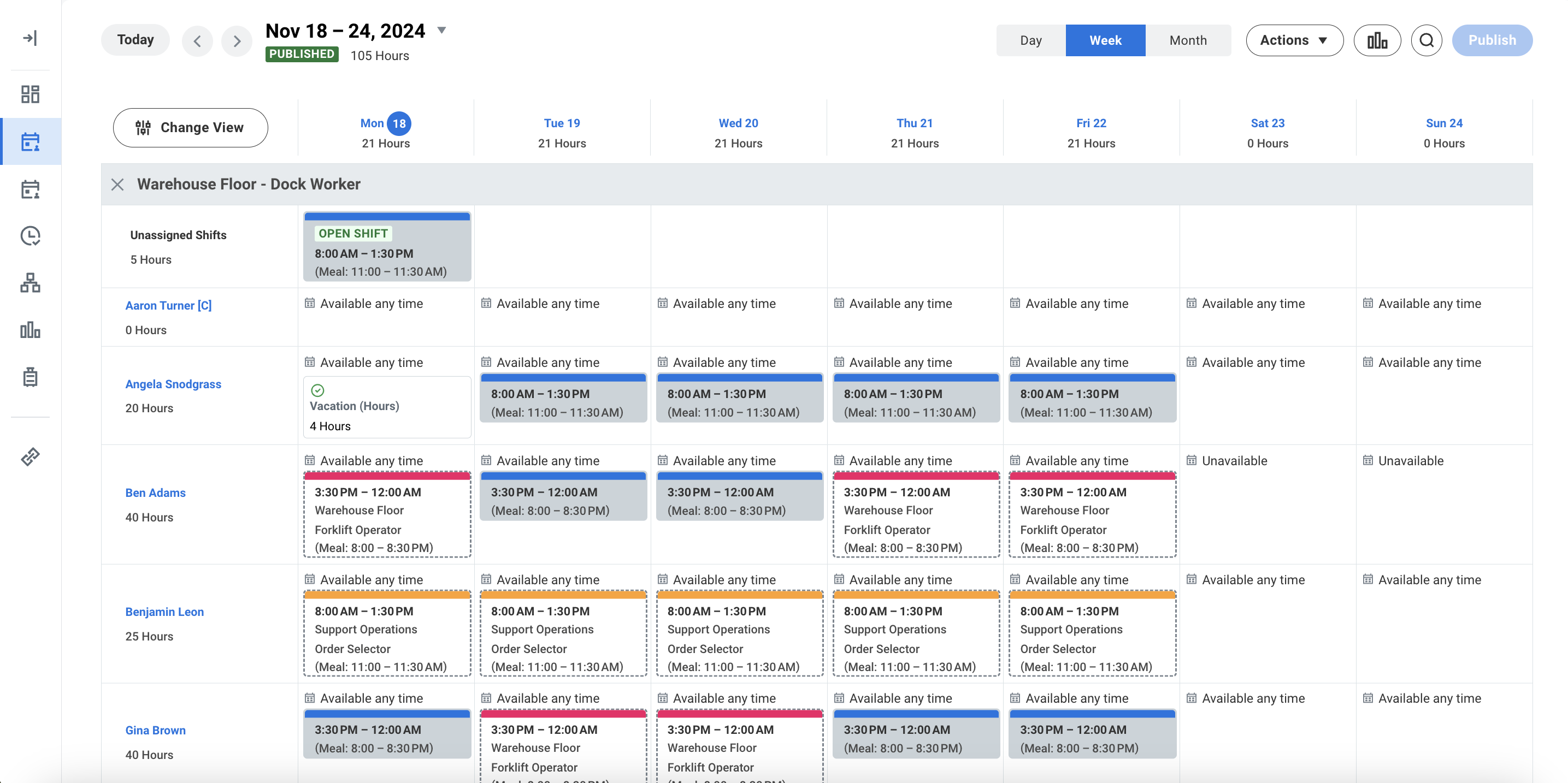
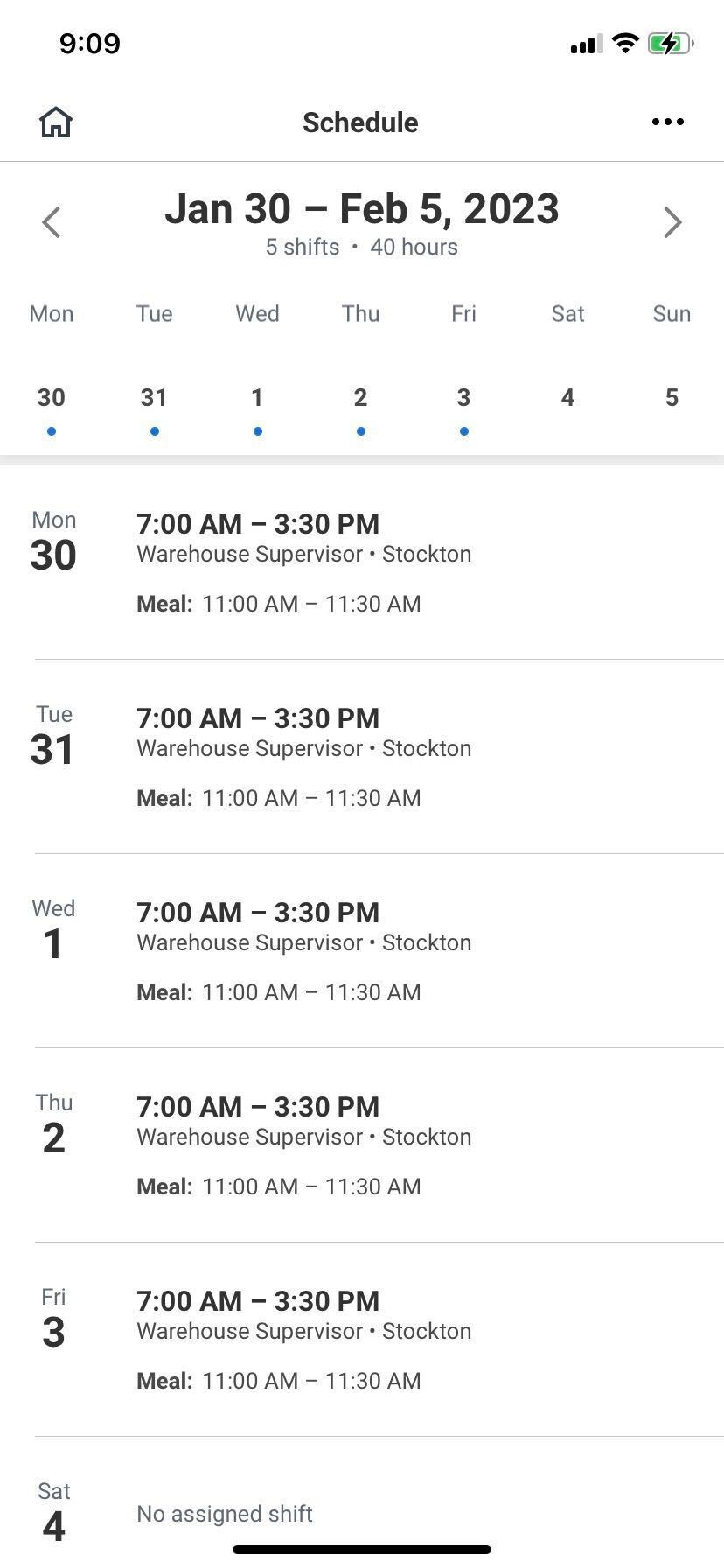
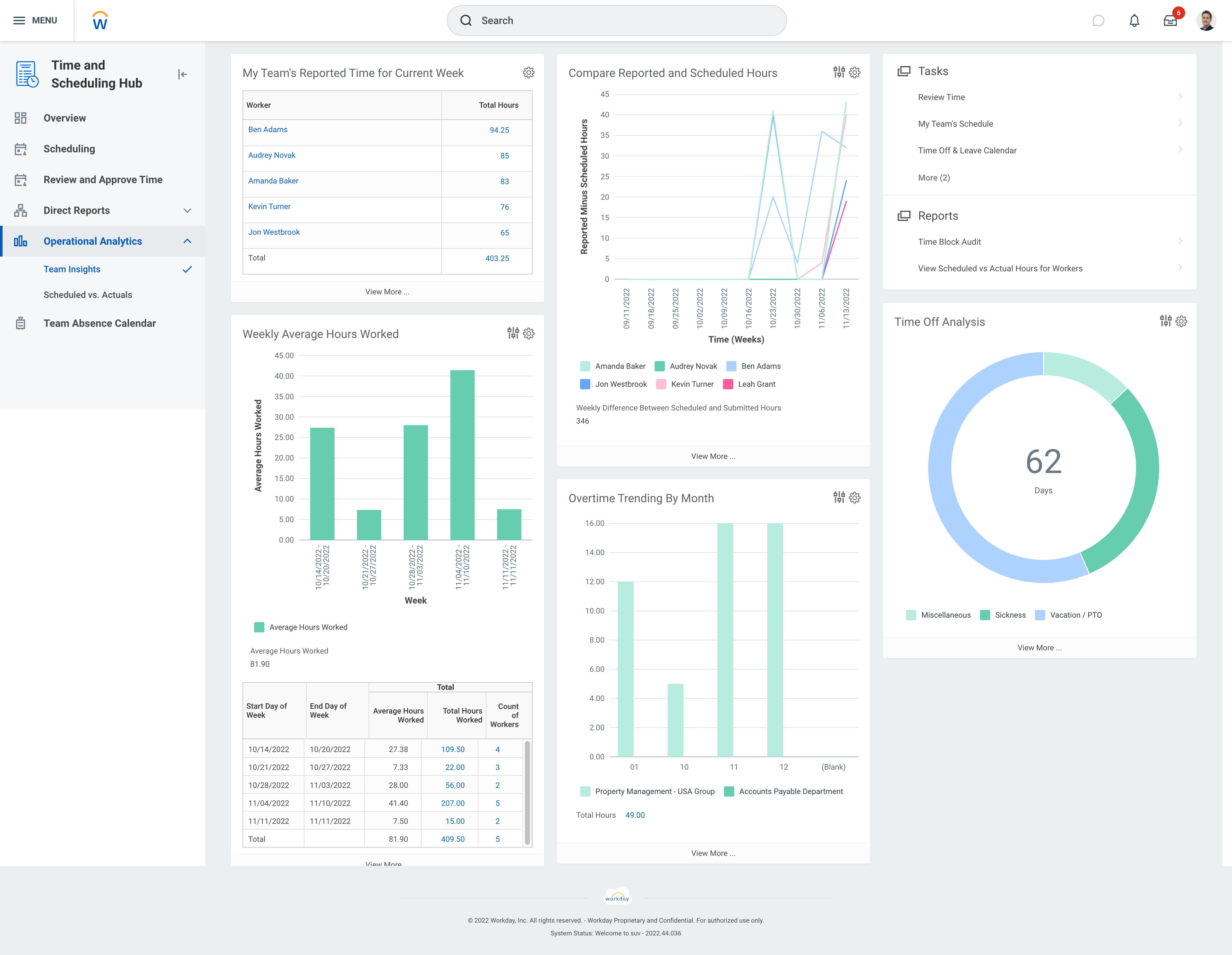
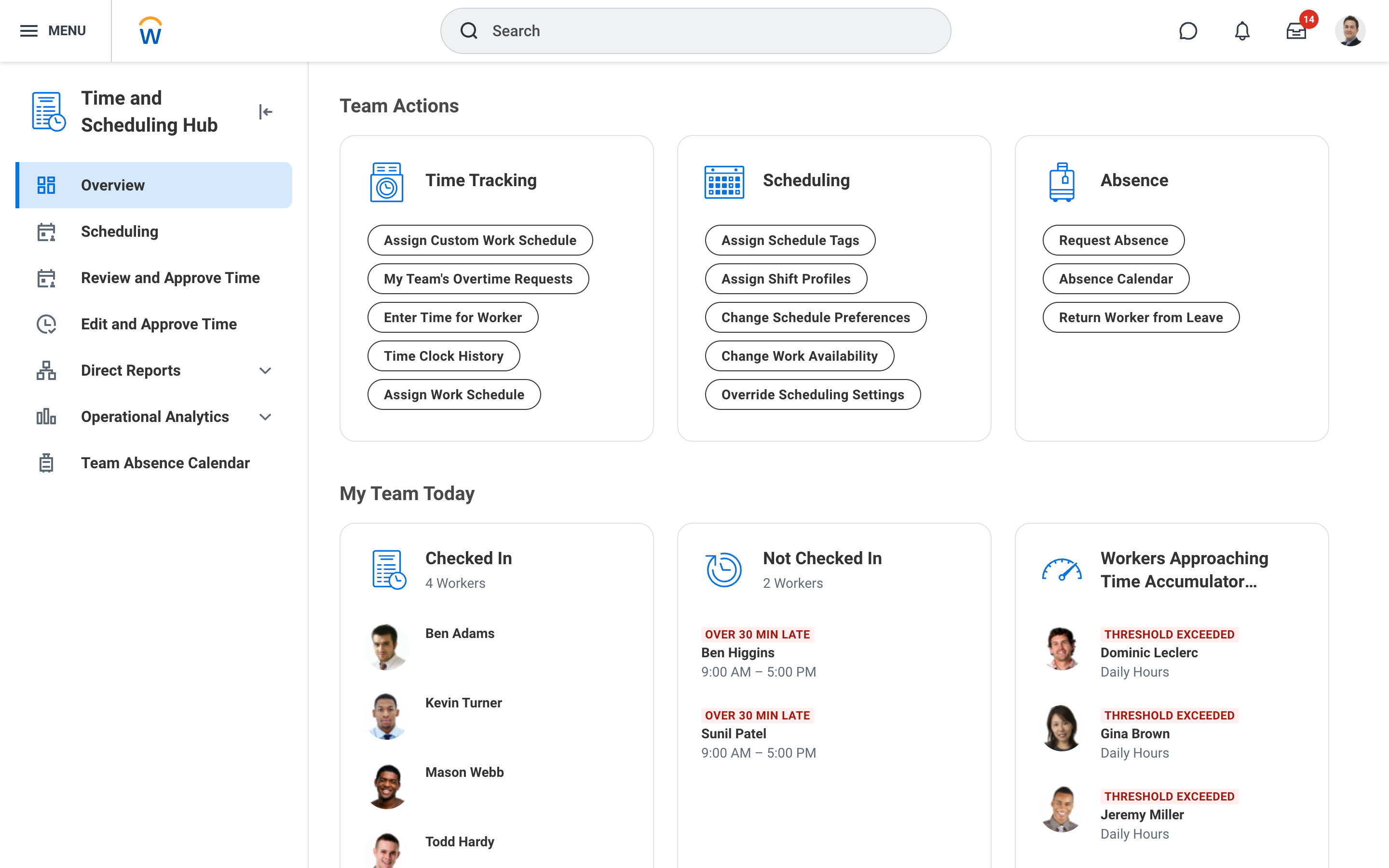
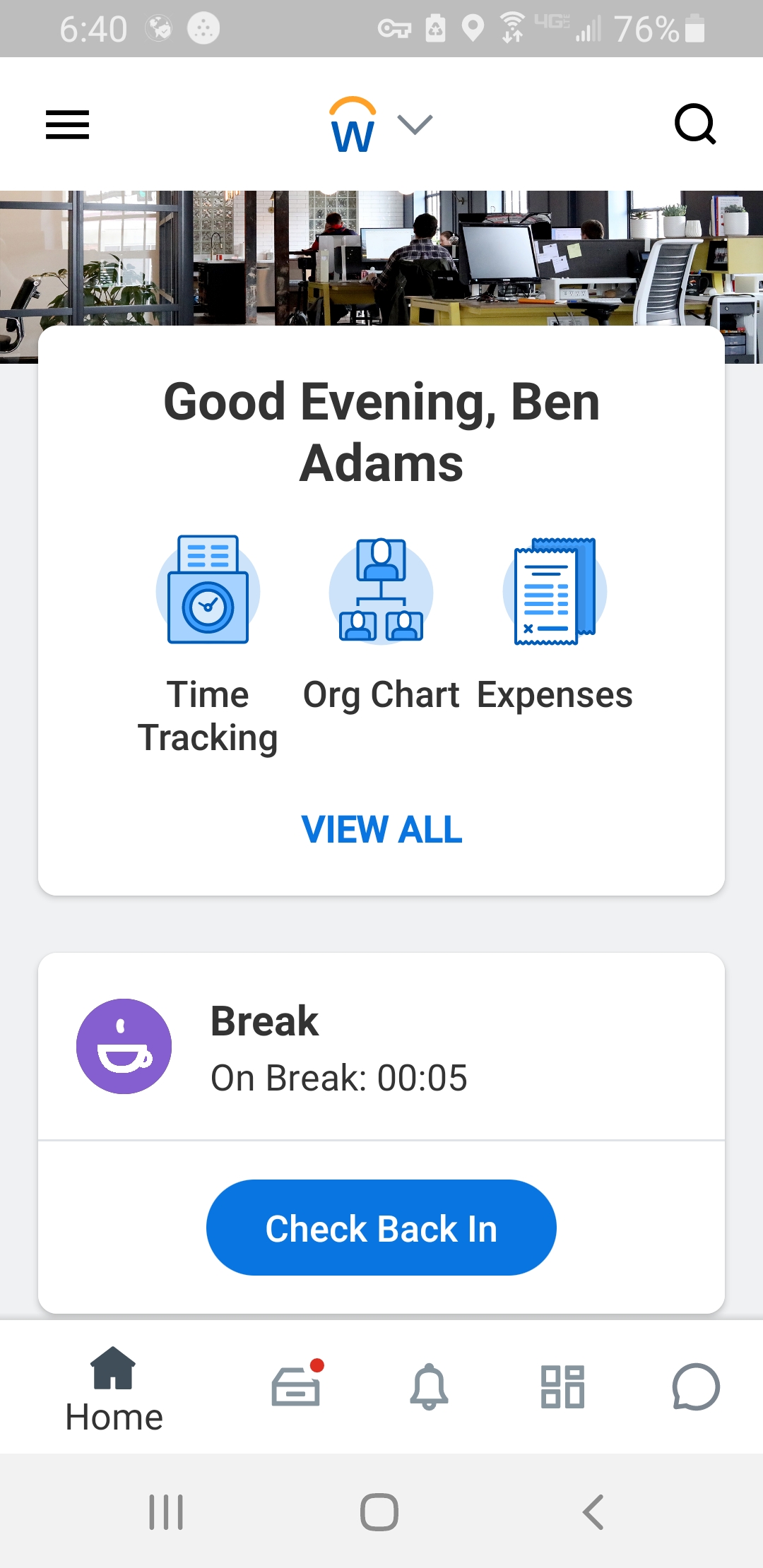
    Screenshot of Workday Workforce Management ScheduleScreenshot of Workday Workforce Management Schedule (Mobile)Screenshot of Workday Workforce Management Team InsightsScreenshot of Workday Workforce Management Time and Scheduling HubScreenshot of Workday Workforce Management Time (Mobile)