TestComplete is a GUI test automation tool that enables users of all skill levels to test the UI of every desktop, web, and mobile application. TestComplete is best suited for testers, automation engineers, and QA teams in any industry.
$2,256
per license
Tricentis qTest
Score8.7 out of 10
N/A
Tricentis qTest (formerly QASymphony) provides enterprise-level agile testing tools giving businesses visibility and control needed to ensure application quality in fast-paced development environments. Tricentis and QASymphony merged in summer 2018.
$1,200
per year per user
Pricing
TestComplete
Tricentis qTest
Editions & Modules
Node-Locked Base
2,256
per license
Node-Locked Pro
3,950
per license
Float - Base
5,077
per license
Float - Pro
7,901
per license
No answers on this topic
Offerings
Pricing Offerings
TestComplete
Tricentis qTest
Free Trial
Yes
Yes
Free/Freemium Version
No
No
Premium Consulting/Integration Services
No
Yes
Entry-level Setup Fee
No setup fee
Optional
Additional Details
Pay for only the modules needed. TestComplete Pro includes all three modules: desktop, web, and mobile, at a bundled price point, as well as access to the parallel testing engine, TestExecute.
TestComplete has additional add-ons, including TestExecute and the Intelligent Quality Add-On.
Best suited to smaller unit test or tests broken up, couple of forms at a time Not suited - larger regressions test involving multiple systems. - my main regression involving payments has been unsuccessful for the last 3 years despite all working fine separately and while being watched
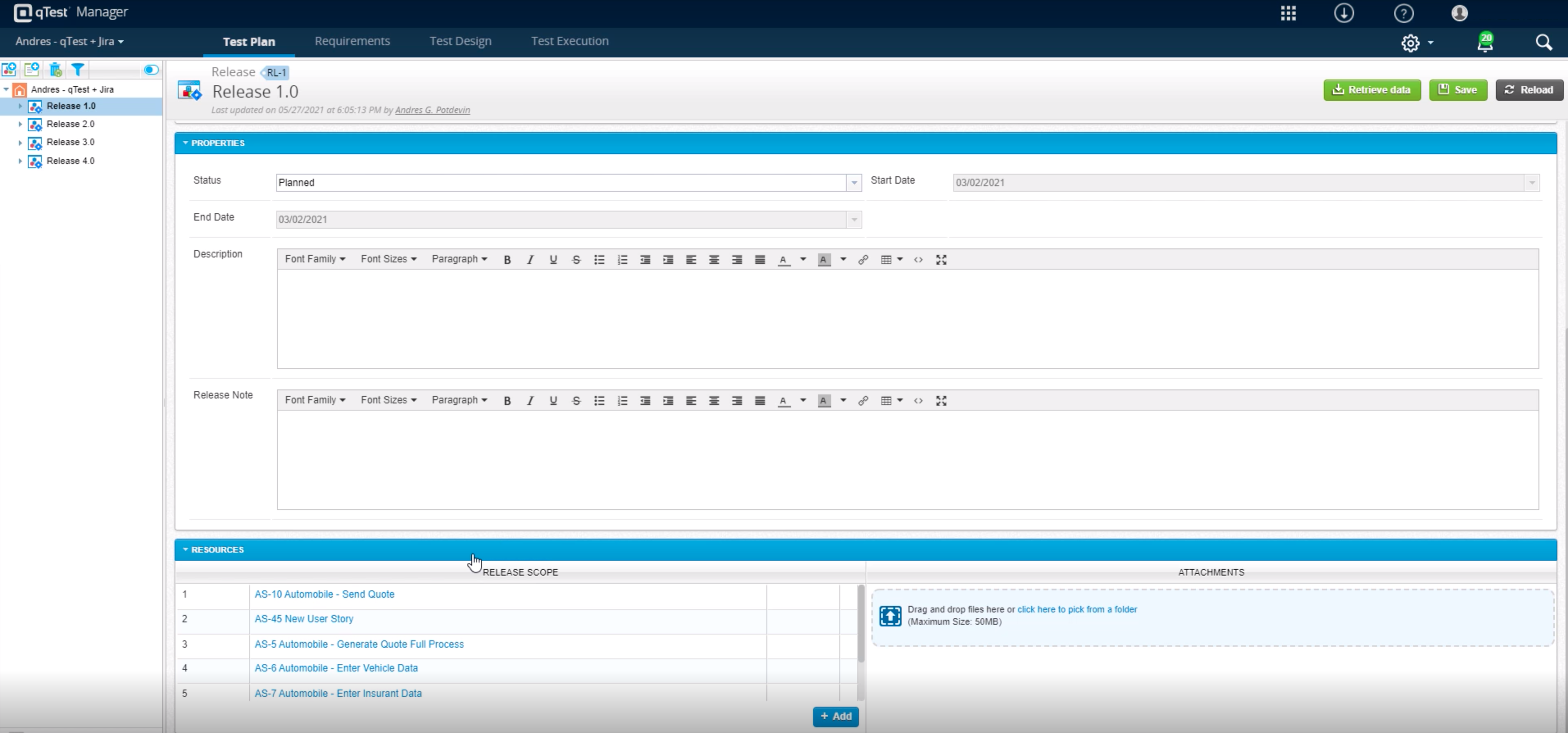
Tricentis qTest integrates seamlessly with Jira, making it ideal for teams that manage user stories and defects in Jira while keeping test cases and execution in qTest. When paired with automation tools like tosca, Selenium, or WebdriverIO, qTest is excellent for aggregating both manual and automated test results in one place.
A de minimis incentive was given to thank the reviewer for their time. The incentive was not used to bias or drive a particular response, nor was the incentive contingent on a positive endorsement. More Info
A de minimis incentive was given to thank the reviewer for their time. The incentive was not used to bias or drive a particular response, nor was the incentive contingent on a positive endorsement. TR verified that a representative sample of customers was invited. More Info
Tricentis qTest manages test cases very well and keeps step by step by details of each and every scenarios
Tricentis qTest provides all the details related to functionality in a single place which saves time and efforts of QA
QA doesnt require much knowledge for test case execution as every details are there in Tricentis qTest test cases which saves the time of knowledge transfer
A de minimis incentive was given to thank the reviewer for their time. The incentive was not used to bias or drive a particular response, nor was the incentive contingent on a positive endorsement. More Info
TestComplete could stand to have a simplified view for different types of users. For instance, as a manager/architecture guy, I'm not so interested in getting into the code and am more interested in file-based interactions.
TestComplete could use more integration with reporting for things like TeamCity to improve test status visibility.
A de minimis incentive was given to thank the reviewer for their time. The incentive was not used to bias or drive a particular response, nor was the incentive contingent on a positive endorsement. TR verified that a representative sample of customers was invited. More Info
We can add some more integration features with JIRA so the users can directly mark the test as executed from JIRA itself when functional testing is done.
Tricentis qTest can provide some features like sending reminders for retesting if there are failed test cases marked while testing to keep Tricentis qTest up to date.
A de minimis incentive was given to thank the reviewer for their time. The incentive was not used to bias or drive a particular response, nor was the incentive contingent on a positive endorsement. TR verified that a representative sample of customers was invited. More Info
We have bigger test automation pack using test complete at the same time we also think this is not good performing tool for large number of test automation scripts.
A de minimis incentive was given to thank the reviewer for their time. The incentive was not used to bias or drive a particular response, nor was the incentive contingent on a positive endorsement. More Info
A de minimis incentive was given to thank the reviewer for their time. The incentive was not used to bias or drive a particular response, nor was the incentive contingent on a positive endorsement. TR verified that a representative sample of customers was invited. More Info
It is usable when you become accustomed to its quirks. Not using it for two months and then you need to re-learn the quirks for some features (but some quirks are so awful that they will never fade from your memory). So, when using it regularly, it is possible to be quite productive, if no big correction in name mapping is needed.
A de minimis incentive was given to thank the reviewer for their time. The incentive was not used to bias or drive a particular response, nor was the incentive contingent on a positive endorsement. More Info
It successfully balances deep enterprise functionality with a clean and modern interface. One of its strongest points is the intuitive, folder based navigation, which makes organizing test case and cycles feel natural. Learning curve is relatively shallow for the new team members to become productive without extensive onboarding. Also the deep integration with JIRA is a significant boost to its usability.
A de minimis incentive was given to thank the reviewer for their time. The incentive was not used to bias or drive a particular response, nor was the incentive contingent on a positive endorsement. More Info
A de minimis incentive was given to thank the reviewer for their time. The incentive was not used to bias or drive a particular response, nor was the incentive contingent on a positive endorsement. More Info
A de minimis incentive was given to thank the reviewer for their time. The incentive was not used to bias or drive a particular response, nor was the incentive contingent on a positive endorsement. TR verified that a representative sample of customers was invited. More Info
If you develop a mobile application and your testing process goes in cloud, probably you will face a problem - how to implement a stable connection between your mobile devices and testing servers
A de minimis incentive was given to thank the reviewer for their time. The incentive was not used to bias or drive a particular response, nor was the incentive contingent on a positive endorsement. TR verified that a representative sample of customers was invited. More Info
A de minimis incentive was given to thank the reviewer for their time. The incentive was not used to bias or drive a particular response, nor was the incentive contingent on a positive endorsement. TR verified that a representative sample of customers was invited. More Info
TestComplete stacks up against them in terms of GUI and seamless performance. It records each and every step and action been performed in the application and produces a detailed report in a well-structured manner. It can connect and access seamlessly among various databases directly to speed up the testing process.
A de minimis incentive was given to thank the reviewer for their time. The incentive was not used to bias or drive a particular response, nor was the incentive contingent on a positive endorsement. TR verified that a representative sample of customers was invited. More Info
All of them offer formidable solutions in the test management realm, but each one caters to different niche and need. qTest distinguishes itself with its deep integration capabilities, especially with Agile and DevOps tools, enabling streamlined CI/CD process. Its modern, user-centric interface contrasts with ALM's more dated appearance and complex setup. While TestRail provides a clean user experience and caters to a broad spectrum of business, qTest's scalability, from SMBs to large enterprises, stands out. PractiTest's cloud-based solution is geared towards mid-sized companies, but qTest's flexibility, advanced analytics, and robust reporting grant teams actionable insights. qTest' approach to a more holistic test management closely aligning with modern software development practices
A de minimis incentive was given to thank the reviewer for their time. The incentive was not used to bias or drive a particular response, nor was the incentive contingent on a positive endorsement. More Info
Saves hundreds of man-hours with either QA testing or data entry
With the small cost of the product, it has saved the company money with both employee costs as well as the cost of mistakes made by human error or software bugs
A de minimis incentive was given to thank the reviewer for their time. The incentive was not used to bias or drive a particular response, nor was the incentive contingent on a positive endorsement. TR verified that a representative sample of customers was invited. More Info