A solution for employee time tracking software that allows your team to track time on multiple platforms with just one click, featuring integrations with 100+ apps via browser extensions, and native calendar and integrations for any preferred project management tools.
$10
per month
Deltek TrafficLIVE
Score4 out of 10
N/A
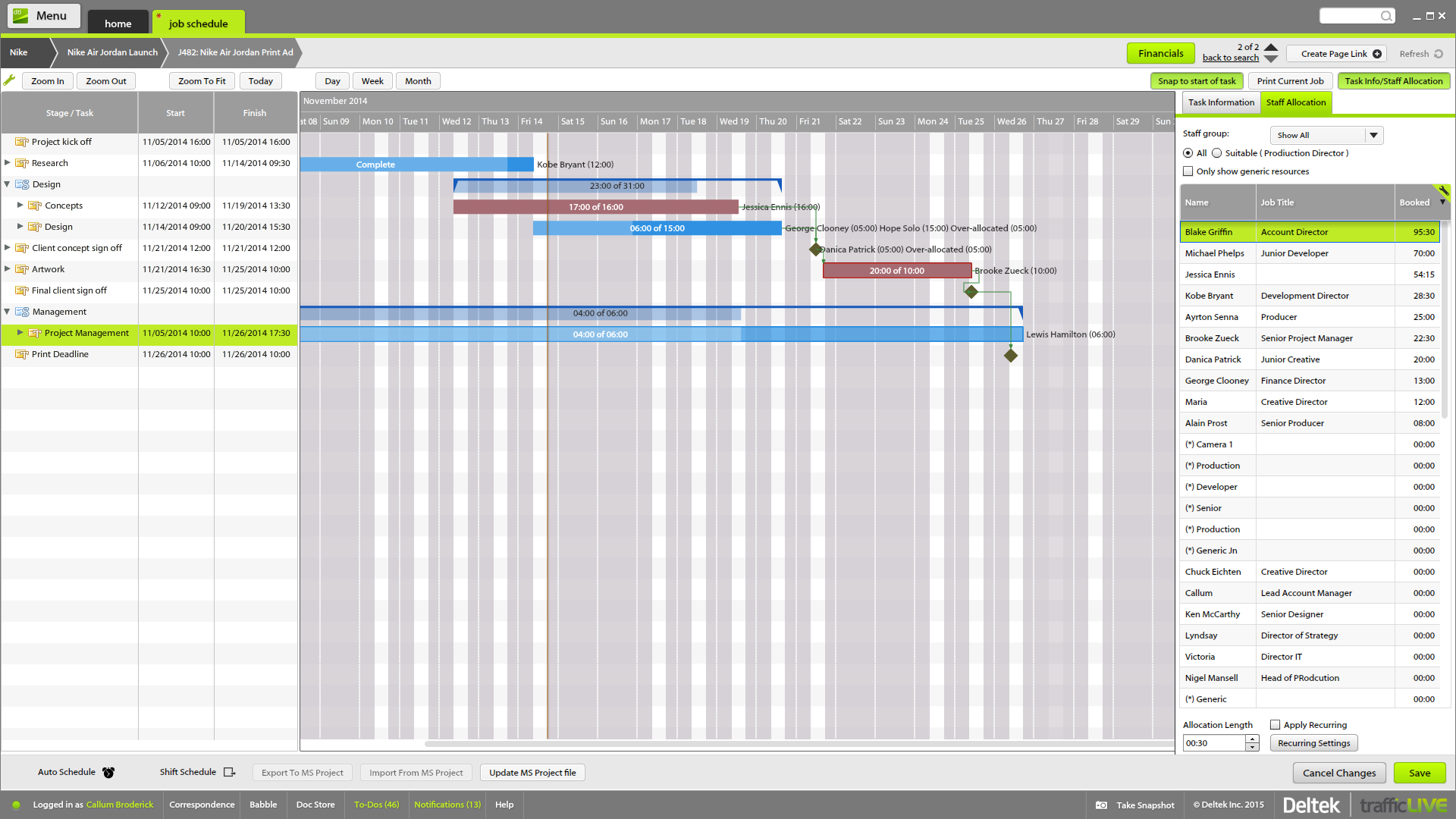
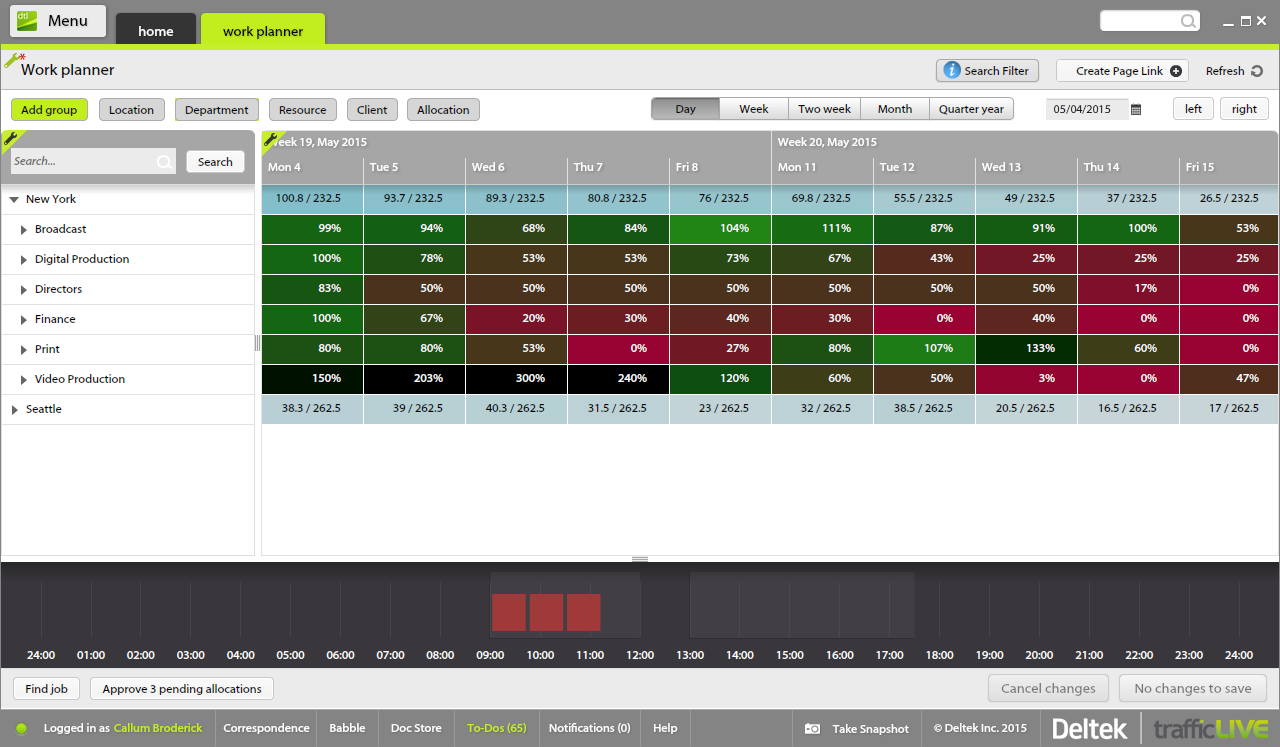
Deltek’s TrafficLIVE is a cloud-based agency management
software solution. The vendor says that the solution provides unmatched
visibility into an agency’s entire business; improves business processes and
drives efficiency that sets an agency up for success and increased
profitability. TrafficLIVE is designed to help agencies to be more connected,
productive and profitable. The vendor says that with TrafficLIVE agencies can start:
Attacking
Over…
N/A
Pricing
Toggl Track
Deltek TrafficLIVE
Editions & Modules
Starter
$10.00
per month
Premium
$20.00
per month
Enterprise
Custom
No answers on this topic
Offerings
Pricing Offerings
Toggl Track
Deltek TrafficLIVE
Free Trial
Yes
No
Free/Freemium Version
Yes
No
Premium Consulting/Integration Services
No
Yes
Entry-level Setup Fee
No setup fee
Required
Additional Details
—
TrafficLIVE offers solutions for small to large agencies. Our prices range based on number of users and requirements.
I have been using Toggl for about seven years now, and I absolutely love it. It keeps me on track with the tasks I complete throughout the day. Tracking my time makes me more accountable for the work I produce and how much time my work takes. Having the breakdown of my tasks helps inform decisions on hiring support staff. I can see exactly where my time goes and then formulate a strategy to either bring in more help, delegate work, or re-prioritize. When coupled with other productivity apps (I particularly use ToDoist), you can unlock even more of Toggl's power. Toggl Track isn't so much a checklist tool--it's a time tracker; but when I integrate my to-do app with the time tracking, I can quickly and easily switch between tasks without disrupting workflow.
A de minimis incentive was given to thank the reviewer for their time. The incentive was not used to bias or drive a particular response, nor was the incentive contingent on a positive endorsement. More Info
Traffic is suitable for most agencies, regardless of size. You don't need to use all of the features in order to get good results. And it can be linked to Maconomy which is useful for larger agencies. We have around 80 employees and it works great.
Toggl integrates smoothly across multiple devices. I can seamlessly move from the field on my phone to the office on my computer and utilize Toggl the entire time.
It has great customization. Setting up multiple customers in a variety of ways is easy and quick to do. We haven't found something we needed that we couldn't set up.
The reporting is clean and informative. Reports can be generated for multiple criteria.
A de minimis incentive was given to thank the reviewer for their time. The incentive was not used to bias or drive a particular response, nor was the incentive contingent on a positive endorsement. More Info
The time sheet area is really good - it's easy to drag and drop and fill in time sheets with allocated tasks quickly, which makes it more likely that people will actually do it!
It's invaluable to be able to see the time spent on different tasks across a job - both for keeping track of ongoing projects, but also to plan resourcing and costs for the next time.
It's useful to be able to mark parts of a job as 'complete' before the full job is finished - this makes it easier to track which tasks still have to be finished, and makes sure that people are tracking time to the correct task within the job.
Job templates are very useful to make sure the same set of tasks is added to each job automatically.
A de minimis incentive was given to thank the reviewer for their time. The incentive was not used to bias or drive a particular response, nor was the incentive contingent on a positive endorsement. More Info
I am genuinely trying to come up with room for improvement, but I am struggling
Toggl is seriously my favorite tool I use as a freelancer, and they offer so much functionality for free - that's why I always write reviews
Maybe they could make it a little easier to adjust time tracking mistakes (leaving the timer running too long) -- I have to do several clicks to fix it and I make this error frequently
A de minimis incentive was given to thank the reviewer for their time. The incentive was not used to bias or drive a particular response, nor was the incentive contingent on a positive endorsement. More Info
A de minimis incentive was given to thank the reviewer for their time. The incentive was not used to bias or drive a particular response, nor was the incentive contingent on a positive endorsement. More Info
Very easy to use, can enter projects and tasks on the fly, can use either a timer or enter hours later manually, the interface is simple and intuitive. Has a mobile app that is also easy to use.
A de minimis incentive was given to thank the reviewer for their time. The incentive was not used to bias or drive a particular response, nor was the incentive contingent on a positive endorsement. More Info
I haven't needed much support from Toggl, as it's mostly come from a small team trying out the tool. I'm not entirely sure what the best way to reach them would be if I did need them. I'm also not sure how responsive they would be to support requests. But I think it's positive that I have not needed them
A de minimis incentive was given to thank the reviewer for their time. The incentive was not used to bias or drive a particular response, nor was the incentive contingent on a positive endorsement. More Info
One year ago I compared it to several tools, trying to use them in parallel. Now I don't remember the exact names of those tools, but Toggl was the best for its simplicity. It is easier to use, with fewer clicks and hence less destruction
A de minimis incentive was given to thank the reviewer for their time. The incentive was not used to bias or drive a particular response, nor was the incentive contingent on a positive endorsement. More Info
Deltek TrafficLIVE was the pre-existing system when I joined the company. When we decided to purchase a new system, we considered a number of options such as Kimble PSA, Oracle NetSuite & Mavenlink. We decided to go ahead with Kimble PSA because we felt that as a package, it provided all the functionality we need against its competitors. It had far more functionality than TrafficLIVE and was more suited to the scale of our business.
A de minimis incentive was given to thank the reviewer for their time. The incentive was not used to bias or drive a particular response, nor was the incentive contingent on a positive endorsement. More Info
My timetracking needs are simple, so this is a great tool for me. Start the timer, stop the timer as client work is performed, whether that is uninterrupted time or not.
It is very easy to review work time invested for each of my clients, making it easy for me to track my daily time and review monthly hours for preparing invoices.
Daily time is automatically aggregated.
Each time entry can be tagged with work activity, or projects can be segmented and time assigned to the segments with start and stop times.
A de minimis incentive was given to thank the reviewer for their time. The incentive was not used to bias or drive a particular response, nor was the incentive contingent on a positive endorsement. More Info
Much more clarity as to how much time each different type of brief should take to complete as we can back reference as to how long it took last season.
It has lead to better customer service. We can visibly demonstrate where we are with jobs and who has been assigned. In the past verbally confirming the different stages did not always convince the project leaders that they were being given the actual real time.
From the Studio users point of view it has empowered them to manage their time more efficiently. If they receive a request to move onto another job their calendars can be reviewed to see if they are available or not.