
Brittany Frontis
Sales Marketing Manager
Chose WorkflowMax
It was overwhelming to configure ConnectWise Manage and was pricey compared to WorkflowMax, which was well embraced by all our employees.

| Product | Rating | Most Used By | Product Summary | Starting Price |
|---|---|---|---|---|
 Track3D | N/A | For construction, Track3D is presented as a Reality Intelligence Platform that integrates advanced AI with reality capture data to provide project monitoring. Track3D ensures that every detail is tracked and progress is monitored, reducing costly reworks and delays. The two core products of Track3D include: 1. VisualTrack: It simplifies construction site documentation by unifying various reality capture technologies such as 360 cameras, drones, laser scanners, and LIDAR into a single,… | N/A | |
 WorkflowMax | Small Businesses (1-50 employees) | WorkflowMax is a web-based project management solution.The platform offers end-to-end functionality standard to project management software, including time tracking, lead management, collaboration with external stakeholders, invoicing, integrations, and customizable reporting. | $20 per month |
| Track3D | WorkflowMax | |||||||||||||||
|---|---|---|---|---|---|---|---|---|---|---|---|---|---|---|---|---|
| Editions & Modules | No answers on this topic |
| ||||||||||||||
| Offerings |
| |||||||||||||||
| Entry-level Setup Fee | No setup fee | No setup fee | ||||||||||||||
| Additional Details | — | — | ||||||||||||||
| More Pricing Information | ||||||||||||||||
| Track3D | WorkflowMax | |
|---|---|---|
| Considered Both Products |  Track3D No answer on this topic |  WorkflowMax Brittany Frontis Sales Marketing Manager Chose WorkflowMax It was overwhelming to configure ConnectWise Manage and was pricey compared to WorkflowMax, which was well embraced by all our employees.  Justin Gipp Senior Accountant Chose WorkflowMax I think workflowmax does a little more than Thomson Reuters workflow because they have the additional feature of employee tracking for payroll use. Thomson Reuters does a good job at getting a project from start to finish, but workflowmax gives better reports and allows more … Chose WorkflowMax Loan Assistant is a virtual business, entirely operated in the cloud. We do not have an office. Team members are located in diverse locations such as Munich, Canada and Sri Lanka as well as various locations in Australia. WorkflowMax is what ties us together. The fact that the …  Nadine Haines Practice Manager Chose WorkflowMax I made comparisons with two Legal Practice Management systems, InfinityLaw and OneLaw. These systems were more expensive and had functionality/modules which we did not require. I am experienced with WorkflowMax so that was a key factor, along with pricing. I also felt it was …  John Curtis CTO Chose WorkflowMax It's been so many years now I don't remember. I haven't needed to look anywhere else. I'm happy with WorkflowMax.  Keith Baker Associate Partner - Management Consulting Chose WorkflowMax Excellent  Nicky Chalker Operations Manager Chose WorkflowMax We trialled a bespoke system - [it was] too clunky.  Andy Mogg Web Development Director Chose WorkflowMax We tried a couple of solutions before settling on WorkflowMax, we chose WorkflowMax for as it did what we needed without being over complicated.  Caroline Laredo Managing Director Chose WorkflowMax WorkflowMax is much much easier than Streamtime, much more affordable and easier to try out and see if it meets your needs. Streamtime is a great comprehensive product but we lost a year's subscription in investment because we couldn't get answers to the support questions we …  Andrea Steed Admin & Accounts Chose WorkflowMax WorkflowMax was the first program I evaluated and it suited our business from the word go. There was no need to look elsewhere.  Russell Devlin Owner Chose WorkflowMax Archioffice is clunky by comparison and quite regimented in what you can do or not. WorkflowMax offers quite a high degree of flexibility by comparison. Neither offers perfect graphics for invoice presentation (yet) whereas WorkflowMax's is quite acceptable or presentable. AO …  David Melloy Director Chose WorkflowMax I have only used Synergy and whilst this is good, the cost of Synergy was far too great for my practice.  Ted Esdaile-Watts Director Chose WorkflowMax We trialed several time tracking options, WorkflowMax won as it was the most feature rich, allowed us to take up additional users as our business grew and plugs directly into Xero, allowing for a reduction in number of hours spent in the land of accounting.  Mark Williams Operations Manager Chose WorkflowMax The previous programs I used are not listed. But having had to use two different programs to store client data and one for doing the quoting and invoicing was very time consuming. Client details and job details needed to be recorded in both programs, so multiple entries of data …  Lindsay Simpson Office Co-ordinator Chose WorkflowMax In terms of CRM I always found Capsule to be clunky and difficult to use. WorkflowMax makes it easy for me to gather all the relevant info about our clients in one place with the document manager and also the custom fields that we can add in. I have been able to analyse where …  Steve Ryan Mac Specialist Chose WorkflowMax Better all round  Mary Moore Chief Bookkeeper and Xero Setup Expert Chose WorkflowMax More comprehensive than both of the above - better reporting, more flexible, better customisation.  Sarah Lochead-MacMillan Business Mentor Chose WorkflowMax XERO integration is great. I haven't used another job management system |
| Track3D | WorkflowMax | |||||||||||||||||||||||||||||||||||||||||||||
|---|---|---|---|---|---|---|---|---|---|---|---|---|---|---|---|---|---|---|---|---|---|---|---|---|---|---|---|---|---|---|---|---|---|---|---|---|---|---|---|---|---|---|---|---|---|---|
| Project Management |
| |||||||||||||||||||||||||||||||||||||||||||||
| Professional Services Automation |
|
| Track3D | WorkflowMax | |
|---|---|---|
| Small Businesses |  FollowUp CRM Score 1.4 out of 10 |  Stackby Score 8.9 out of 10 |
| Medium-sized Companies |  InEight Score 8.2 out of 10 | InEight Score 8.2 out of 10 |
| Enterprises | InEight Score 8.2 out of 10 | InEight Score 8.2 out of 10 |
| All Alternatives | View all alternatives | View all alternatives |
| Track3D | WorkflowMax | |
|---|---|---|
| Likelihood to Recommend | - (0 ratings) | 8.8 (0 ratings) |
| Likelihood to Renew | - (0 ratings) | 9.0 (0 ratings) |
| Usability | - (0 ratings) | 9.0 (0 ratings) |
| Support Rating | - (0 ratings) | 7.0 (0 ratings) |
| Implementation Rating | - (0 ratings) | 9.1 (0 ratings) |
| Track3D | WorkflowMax | |
|---|---|---|
| Likelihood to Recommend | No answers on this topic |
|
| Pros | No answers on this topic |
Caroline Laredo Managing Director |
| Cons | No answers on this topic |
Mary Moore Chief Bookkeeper and Xero Setup Expert |
| Likelihood to Renew | No answers on this topic |
Lindsay Simpson Office Co-ordinator |
| Usability | No answers on this topic |
|
| Support Rating | No answers on this topic |
|
| Implementation Rating | No answers on this topic |
Mary Moore Chief Bookkeeper and Xero Setup Expert |
| Alternatives Considered | No answers on this topic |
|
| Return on Investment | No answers on this topic |
 Inés Prieto R&D / Product Development Engineer - Quality |
| ScreenShots | Track3D Screenshots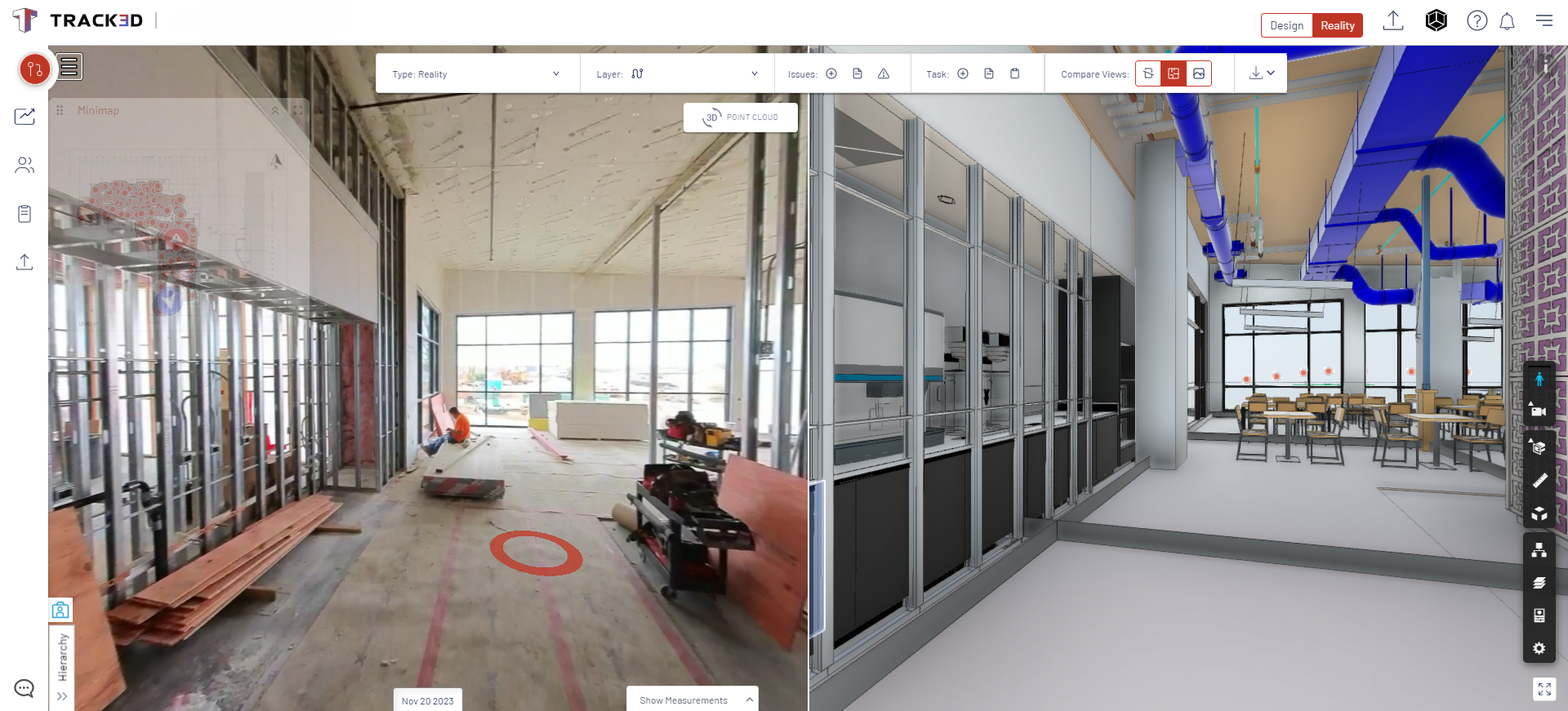   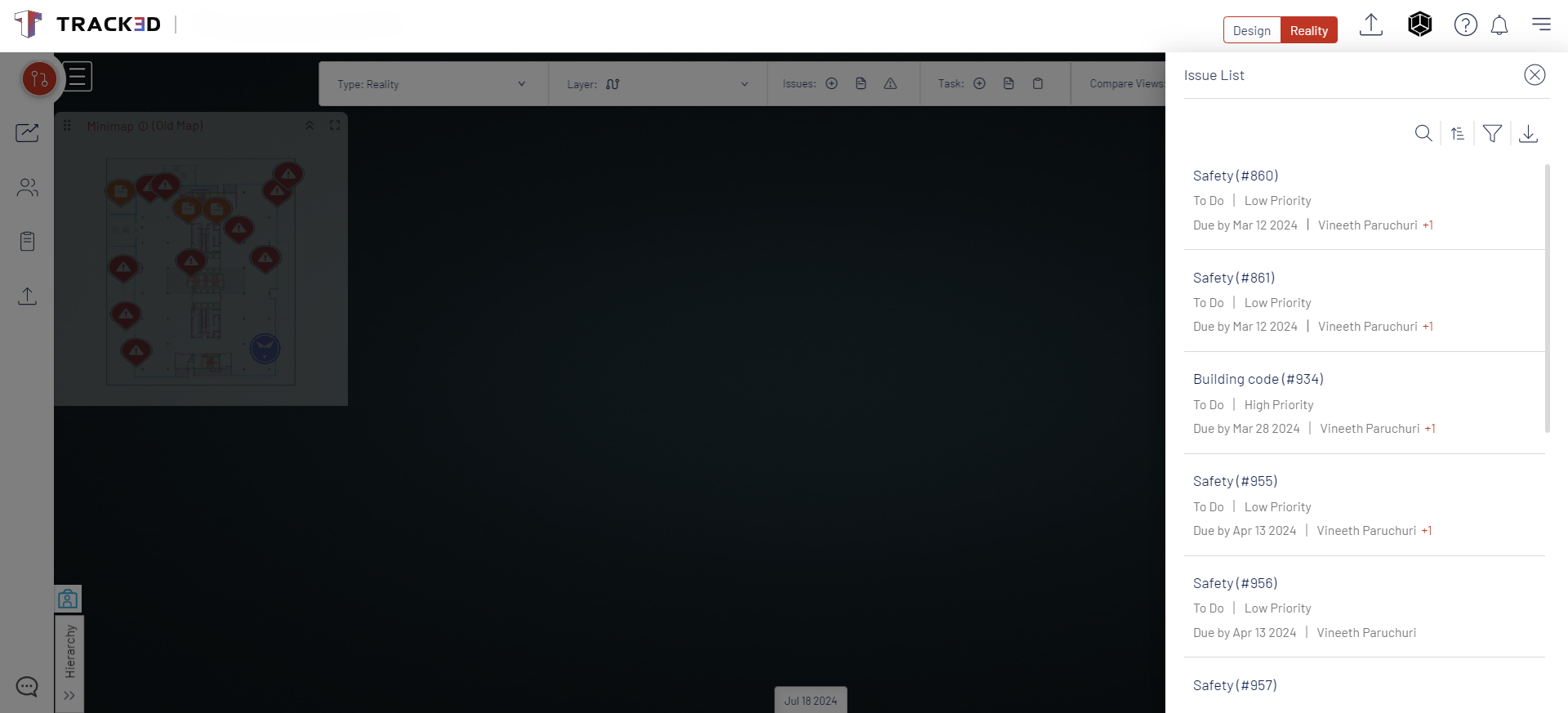   | WorkflowMax Screenshots  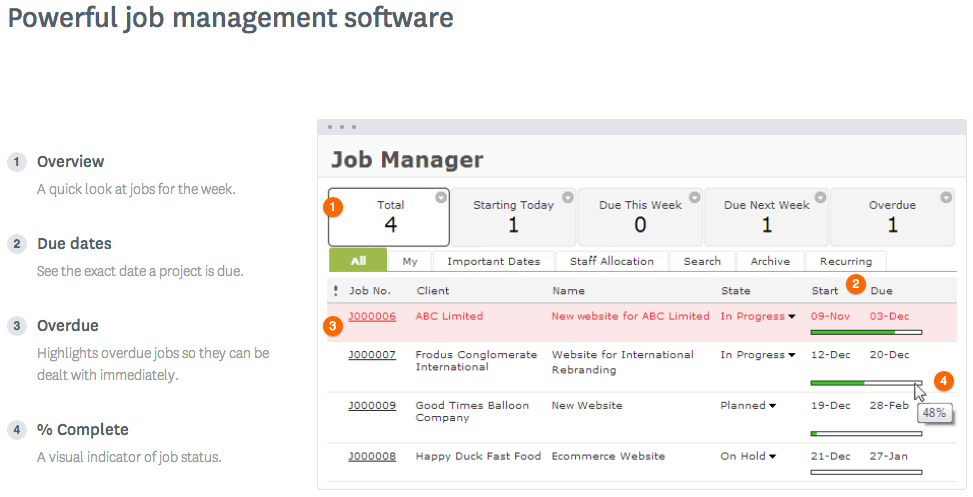  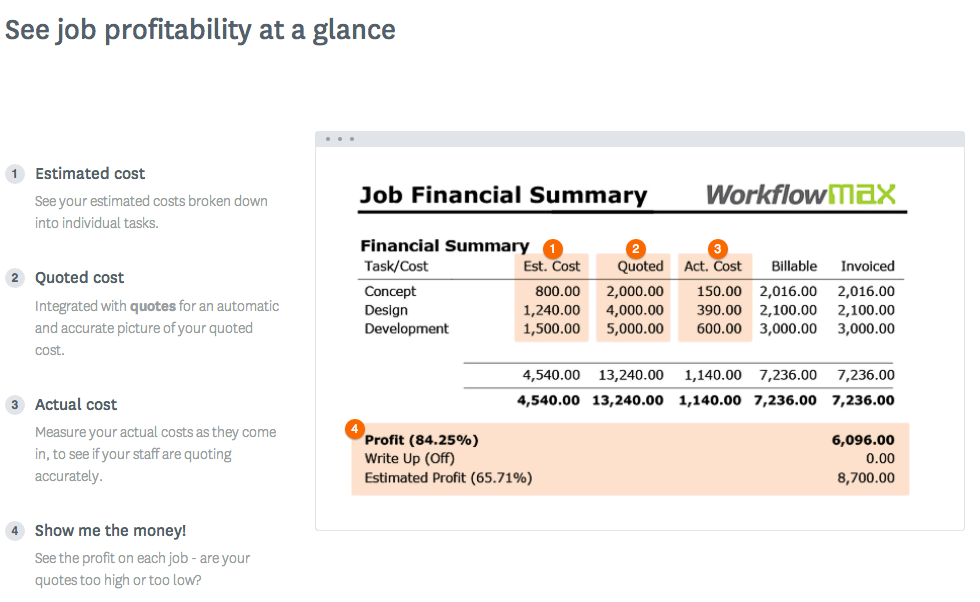  |
