Tresorit vs. Zoho WorkDrive

Overview
ProductRatingMost Used ByProduct SummaryStarting Price
Tresorit
Score 6.2 out of 10
N/A
Tresorit offers end-to-end encrypted file sync & sharing. The vendor promises an ultra-secure place in the cloud to store, sync and share files easily from anywhere, anytime. The vendor says Tresorit is powered by end-to-end encryption and enhanced with a flexible permission system, therefore it seals your files away from internal data breaches and hackers. All the data is securely stored according to the GDPR in Europe in Microsoft Azure datacenters. Tresorit promises to help secure…
$13.99
per month 1TB of encrypted storage
Zoho WorkDrive
Score 9.2 out of 10
N/A
Zoho WorkDrive is an online file storage and content collaboration platform for teams, small businesses, and large enterprises. Introducing Team Folders, which enables teams of any size to work together more securely. It also offers access to a built-in office suite to brainstorm and ideate with your team in real time. WorkDrive supports mobility needs with its Android and iOS mobile apps and a desktop sync application.
$2.50
per month per user
Pricing
TresoritZoho WorkDrive
Editions & Modules
Personal
$13.99
per month 1TB of encrypted storage
Business Standard
$18
per month 1TB of encrypted storage
Business Plus
$24
per month per user (2TB of encrypted storage per user)
Professional
$33.99
per month 4TB of encrypted storage
Enterprise
Custom
Starts from 50 users
Starter
$2.50
per month per user
Team
$4.50
per month per user
Business
$9
per month per user
Offerings
Pricing Offerings
TresoritZoho WorkDrive
Free Trial
YesYes
Free/Freemium Version
NoNo
Premium Consulting/Integration Services
YesNo
Entry-level Setup FeeNo setup feeNo setup fee
Additional DetailsDiscount for annual pricing.
More Pricing Information
Community Pulse
TresoritZoho WorkDrive
Features
TresoritZoho WorkDrive
File Sharing & Management
Comparison of File Sharing & Management features of Product A and Product B
Tresorit
4.7
1 Ratings
56% below category average
Zoho WorkDrive
8.4
5 Ratings
0% above category average
Video files2.01 Ratings7.24 Ratings
Audio files2.01 Ratings7.74 Ratings
Document collaboration2.01 Ratings9.25 Ratings
Access control2.01 Ratings9.25 Ratings
File search10.01 Ratings8.05 Ratings
Device sync10.01 Ratings8.65 Ratings
Versioning00 Ratings9.05 Ratings
Cloud Storage Security & Administration
Comparison of Cloud Storage Security & Administration features of Product A and Product B
Tresorit
7.7
1 Ratings
12% below category average
Zoho WorkDrive
8.8
5 Ratings
2% above category average
User and role management9.01 Ratings9.05 Ratings
File organization5.01 Ratings9.45 Ratings
Device management9.01 Ratings8.05 Ratings
Cloud Storage Platform
Comparison of Cloud Storage Platform features of Product A and Product B
Tresorit
8.0
1 Ratings
8% below category average
Zoho WorkDrive
8.7
5 Ratings
0% above category average
Performance6.01 Ratings8.85 Ratings
Reliability10.01 Ratings8.85 Ratings
Storage Reports00 Ratings8.65 Ratings
Best Alternatives
TresoritZoho WorkDrive
Small Businesses
SugarSync
SugarSync
Score 3.7 out of 10
SugarSync
SugarSync
Score 3.7 out of 10
Medium-sized Companies
Druva Security Cloud
Score 9.3 out of 10
Druva Security Cloud
Score 9.3 out of 10
Enterprises
Druva Security Cloud
Score 9.3 out of 10
Druva Security Cloud
Score 9.3 out of 10
All AlternativesView all alternativesView all alternatives
User Ratings
TresoritZoho WorkDrive
Likelihood to Recommend
9.0
(1 ratings)
9.4
(5 ratings)
Usability
-
(0 ratings)
9.2
(5 ratings)
Support Rating
9.0
(1 ratings)
-
(0 ratings)
User Testimonials
TresoritZoho WorkDrive
Likelihood to Recommend
Tresorit
Good scenario: Wanting to have your files stored by an independent group that specializes in secure file storage. The ability to have files stored on servers that are not domestic is a big plus too. We had issues in the past with a solution that went down when the US AWS East Coast servers had an issue; Tresorit is insulated from these problems and appears to handle load balancing as well. Not good scenario: If you want to have outside parties, upload files/share files with you within your Tresorit environment. There is no way of doing this, and this is a real operational problem.
Read full review
Zoho
Zoho WorkDrive is probably the best for small organizations because of its affordability and the easy of setting up. Zoho is very well suited for facilitating the sharing of documents securely to allow for efficient collaboration. It is also supported by enterprise grade security, making it well suited for storing and sharing documents securely.
Read full review
Pros
Tresorit
  • Support
  • Secure Storage
Read full review
Zoho
  • It is every easy to share documents/ files using Zoho WorkDrive
  • Zoho WorkDrive is far much cheaper than similar solutions, like OneDrive/ Google Workspace but still gives much more storage than those
  • The support from the Zoho WorkDrive team is very solid, and always able to respond within minutes
Read full review
Cons
Tresorit
  • Shared Folders with outside guests, to collaborate with them (collect uploads).
  • Removal of data-cap on file size, and right now, there is one, and it's an issue when storing rich media (such as startup pitch videos, etc.).
Read full review
Zoho
  • Zoho WorkDrive has limitations in sync and performance.
  • There is Sync limitations which lacks the selective or block and make it inefficient for large files
  • There is navigation issues like trash and shared items and tasks are hidden in menus.
  • Large files uploading and downloading is very slow. The speed lacks
  • In the storage part if we edit the file, the file takes the full file version and store it.
  • Missing feature is there is no proper encryption for the files and folders.
Read full review
Usability
Tresorit
No answers on this topic
Zoho
Very user friendly and I've had difficulties with many other CRMs/ WorkDrives. This one is definitely top notch. In fact, I used Zoho WorkDrive back in 2015 for my first company, then I worked for a company which also used Zoho WorkDrive and now I have another company and we're using it again.
Read full review
Support Rating
Tresorit
Exceptionally responsive. This is something we needed from our storage provider. We are continuously accessing the information, and downtime or technical issues would be and are unacceptable. We have had no downtime issues so far, and Support has been responsive to us whenever needed. Exactly what we needed from their service.
Read full review
Zoho
No answers on this topic
Alternatives Considered
Tresorit
Secure and independently operated. We selected Tresorit for its secure file storage capabilities that the other services (except SpiderOak) did not provide. Tresorit is a zero-knowledge system, which gives us a lot of comforts when it comes to secure data storage. SpiderOak was a close alternative, but they have been in continuous development to provide competitive features, and still haven't provided what we needed (SpiderOak has promised features for several years at this point).
Read full review
Zoho
We are using IDrive e2 since last 2 year for NAS storage backup and Idrive e2 pricing are very budget friendly.
Read full review
Return on Investment
Tresorit
  • Ensures our business is able to remain operational.
  • Provides comfort on data security and compliance.
Read full review
Zoho
  • Zoho WorkDrive makes knowledge transfer process easy, when someone leaves or join company.
  • Zoho WorkDrive helps engineers and developer sharing API docs, code snippet, RCA etc.
  • Zoho WorkDrive is part of zoho workplace, so we don't have to invest on standalone apps and services.
Read full review
ScreenShots

Tresorit Screenshots

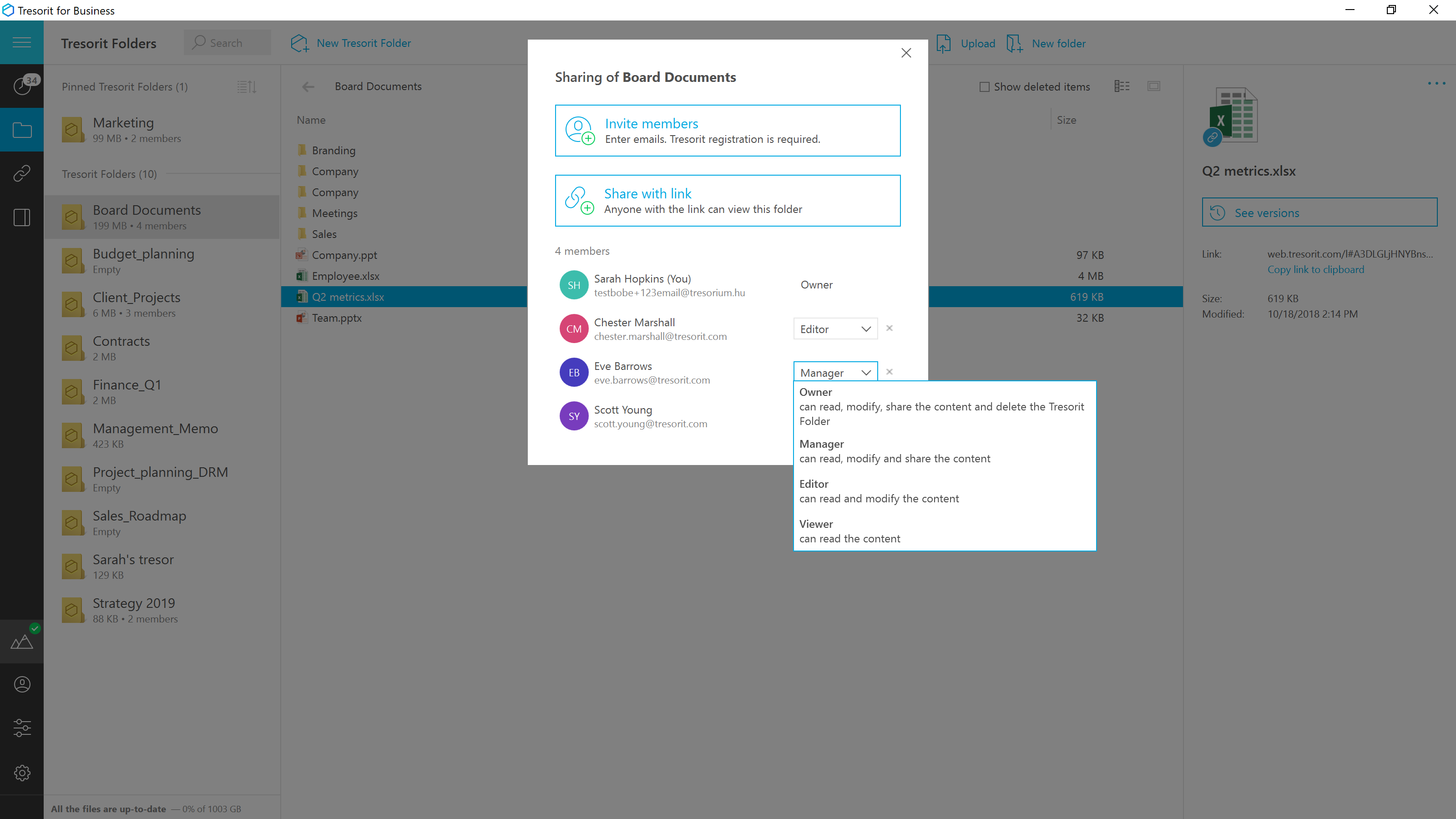
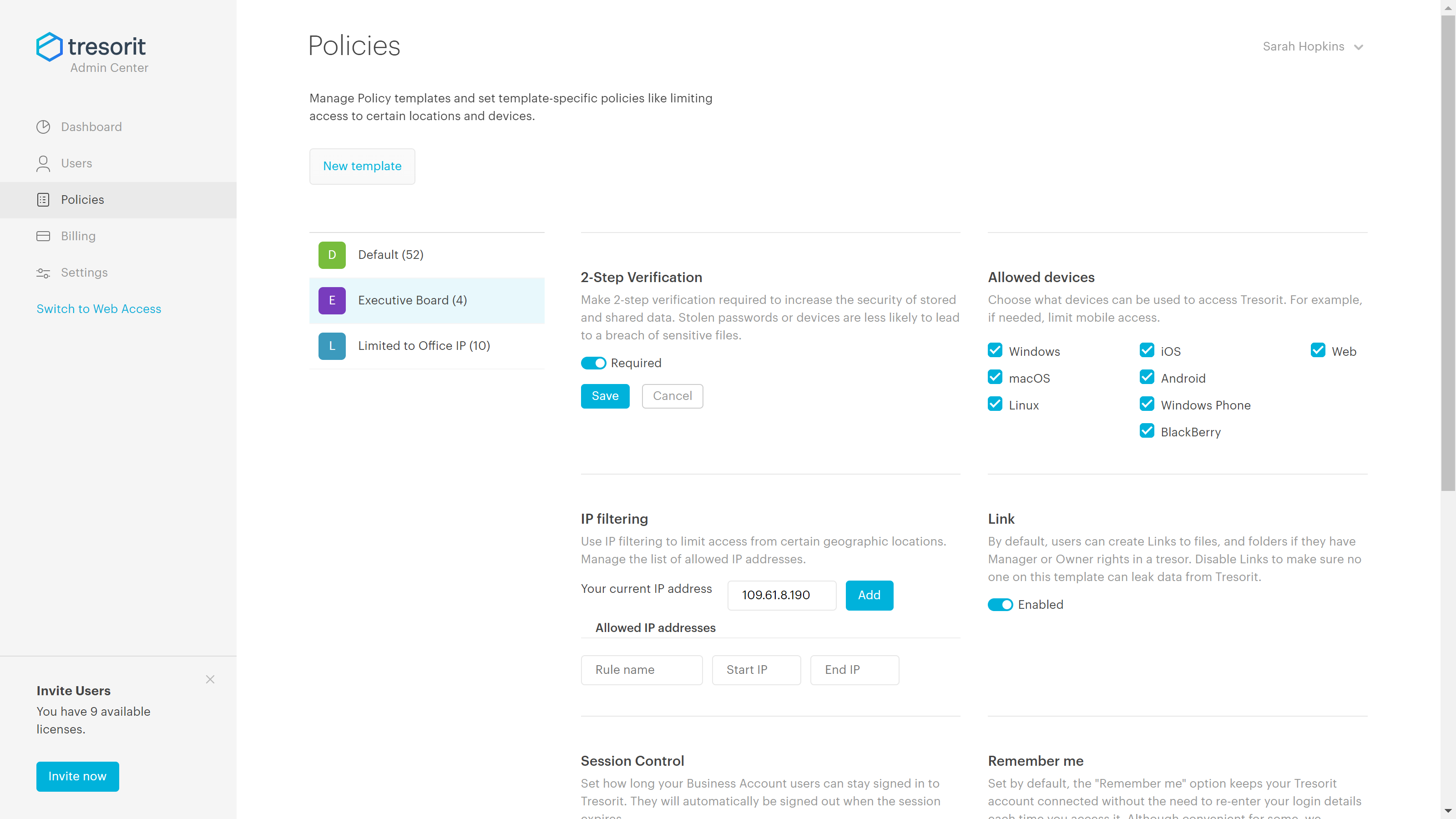
Screenshot of Access encrypted documents from any device and stay in sync with your team.Screenshot of Securely share anything within the company, or with clients and contractors.Screenshot of Replace risky email attachments with encrypted links. Send files even directly from Outlook with download limit, expiry data and password protection.Screenshot of Set the access level for the shared files and change them later if needed.Screenshot of Keep track of changes and stay safe and productive. Users can roll back to any previous version of a document.Screenshot of Set up security policies to avoid accidental breaches caused by employee errors.

Zoho WorkDrive Screenshots

Screenshot of Offers a shared space to store, organize, and manage files to support collaboration.Screenshot of Files can be located from Team Folders with not just the file name, but also by using text keywords and image content.Screenshot of Personalized Labels can be created based on how users want to arrange shared and personal files. This is to make it easier for everyone to get access to the data they need.Screenshot of WorkDrive's Global and Unread notifications helps users to stay on top of all the changes made by team members.