TrustRadius: an HG Insights company

Articulate 360

Score9.3 out of 10

817 Reviews and Ratings

What is Articulate 360?

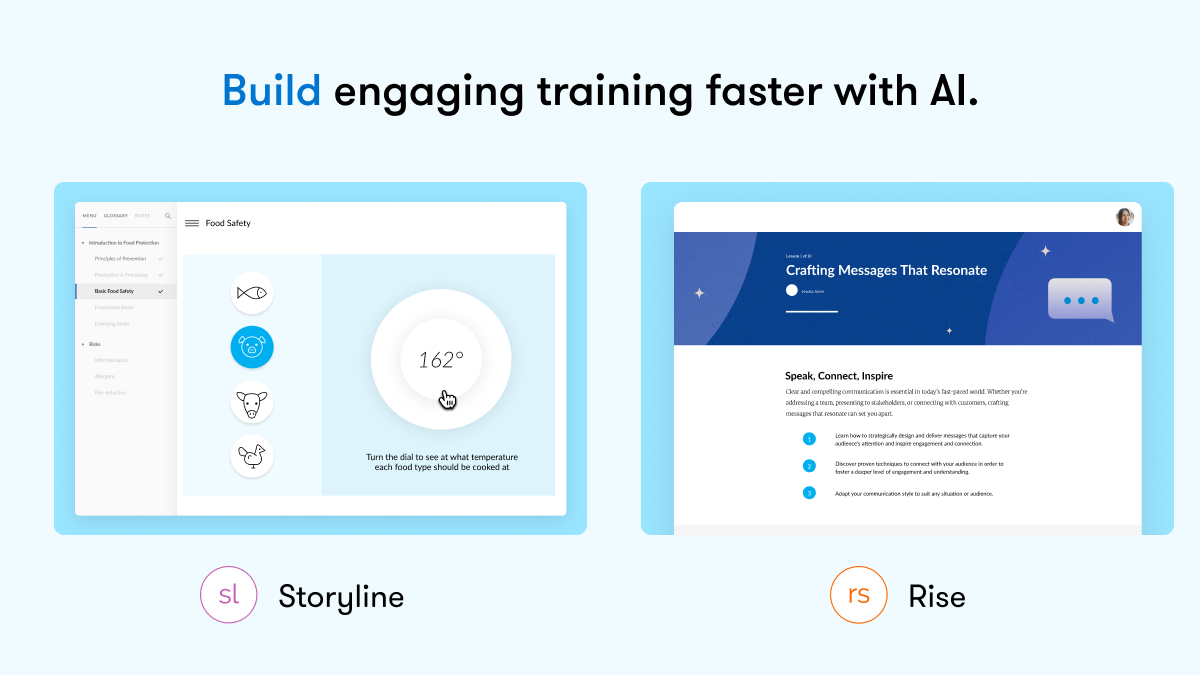
Articulate 360 is an e-learning platform for creating workplace training. Users can build engaging courses with AI-enhanced authoring, simplify collaboration, and quickly share content. A subscription includes robust onboarding resources and access to a community of 1.5M pros.

Read more details.

Categories & Use Cases

Media

Articulate 360
Articulate 360
Articulate 360
Articulate 360
Articulate 360
Articulate 360

1 / 6

Who Buys & Uses Articulate 360

Pros

  • Intuitive interface and ease of use, especially with Rise 360
  • Robust interactivity and engagement features in Storyline, including branching scenarios
  • Efficient content development and review workflows through seamless app integration

Cons

  • Inconsistent quality and robustness of AI Assistant features
  • Limited customization options within Rise 360 for block design and global styling
  • Absence of native Mac compatibility for Storyline 360

Articulate 360 is a must for creating elearning!

Use Cases and Deployment Scope

We use Articulate 360 to create elearning courses to help teach our employees how to do their jobs, safety information, hr topics, etc. It helps us to easily create and deploy solutions to train our workforce. It also allows us to be more productive in the development of learning solutions

Pros

  • short learning curve which helps me quickly teach others to use
  • different products for different types of learning
  • great learning community that helps with ideas and solutions
  • always looking at ways to make the product better and more user friendly

Cons

  • more prebuilt interactions that already utilize variables so I don't have to think about how to create
  • better image library -- can't always find what I need for my industry (gas and electric utility)
  • continue adding more realistic voices -- even for those who aren't afforded the ability to purchase the AI assistant

Return on Investment

  • We have been able to bring development in-house vs. contracting with an outside company which has saved budget money
  • Articulate 360 has allowed us to speed up development time which has lead to the ability to create more course to meet demand
  • We have found a variety of other ways to use the Articulate tools to create solutions that may not be seen as traditional learning solutions.

Usability

Alternatives Considered

Adobe Captivate, iSpring Suite and Lectora

Other Software Used

Adobe PhotoShop, ElevenLabs Prime Voice AI, Murf AI, Canva, Adobe Acrobat, Camtasia, Snagit

Articulate is the BEST.

Use Cases and Deployment Scope

I use Articulate 360 frequently, almost daily, to create e-learning courses for incumbent and new-hire employees. The biggest problems it addresses are reducing the time spent talking in the room and providing learners with a safe place to fail. It can be incredibly challenging to recreate what Articulate does so well, without the tool. It has enabled me to create well-designed courses that ensure my learners take away exactly what I need.

Pros

  • Reduce classroom talk time.
  • Assist with assessments to reduce quality failures.
  • Give facilitators time back for other work requirements.

Cons

  • I would like to see features like video creating software within the tool.
  • Triggers could be made easier for new users. This may be solved with AI (i.e., tell AI what you want, and AI will create the trigger for you).

Return on Investment

  • Reduced talk time in class by 50%.
  • Reduced failures on a particular topic by 70%.
  • Overall ease of use for new hires.

Usability

Articulate is great community is fantastic

Use Cases and Deployment Scope

We use Articulate 360 to build, review, revise, and publish courses to our restaurant level leaders. We focus on training for various leader levels to prepare them for their roles, help them perform tasks correctly and consistently, and deliver great guest and employee experiences. There’s a lot of collaboration that we use Articulate’s features for.

Pros

  • Consistency
  • easy of learning the tool
  • Makes collaboration easy

Cons

  • Creativity - more options to deviate from the standardized options and try new things.

Return on Investment

  • We have trouble measuring ROI, but it certainly cuts development time down. Especially now that we have AI features.

Usability

Alternatives Considered

Adobe Captivate

Other Software Used

Adobe InDesign, Adobe Illustrator CC, Adobe Premiere Pro

Storyline for eLearning.

Use Cases and Deployment Scope

I teach this software to students in our digital media program. They use it to create eLearning games and escape rooms. Prior to teaching the software, I used it to create interactive lessons for faculty. Articulate is great for creating end-user-driven content that puts the control of the learning in the end user's hands.

Pros

  • Ability to create multi-step interactions (i.e., must collect a key to unlock a box to get a note with a code...)
  • ADA compliance features.
  • Ease of use.

Cons

  • Not supported for use on Mac.
  • High price point making it unrealistic for a lot of would-be users.

Return on Investment

  • Provides students with tangible skills in a sought-after multimedia authoring program.

Usability

Alternatives Considered

Adobe Captivate and Lectora

Other Software Used

Adobe Creative Cloud for Enterprise, Camtasia, Adobe Captivate

Articulate 360 Authoring Tool.

Use Cases and Deployment Scope

100% use for product demonstration/learning videos for client training of our software. Originally, we had no proper client training. This addresses the client's need.

Pros

  • Screen recording.
  • Creation of states to make the shots individual.
  • Allows for creation individuality.
  • SUPPORT NETWORK.

Cons

  • Ease of accessibility image tagging. its a tedious task currently and time prohibitive.

Return on Investment

  • Increased revenue with the creation of sellable training modules.
  • More comprehensive courses for better client interaction and understanding.

Usability

Alternatives Considered

Adobe Captivate

Other Software Used

TechSmith Capture
