TrustRadius: an HG Insights company

Atlassian Service Collection

Score8 out of 10

716 Reviews and Ratings

What is Atlassian Service Collection?

The Atlassian Service Collection, including the no longer available standalone Jira Service Management, is an integrated suite of service management applications built on Atlassian's unified Jira platform architecture. Designed to bring development, operations, internal IT, and external support teams onto a single workflow engine, the Service Collection consolidates support infrastructures to deliver service at high velocity.

Read more details.

Media

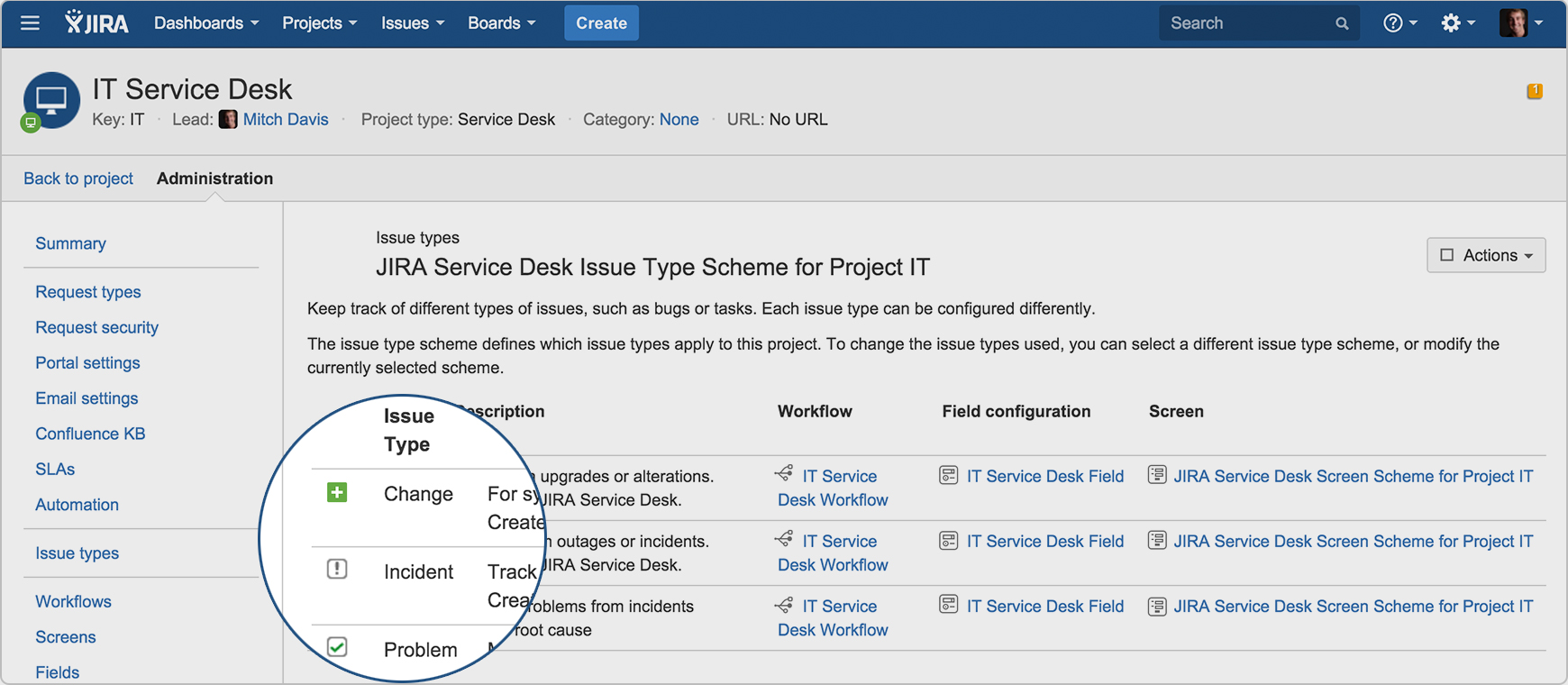
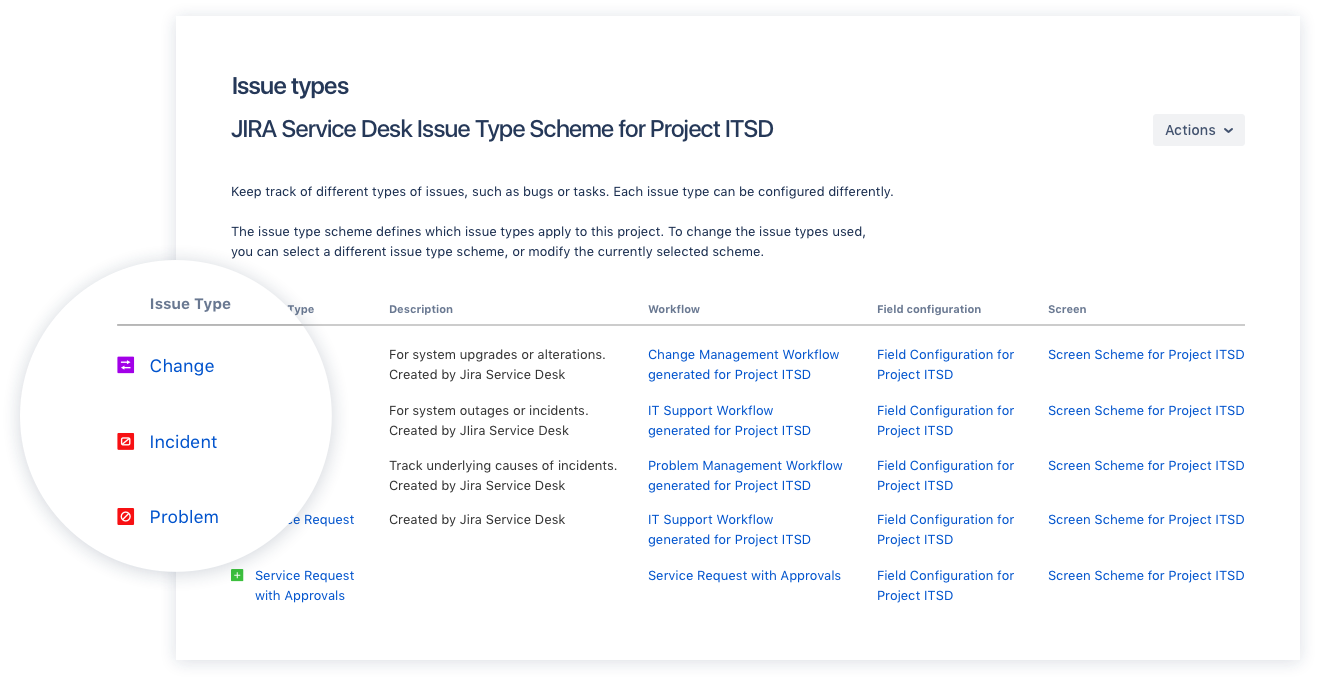
Screenshot of Drive IT best practices with ITIL-ready templates. Get everything your IT teams need out of the box for service request, incident, problem, and change management.
Screenshot of Get an ITIL certified service desk. Everything your IT teams need out-of-the-box for service request, incident, problem, and change management. Jira Service Desk is PinkVERIFY™ certified.
Screenshot of Deliver a better service experience. Customers or employees can submit requests with an easy-to-use help center and add Confluence to Jira Service Desk to get an integrated knowledge base. Machine learning intelligently recommends the right service and learns from every interaction, so answers are easy to find.
Screenshot of Stay in the loop with developers. y linking Jira Service Desk with Jira Software, IT and developer teams can collaborate on one platform to fix incidents faster and push changes with confidence.
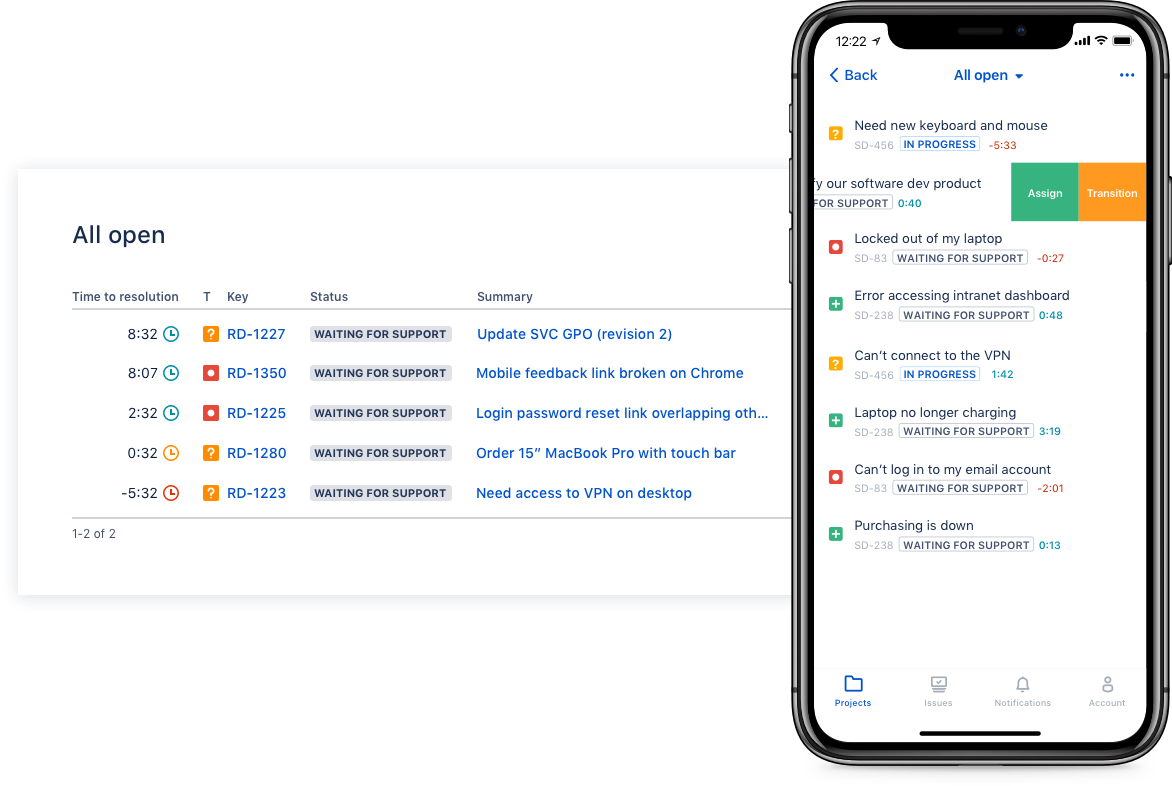
Screenshot of Deliver on SLA's. Nail your Service Level Agreements, every time. Your agents get a simple queue so they get the important things done first. Configure and get going in minutes.
Screenshot of Automate those repetitive tasks. Is your team stuck in gear with repetitive tasks or missing priority requests? Setup automations so your agents can focus on solving the important stuff and help lighten the workload.
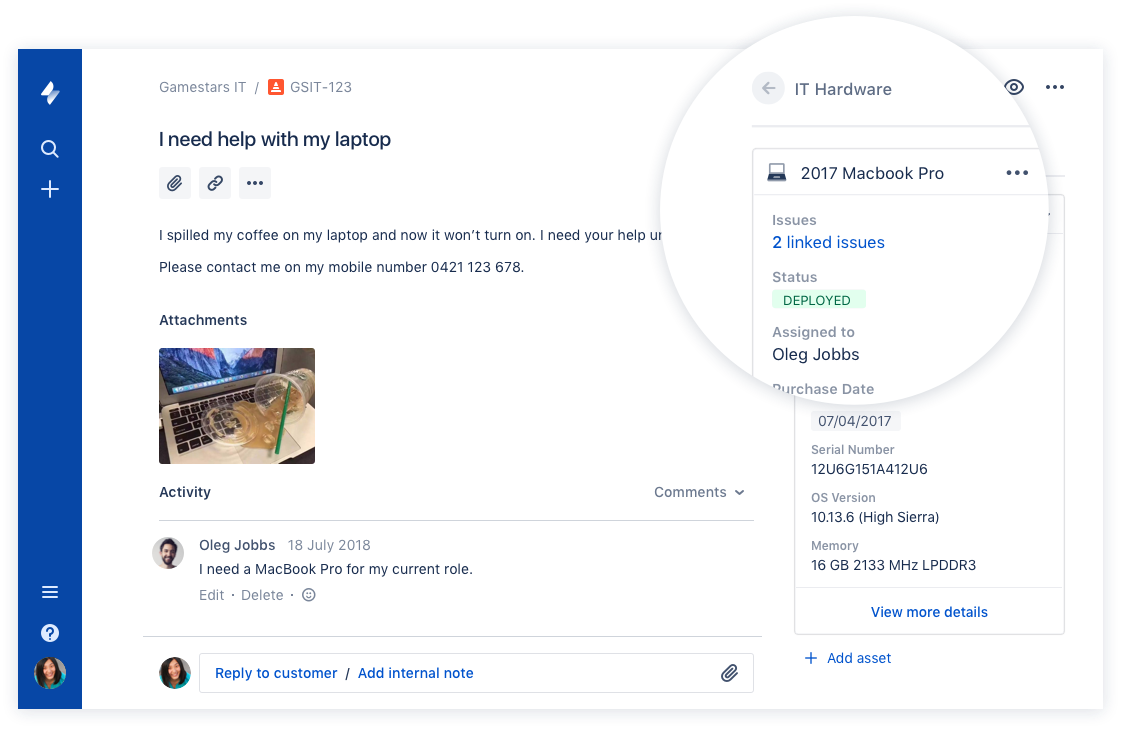
Screenshot of Gain complete control over your assets. Connect your favorite asset management tool to reference, track, and tie requests with assets directly from Jira Service Desk. Provide end-to-end service with just a few clicks.

1 / 7

Screenshot of Drive IT best practices with ITIL-ready templates. Get everything your IT teams need out of the box for service request, incident, problem, and change management.

Top Performing Features

  • Subscription-based notifications

    Users subscribe to notifications for ticket updates

    Category average: 8.4

  • Configuration mangement

    Database for tracking and reporting all business assets

    Category average: 8.4

  • Asset management dashboard

    Dashboard showing organization's software portfolio

    Category average: 8

Areas for Improvement

  • Service-level management

    Process for negotiating agreements regarding service level expectations, and ensuring these are met

    Category average: 8.4

  • ITSM reports and dashboards

    Reports and dashboards are used to optimize service desk operations by supplying key performance and capacity data

    Category average: 7.9

  • Change calendar

    Calendar showing change schedule to stakeholders

    Category average: 7.9

Who Buys & Uses Atlassian Service Collection, with Jira Service Management

Pros

  • Extensive customization and adaptability for workflows and service requests
  • Streamlined workflow automation for daily operations
  • Easy-to-use and customizable self-service portal for end-users

Cons

  • Complex and overwhelming user interface and backend
  • Steep learning curve, particularly without prior Atlassian tool familiarity
  • Limited customization and flexibility for themes, issue collectors, and employee portals

Enterprise Scale ITSM Solution for Improve MTTR Operational Efficiency

Use Cases and Deployment Scope

Jira Service Management is used for creating Tickets, Assign user stories, Tasks to the Internal and External Support Teams to resolve the issues. By adopting and using the Jira Service Management Tool as our ITSM Solution, the overall Infrastructure operations efficiency. Team's Productivity improved, and that also improved the MTTR, SLAs, and OLAs of our Enterprise Global Organization.

Pros

  • Assigning, Tracking, Updating Tickets, User Stories
  • Knowledgebase Articles for SOP creation
  • Improvement in Operational Turnaround time

Cons

  • Need More Tools and Products Integration
  • More Community Support
  • Flexible Pricing Options

Return on Investment

  • Improved Overall Operational Efficiency
  • Reduced the MTTR
  • More Agile in executing Projects

Usability

Alternatives Considered

ServiceNow IT Service Management

Other Software Used

Azure Cloud Shell, VMware vSphere, Oracle Cloud Infrastructure

Jira Simplifies IT Service Desk Management With Custom Workflow Capabilities

Use Cases and Deployment Scope

Jira has made ITSD management very simple and streamlined by enabling us to track, report & action custom approval flows. The platform also enhances seamless collaboration to provide real time updates and share actionable insights along with improve business process agility and improve business process outcomes.

Pros

  • Managing IT tickets for deployment and issue resolution
  • Customer approval workflows curated for cross functional departments
  • Creating custom procurement requests requiring cost center approvals

Cons

  • The platform could benefit from a more visually refined and modern UI
  • Introducing custom themes and interfaces for personalization
  • Training content to reduce time to train prospect users

Return on Investment

  • It has greatly improved compliance & risk management
  • Has enhanced decision making with Operations and IT dept
  • The overall cost has made the go to ITSM solution

Usability

Other Software Used

Microsoft 365

Jira Service Management is a no-brainer for those already in the Atlassian Ecosystem.

Use Cases and Deployment Scope

We use JSM as our internal service desk and help center for our internal team. It's been useful to help manage the provision of accounts and assets across our company. We've also used it to maintain compliance with security standards. Lastly, we use the tool for internal product questions and bugs (How do I do X).

Pros

  • Create and manage workflows for service requests.
  • Has a UX/AI that is easy to use to understand.
  • Can get started without talking to sales.

Cons

  • Requires familiarity with other Atlassian tools to use correctly.
  • Hard to use if you aren't deeply embedded in Atlassian's ecosystem.
  • The employee portal lacks customization options.

Return on Investment

  • Less ad hoc requests through email and slack that would block employees.
  • Easier to surface critical internal requests and follow up with bugs/internal issues.
  • Great for compliance needs and showing audit trails when needed.

Usability

Alternatives Considered

Zendesk Suite and Notion

Other Software Used

Notion, Atlassian Jira, Atlassian Access

Excellent solution for enterprise teams

Use Cases and Deployment Scope

We were addressing the issue of managing our incoming projects and tickets in an organized way, in support of the IT and business organizations. We were looking for a tool to track project deliverables step by step as they come in, blockers, estimates and level of effort, change management and the milestones of complex projects.

Pros

  • Ticket management, including the management of incoming tickets coming from different teams within the organization
  • Workload balance, to track the level of work involved with work for each technical resource
  • Team collaboration, to allow for providing feedback and comments between cross team collaborators

Cons

  • Customer service, including the ability to have a dedicated resource at off hours to troubleshoot incoming issues
  • User community, including resources and feedback to assist with new users

Return on Investment

  • Positive impact on streamlining resources and allowing us to realize where we can optimize workload across the team
  • Positive impact on the ability to respond effectively to incoming projects and provide a level of effort in a timely manner with feedback from all team members involved
  • It's had a positive impact as the service has industry leading security standards that allows us to trust the tool to handle data that we transfer within the platform

Usability

Best project management software.

Use Cases and Deployment Scope

In my company, we use Jira for project management. We use it to track work progress, bug tracking, and project management. We use it every day for tracking purposes. Our company follows biweekly sprints to manage project goals, so we use Jira to track sprints and capture goals to complete the objectives of the sprint.

Pros

  • Project management.
  • Sprint tracking.
  • Task progress.

Cons

  • Sometimes the description are not updated properly.
  • Sometimes it takes a bit of time to update the status.
  • Sometimes the jira tasks are not loaded properly.

Return on Investment

  • We are able integrate Jira with our softwares successfully without any issues.
  • It has helped a lot in project management.
  • It has also helped in task tracking.

Usability

Other Software Used

Atlassian Confluence, Atlassian Bitbucket, GitHub, greytHR, New Relic