TrustRadius: an HG Insights company

Bluebeam

Score9.2 out of 10

409 Reviews and Ratings

What is Bluebeam?

Bluebeam Revu is a PDF management, control, and editing tool. It enables collaboration and markup within shared documents across projects’ life cycles and has takeoff and bid creation capabilities.

Media

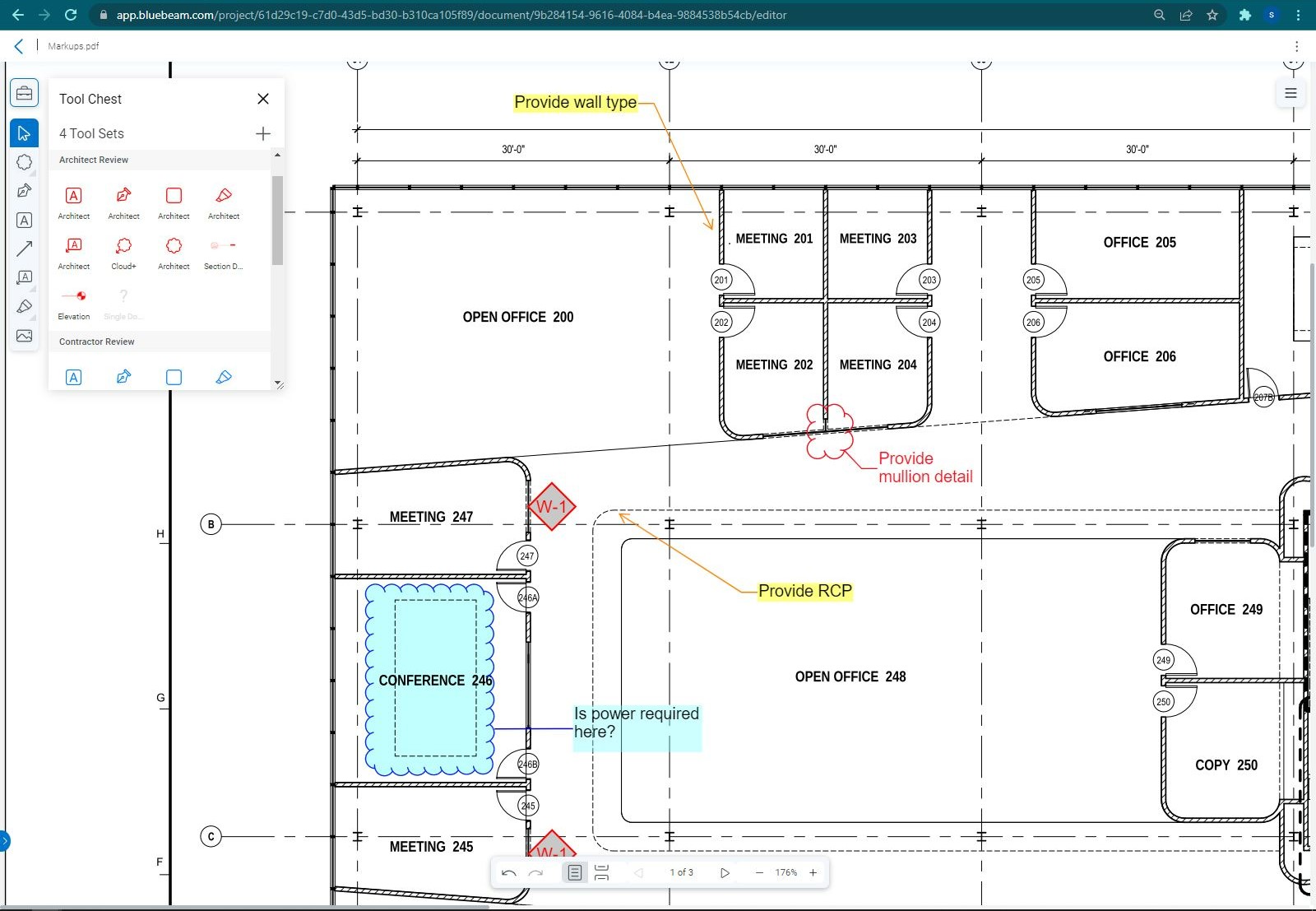
Bluebeam Cloud with Markup List
Bluebeam Cloud with Tool Chest
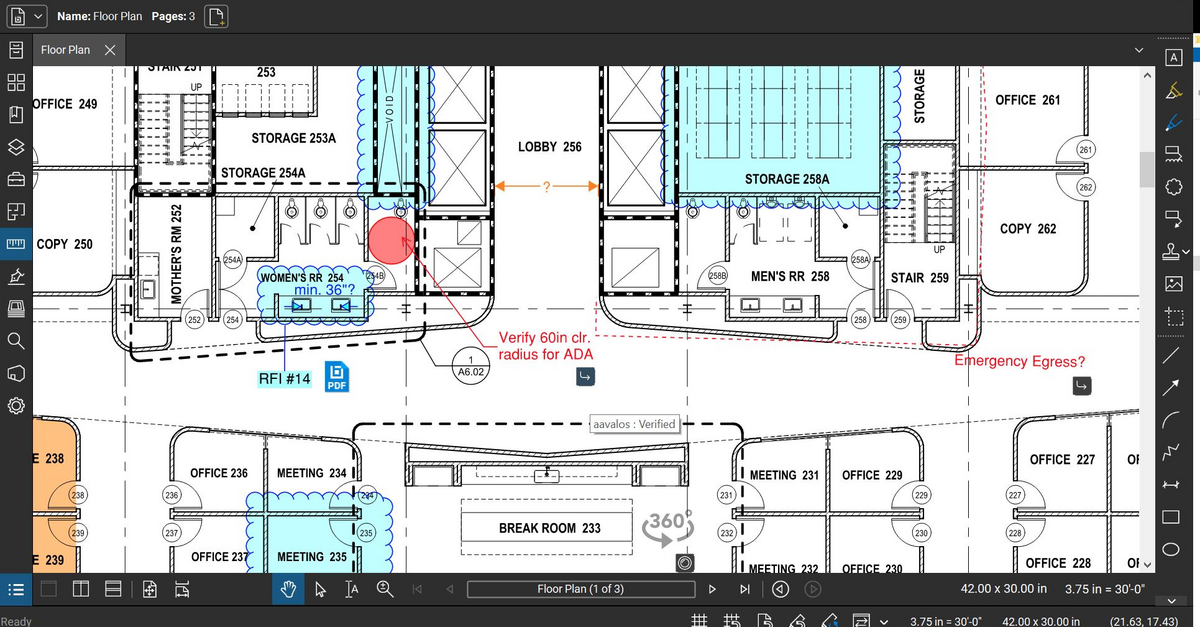
Bluebeam Revu Markup
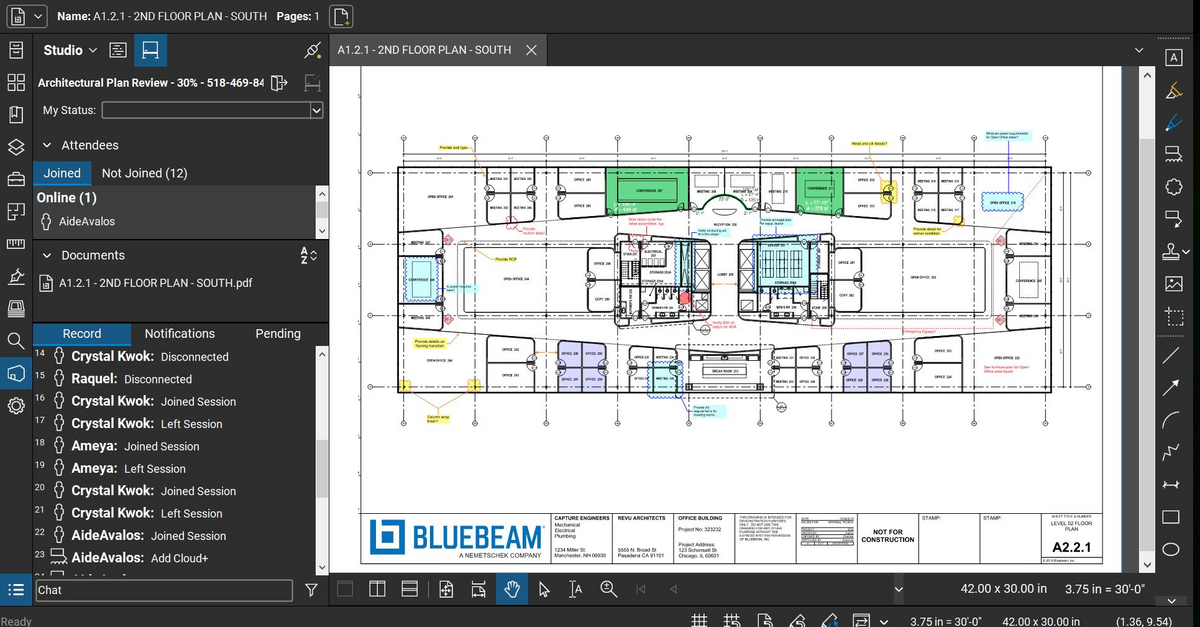
Bluebeam Revu Studio Session

1 / 4

Top Performing Features

  • Dashboards

    Users can create, customize and share dashboards, which provide an overview of the most important metrics.

    Category average: 7.9

  • Standard reports

    The software offers pre-built reports with metrics standard to the category.

    Category average: 7.9

  • Custom reports

    Users can create custom reports.

    Category average: 7.7

Areas for Improvement

  • Issue tracking & punchlists

    Users can track issues from the field, and create punchlists upon substantial completion.

    Category average: 8.2

  • Takeoff tools

    Allow users to list the materials and quantities they will need for the project either manually from hardcopy blueprints or electronically from digital blueprints.

    Category average: 7.6

  • Job costing

    Tracking and monitoring of the costs of all materials, labor, subcontractors, & equipment required for a given construction project. Allows users to compare actual costs to estimated costs, see how the job is progressing, identify which parts of the job are using the largest parts of the budget.

    Category average: 7.5

My Bluebeam Review

Use Cases and Deployment Scope

Bluebeam allows me to perform construction takeoffs digitally, mark up plans, modify pdf documents just to name a few of its benefits. Bluebeam basically combines Adobe like software with On Center’s On Screen takeoff software into one platform. Having access to both of these type programs combined into one, saves me time and makes me more productive.

Pros

  • Digital Takeoffs
  • PDF creation
  • Document management

Cons

  • Take off functionality
  • More how-to help videos
  • Easier program navigation

Return on Investment

  • Made us more productive
  • Made us more accurate with our estimates
  • Allows us to closely check/verify change order requests

Usability

Alternatives Considered

Adobe Acrobat

Other Software Used

Adobe Acrobat Reader

Bluebeam gets the job done

Use Cases and Deployment Scope

I use Bluebeam to open all acrobat files and it allows me to make necessary changes. So far I don't have any issues that is why I love using it.

Pros

  • it loads fast
  • it gives many editing options

Cons

  • it might be a little confusing because the user interface is a little complicated

Return on Investment

  • the faster things get the done, the more time you have to move on to the next task

Alternatives Considered

Adobe Acrobat

Bluebeam won’t disappoint

Use Cases and Deployment Scope

As a Home Consultant with a custom home-building company, Bluebeam Revu helps me with everything from home layout modifications and measurements, to site plans, to cost estimation and more.

Pros

  • Copy, Paste, and Color - The ability to duplicate a second of my Layout and recolor it for home modifications
  • Square footage Tools - The fill in tool that “bleeds” into the shapes of the rooms is super helpful.
  • Customized Toolbox - After about three weeks of regular work with the program, I had a saved digital toolbox filled with so many helpful items for future access

Cons

  • User adaption will probably always been the hardest thing. Keep finding ways to make the tools function simple for new comers.
  • Mac Vs PC - I had some issues with a few controls going from my PC work computer to my Mac at home. Nothing major.
  • If I had to pick another possibly issue… maybe simplify the Layers and Print screens? The biggest learning curve for me was trying to print PDFs without getting Layouts mixed up or losing quality.

Return on Investment

  • Communication - Bluebeam has saved so many declining conversations when customers could not get their imagination around the ideas they were trying to verbalize.
  • Professionalism - Without a doubt, using Bluebeam set my offers apart from the competition.
  • Customer satisfaction - After several years of using Bluebeam, I could see a big difference in the excitement and appreciation my customers and team had for my work.

Alternatives Considered

Revit

Other Software Used

HubSpot CRM, Buildertrend, Procreate

Senior Proposal Manager

Use Cases and Deployment Scope

I have used Bluebeam for several years in while working in the proposal management and development industry. It is a very comprehensive software to create and develop PDF files. There are tons of editing options that make this software way better than Adobe Acrobat, in my opinion. Especially, if you are an engineer, this software is best in editing and developing drawings as well.

It’s a very user-friendly software.

Pros

  • Creating PDF files
  • Editing PDFs
  • Editing engineering drawings
  • Collaboration software
  • Best for AEC industries

Cons

  • It lags and crashes especially when handing very large files
  • High CPU and memory usage
  • The interface can be overwhelming for new users due to its wide array of features
  • Speed of opening and saving large files is sometimes less
  • Expensive pricing model

Return on Investment

  • Increased efficiency and productivity
  • Enhanced collaboration
  • Improved quality and accuracy
  • Cost savings
  • Negative impacts can be initial costs, learning curve, implementation challenges

Alternatives Considered

Adobe Acrobat

Other Software Used

Microsoft 365

Master All Things PDF

Use Cases and Deployment Scope

Bluebeam does it all! It is always open on my laptop to modify and interact with PDF files. I use it to mark-up drawings, sign documents, do takeoffs, take measurements, and export files into Excel. It is one of the most flexible and useful tools I have at my disposal.

Pros

  • Modify PDF
  • Quantity Takeoffs

Cons

  • Takeoff feature can be cumbersome
  • Snapshots should be easily saved as a JPEG

Return on Investment

  • No yearly subscription fees
  • Ability to cancel takeoff software subscription
  • No need to pay for Docusign

Usability

Alternatives Considered

Adobe Acrobat