
TrustRadius: an HG Insights company

Conga Composer

Score7.9 out of 10

257 Reviews and Ratings

Learn More

Contact about Conga Composer

Please fill out the form below to get in touch.

Conga

Connect with Conga

What are you interested in?

Already have an account?

You hereby consent to have TrustRadius share the information supplied on this form with Conga so that Conga and TrustRadius may contact you in regard to the information requested.

What is Conga Composer?

Conga Composer is a document generation and automation tool designed to simplify and streamline the process of creating and distributing customized documents, presentations, and reports.

Read more details.

Media

Screenshot of how documents are created automatically, directly from Salesforce
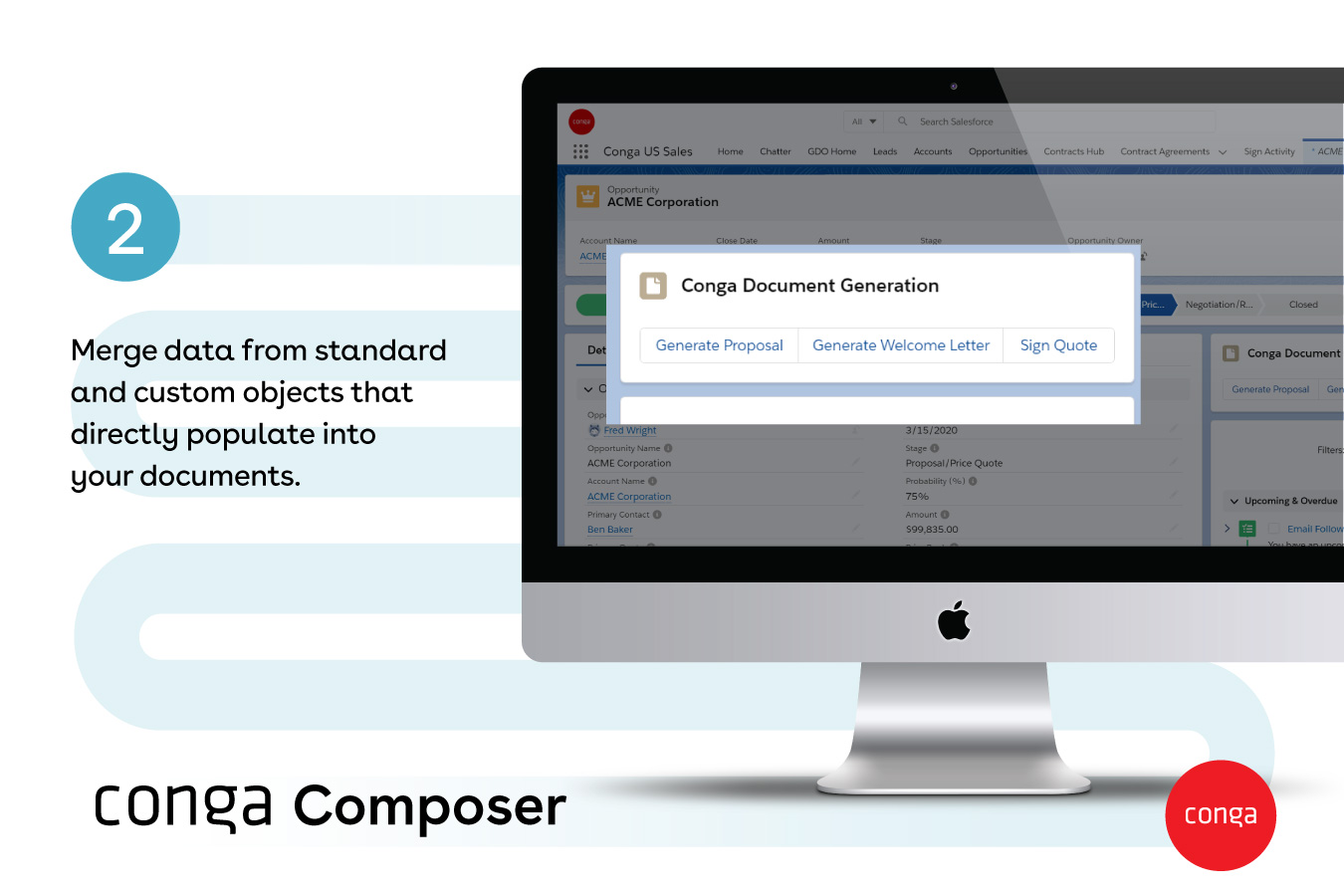
Screenshot of documents generated with any data, from any object - standard or custom
Screenshot of Conga Document Generation
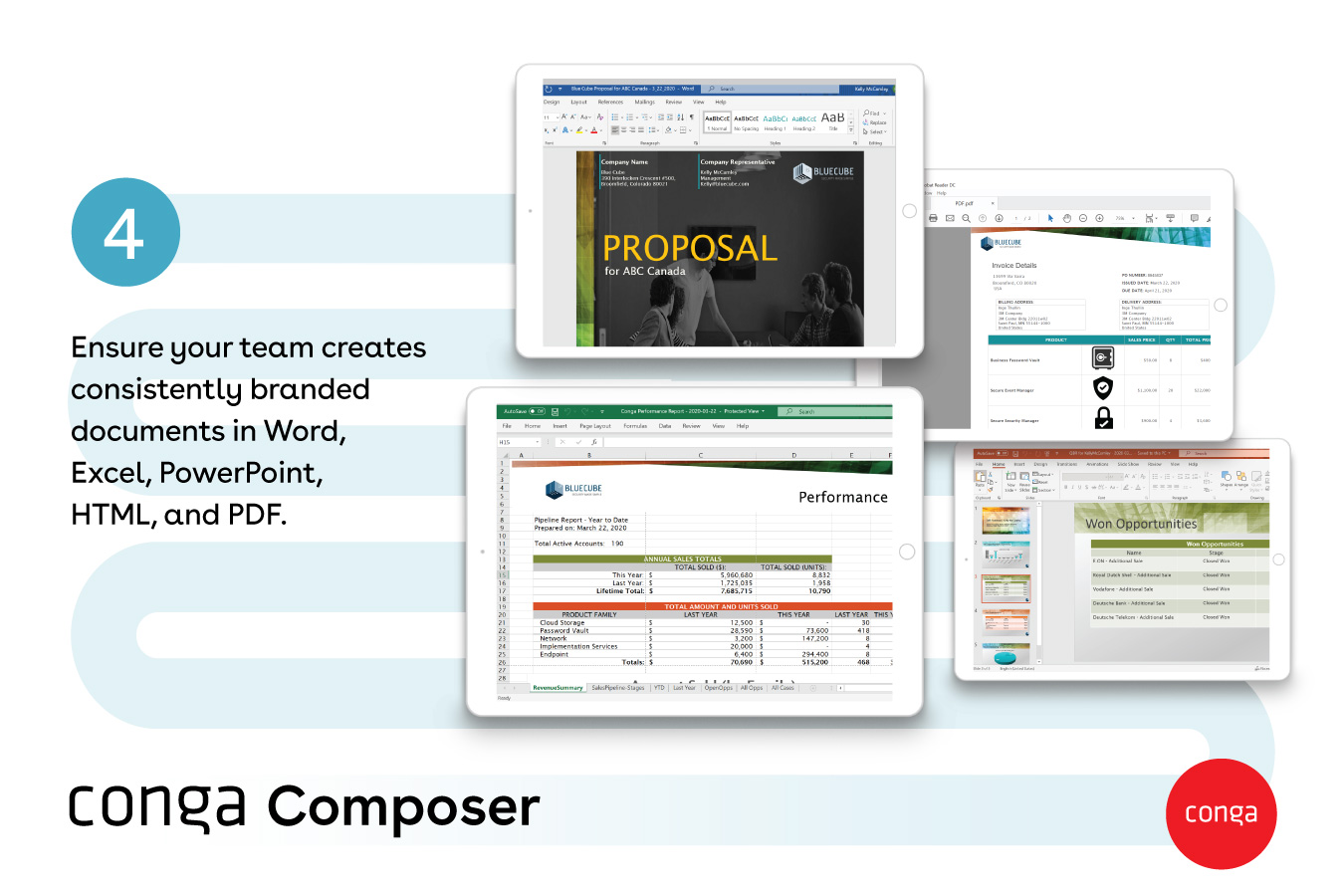
Screenshot of popular document formats available, like Word, Excel, PowerPoint, HTML, and PDF
Screenshot of how large documents are sent via a link - and they provide visibility into customer document engagement
Screenshot of how multiple documents can be sent with one or no clicks

1 / 6

Screenshot of how documents are created automatically, directly from Salesforce

Who Buys & Uses Conga Composer

Pros

  • Automated document generation from Salesforce data
  • High accuracy due to live data integration
  • Streamlined document workflows

Cons

  • Outdated user interface (UI)
  • Limited documentation and support resources
  • Unclear and unhelpful error messages

Congo Composer - Saves a lot of time when compared to its competitors.

Use Cases and Deployment Scope

We used Conga Composer about 2 years ago to automate contract and quote generation out of salesforce. We were copying data manually before that into templates , so Conga Composer saved a lot of time and big advantage to the users which increase in production time. Although it took a lot of time to get to that stage.

Pros

  • Saves time which leads to increase in production time
  • Pulls data directly from salesforce into templates
  • once template is set, it takes few seconds instead of 30 minutes around if done manually
  • It also integrates well with e-signature tools

Cons

  • Setup takes a lot of time and effort as it is very tricky
  • Building beyond basic template takes a lot of time and effort
  • Performance lags a lot in between which needs to be looked into at root level

Return on Investment

  • Reduced errors
  • Increased production
  • intergrates well with e-signature tools
  • whole flow of process gets smoother with usage of this

Alternatives Considered

PandaDoc, S-Docs and DocuSign CLM

Other Software Used

PandaDoc, DocuSign CLM, S-Docs

Leveraging Tech in the Public Sector

Use Cases and Deployment Scope

In our organization, Conga Composer helps us complete contract clauses terms and conditions consistently with high quality and speed.

Pros

  • Clause library
  • Connects to grid
  • Generate tables

Cons

  • Graphical user interface for rate tables can be improved with additional white space.

Return on Investment

  • Time saved in document creation.
  • Consistency of terms reduces contract amendments.

Alternatives Considered

Conga Grid

Other Software Used

Conga CLM, Conga Grid

Conga Composer rules

Use Cases and Deployment Scope

We use Conga Composer very lightly. We use it to generate contracts and proposals and one off invoices. Creating the proper word template has been a struggle. User interface can be a little more friendly, and finding the correct parameters to use. Also, creating a powerpoint that displays specific account info for all clients in a specific area with a specific asset or data processor would be useful, however Conga Composer does not give us what we are looking for.

Pros

  • user groups
  • solution help
  • end user ease of use

Cons

  • user interface
  • background mode
  • easier way to find parameters
  • AI

Return on Investment

  • faster proposals
  • easier contract creation
  • less data errors

Technology Director.

Use Cases and Deployment Scope

We use Conga Composer to generate Policy Declarations, Plan Administration Agreements, and custom mass emails. We are looking to start using JSON to take advantage of toggle preview.

Pros

  • Pulls in values from Salesforce.
  • Template management.
  • Customizing emails with our customer data.

Cons

  • User interface.
  • Previewing
  • Clarity of support documentation.

Return on Investment

  • better Policy documents.
  • Quicker delivery.
  • Accurate customer data pulled directly from Salesforce.

Other Software Used

Conga Grid, Conga Sign, Batch

A highly accurate application for automating document creation from Salesforce and other data sources

Use Cases and Deployment Scope

My organization utilized Composer mainly for writing RFIs and other revenue-related docs due to its ability to synthesize several different data sources and generate standardized copy with no (or nearly no) errors.

Pros

  • Uses different data sources to create unified, holistic documents
  • Strong integration with Salesforce, which is critical for docs relating to the revenue lifecycle
  • Scalable to be able to generate docs beyond just those relating to contracts/revenue (when we wanted to use it for this).

Cons

  • UI user experience and usability definitely need improvement as it can feel clunky and hard to navigate at times.
  • There needs to be more documentation on product usage and more support tutorials. The product has a steep learning curve so anything that can help the facilitate usage would be good.
  • The application runs very slowly during heavy usage

Return on Investment

  • It reduced the amount of time it took to create documents
  • It streamlined document creation so that redundant content could be reused
  • It helped regulate document creation so that we ensured the content always adhered to company guidelines.