TrustRadius: an HG Insights company

Kissflow

Score8.3 out of 10

64 Reviews and Ratings

What is Kissflow?

Kissflow is a low-code platform for custom application development tailored to business operations. Kissflow empowers process owners and IT developers to automate and build processes and applications for internal business operations.

Read more details.

Media

Screenshot of overall efficiency monitoring
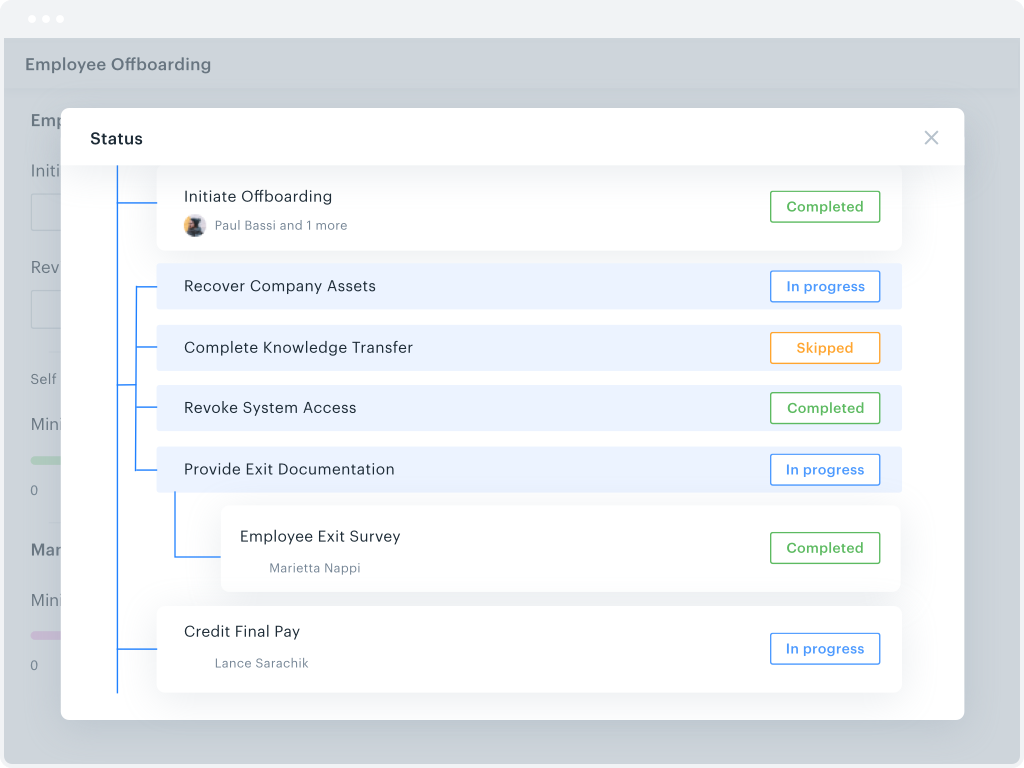
Screenshot of workflow tracking
Screenshot of process metrics
Screenshot of the drag and drop form builder
Screenshot of a parallel branches workflow
Screenshot of where to change file permissions
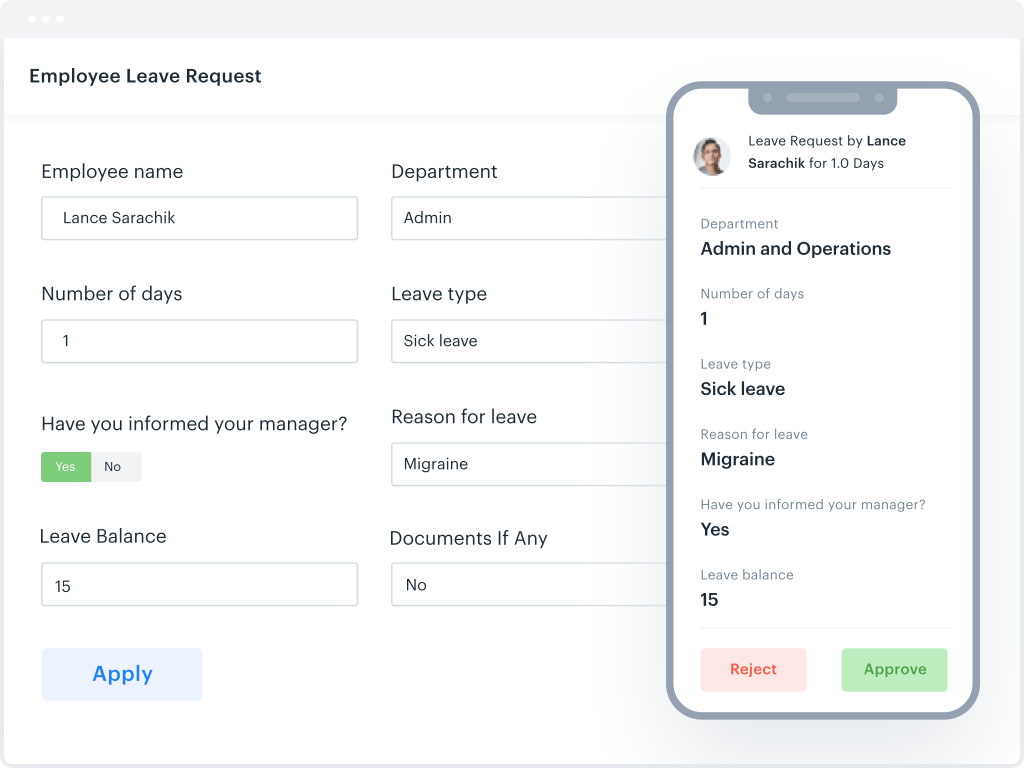
Screenshot of where to request approval on the go.

1 / 7

Screenshot of overall efficiency monitoring

Top Performing Features

  • Platform Security

    Security guardrails in place to help prevent malware, data breaches etc.

    Category average: 8.4

  • Drag-and-drop Interfaces

    Drag-and-drop interface for building applications

    Category average: 8.1

  • Reusability

    An internal repository where assets, modules, and even entire applications can be reused

    Category average: 8.3

Areas for Improvement

  • Platform User Management

    Tools enabling admins to control user access and on-board and off-board users

    Category average: 8.1

  • Platform Scalability

    Apps developed by low-code platform must be scalable and capable of supporting large numbers of users

    Category average: 8.5

Efficient tracking and analytics simplify the procure-to-pay workflow

Use Cases and Deployment Scope

Kissflow is very efficient especially in payment processing in our organization. It has an easy and user-friendly flow and process that easy to follow and monitor. Currently, there is a process where our suppliers can upload their invoices directly to Kissflow portal and it greatly enhanced the payment processing.

Pros

  • Efficient process flow especially in request for payments.
  • We have Kissflow vendor portal which helps both our company and our vendors track the updates on their request for payments.
  • Easy and smooth system even for new users.

Cons

  • KF cannot be edited in live workflows. Minor changes needs approval.
  • KF uses very simple templates and can't do formula like in excel.
  • It is not integrated in our SAP.

Return on Investment

  • Value for money.
  • Efficient and easy to use.
  • Easy monitoring and tracking of payments and other procurement related forms.

Usability

Kissflow Review.

Use Cases and Deployment Scope

I use Kissflow to manage workflows. It's an intuitive platform that is easy to use and update as work is completed. In addition, you can share and send workflows to different departments depending on the specific tasks that need to be completed. It is a status manager that signals when an item is overdue or requires additional work. I'd recommend Kissflow for workflow management.

Pros

  • Status updates.
  • Manage workflows.
  • Assign items to coworkers.

Cons

  • The UI could be better.
  • You should be able to run better reports.
  • Commentary needs to be easier to find.

Return on Investment

  • It has increased our profit margins.
  • It has streamlined costs.
  • It has helped with workflow management.

Usability

Alternatives Considered

Salesforce CRM Analytics

Other Software Used

Salesforce CRM Analytics, Orion Enterprise, Morningstar Advisor Workstation

Give Kissflow [School Cloud] a [try]

Use Cases and Deployment Scope

We switched to Kissflow [School Cloud] for two different workflows in our school district. In just implementing one to replace another company, we saved more than 60% of the cost of the other company ($23K to $9K). It was a bit challenging to get set up but that was because we didn't have the correct point person to set it up. It has been easy after the set up. We really need to expand it and add additional district workflows, including on boarding and tracking position requests.

Pros

  • Ease of use
  • Clear for users
  • Staff can track work more easily

Cons

  • Available how to videos on line to assist staff in set up

Most Important Features

  • Organization
  • Tracking where certain requests are at any given time
  • Clarity

Return on Investment

  • Positive from a cost perspective compared to previous provider

Alternatives Considered

K2 Software

Other Software Used

Alchemy, Asana, SchoolMessenger, TeamViewer, Frontline Absence Management (formerly Aesop)

Kissflow is a great platform for the right size company

Use Cases and Deployment Scope

We use it for PO approval and receiving items. Then sync Kissflow to our accounting software so the information could sync automatically once built out and mapped. We also use Kissflow for vendor reregistration purposes. Which then syncs the information into our account system Sage Intacct with the vendor's information including uploading the attachment (W9). Along with an approval process. This makes adding vendors across multi-state locations easy.

Pros

  • building workflows
  • approval from email
  • setup and organizing of data sets

Cons

  • marking items as being received
  • editing POs either during the approval process or even POs have been approved
  • having options to edit fields easier, right now in our setup IT is limited to make changes

Return on Investment

  • the work load for end users is easy which makes engagement high
  • adding a vendor across multi-state submissions into one accounting platform is easy for all users in the process
  • Streamlining the approval process which keeping an audit trail is great

Usability

Alternatives Considered

Stitch Labs (discontinued), NetSuite ERP, Sage Intacct and Xero

Other Software Used

Sage Intacct, Looker, UKG Pro

KiSSFLOW SLAYS Overspending

Pros

  • Streamlines invoice approval process.
  • Holds people accountable for their purchases.
  • Keeps us on budget and helps in getting answers on purchase orders quickly.

Cons

  • Difficulty exporting reports to personal email
  • Slow response to technical issues
  • There is no ability to get into older POs to clear out or investigate. It would be nice to have access to anything over 3 months old.

Return on Investment

  • We have cut cost and canceled unnecessary purchases that were billed on a monthly basis to company credit cards, which we didn't analyze previously.
  • People are held accountable for purchases made on their personal company credit cards during travel that should not have been made.
  • We can investigate the purpose of purchases through a streamlined process rather than sending a mass email chain.

Other Software Used

Microsoft Dynamics GP