TrustRadius: an HG Insights company

ManageEngine NetFlow Analyzer

Score9.5 out of 10

12 Reviews and Ratings

What is ManageEngine NetFlow Analyzer?

NetFlow Analyzer is a complete bandwidth monitoring tool that utilizes flow technology to monitor and analyze network bandwidth usage. It helps users identify and avoid bandwidth delays and bottlenecks with customized reports, and set threshold-based email and SMS alerts to help understand the severity of an issue.

This analytics tool detects, diagnoses, and troubleshoots network anomalies and zero-day intrusions, and plans future bandwidth needs based on application growth to optimize bandwidth usage. It offers real-time visibility into traffic patterns and usage trend, helping users troubleshoot bandwidth management issues before they spiral out of control.

Media

NetFlow Analyzer Dashboard overview
Drill-down to device and interface details
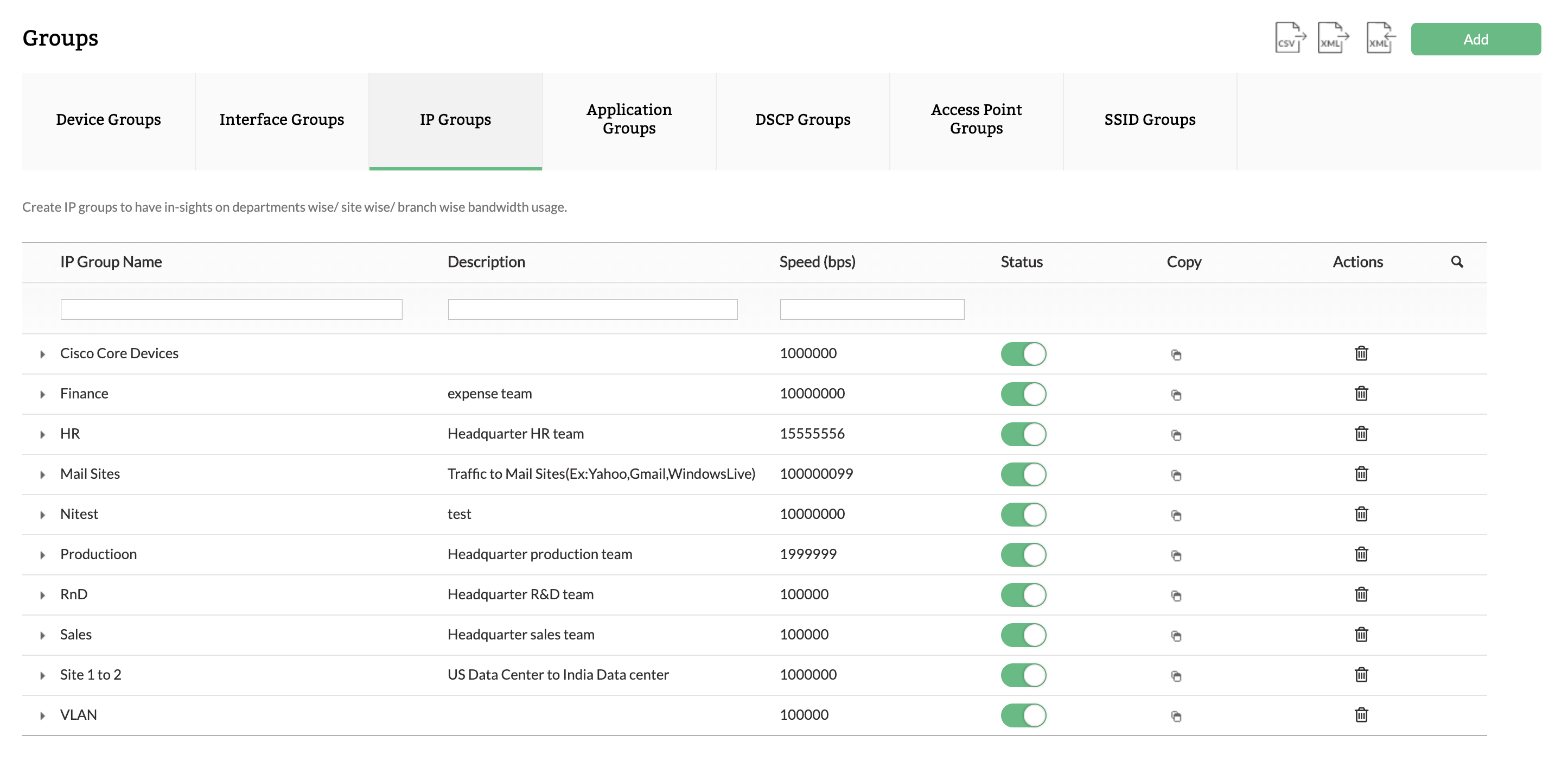
Create logical groups for department-wise monitoring
Track top conversations in your network
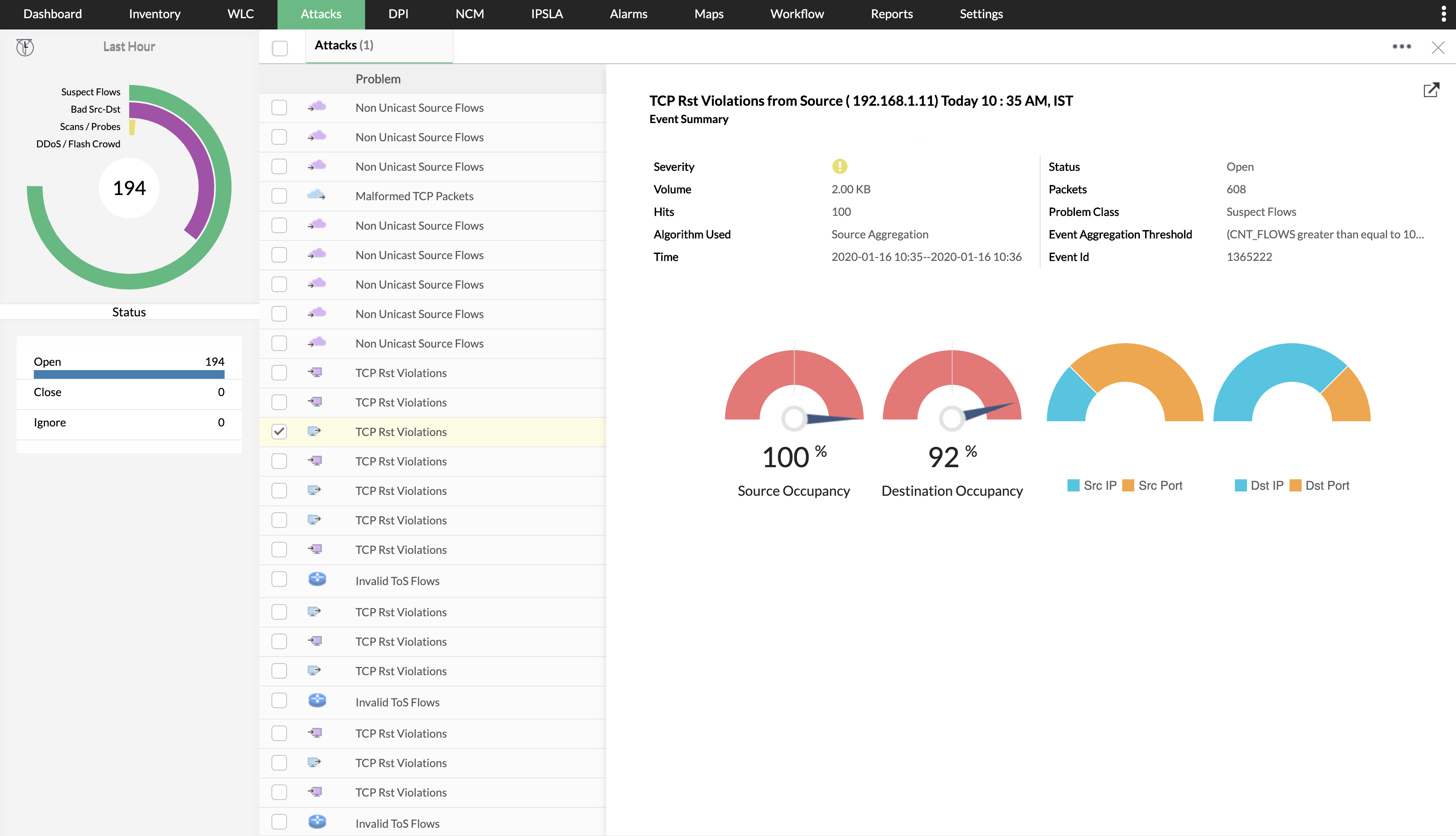
Identify security threats
Bandwidth trends forecasting and capacity planning

1 / 6

ManageEngine Netflow is a powerful tool for network and traffic analysis security and statistics.

Use Cases and Deployment Scope

It's been great since we implemented this solution in our company. It has helped us a lot to solve problems with our internet bandwidth, providing a complete view of our entire network and ports, including malicious addresses. It's very useful for our day-to-day operations and network. We have graphs, a security module, and we can see every interface of our firewall or router.

Pros

  • Inventory Interfaces
  • NCM Firmware Vulnarabilities
  • NCM Device
  • Security

Cons

  • It should improve or incorporate an automatic application update process, as it is currently very manual and requires experience to do so.
  • The NBA Security module consumes a lot of resources; it should be lighter and more accurate in its alerts for abnormal network detections, perhaps aided by AI.
  • Improve network interface search processes and a dashboard that provides more accurate information on overall network performance, traffic, and bandwidth.

Return on Investment

  • For us, and we believe for any company, the return on investment is very quick, since once it is implemented, you can see positive results in terms of consumption, increased traffic, security, analysis of network devices, among other things, thus providing budget control and savings.

Usability

Powerful and Feature-rich tool

Use Cases and Deployment Scope

<div>We use ManageEngine NetFlow Analyzer primarily for real-time network monitoring and analysis. Here’s how it fits into our operations</div><div>Help in Traffic Analysis, Bottleneck identification, Reporting</div>

Pros

  • Traffic Analysis
  • Bottleneck Identification
  • Reporting

Cons

  • Setup Process
  • Integration with third Party tools
  • Need More custom Reporting

Return on Investment

  • Improved Network performance
  • Ability to detect unusual network traffic
  • Compliance Reports

Usability

ManageEngine Network Traffic Monitoring

Use Cases and Deployment Scope

We use ManageEngine NetFlow Analyzer in our organization to gain insight into bandwidth utilization, network traffic anomalies, and to troubleshoot network performance issues. We are able to gain insight into network utilization patterns, including peak times and get an understanding of when and why we are reaching out capacity. This gives us the ability to plan accordingly when it comes to network upgrades.

Pros

  • Network Bandwidth Utilization
  • Aid in performance troubleshooting
  • Reporting

Cons

  • Bundle it with OpManager
  • Better Documentation

Return on Investment

  • Network Visibility
  • Network Performance Optimization
  • Lowered cost compared to other solutions

Alternatives Considered

SolarWinds NetFlow Traffic Analyzer (NTA) and PRTG Network Monitor

Very good tool for your network

Use Cases and Deployment Scope

Very useful tool, that help us to manage our network, check flows and traffic, check hardware, failure. The portal is pretty simple and very very powerful. In some minutes we configure all users, reports, grants and all the switches, routers and so on. Currently we use NetFlow every day, a very good tool

Pros

  • Flow Analyzer
  • Check Traffic
  • Simple configuration

Cons

  • Check Network
  • Check Flows
  • Traffic

Return on Investment

  • Lot of positive impacts
  • Low Budget
  • Great results

Other Software Used

Site24x7 All-in-One Monitoring

My analysis of NetFlow Analyzer...The high-level view.

Pros

  • Analyze network traffic by breaking it down into conversations with the ability to look at ingress and egress traffic.
  • Gives a quick view of overall performance.

Cons

  • The interface could stand to flow a little better. It is functional, but there is room for improvement.
  • The dashboard creation process is just incomplete. For example, it would be nice to be able to add in a widget for IP groups.

Return on Investment

  • Faster response to performance issues.
  • Identifying threats that may have slipped by AV/Anti-Malware.

Alternatives Considered

SolarWinds NetFlow Traffic Analyzer

Other Software Used

EventLog Analyzer, PRTG Network Monitor, ManageEngine ServiceDesk Plus, Symantec Endpoint Protection, Symantec Endpoint Encryption