TrustRadius: an HG Insights company

ManageEngine Patch Manager Plus

Score8.3 out of 10

37 Reviews and Ratings

What is ManageEngine Patch Manager Plus?

Patch Manager Plus is an automated patch management software that provides enterprises with a single interface for all patch management tasks.

The vendor claims it works across platforms, helping users patch Windows, Mac, Linux & 300+ third-party applications. With Automated Patch Deployments, users can automate the entire process of patch management:
  • Scan for missing patches
  • Test & approve for hassle-free patching
  • Customize deployment policies to meet business needs
  • Decline patches
  • Downgrade patches
  • Generate vulnerability and patch summary reports.
Patch Manager Plus is now available both on cloud and on-premise.

Categories & Use Cases

Media

Screenshot of Home view and security news feed
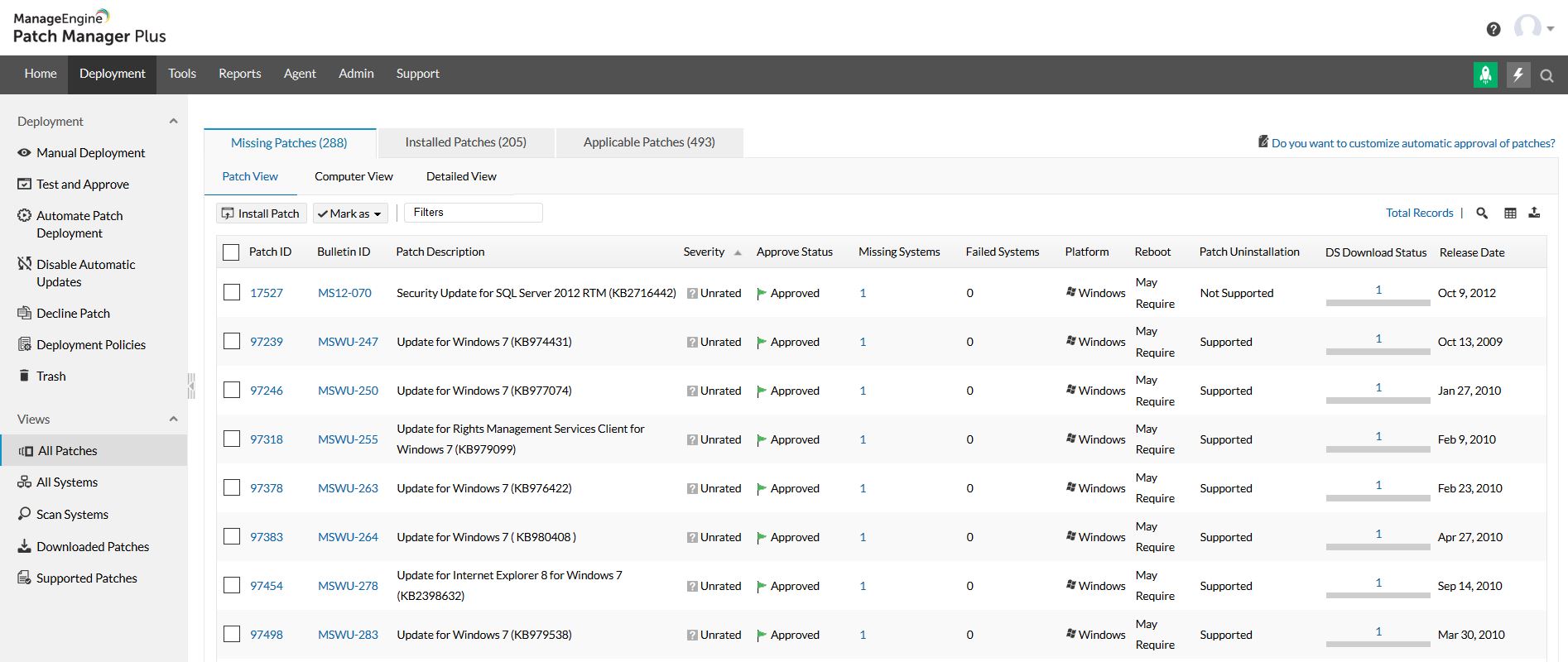
Screenshot of All patches view
Screenshot of All systems view
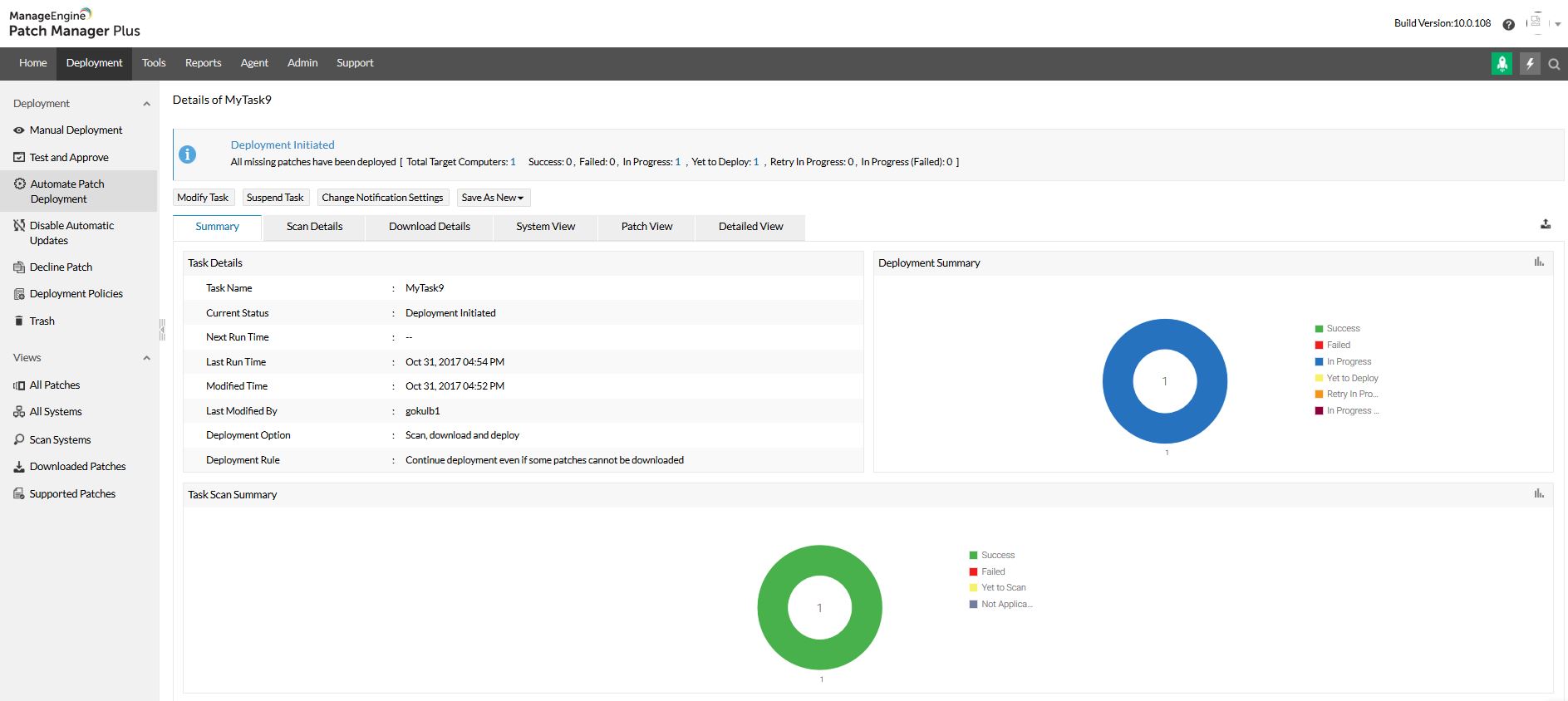
Screenshot of Automated patch deployment
Screenshot of Scope of management
Screenshot of Configurations

1 / 6

Screenshot of Home view and security news feed

Top Performing Features

  • Network Analytics

    Analyzes various data reports and logs (DNS, firewall, user data, security information etc.) to identify threats in a network.

    Category average: 7.3

  • Threat Recognition

    Detection and recognition of malicious software within a network that could pose a threat to sensitive information.

    Category average: 7.9

  • Threat Analysis

    Analyzing known factors such as behavior patterns, affected areas, and other specific features to more easily identify a threat.

    Category average: 7.8

Areas for Improvement

  • Configuration Monitoring

    Constant monitoring of a network set up to identify vulnerabilities as they occur within the network or tech stack on the network.

    Category average: 8.3

  • Vulnerability Intelligence

    Software that is able to label and store information about vulnerabilities to access for future use cases.

    Category average: 8.3

  • Web Scanning

    Specifically scans webpages for potential threats or vulnerabilities.

    Category average: 7.8

ManageEngine Patch Manager Plus Review

Use Cases and Deployment Scope

i use the ManageEngine Plus to deploy patches to my workstations. I also use it to scan my workstations for any vulnerabilities. i also use it to broadcast announcement i look forward to receiving fresh patch releases for my workstation. Its easily identifies affected workstations for it to be worked on.

Pros

  • Detecting vulnerable workstations
  • scanning for vulnerable workstations
  • providing patches to resolve vulnerable systems
  • identifies obsolete workstations to be cleared of the environment

Cons

  • i use kaspersky so i think patches can be released for kaspresky as well

Return on Investment

  • It makes my work very easy
  • it easily identifies vulnerable systems
  • provides patches to the vulnerable or affected machine

Usability

Looking form something simple that does the job.

Use Cases and Deployment Scope

We use ManageEngine Patch Manager Plus as our centralized patch management solution to maintain the security and stability of our infrastructure. Specifically, we leverage the platform to automate the deployment of critical updates, security patches, and hotfixes across our server operating systems. In addition to OS-level patching, we use its third-party application patching capabilities to keep non-OS software up to date, ensuring that common vulnerability vectors are systematically closed without requiring manual per-app updates.

Pros

  • Reporting

Cons

  • Add more 3rd party apps integration rather than manual.

Return on Investment

  • Optimizing internal resource utilization and reducing the high operational overhead associated with infrastructure maintenance.

Usability

Simple yet powerful platform

Use Cases and Deployment Scope

We use it solely to monitor and patch our linux servers. It's easier to manage compared to using an orchestration tool such as Ansible as it's more accessible to the entire IT team and offers a user friendly web interface.

Pros

  • monitor new updates available
  • allows for easy deployments
  • easy management of baselines for security patching

Cons

  • It needs to provide more feedback when a deployment fails

Return on Investment

  • Centralised view of our linux estate and patching status

Usability

Alternatives Considered

Red Hat Ansible Automation Platform

Other Software Used

Patch My PC Patch Management

Fewer Security Headaches with PM Plus.

Use Cases and Deployment Scope

We use it to patch our endpoint devices in both environments (Windows and Linux). Patching laptops was a major headache for our IT team. Users were delaying updates, and some devices were missing security patches; we had no clear visibility into which devices were compliant and which were not. This was causing security risks and, at times, audit findings. The solution, Patch Manager Plus, helped us fix this problem by giving us centralized control over patching.

Pros

  • 3rd-party application updates: since WSUS didn't allow us to do that, Patch Manager made updating software like Adobe and Chrome so easy.
  • The ability to schedule patches after working hours is very nice.
  • The dashboards that we can easily show to top management.

Cons

  • I believe it needs enhancement in terms of Apple Mac Devices.
  • In some cases patches take long time to apply.
  • Ui/UX enhancements can be good for overall user experience.

Return on Investment

  • No audit findings since we applied the software.
  • Better productivity for our IT support team since it saved a lot of time.
  • Much less security alerts from firewalls and security agents on our endpoint devices.
  • The negative thing I believe the cost of license should be less.

Usability

Alternatives Considered

Jamf Now and Microsoft Windows

Other Software Used

Jamf Pro, Freshservice, Microsoft 365

ManageEngine Patch Manager Plus secures your systems

Use Cases and Deployment Scope

Patch management is a need in businesses and ManageEngine Patch Manager Plus provides excellent patching that includes drivers, applications, BIOS and operating system patches. The support that comes with the product is excellent as well. You cannot miss with this product.

Pros

  • BIOS patching, even with encrypted drives.
  • Driver patching with all the vendors we had in our disparate and varied environment.
  • Operating System patches are handed well. Exceptions that always occur are accounted for and handled as well.

Cons

  • Sometimes you have to manually download some patch files and put them in the repository. It would be nice if these scenarios could be eliminated.
  • Sometimes support can take a bit to resolve an issue.
  • If ManageEngine Patch Manager Plus was offered as a FedRAMP solution that would be even better.

Return on Investment

  • ManageEngine Patch Manager Plus provides an excellent return on investment. We were able to get our systems fully patched, which we'd never been able to complete before. This provided excellent security to our organization.
  • ManageEngine Patch Manager Plus saved us a lot of time as most of our patching was fully automated.
  • ManageEngine took any issues we found and looked for solutions to further improve their product.

Usability

Alternatives Considered

Microsoft System Center

Other Software Used

SYSPRO, Microsoft 365, Google Chrome, Tungsten Power PDF