Automox is an endpoint management platform built for the era of autonomous operations. It provides a cloud-native foundation that unifies automation, speed, visibility, and trust.
$1
per month per endpoint
ManageEngine Patch Manager Plus
Score8.3 out of 10
N/A
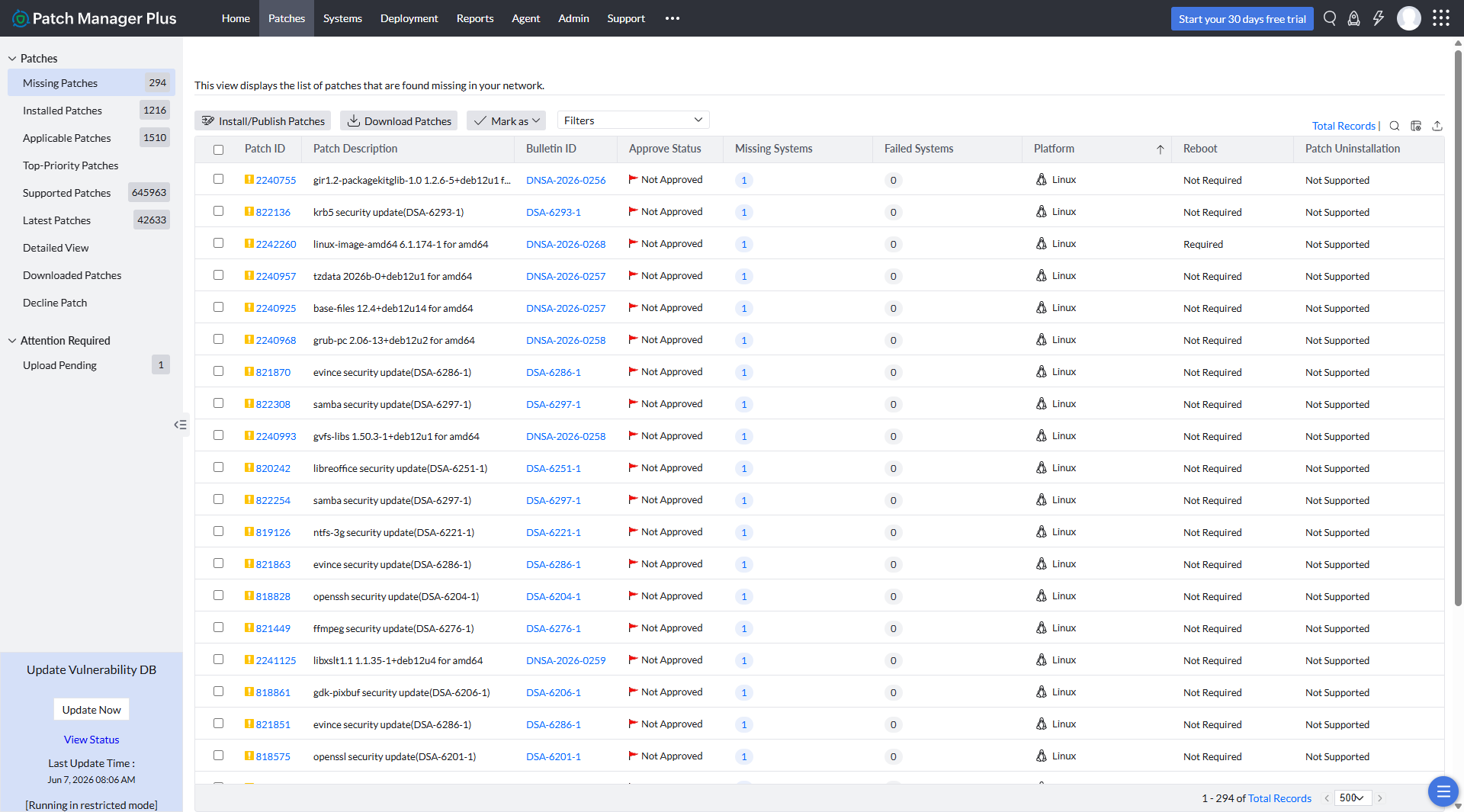
Patch Manager Plus is an automated patch management solution that enables organizations to manage the entire patching lifecycle from a single console. It supports patching across Windows, macOS, Linux, and over 1,100 third-party applications, helping IT teams keep endpoints secure and compliant. With Automated Patch Deployment (APD), organizations can streamline the complete patch management process by: Scanning endpoints to identify missing patches Testing and approving patches…
$245
50 endpoints
Pricing
Automox
ManageEngine Patch Manager Plus
Editions & Modules
No answers on this topic
Professional
$245.00
50 endpoints
Enterprise
$345.00
50 endpoints
Professional
$345.00
50 endpoints
Enterprise
$445.00
50 endpoints
Offerings
Pricing Offerings
Automox
ManageEngine Patch Manager Plus
Free Trial
Yes
Yes
Free/Freemium Version
No
Yes
Premium Consulting/Integration Services
No
Yes
Entry-level Setup Fee
No setup fee
Optional
Additional Details
Automox can patch macOS, Windows, and Linux endpoints with PatchOS, an offering at $1 per endpoint/ month with an annual commitment.
The Automate Essentials or Automate Enterprise packages are for scaling IT automation, endpoint configuration, and software updates.
Modules are available with Automox Assist, a one-on-one remote endpoint control and assistance for helpdesk technicians.
Automox is a modern, simple-to-use, and powerful tool compared to the others we evaluated. The POC and deployment process were smooth, and pricing was competitive.
A de minimis incentive was given to thank the reviewer for their time. The incentive was not used to bias or drive a particular response, nor was the incentive contingent on a positive endorsement. More Info
Verified User
Chose Automox
Automox's reliability, dashboards, automation tools put it over the top of any other tool.
A de minimis incentive was given to thank the reviewer for their time. The incentive was not used to bias or drive a particular response, nor was the incentive contingent on a positive endorsement. More Info
Verified User
Chose Automox
Reasonably priced for what you get. Easy to use. Worklets
A de minimis incentive was given to thank the reviewer for their time. The incentive was not used to bias or drive a particular response, nor was the incentive contingent on a positive endorsement. More Info
Verified User
Chose Automox
Automox has a cleaner and easier to navigate interface and was more intuitive to use.
It highlighted problematic systems and allows easier remediation of those devices
A de minimis incentive was given to thank the reviewer for their time. The incentive was not used to bias or drive a particular response, nor was the incentive contingent on a positive endorsement. More Info
Verified User
Chose Automox
Automox is cloud based vs PATCH MANAGER Plus which requires on premise servers. We consistently had issues with PATCH MANAGER Plus working on remote computers even with appropriate firewall rules and configuration. PATCH MANAGER Plus had an awkward interface. Automox …
A de minimis incentive was given to thank the reviewer for their time. The incentive was not used to bias or drive a particular response, nor was the incentive contingent on a positive endorsement. More Info
Verified User
Chose Automox
Automox requires no server installation or maintenance. Pricing is competitive. It is cloud-based with a high level of uptime. I would recommend it to mid-sized businesses with a number of remote locations and different operating systems. It is simple to use and requires no …
A de minimis incentive was given to thank the reviewer for their time. The incentive was not used to bias or drive a particular response, nor was the incentive contingent on a positive endorsement. More Info
A de minimis incentive was given to thank the reviewer for their time. The incentive was not used to bias or drive a particular response, nor was the incentive contingent on a positive endorsement. More Info
Verified User
Chose Automox
The competitors I evaluated seem to be more focused on MSP customers, which is not our situation. Also I used Automox at a prior company with some success.
A de minimis incentive was given to thank the reviewer for their time. The incentive was not used to bias or drive a particular response, nor was the incentive contingent on a positive endorsement. More Info
Automox is well suited in your are looking for patching management solution for your cloud native workload, if you are using Microsoft Azure for example you can use Azure patch management no doubt but what about application level vulnerabilities Microsoft will not give you that information but Automox will. Also you need to make sure apart from patching your 3rd party apps like Zoom, slack, Chrome or any other software you are using need to be updated on time to get latest features installed you need Automox and it work perfect
A de minimis incentive was given to thank the reviewer for their time. The incentive was not used to bias or drive a particular response, nor was the incentive contingent on a positive endorsement. More Info
If you are managing a very large number of computers, I would say 1000+, the standard patching tools provided by Microsoft will fail to do their job properly. This is where you will benefit from ManageEngine PATCH MANAGER Plus, being agent-based it is fast, easy to manage, and reliable. If you require functionality more than just patching, like security auditing, you have to look elsewhere.
A de minimis incentive was given to thank the reviewer for their time. The incentive was not used to bias or drive a particular response, nor was the incentive contingent on a positive endorsement. More Info
A de minimis incentive was given to thank the reviewer for their time. The incentive was not used to bias or drive a particular response, nor was the incentive contingent on a positive endorsement. TR verified that a representative sample of customers was invited. More Info
There are some applications that updates to the wrong version causing Channel version issues, this then needs to be excluded from the policy and updated via a script.
Certain software like NET. is not updated
The worklet / remediation / evaluation system is not always effective, does not work all the time. Needs to be very detailed for it work.
A de minimis incentive was given to thank the reviewer for their time. The incentive was not used to bias or drive a particular response, nor was the incentive contingent on a positive endorsement. More Info
A de minimis incentive was given to thank the reviewer for their time. The incentive was not used to bias or drive a particular response, nor was the incentive contingent on a positive endorsement. More Info
We really like Automox and have had a very positive experience using the platform. It has made managing and supporting our environment significantly easier, while giving us the visibility and control we need to manage devices effectively. It has simplified a number of operational tasks for our team, and we are very happy with the value and capabilities it provides.
A de minimis incentive was given to thank the reviewer for their time. The incentive was not used to bias or drive a particular response, nor was the incentive contingent on a positive endorsement. More Info
I would rate Automox's overall usability a 9 out of 10. The platform is easy to navigate and provides strong endpoint visibility through a centralized console. Creating policies and identifying vulnerable devices are straightforward tasks. Remediation can be deployed in a few clicks, compared to the significant work involved in manual patching. The interface drastically improves efficiency for our IT team.
A de minimis incentive was given to thank the reviewer for their time. The incentive was not used to bias or drive a particular response, nor was the incentive contingent on a positive endorsement. More Info
The overall usability for the application is great precisely for the ease of use the application provides, if i would go in a different organisation, i would suggest implementing ManageEngine Patch Manager Plus or Endpoint Central due to its features, and productivity.
A de minimis incentive was given to thank the reviewer for their time. The incentive was not used to bias or drive a particular response, nor was the incentive contingent on a positive endorsement. TR verified that a representative sample of customers was invited. More Info
I did not need to reach out to support often but when I did the answers were relatively correct and they were answered quickly. The only thing I might "ding" their support on was their lack of understanding of OS's different from Windows and especially Linux. Other than that I was satisfied
A de minimis incentive was given to thank the reviewer for their time. The incentive was not used to bias or drive a particular response, nor was the incentive contingent on a positive endorsement. More Info
The support team at Patch Manager Plus has been awesome. Very responsive and knowledgeable. There are times when there is confusion between different tickets but there is still good service.
A de minimis incentive was given to thank the reviewer for their time. The incentive was not used to bias or drive a particular response, nor was the incentive contingent on a positive endorsement. More Info
Implementing Automox successfully starts with a clear strategy for organizing and grouping devices based on operating systems, environments, or business criticality. This ensures that patching and configuration policies can be applied with precision. A phased rollout approach is essential—beginning with a pilot group allows teams to test patching schedules, reboot behaviors, and custom Worklets before scaling across the organization. Leveraging Worklets from the start can significantly boost automation by enforcing security baselines and performing routine system tasks. Integration with existing SOC tools, such as SIEMs, enhances visibility and response time by correlating patch compliance with threat intelligence. Additionally, aligning patching schedules with operational downtimes minimizes disruptions, and consistent monitoring and reporting helps maintain compliance and prepare for audits. Overall, Automox offers a streamlined and effective solution, but its true value is unlocked through thoughtful planning, testing, and integration with existing IT and security workflows.
A de minimis incentive was given to thank the reviewer for their time. The incentive was not used to bias or drive a particular response, nor was the incentive contingent on a positive endorsement. More Info
We chose this tool over Automox because, before Automox, we used Intune, and at the time we were on Office 365, so Intune was almost free. Later, the board decided to move from the Microsoft 365 suite to Google Workspace, and Intune's endpoint management costs were high, so we moved to Automox.
We were talking to Action1 and Adaptiva about their solutions of patch management. The main factor of choosing ManageEngine was pricing, which was considerably lower compared to these tools. Also, for Action1, it didn't featured some important features (like Linux patching), and it looked like a solution that is getting started in the market, even being more expensive than Patch Manager Plus.
A de minimis incentive was given to thank the reviewer for their time. The incentive was not used to bias or drive a particular response, nor was the incentive contingent on a positive endorsement. More Info
Time savings are a huge one - like I mentioned earlier, 3rd party app updating used to be entirely manual.
Endpoint management with the dashboard's convenience and ease of readability is very nice.
The only negative - more recently, granular per-user options for software update notifications don't seem to be possible unless the user is isolated in their own group.
A de minimis incentive was given to thank the reviewer for their time. The incentive was not used to bias or drive a particular response, nor was the incentive contingent on a positive endorsement. More Info
ManageEngine Patch Manager Plus provides an excellent return on investment. We were able to get our systems fully patched, which we'd never been able to complete before. This provided excellent security to our organization.
ManageEngine Patch Manager Plus saved us a lot of time as most of our patching was fully automated.
ManageEngine took any issues we found and looked for solutions to further improve their product.
A de minimis incentive was given to thank the reviewer for their time. The incentive was not used to bias or drive a particular response, nor was the incentive contingent on a positive endorsement. More Info