TrustRadius: an HG Insights company

Nitro Productivity Suite

Score8.4 out of 10

74 Reviews and Ratings

What is Nitro Productivity Suite?

Nitro Productivity Suite combines electronic signature and general PDF editing, from Nitro, Inc. It is built around capabilities such as getting approvals and esignatures in seconds and sharing and reviewing documents from anywhere.

Really easy PDF editing tool.

Use Cases and Deployment Scope

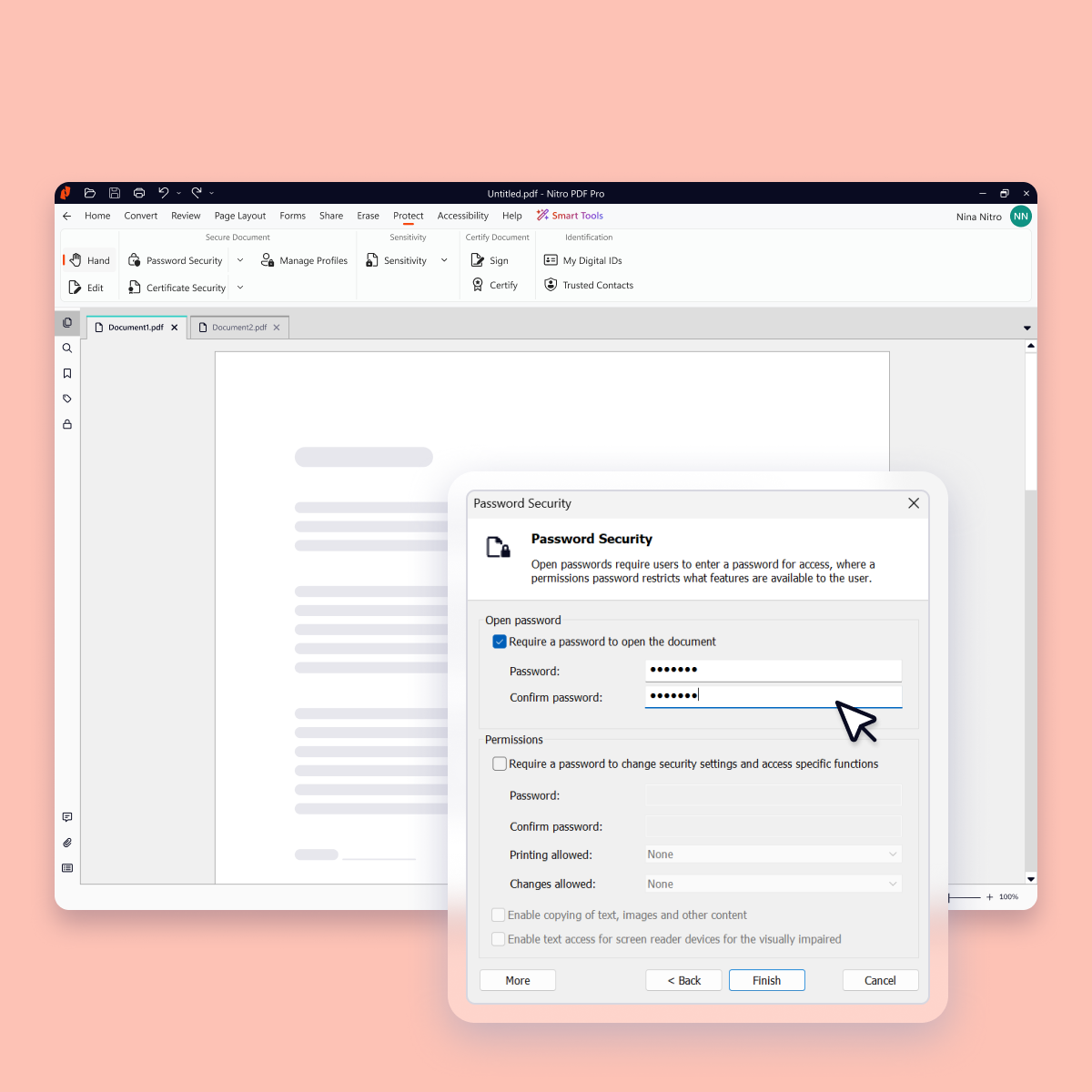
I use Nitro Pro almost exclusively to convert images to PDFs, to combine images as a PDF document, to combine documents into a single PDF, to remove/add pages to PDFs, to rearrange pages, to change the orientation of single pages or entire PDF documents, to add text or edit text, to convert a printed PDF into a searchable/editable document, to add or remove the need for a password to access the PDF and add signatures if the signature doesn't need to be verified (otherwise I use a proper digital signature solution, as I don't have access to the digital signature add-on).

Pros

  • Convert images to PDF.
  • Add or remove pages from a PDF.
  • Convert a printed document into a searchable, editable document.
  • Add, remove, or edit text.

Cons

  • It's not a simple/straightforward process to add or remove the need for a password to access a PDF.

Return on Investment

  • Countless papers are saved by not needing to print out and then re-scan in the right order (simply by rearranging pages in the software).
  • 100s of hours saved each year by having a single software to do all my PDF editing.
  • $100s saved each year by having a one-off license to Nitro.

Usability

Alternatives Considered

Adobe Acrobat Reader

Easy for me AND my clients to use.

Use Cases and Deployment Scope

I find more clients are able to complete e-sign on Nitro Pro than on other e-sign platforms (easier for them). Pretty easy for me to use as well, and cost is reasonable. The only disappointment is a recent change where on the entry-level service you are not allowed to send a reminder from their system.

Pros

  • Upload any document/pdf and easily place signature points.
  • Many other optional fields can be added including free-form.
  • Fields can be set to optional or required.

Cons

  • Entry level should allow reminders to be sent.

Return on Investment

  • Saves so much time and money over mailing forms for signatures.

Usability

The better cheaper solution for all your PDF needs.

Use Cases and Deployment Scope

We use Nitro for all our PDF needs. We made the switch from the big name in PDF's a long time ago. I use it daily to review quotes for internet circuits. I also regularly create PDF's from content to distribute to coworkers/vendors. As it is an easy format to use and maintain formatting. Sometimes using MS Word is not as cooperative when viewing on different peoples computers.

Pros

  • Fast at opening PDF's
  • digitally signing and text boxes are easy to use

Cons

  • The drawing on PDF's could be easier to use.
  • OCR sometimes gets it wrong

Return on Investment

  • We have saved a lot of money with Nitro.
  • Able to deploy this product to almost 10k employees.

Usability

Alternatives Considered

Adobe Acrobat and Tungsten Power PDF

Other Software Used

Google Chrome, Microsoft 365

Nitro Productivity Suite is a great PDF editor & alternative to Adobe

Pros

  • Editing PDF documents to complete blank forms
  • Viewing PDF documents
  • Converting PDF documents to MS Word
  • Providing e-signature functionality
  • Editing PDF documents to add page numbering
  • Editing PDF documents to remove text
  • Editing PDF documents to insert images

Cons

  • The font choices could be better and more robust.
  • Sometimes converting PDF documents to MS Word has formatting problems, like with some tables.
  • Converting MS Word to PDF can be slow sometimes, meaning it is faster to save the MS Word document as a PDF than selecting the file for conversion using the Nitro PDF convert option.

Return on Investment

  • Positive - Cheaper than Adobe
  • Positive - Allows us to modify PDF documents from our clients to submit our proposals.
  • Positive - Allows us to convert PDF documents to MS Word to share with our consultants and others without a PDF editor who contributes to our proposals.
  • Negative - Need to upgrade to get the latest features/versions unlike something like MS/Office 365 where we just get updates automatically and free for the monthly fee. Maybe they will or need to move to a subscription solution versus a product price.

Alternatives Considered

Adobe Acrobat DC and Microsoft 365 (formerly Office 365)

Other Software Used

Microsoft 365 (formerly Office 365), Dropbox, Microsoft Teams, Brightmove

Great PDF management software at a low price!

Use Cases and Deployment Scope

In our organization, Nitro Productivity Suite is used to create, edit and digitally sign documents. Over the last two years, the pandemic has caused many of us to work remotely. Hence virtual document sharing became more of a priority, especially the signing of important and urgent documents. The scope of my use entailed getting the relevant authorizations for specific financial documents as well as communicating and working with the external auditors.

Pros

  • Documents are converted easily to PDF.
  • The creation of documents signatures.
  • Edits and completes blank PDF forms.

Cons

  • Converting from PDF to Microsoft Word can be complicated at times. Some parts of a document such as tables are not converted properly.
  • Sometimes it appears to be easier to save MS Word documents to PDF rather than using NPS to convert. It can be a bit slow to convert at times.
  • In my view, it wasn't user friendly at the beginning.

Most Important Features

  • Formatting and editing PDF documents.
  • Security of PDF documents after sharing with partners and stakeholders.
  • The ability to create and use electronic signatures.

Return on Investment

  • It is a cheaper solution compared to similar software for our PDF management needs.
  • Timely publishing of documents to meet project deadlines.
  • Allows us to share information with our partners , stakeholders and consultants.

Other Software Used

Microsoft 365 (formerly Office 365), Adobe Acrobat Reader DC, MIP Fund Accounting