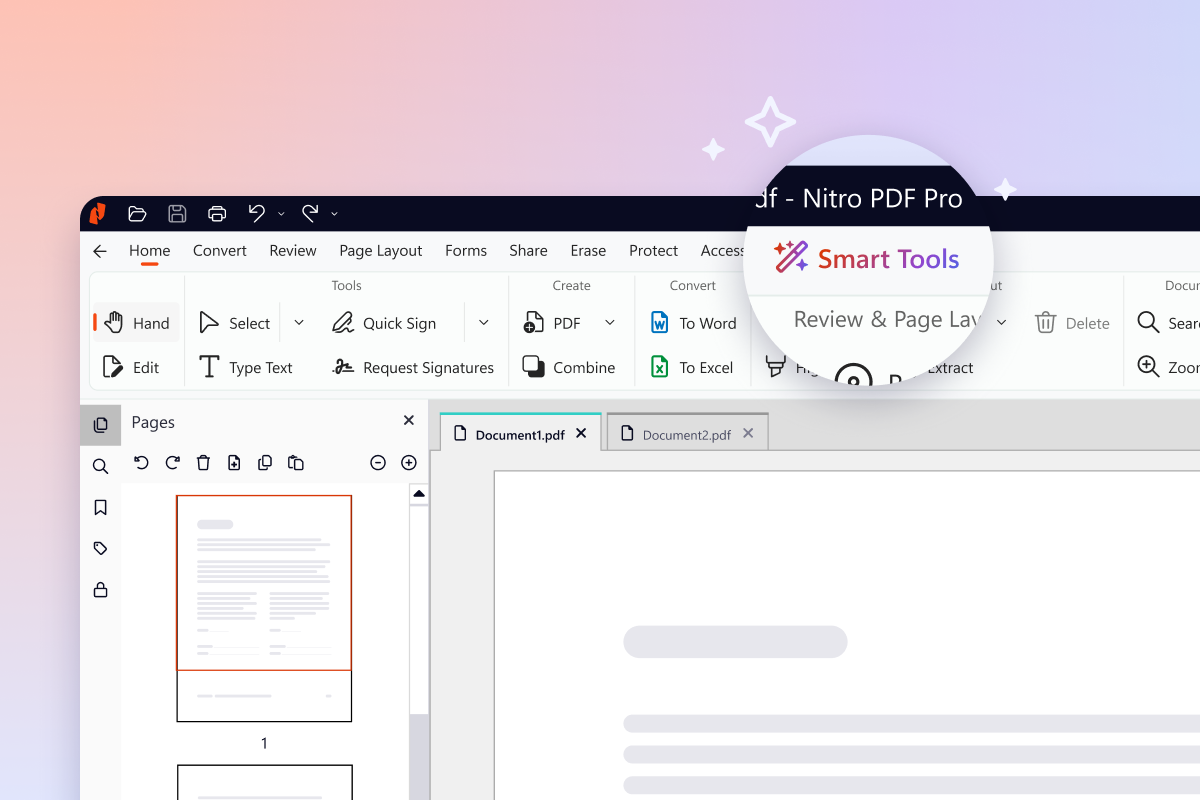
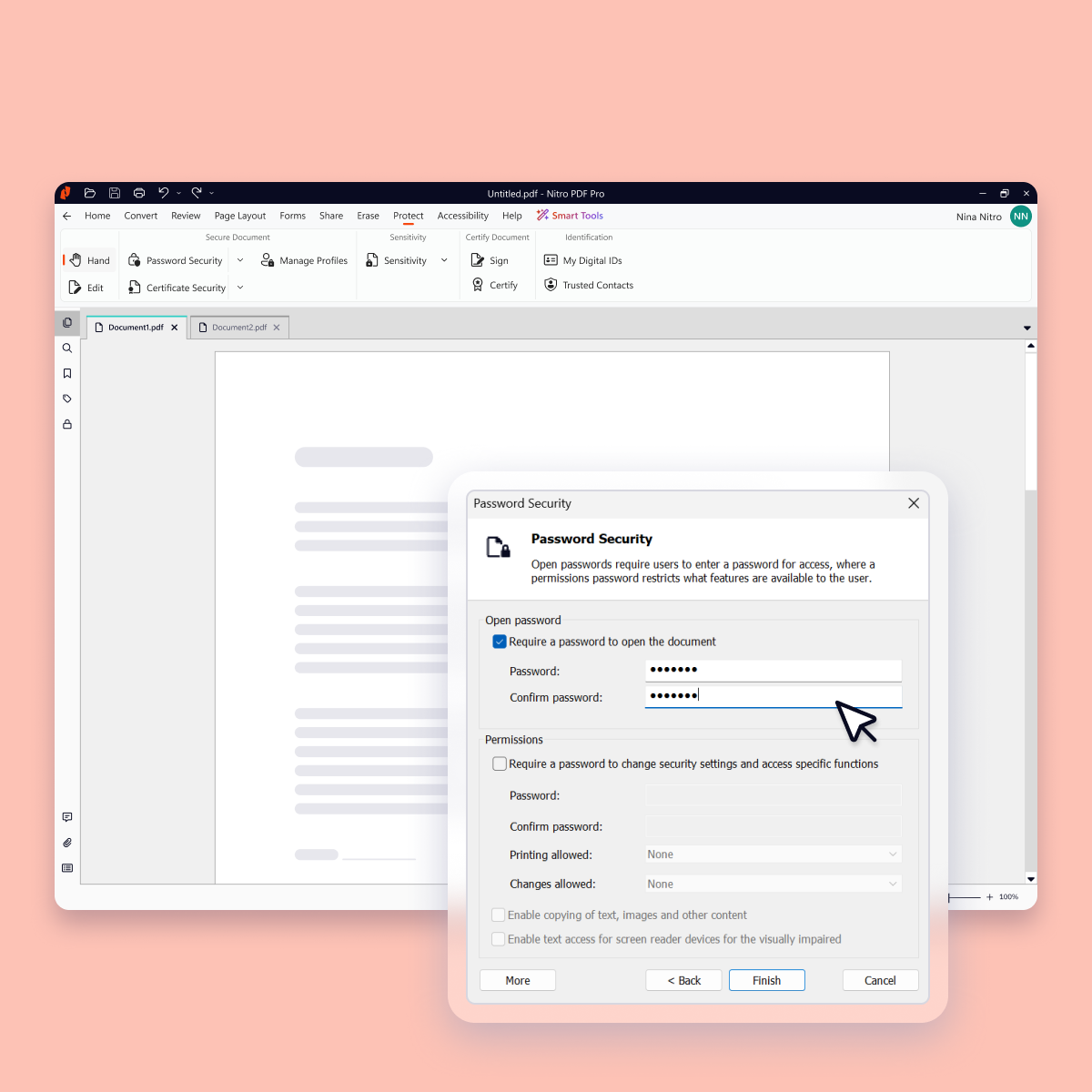
Nitro PDF Pro is a document management platform that supports PDF creation, modification, conversion, organization, review, and protection across Windows, Mac, and iOS environments. Key Capabilities Document Authoring & Modification: Native editing capabilities for PDF creation and content updates. Format Conversion: Conversion between PDF and standard office document formats. Document Organization & Management: File organization and management…
$7.50
Billed every 3 years. This is a subscription product with a 3-year fee of $270.00 per license. per seat
Tungsten Power PDF
Score9.4 out of 10
Small Businesses (1-50 employees)
Tungsten Power PDF (formerly Kofax) is an easy-to-use, secure and inexpensive solution to manage PDFs for businesses
and individuals. Benefits:
Ease of Use: Works
like Office desktop products, so it's easier to learn
Compatibility: Works
across devices and platforms, share documents in a storage cloud
…
$129
one-time fee per license
Pricing
Nitro PDF Pro
Tungsten Power PDF
Editions & Modules
Nitro PDF Classic
$7.5/month
Billed every 3 years. This is a subscription product with a 3-year fee of $270.00 per license. per seat
Nitro PDF Standard
$15/month
This is a subscription product with a yearly fee of $180.00 per license. per seat
Nitro PDF Plus
Contact Sales
Power PDF Standard
$129
one-time fee per license
Power PDF for Mac
$129
one-time fee per license
Power PDF Advanced
$179
one-time fee per license
Power PDF Business
Get a Quote: Subscription and Perpetual available
per year per seat
Offerings
Pricing Offerings
Nitro PDF Pro
Tungsten Power PDF
Free Trial
Yes
Yes
Free/Freemium Version
No
No
Premium Consulting/Integration Services
No
Yes
Entry-level Setup Fee
No setup fee
No setup fee
Additional Details
—
Desktop licenses are buy once, own forever. No subscription fees.
Business server licenses are term-based or perpetual with optional maintenance & support contract.
Volume and upgrade discounts available.
Network Engineer in Information Technology at Alliant Insurance Services (Insurance, 5001-10,000 employees)
Chose Nitro PDF Pro
Nitro Productivity Suite is able to perform just as well as Adobe. It uses less resources on my machine than Adobe. I think it is much easier to use than Tungsten as well.
A de minimis incentive was given to thank the reviewer for their time. The incentive was not used to bias or drive a particular response, nor was the incentive contingent on a positive endorsement. More Info
A de minimis incentive was given to thank the reviewer for their time. The incentive was not used to bias or drive a particular response, nor was the incentive contingent on a positive endorsement. More Info
Director Of Operations in Product Management at DirectHCM (Human Resources, 1-10 employees)
Chose Tungsten Power PDF
Ease of use, dependability, local access without the need for an online connection or subscription, and general familiarity of the software after years of use. Nitro is difficult to use, never works right, and jumbles files where it is hard to find what you are working on. …
A de minimis incentive was given to thank the reviewer for their time. The incentive was not used to bias or drive a particular response, nor was the incentive contingent on a positive endorsement. TR verified that a representative sample of customers was invited. More Info
A de minimis incentive was given to thank the reviewer for their time. The incentive was not used to bias or drive a particular response, nor was the incentive contingent on a positive endorsement. More Info
Verified User
Chose Tungsten Power PDF
I have also used Nitro Pro and Adobe Acrobat. I prefer Kofax Power PDF to both of these programs.
A de minimis incentive was given to thank the reviewer for their time. The incentive was not used to bias or drive a particular response, nor was the incentive contingent on a positive endorsement. More Info
Verified User
Chose Tungsten Power PDF
Adobe Acrobat, Nitro. Better than Nitro; probably slightly behind Adobe Acrobat in terms of compatibility.
A de minimis incentive was given to thank the reviewer for their time. The incentive was not used to bias or drive a particular response, nor was the incentive contingent on a positive endorsement. More Info
Verified User
Chose Tungsten Power PDF
I've used Acrobat and Acrobat DC, NitroPDF, SodaPDF, Bluebeam and others. Power PDF is hands down my favorite based on my experience.
A de minimis incentive was given to thank the reviewer for their time. The incentive was not used to bias or drive a particular response, nor was the incentive contingent on a positive endorsement. More Info
A de minimis incentive was given to thank the reviewer for their time. The incentive was not used to bias or drive a particular response, nor was the incentive contingent on a positive endorsement. TR verified that a representative sample of customers was invited. More Info
Verified User
Chose Tungsten Power PDF
Kofax is significantly easier to use. The product that results from compiling and the ability to mark up documents are much easier to obtain on Kofax than from its competitors.
A de minimis incentive was given to thank the reviewer for their time. The incentive was not used to bias or drive a particular response, nor was the incentive contingent on a positive endorsement. TR verified that a representative sample of customers was invited. More Info
Verified User
Chose Tungsten Power PDF
We have previously used Adobe Acrobat in older formats and Nitro PDF Pro - both of which worked fine but were not as intuitive as Kofax Power PDF. The Adobe Acrobat version we had did not do redaction, so we had to look for something else. Power PDF was the best product and fit …
A de minimis incentive was given to thank the reviewer for their time. The incentive was not used to bias or drive a particular response, nor was the incentive contingent on a positive endorsement. TR verified that a representative sample of customers was invited. More Info
A de minimis incentive was given to thank the reviewer for their time. The incentive was not used to bias or drive a particular response, nor was the incentive contingent on a positive endorsement. TR verified that a representative sample of customers was invited. More Info
IT Director in Information Technology at Staff CTO (Information Technology & Services, 11-50 employees)
Chose Tungsten Power PDF
Basically, if users have the budget and can afford it, they all go with Adobe. It's the standard, works well, and what most people think of when they want to edit PDFs. If they have a limited budget, they usually go with Nitro. They like the UI and find it more intuitive. Most …
A de minimis incentive was given to thank the reviewer for their time. The incentive was not used to bias or drive a particular response, nor was the incentive contingent on a positive endorsement. More Info
A de minimis incentive was given to thank the reviewer for their time. The incentive was not used to bias or drive a particular response, nor was the incentive contingent on a positive endorsement. More Info
Verified User
Chose Tungsten Power PDF
Each Power PDF, Adobe and Nitro have little nuances to differentiate themselves, but they all can do the job. It all comes down to price and Power PDF seemed to be the most affordable for the same features.
A de minimis incentive was given to thank the reviewer for their time. The incentive was not used to bias or drive a particular response, nor was the incentive contingent on a positive endorsement. More Info
A de minimis incentive was given to thank the reviewer for their time. The incentive was not used to bias or drive a particular response, nor was the incentive contingent on a positive endorsement. More Info
Verified User
Chose Tungsten Power PDF
We were using the Nitro PDF program previously. It was a good program and there are some differences that take getting use to. However, in the end the pricing on the Kofax product was more reasonable. And it seems to have a lot more options included. However this is comparing …
A de minimis incentive was given to thank the reviewer for their time. The incentive was not used to bias or drive a particular response, nor was the incentive contingent on a positive endorsement. More Info
Verified User
Chose Tungsten Power PDF
The other products tested also failed to meet accessibility needs. Both other products had a better look and feel and were a better UX. I bought Power PDF hoping it had improved over version 2.0 in terms of editing for meeting accessibility standards.
A de minimis incentive was given to thank the reviewer for their time. The incentive was not used to bias or drive a particular response, nor was the incentive contingent on a positive endorsement. More Info
A de minimis incentive was given to thank the reviewer for their time. The incentive was not used to bias or drive a particular response, nor was the incentive contingent on a positive endorsement. More Info
CEO (Chief Executive Officer) in Legal at DiFranza Law PA (Law Practice, 1-10 employees)
Chose Tungsten Power PDF
Kofax Power PDF is an excellent alternative to Adobe and the price is so much better! The features are comparable, the functions are easy to use, intuitive, easy to understand and easy to navigate.
A de minimis incentive was given to thank the reviewer for their time. The incentive was not used to bias or drive a particular response, nor was the incentive contingent on a positive endorsement. More Info
Community Association Manager at Vista CAM (Real Estate, 11-50 employees)
Chose Tungsten Power PDF
I have found Power PDF a much more powerful program than the commonly available shareware PDF editors and readers and it is much more affordable than Adobe products and easier to use. I also enjoy that I do not have to constantly update the program to correct bugs and security …
A de minimis incentive was given to thank the reviewer for their time. The incentive was not used to bias or drive a particular response, nor was the incentive contingent on a positive endorsement. More Info
Verified User
Chose Tungsten Power PDF
The use of Kofax Power PDF as opposed to the other products was just easier. It felt more natural using Kofax Power PDF, and less of a learning curve to understand all the features. I also liked that it was not a subscription service, which seems to be the norm with all the …
A de minimis incentive was given to thank the reviewer for their time. The incentive was not used to bias or drive a particular response, nor was the incentive contingent on a positive endorsement. More Info
Verified User
Chose Tungsten Power PDF
I honestly have preferred to use both of the above software more than Kofax Power PDF, however, this was a cost-effective option and now that we have all been using it long enough, we all agree it is sufficient for our needs and will stick with it.
A de minimis incentive was given to thank the reviewer for their time. The incentive was not used to bias or drive a particular response, nor was the incentive contingent on a positive endorsement. More Info
I run a professional services business from home. I need to edit documents quickly and easily and with minimal subscriptions to minimize overheads. I love that Nitro is a one-off payment to get a license to the software, and you can simply upgrade to the latest version if that's what you want, but you're not obligated to. I've been using the same version of Nitro for 7-8 years now. Despite the fact the upgraded versions have a lot of great, nice-to-have features, the version I'm on still does the job.
A de minimis incentive was given to thank the reviewer for their time. The incentive was not used to bias or drive a particular response, nor was the incentive contingent on a positive endorsement. More Info
I would generally recommend it to those that don't have a paid subscription for pdf services yet and are looking for great value product that can serve you for many years. It product that you need for serious pdf work, if you're not a believer in subscription services. I think Tungsten Power PDF is the best single purchase pdf reader for my needs as lawyer.
A de minimis incentive was given to thank the reviewer for their time. The incentive was not used to bias or drive a particular response, nor was the incentive contingent on a positive endorsement. More Info
A de minimis incentive was given to thank the reviewer for their time. The incentive was not used to bias or drive a particular response, nor was the incentive contingent on a positive endorsement. More Info
A de minimis incentive was given to thank the reviewer for their time. The incentive was not used to bias or drive a particular response, nor was the incentive contingent on a positive endorsement. TR verified that a representative sample of customers was invited. More Info
A de minimis incentive was given to thank the reviewer for their time. The incentive was not used to bias or drive a particular response, nor was the incentive contingent on a positive endorsement. More Info
Sometimes the programs takes longer to open than I would like.
While I have the latest version (2025.3), I’m unsure for how long I’ll be able to update this version before I’m forced to upgrade to another version. It’s unclear if/when I’ll need to purchase a new version or if I’ll be able to use the one I purchased for several years.
The user interface looks a lot like Microsoft Word. I don’t know if this is deliberate, but it would be easier to tell the two apart when I have both programs open at the same time if the Power PDF interface were more distinctive.
A de minimis incentive was given to thank the reviewer for their time. The incentive was not used to bias or drive a particular response, nor was the incentive contingent on a positive endorsement. More Info
A de minimis incentive was given to thank the reviewer for their time. The incentive was not used to bias or drive a particular response, nor was the incentive contingent on a positive endorsement. More Info
Tungsten Power PDF is easy to use, the staff all like it, and there are no issues with it on any level. It is a more cost-effective solution to our PDF needs than other products currently available on the market. This product works as intended and it fits our business needs perfectly.
A de minimis incentive was given to thank the reviewer for their time. The incentive was not used to bias or drive a particular response, nor was the incentive contingent on a positive endorsement. TR verified that a representative sample of customers was invited. More Info
For the most part, the entire software is extremely easy to navigate and use. You won't need to follow tutorials or anything for the bulk of the core features, as it's all pretty seamlessly designed.
A de minimis incentive was given to thank the reviewer for their time. The incentive was not used to bias or drive a particular response, nor was the incentive contingent on a positive endorsement. More Info
I found it easy to learn and observe that my colleagues also pick it up quickly when they get a license. I've been somewhat involved in training users on the various features, and I find that it's very intuitive compared to some of the other software that my organization uses.
A de minimis incentive was given to thank the reviewer for their time. The incentive was not used to bias or drive a particular response, nor was the incentive contingent on a positive endorsement. More Info
Other that a PDF partially disappearing if left up for a long period of time - no issues. (If you close it and reopen it, it is all there. We have some PDFs that are 400-600 pages long.)
A de minimis incentive was given to thank the reviewer for their time. The incentive was not used to bias or drive a particular response, nor was the incentive contingent on a positive endorsement. More Info
A de minimis incentive was given to thank the reviewer for their time. The incentive was not used to bias or drive a particular response, nor was the incentive contingent on a positive endorsement. More Info
Pages nearly always load at the expected rapid speed. Some documents that print quickly from Adobe Reader print much more slowly from Power PDF. I have never generated a report - that's a feature I didn't know existed until now and do not know what it's for
A de minimis incentive was given to thank the reviewer for their time. The incentive was not used to bias or drive a particular response, nor was the incentive contingent on a positive endorsement. More Info
Nitro checks all the boxes for what we need. It is fairly priced, it allows us to read and edit PDF documents, convert PDF to MS Word and convert MS Word to PDF. It allows us to combine multiple files and do all the post processing like adding page numbers and adding headers and footers
A de minimis incentive was given to thank the reviewer for their time. The incentive was not used to bias or drive a particular response, nor was the incentive contingent on a positive endorsement. More Info
In my experience, Tungsten Power PDF support is difficult to engage with. Like many other software companies, the people and/or AI being used by Tungsten Power PDF support rely on canned responses that have absolutely nothing to do with the problem or that do not fully or properly address the question or problem. Trying to get a live human to actually interact with and provide actual, helpful support has been, in my experience, nearly impossible and is like pulling teeth!
A de minimis incentive was given to thank the reviewer for their time. The incentive was not used to bias or drive a particular response, nor was the incentive contingent on a positive endorsement. TR verified that a representative sample of customers was invited. More Info
I did not get training from any representative of TrustRadius or from the company from whom TrustRadius acquired the product. I got an in-person overview of the 2018 version of the product from my predecessor who was about to retire from the job I now hold. He did not go into very many of the features and probably only knew about the ones he used most frequently. I gained additional knowledge from the help files, from online searches, and from just fiddling with the product. There's nothing like learning by doing
A de minimis incentive was given to thank the reviewer for their time. The incentive was not used to bias or drive a particular response, nor was the incentive contingent on a positive endorsement. More Info
We watched the training videos and tested out the features and functionality side by side. Some features are not used on a regular basis is it is convenient to go back and review training on that particular functionality when needed.
A de minimis incentive was given to thank the reviewer for their time. The incentive was not used to bias or drive a particular response, nor was the incentive contingent on a positive endorsement. More Info
It was simple and we were using the program the same day. It was as easy as downloading the program and getting in there and playing around. We felt comfortable with it within the first few hours of use.
A de minimis incentive was given to thank the reviewer for their time. The incentive was not used to bias or drive a particular response, nor was the incentive contingent on a positive endorsement. More Info
Every 1-2 years will do a check on current PDF options to include trialing the software. Have tried Foxit and several that seem to have failed in the marketplace. Over the last 4 years, I have always stuck with Nitro. Unfortunately, we still need to keep Adobe Acrobat (free version) installed to view a small percentage of some PDFs we receive.
A de minimis incentive was given to thank the reviewer for their time. The incentive was not used to bias or drive a particular response, nor was the incentive contingent on a positive endorsement. More Info
Foxit was better than Adobe, but it was still a subscription, and it eventually started trying to push AI features. There were also a lot more small annoyances when doing things like selecting specific text, trying to rearrange pages, changing words in the text, and so on. I switched to Tungsten Power PDF for the permanent license, better OCR, and a smoother experience.
A de minimis incentive was given to thank the reviewer for their time. The incentive was not used to bias or drive a particular response, nor was the incentive contingent on a positive endorsement. TR verified that a representative sample of customers was invited. More Info
Not really familiar since I'm the only person who uses it. But in the past it has been my understanding that Power PDF was offered only on a single-license basis, so it's been expensive for me to use it at home and at work because I had to pay for it on my own. In my current position management supports it so I at least only have to pay for it once.
A de minimis incentive was given to thank the reviewer for their time. The incentive was not used to bias or drive a particular response, nor was the incentive contingent on a positive endorsement. More Info
A de minimis incentive was given to thank the reviewer for their time. The incentive was not used to bias or drive a particular response, nor was the incentive contingent on a positive endorsement. More Info
Extracting answers from many filled-out PDF forms now takes minutes instead of 3–4 hours, which saves us roughly 60 hours per year.
Two licenses cover our 10-person team's PDF needs: about 2 requests per day that free tools can't handle, saving about 110 hours per year (~€8–9k total).
It is noticeably cheaper than equipping the team with Adobe Acrobat Pro subscriptions (savings/difference ~€ 270€/year for two licenses), and it handles editing and commenting better.
A de minimis incentive was given to thank the reviewer for their time. The incentive was not used to bias or drive a particular response, nor was the incentive contingent on a positive endorsement. TR verified that a representative sample of customers was invited. More Info