
TrustRadius: an HG Insights company

Resource Guru

Score8 out of 10

6 Reviews and Ratings

What is Resource Guru?

Resource Guru is presented as a fast, flexible way to schedule teams and projects. It enables users to:

  • Manage people, equipment, and meeting rooms in one place
  • Assign work, book time off, and edit schedules in seconds
  • Track availability in real-time and avoid unrealistic workloads
  • Keep a team up-to-date with personal dashboards and daily schedule emails
  • Analyze utilization rates, clients, and projects for more accurate project forecasts and budgets.
Resource Guru boasts users among companies including NASA and L’Oreal. It can be tried free for 30 days.

Media

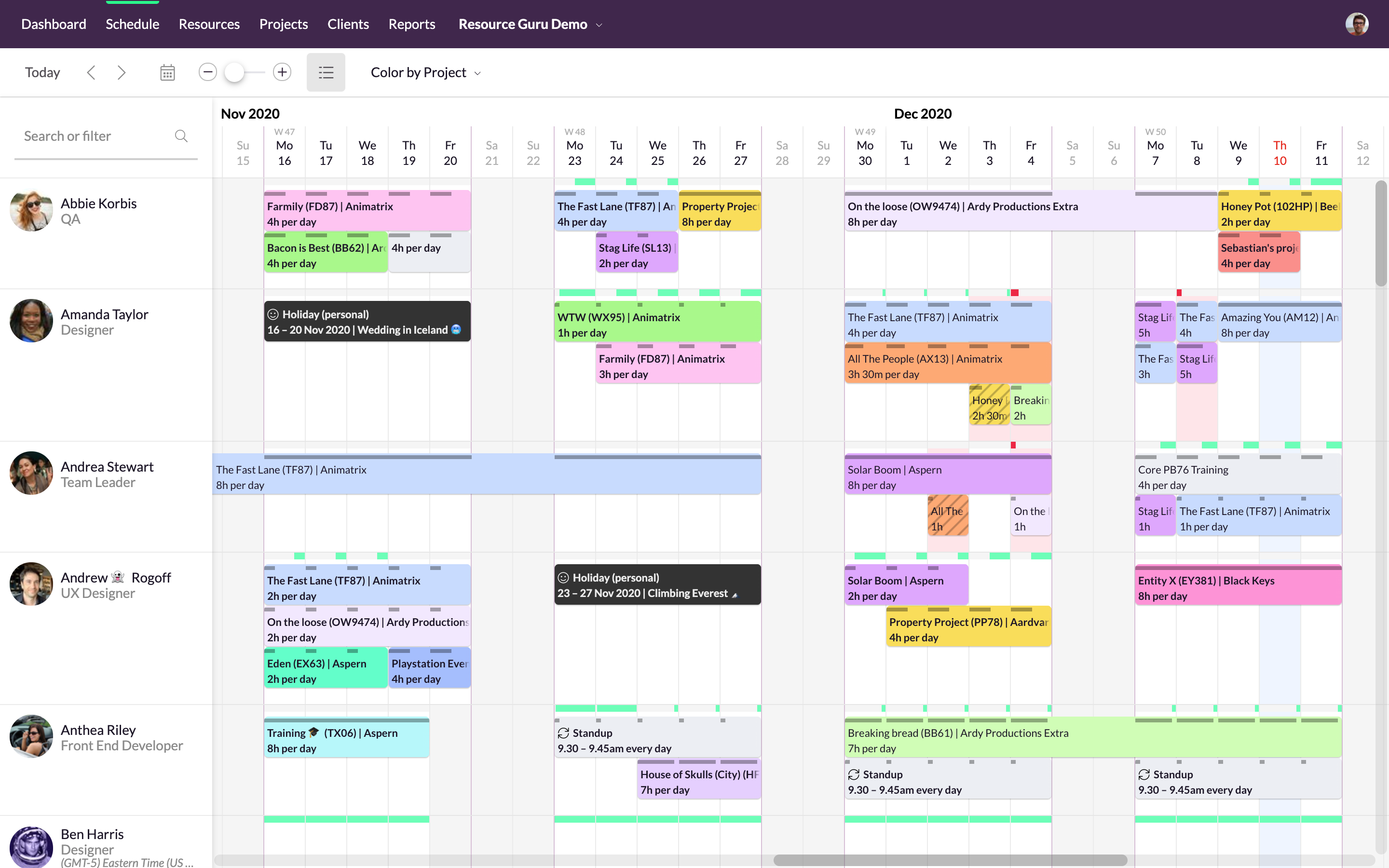
Simple, drag-and-drop scheduling
Focus in on specific groups of resources
Helps with utilization and capacity management
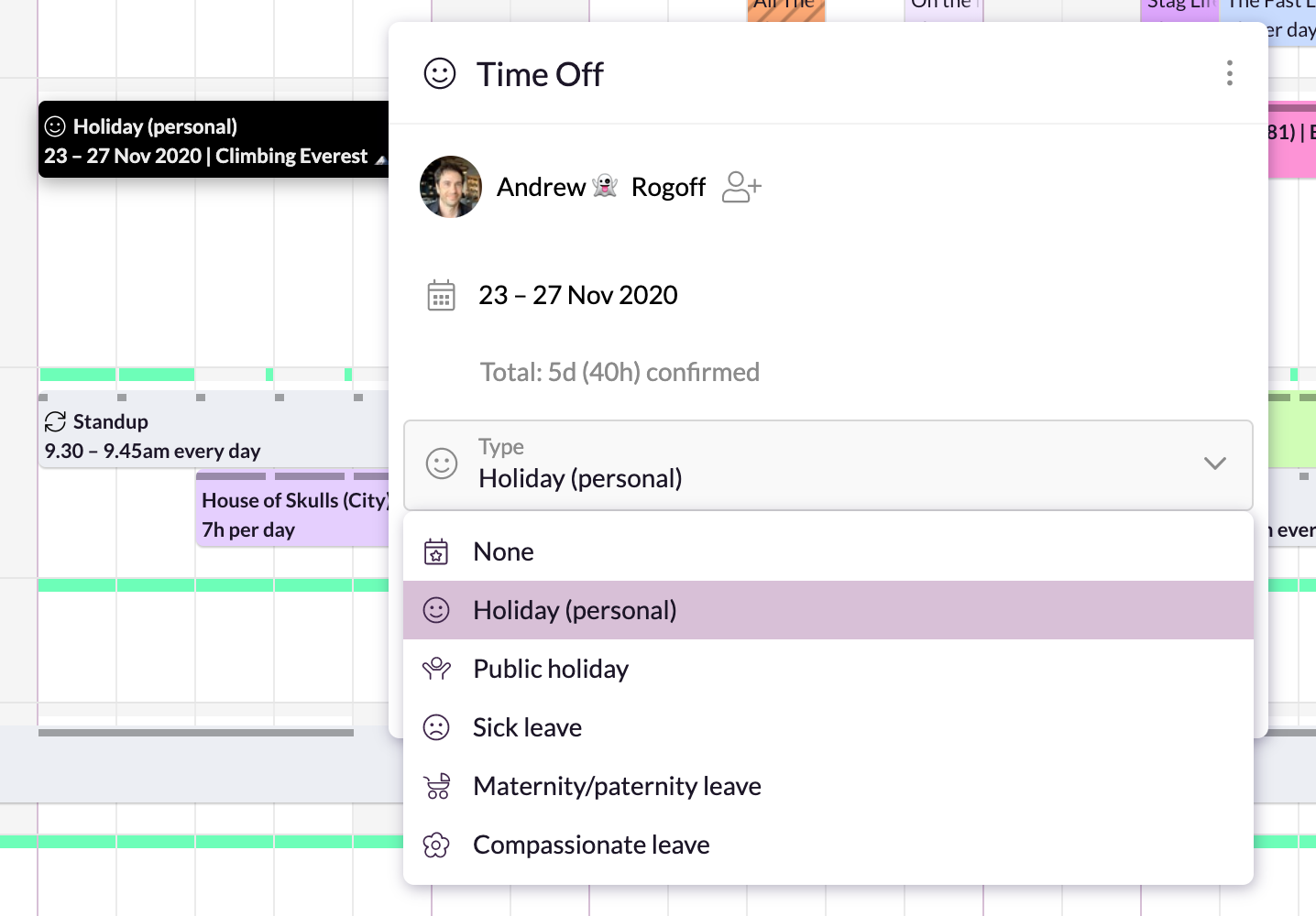
Manages sick days, holidays, and any other types of time off.
A single resource pool
Repeats weekly, fortnightly, monthly and yearly

1 / 6

Top Performing Features

  • Team Collaboration

    Team collaboration capabilities let team members work directly with each other and provide team updates.

    Category average: 8.8

  • Resource Management

    Resource management is workload planning to maximize resources.

    Category average: 8.1

  • Scheduling

    Scheduling capabilities allow users to set schedules on tasks, and create timelines and milestones.

    Category average: 8.3

Areas for Improvement

  • Project & financial reporting

    Ability to analyze project and financial data based on custom criteria to gather insights and improve business performance

    Category average: 7.8

A Scheduling Guru

Use Cases and Deployment Scope

I have used Resource Guru for resource management at my current workplace for about two years now. It has helped me and my team to avoid missing deadlines and properly track projects and meetings. It's a quite simple software and becoming a guru with it is a task of a few hours of practice. Over time we have managed to streamline all our meetings rooms and schedules in this single resource allocation tool.

Pros

  • Strikes a perfect balance between detail and simplicity
  • integrates with multiple software from Excel to Office365
  • Has the SSO mode to enforce password policy and for improved security

Cons

  • lacks real-time logging button

Most Important Features

  • time off planning for vacations
  • Waiting list
  • Resource utilization monitor

Return on Investment

  • Seamless scheduling of people and meetings.
  • Missing deadlines at work is a thing of the past.
  • Easier management of workloads and projects.

Other Software Used

Cisco 1000 Series Aggregation Services Routers (ASR 1000)

Smartly schedule your resources with Resource Guru

Use Cases and Deployment Scope

Resource Guru is a very useful software to efficiently use our resources in our team. We can easily book the available resources for the project in hand according to the skills that a resource has. We can get a view of when a resource is available so that we can schedule accordingly without having complications. We can manage resources, projects, and client details. The schedule section gives us a bird's-eye view of our resource allocation for a given week/month.

Pros

  • We can color by client, project, booker for clear picture.
  • There are filters to select particular resources for need of our event.
  • We can easily see booked and free time.

Cons

  • They can have integration with MS teams, zoom, etc
  • Can provide facility to send email to the group
  • Can provide facility to arrange events according to priority

Most Important Features

  • We can manage events with color combinations.
  • User interface is good.
  • Can keep accurate track of available resources.

Return on Investment

  • It's easy to assign work to the resources.
  • Resources can be filtered with various criteria as per the project needs.
  • We get clear picture of assigned tasks and hence project progress.

Alternatives Considered

Google Drive and Microsoft Teams

Other Software Used

DocuSign, Microsoft Windows, GitLab

Evaluation of Resource Guru

Pros

  • Task tracking: allows user to input tasks which may be marked off as finished by other members of the team.
  • Time tracking: allows users to log the amount of time spent on particular tasks.
  • Cross team management: allows users from different locations and time zones to view the same page and relevant tasks.

Cons

  • It isn't quite as user-friendly as I would like. Once you are accustomed to it, it is very useful, but the initial use could be facilitated.
  • One user-friendly calendar interface that displays tasks and deadlines would be nice.
  • A real-time time logging button would be nice, rather than entering hours retroactively.

Return on Investment

  • It has made our cross functional team much more productive and efficient.
  • The only negative feature is the slightly complicated user interface. Before a manager was fully introduced to the product, it was not utilized as much as should be.
  • It allowed all details of timelines to be updated easily (automatically), if the deadline is pushed forward or back.

Alternatives Considered

Slack

Other Software Used

MATLAB, PyCharm, Slack, Microsoft SQL Server