

Scanova
2 Reviews and Ratings
What is Scanova?
Scanova is a QR code creation and campaign-management platform for connecting printed materials, product packaging, signage, and other physical assets to digital content. It supports static and dynamic QR codes, branded designs, scan analytics, mobile landing pages, lead capture, bulk operations, and API-based management.
Key Capabilities
- Dynamic QR codes: Teams can change linked content after a code has been printed, schedule code activation or deactivation, use custom URLs, add password protection, and enable lead capture.
- QR code design: Scanova provides templates and controls for logos, frames, colors, data patterns, eye patterns, background images, transparency, and error correction. Designs can be saved for reuse.
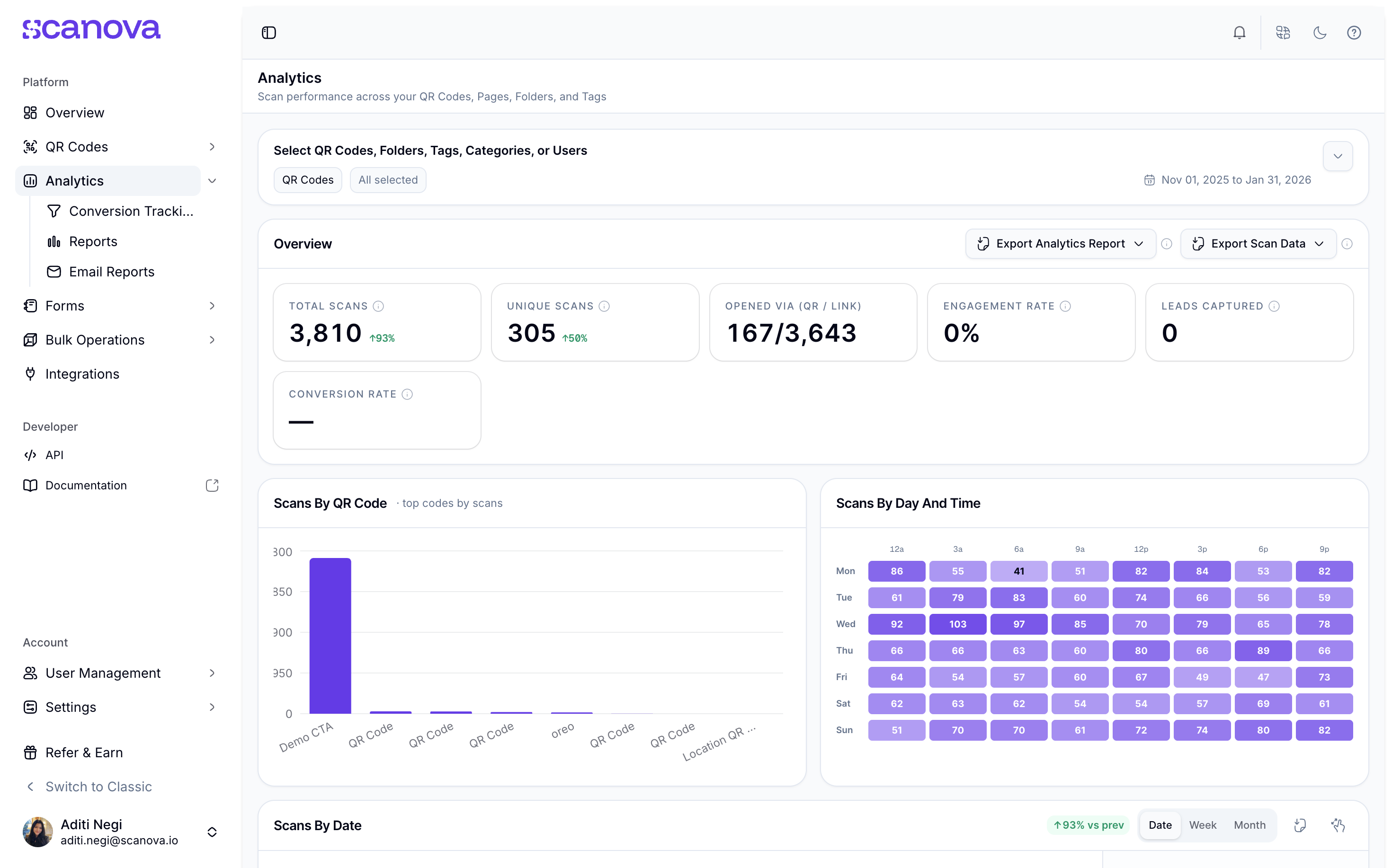
- Scan analytics: Reporting covers scan time, geography, device information, tags, users, and code categories. Event tracking records selected post-scan activity, while scheduled reports and data exports support further analysis.
- Content delivery: QR codes can link to websites, applications, maps, social profiles, documents, images, audio, video, digital business cards, coupons, and custom pages.
- Mobile landing pages: Users can create and host mobile-responsive product pages, promotions, event pages, user manuals, and other campaign destinations without a separate web-development process.
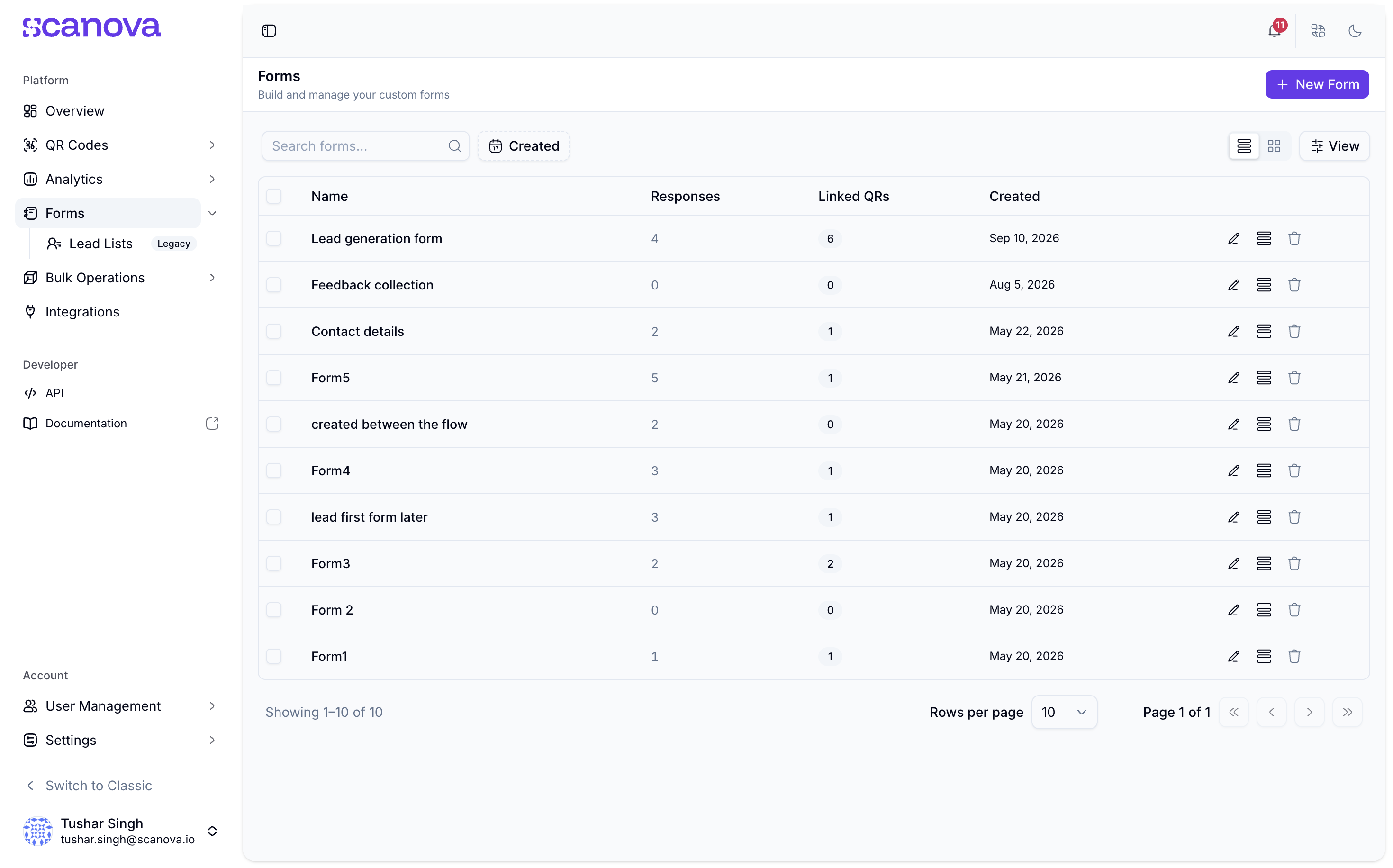
- Lead generation: Configurable forms collect contact details and other information from people who scan a code. Teams can export lead records, analyze submissions, or send captured data to other systems.
- Production output: Codes can be exported in PNG, JPEG, SVG, EPS, PS, or PDF formats and sized in pixels or physical dimensions for digital and print production.
- Enterprise administration: Available controls include team accounts, custom roles, tag-based access, multifactor authentication, single sign-on, custom subdomains, white-labeled landing pages, and bulk management of dynamic codes.
- API access: Enterprise APIs support QR code creation and modification, activation scheduling, user and role administration, analytics retrieval, lead-list management, multiple API keys, and sandbox testing.
Audience & Use Cases
- Audience: Marketing teams, product and packaging teams, event organizers, retailers, agencies, operations teams, and developers managing QR codes at scale.
- Use cases: Connecting packaging or printed campaigns to mobile content, updating campaign destinations without reprinting materials, measuring scan activity, collecting leads, publishing mobile landing pages, and generating or managing codes programmatically.
Categories & Use Cases
Videos
Screenshots




1 / 7
Screenshot of the three ways to create a QR Code: Quick Code for direct links, Build a Page for a landing page, or AI Studio to generate one with AI.
Product Demos
Technical Details
| Deployment Types | SaaS |
|---|---|
| Mobile Application | No |
| Supported Languages | English, Spanish, French, German, Chinese, Arabic |
FAQs
How much does Scanova cost?
Scanova starts at $15.
Who uses Scanova?
The most common users of Scanova are from Small-Business.