

What is Warpdrive?
Warpdrive aims to turn teams' processes into instant, shareable desktop automations. It can be used to onboard new employees, and standardize processes.
Warpdrive gives teams a new way to capture and share process knowledge through automations.
The vendor describes its key differentiators:
Capture process knowledge as automations.
Works across any website or desktop app.
No coding, configuration, or IT setup required.
Captures processes by observing a screen.
Share processes with teammates in minutes.
How it works:
Capture a process -- Warpdrive learns by observing the screen. Press record to instantly convert clicks and actions into step-by-step desktop automations. There's no coding, configuring, or setup required.
Invite a team -- Warpdrive is designed for teams. Invite teammates to run automations or share their own processes. Organize workflows in one place, and create a hive-mind of process knowledge.
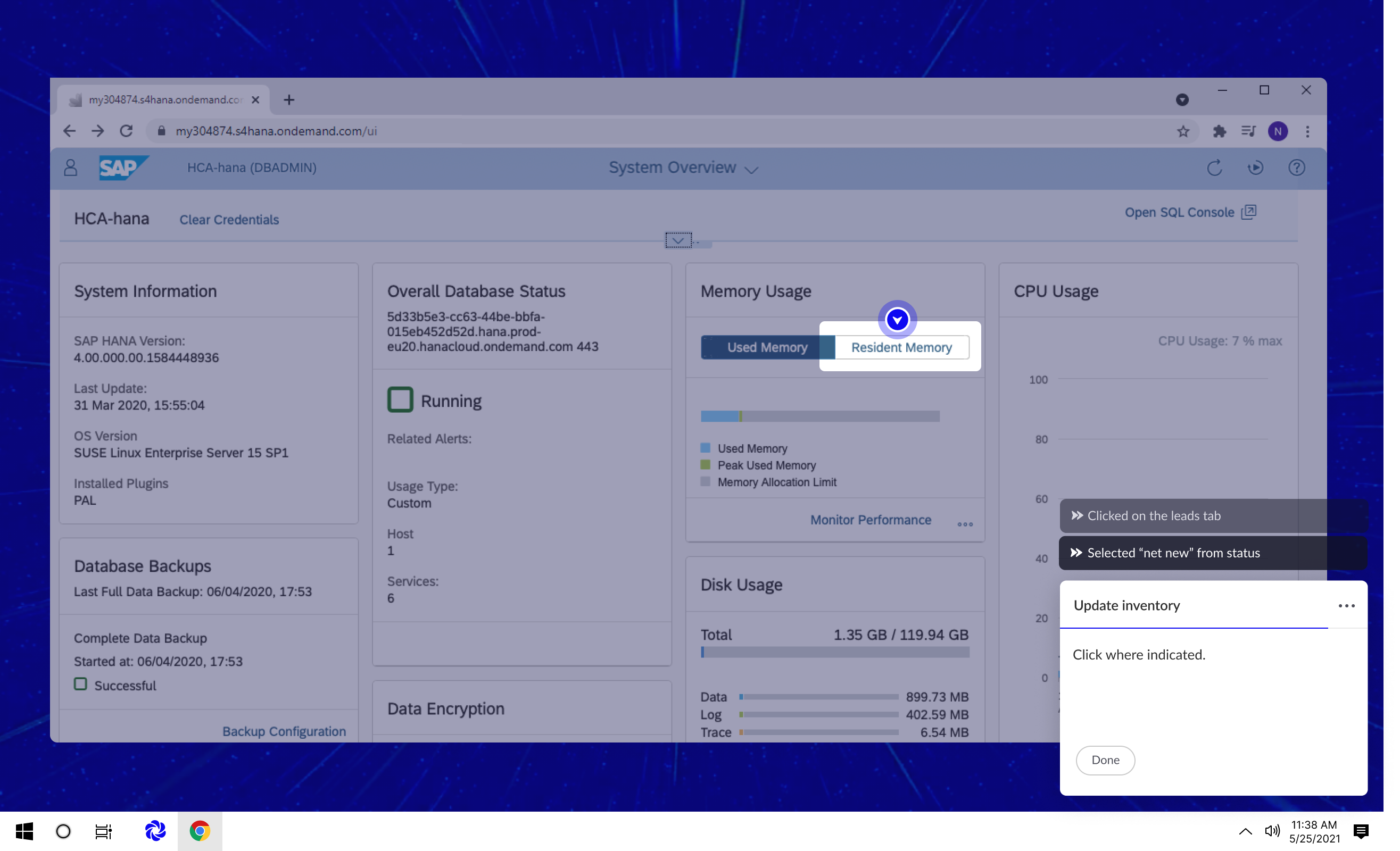
Warp through tasks -- When a process is run for the first time, Warpdrive guides the user step-by-step. To go faster, press warp and Warpdrive will automatically complete the task at super-human speed.
Use Cases:
Training & Onboarding -- Improve onboarding and training with automations that anyone can run on day one.
Employee Productivity -- Instantly upskill teammates by automating tedious and repetitive tasks.
Digital Adoption -- Increase digital adoption by simplifying complex software rollouts.
Change Management -- Help teams navigate change by simplifying new processes into one-click automations.
Process Documentation -- Unlock a team’s tribal knowledge. Empower anyone to record and share their workflows.
Warpdrive empowers teams to capture and share process knowledge. Users can record, share, and run a team's workflows from the Warpdrive app--all on a desktop.
Categories & Use Cases
Videos
Screenshots

1 / 2
Screenshot of Warpdrive runs from your desktop. All your team's processes are instantly available as guided automations.
Product Demos
Technical Details
| Deployment Types | On-Premise, SaaS |
|---|---|
| Operating Systems | Windows |
| Mobile Application | No |
| Supported Countries | United States |
| Supported Languages | English |