TrustRadius: an HG Insights company

ZoomMate

Score8.4 out of 10

31 Reviews and Ratings

What is ZoomMate?

ZoomMate is Zoom’s next-generation "agentic" workspace, launched in June 2026 to transform how teams move from conversation to completion. Positioned as an "AI Teammate" or virtual "Chief of Staff," ZoomMate goes beyond standard chatbots by proactively executing tasks across a company's entire digital ecosystem.

Media

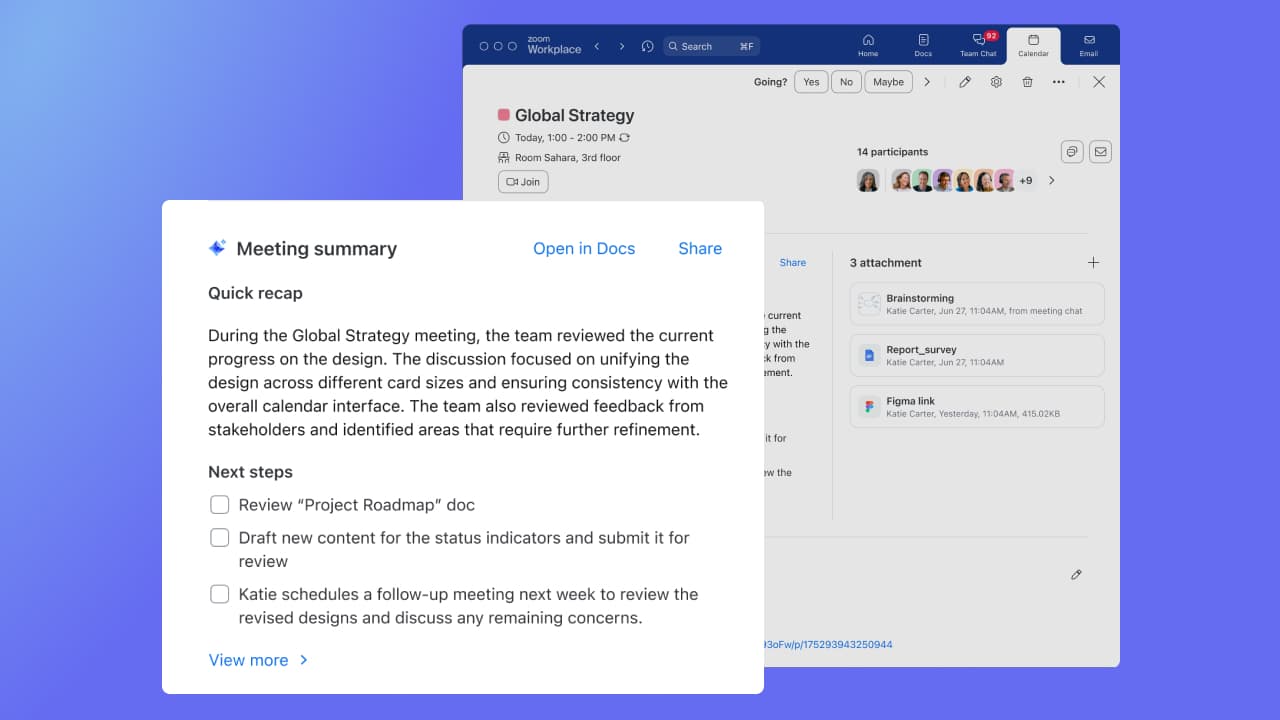
Screenshot of an assistant analyzing a document. It gets information about documents connected to Zoom Workplace, including email attachments, documents from chat, and Zoom Docs. With Zoom AI Companion for Zoom Meetings, Meeting Summary can take notes and share important action items. Summaries are shared in 36 supported languages, automatically detected by the main language spoken during the meeting.
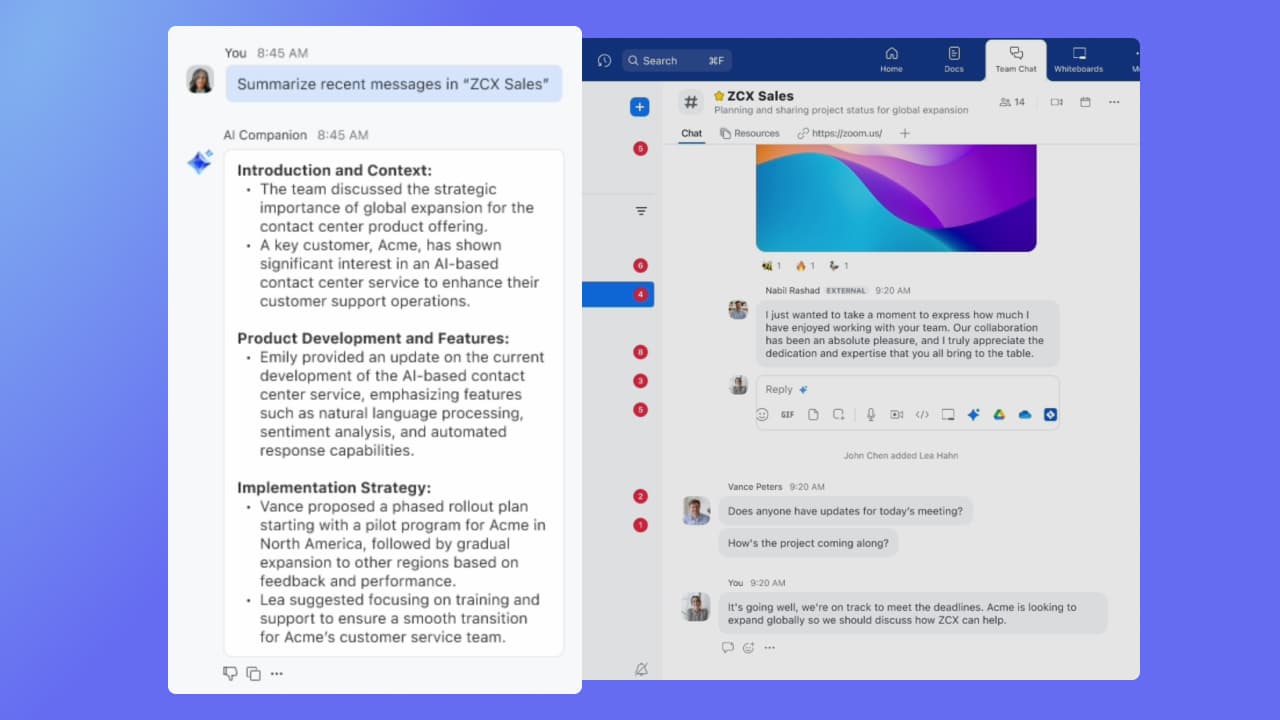
Screenshot of the agentic assistant for Zoom Team Chat, Zoom Mail and Calendar, and Zoom Docs, used to get a summary of the chat channel, email, and documents. Instead of reading a long email, users can get a quick summary.
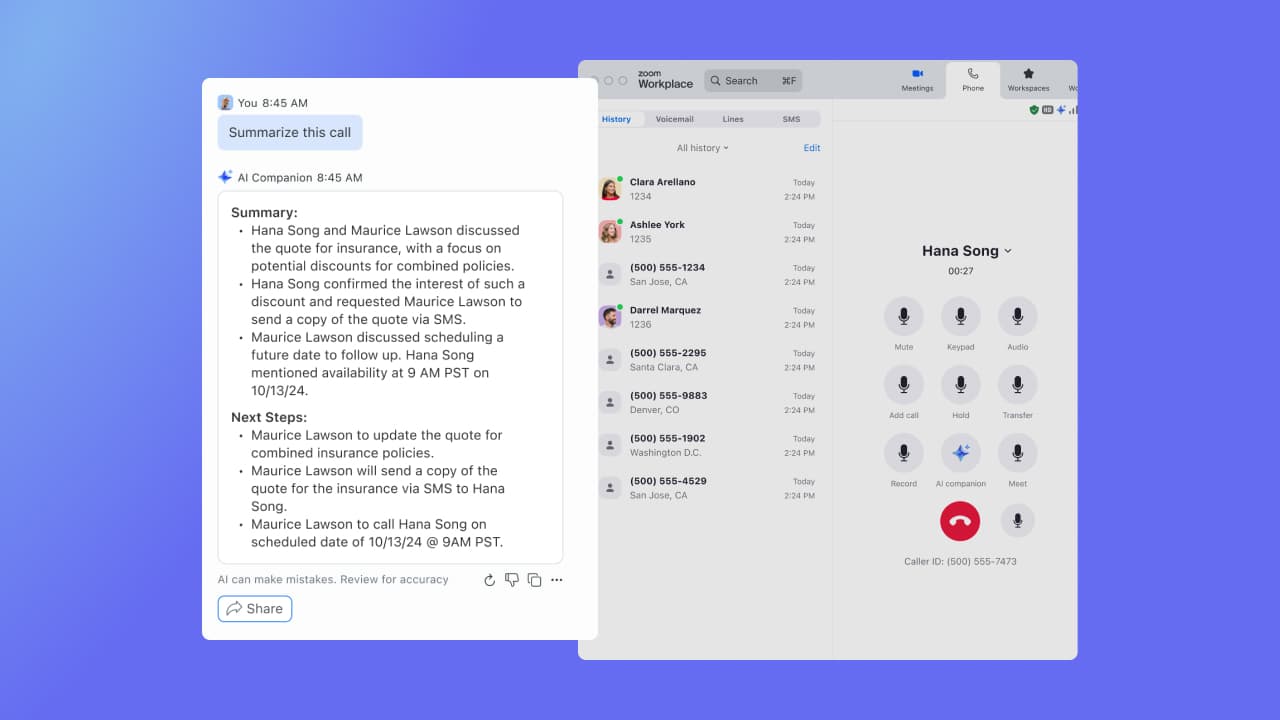
Screenshot of the assistant as it appears in Zoom Phone, which offers a post-call summary during a recorded conversation.

1 / 3

Screenshot of an assistant analyzing a document. It gets information about documents connected to Zoom Workplace, including email attachments, documents from chat, and Zoom Docs. With Zoom AI Companion for Zoom Meetings, Meeting Summary can take notes and share important action items. Summaries are shared in 36 supported languages, automatically detected by the main language spoken during the meeting.

Evolution of communication.

Use Cases and Deployment Scope

We use Zoom for meetings with our foreign customers. zoom make our trobuleshooting job easier with screen sharing sessions. also it provide multiple add on fucntionalities which help in multiple ways. especially AI addons help us in summarising the meeting notes clearly. This filters out mistakes in taking notes. And even action items are helpful in many situations.

Pros

  • Addons
  • Screen sharing.
  • Remote control.
  • Fast Connectivity.

Cons

  • Outlook integration.
  • Live Narrations sometime not working.
  • Time zone option need to be more user friendly.

Return on Investment

  • Great performance.
  • Clarity over calls.
  • Making trouble shooting sessions easier. So its reduces cost on customer site visits.

Alternatives Considered

Webex Calling and Skype for Business / Lync (discontinued)

Other Software Used

Microsoft Teams

Easy to Use Meeting Software with AI Companion for Note-taking

Use Cases and Deployment Scope

I use Zoom Workplace for client meetings. Zoom helps organize meetings efficiently, where you can schedule these directly from your synced calendar view.... and you can also get meeting transcripts, notes, etc. after the meeting using their AI companion.

Plus, when someone joins the meeting late, they can use the AI companion to catch up on what has happened so far... which helps to have smoother meetings.

Pros

  • Easy to join meetings, and mostly everyone is having Zoom on their Systems, which makes it easier to conduct product demos
  • Screen Sharing & Whiteboards help presenting the concepts effectively during the meetings
  • AI Tools that people who join late can use to catch up to what happened so far in the meeting
  • Automated note-taking kind of helps with getting post meeting notes, and action items, for which you'd generally have notepad open during the meetings

Cons

  • Making joining from web browser easier. For now, user has to click No when propted to launch Zoom Application, and then you have to wait a few seconds then you see the option to join via browser

Return on Investment

  • Improved Meeting Quality, as almost everyone knows their way around Zoom
  • Reduced dependency on physical meetings
  • Speeding up collaboration, as in just a few minutes, you can schedule the meetings

Other Software Used

n8n

Zoom Workplace A Unified Reliable and Employee-Centric Platform.

Use Cases and Deployment Scope

We use Zoom Workplace extensively in our organization for weekly meetings, Virtual Fun Friday sessions, and Townhall sessions. Also, for scheduling meetings with third-party vendors, we depend on Zoom Workplace. Zoom is solving our daily need to communicate with our remote employees without the need for a physical conference room, and we can add up to 100 employees to the meeting.

Pros

  • Zoom has a built-in AI-powered transcription feature that generates automated meeting summaries, so we don't have to take meeting notes.
  • Zoom has stable video/audio quality even in low bandwidth.
  • Zoom has everything in one place, like meetings, chat, phone, and whiteboard, so we don't have to juggle multiple apps.

Cons

  • The Zoom remote control feature sometimes doesn't work well; this area needs improvement.
  • Zoom must have its own app, like Funtivity, for playing games in breakout rooms to boost employee engagement, for free.
  • Zoom phone call rates must be cheaper it is very costly for some countries.

Return on Investment

  • Employee engagement.
  • Cost Savings.
  • Improved Collaboration.

Zoom AI Companion helps us stay connected in construction

Use Cases and Deployment Scope

We primarily use Zoom AI Companion to gather and share meeting notes after meetings. We have setting set up so that AI automatically sends everyone who was on the meeting a meeting summary after the meeting ends. This has proven to be extremely helpful in keeping our teams on track, especially in being able to stay on the same page and work towards the same goal - discussion items don't get as easily forgotten now that we have Zoom AI Companion at our fingertips! I specifically like that I can use it during a meeting too - we tend to have team meetings where folks hop on and off given the nature of construction, so it's helpful to have a full recap at the end of the meeting for those who only stayed for half, etc. In construction, business moves fast, and Zoom's AI helps keep us organized.

Pros

  • Summarize meeting notes and shares them automatically to each participant
  • Answers questions during a meeting, like surfacing information that might have been missed
  • Polishes and cleans up text to make it sound more formal and professional when needed

Cons

  • I think ChatGPT is still a smarter solution in terms of puling information together from the web when prompted with a request - and I like that ChatGPT offers intuitive next steps
  • Being more intuitive in suggesting next steps after a meeting - it does this well but there could be improvement. Either way it's better than it's competitors at this.
  • Searching the web to pull information

Return on Investment

  • Time saved in summarizing meetings
  • Time saved in not having to take as detailed meeting notes
  • Time saved in finding next steps

Usability

Alternatives Considered

ChatGPT and Azure AI Bot Service

Other Software Used

Zoom Workplace, ChatGPT, Microsoft 365

A lot of things have changed since Covid. Luckily, Zoom, too.

Use Cases and Deployment Scope

Before we switched over, we was juggling like five different apps just to talk too each other, which were a total nightmare for productivity. Now that we gots chat, phone, and video all in one spot, it have completely killed that communication "silo" problem what we had.The real game-changer for us is definitely the AI Companion though. It solve the massive problem of meeting fatigue. If I’m double-booked or running late, I don't gotta panic because I can just reads the AI summary later to see exactly what I missed and what is my action items. We uses it for everything: internal team brainstorms on the digital whiteboard, client pitches, and even booking our desks when we actually heads into the office.

Pros

  • Catch Me Up" AI Features
  • If you join a meeting 10 minutes late, you don't have to interrupt everyone or feel lost. You can privately ask the AI, "What has been discussed so far?" and it will give you a quick bulleted summary of what you missed in real-time
  • Stable Performance on Bad Connections
  • Post-meeting: The recording, transcript, and AI-generated summary are automatically posted to that same chat thread. Y

Cons

  • AI Companion Contextual Gaps
  • While the AI Companion is great at summarizing a single meeting, it still struggles with cross-meeting intelligence. It often treats every meeting as an isolated event. Users would like to see the AI connect the dots between a meeting held today and one held two weeks ago on the same project without having to manually search through historical transcripts.
  • As Zoom has added Team Chat, Mail, and Calendar, the notification system has become increasingly cluttered.
  • Zoom is moving toward being an all-in-one suite, which creates friction for companies that only want pieces of it.

Return on Investment

  • it was the first platform where virtual meetings became mainstream
  • Strong integrations with other platforms
  • Saved us money hiring people abroad and effectively communicating virtually

Alternatives Considered

Google Hangouts (Classic), Microsoft Teams and Slack

Other Software Used

Google Workspace, ActiveCampaign, Canva