
GIMP vs. think-cell
GIMP vs. think-cell
| Product | Rating | Most Used By | Product Summary | Starting Price |
|---|---|---|---|---|
 GIMP | N/A | GIMP is a free, open-source graphics software. GIMP, or General Image Manipulation Program was developed in 1996 and has continued to be updated by volunteers since then. | N/A | |
 think-cell | N/A | think-cell is a software company in Berlin, Germany, with a focus on developing graphics products, boasting more than 950,000 users world-wide, who use the software for their daily business to create graphical presentations. The eponymous think-cell software is a charting and layout software that automates PowerPoint work, to improve slide creation efficiency and quality, so users can create well-laid-out and great-looking slides. | $298.80 per year 1-4 users |
| GIMP | think-cell | |||||||||||||||
|---|---|---|---|---|---|---|---|---|---|---|---|---|---|---|---|---|
| Editions & Modules | No answers on this topic | No answers on this topic | ||||||||||||||
| Offerings |
| |||||||||||||||
| Entry-level Setup Fee | No setup fee | No setup fee | ||||||||||||||
| Additional Details | — | — | ||||||||||||||
| More Pricing Information | ||||||||||||||||
| GIMP | think-cell |
|---|
| GIMP | think-cell | |
|---|---|---|
| Small Businesses |  Venngage Score 10.0 out of 10 |  Canva Score 9.1 out of 10 |
| Medium-sized Companies |  Adobe Illustrator Score 9.3 out of 10 |  Mentimeter Score 8.6 out of 10 |
| Enterprises | Adobe Illustrator Score 9.3 out of 10 | Mentimeter Score 8.6 out of 10 |
| All Alternatives | View all alternatives | View all alternatives |
| GIMP | think-cell | |
|---|---|---|
| Likelihood to Recommend | 9.7 (14 ratings) | - (0 ratings) |
| Likelihood to Renew | 4.0 (1 ratings) | - (0 ratings) |
| Usability | 9.0 (2 ratings) | - (0 ratings) |
| Support Rating | 10.0 (6 ratings) | - (0 ratings) |
| Implementation Rating | 10.0 (1 ratings) | - (0 ratings) |
| GIMP | think-cell | |
|---|---|---|
| Likelihood to Recommend | GIMP Development Team
|  think-cell Software GmbH No answers on this topic |
| Pros | GIMP Development Team
 Zach Lung Digital Marketing Specialist | think-cell Software GmbH No answers on this topic |
| Cons | GIMP Development Team
| think-cell Software GmbH No answers on this topic |
| Likelihood to Renew | GIMP Development Team
| think-cell Software GmbH No answers on this topic |
| Usability | GIMP Development Team
 Stiavetti Daniele Architetto | think-cell Software GmbH No answers on this topic |
| Support Rating | GIMP Development Team
 Adam Jackson FGCLP MAHRI Founder & Co-Owner | think-cell Software GmbH No answers on this topic |
| Implementation Rating | GIMP Development Team
| think-cell Software GmbH No answers on this topic |
| Alternatives Considered | GIMP Development Team
 Rene Agredano Advocacy Journalist and Co-Founder | think-cell Software GmbH No answers on this topic |
| Return on Investment | GIMP Development Team
| think-cell Software GmbH No answers on this topic |
| ScreenShots | think-cell Screenshots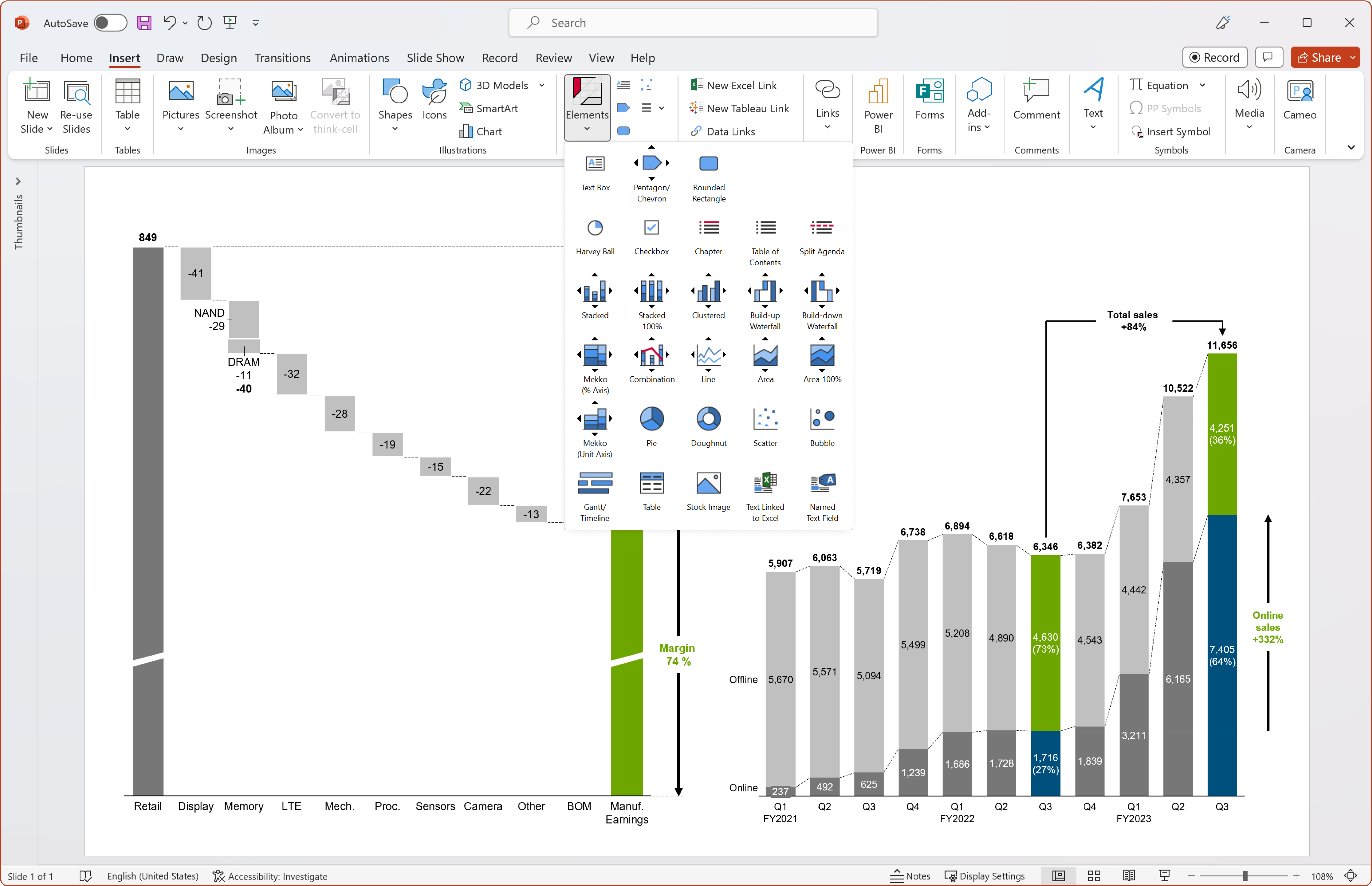 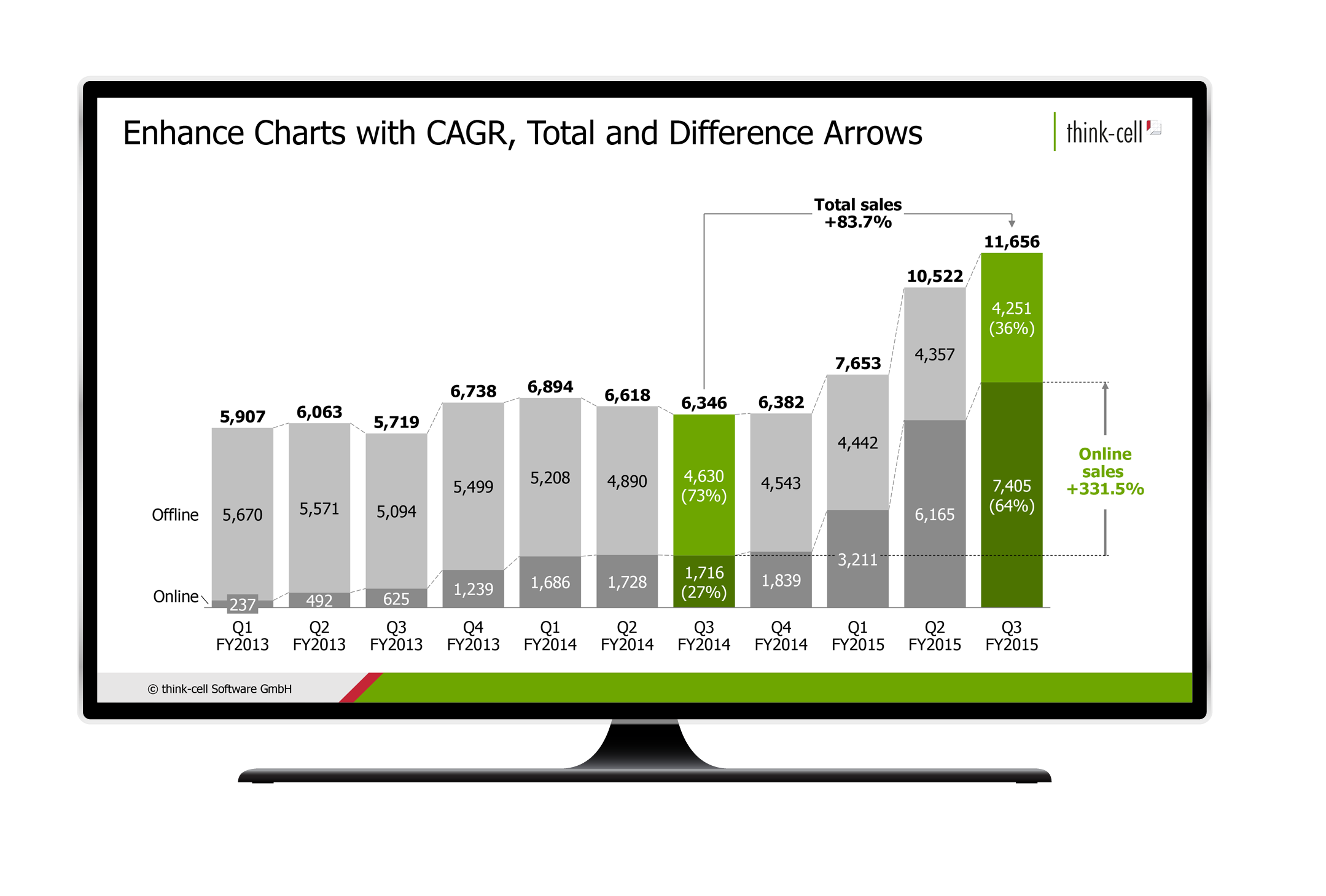 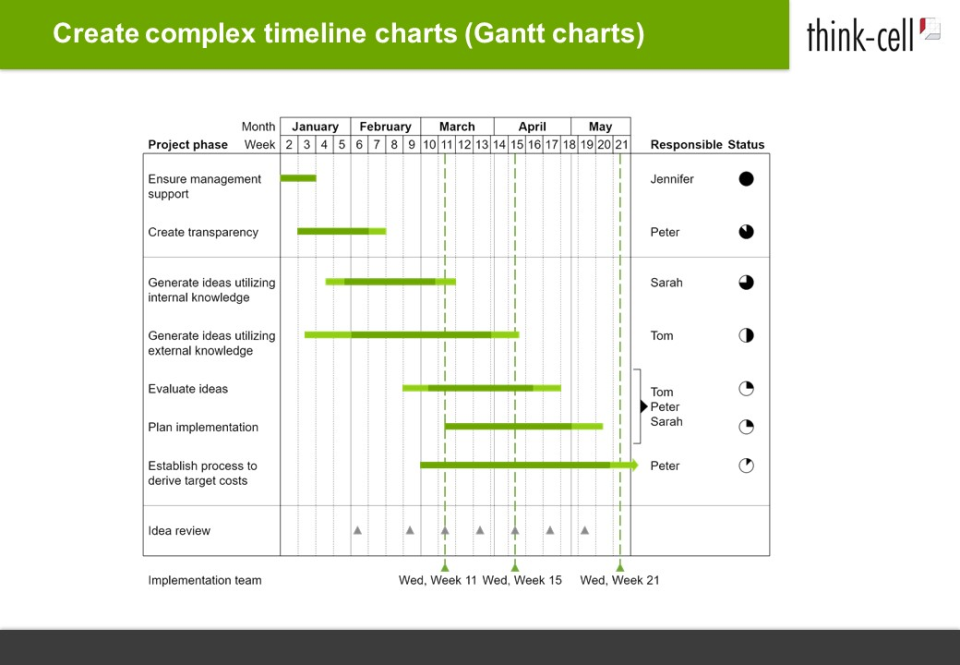  |