
Absolute Resilience vs. ManageEngine Endpoint Central
Absolute Resilience vs. ManageEngine Endpoint Central
| Product | Rating | Most Used By | Product Summary | Starting Price |
|---|---|---|---|---|
 Absolute Resilience | N/A | Absolute Relience provides protection and self-healing to mission critical applications on remote endpoints, allowing them to heal and re-install themselves if they are removed or tampered with. It can also be used to scan endpoints for sensitive data like financial information, social security numbers, PHI, and intellectual property, or to query and remediate a fleet to gather precise contextual insights. This is to address dark endpoints, ransomware attacks, and other vulnerabilities with… | N/A | |
 ManageEngine Endpoint Central | N/A | Desktop Central from ManageEngine is a client desktop management with patching, remote control, and configuration. | $795 per year per user |
| Absolute Resilience | ManageEngine Endpoint Central | |||||||||||||||
|---|---|---|---|---|---|---|---|---|---|---|---|---|---|---|---|---|
| Editions & Modules | No answers on this topic | No answers on this topic | ||||||||||||||
| Offerings |
| |||||||||||||||
| Entry-level Setup Fee | No setup fee | No setup fee | ||||||||||||||
| Additional Details | — | — | ||||||||||||||
| More Pricing Information | ||||||||||||||||
| Absolute Resilience | ManageEngine Endpoint Central |
|---|
| Absolute Resilience | ManageEngine Endpoint Central | |
|---|---|---|
| Small Businesses |  Avast CloudCare Score 10.0 out of 10 | Avast CloudCare Score 10.0 out of 10 |
| Medium-sized Companies |  Action1 Score 9.5 out of 10 | Action1 Score 9.5 out of 10 |
| Enterprises | ManageEngine Endpoint Central Score 9.0 out of 10 |  Automox Score 8.7 out of 10 |
| All Alternatives | View all alternatives | View all alternatives |
| Absolute Resilience | ManageEngine Endpoint Central | |
|---|---|---|
| Likelihood to Recommend | 9.0 (1 ratings) | 9.0 (199 ratings) |
| Likelihood to Renew | - (0 ratings) | 9.3 (15 ratings) |
| Usability | - (0 ratings) | 9.0 (159 ratings) |
| Support Rating | - (0 ratings) | 7.1 (11 ratings) |
| Implementation Rating | - (0 ratings) | 7.8 (4 ratings) |
| Contract Terms and Pricing Model | - (0 ratings) | 1.8 (1 ratings) |
| Professional Services | - (0 ratings) | 1.8 (1 ratings) |
| Vendor post-sale | - (0 ratings) | 1.8 (1 ratings) |
| Vendor pre-sale | - (0 ratings) | 1.8 (1 ratings) |
| Absolute Resilience | ManageEngine Endpoint Central | |
|---|---|---|
| Likelihood to Recommend |  Absolute
|  ManageEngine A Div of Zoho Corporation Pvt Ltd
|
| Pros | Absolute
| ManageEngine A Div of Zoho Corporation Pvt Ltd
|
| Cons | Absolute
| ManageEngine A Div of Zoho Corporation Pvt Ltd
|
| Likelihood to Renew | Absolute No answers on this topic | ManageEngine A Div of Zoho Corporation Pvt Ltd
 Thiago Silva CISO (Chief Information Security Officer) |
| Usability | Absolute No answers on this topic | ManageEngine A Div of Zoho Corporation Pvt Ltd
|
| Support Rating | Absolute No answers on this topic | ManageEngine A Div of Zoho Corporation Pvt Ltd
|
| Implementation Rating | Absolute No answers on this topic | ManageEngine A Div of Zoho Corporation Pvt Ltd
|
| Alternatives Considered | Absolute
| ManageEngine A Div of Zoho Corporation Pvt Ltd
|
| Return on Investment | Absolute
| ManageEngine A Div of Zoho Corporation Pvt Ltd
|
| ScreenShots | ManageEngine Endpoint Central Screenshots 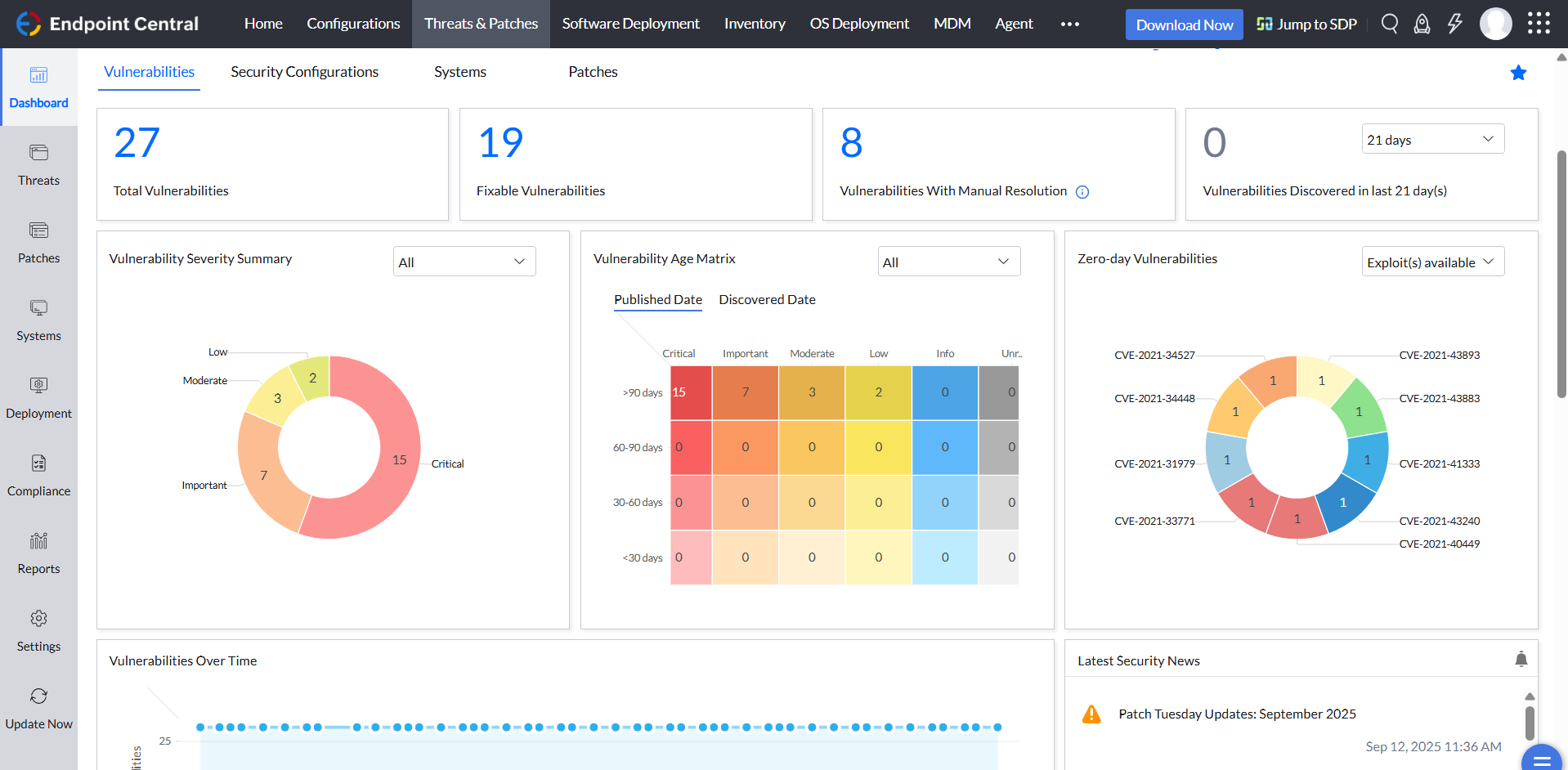   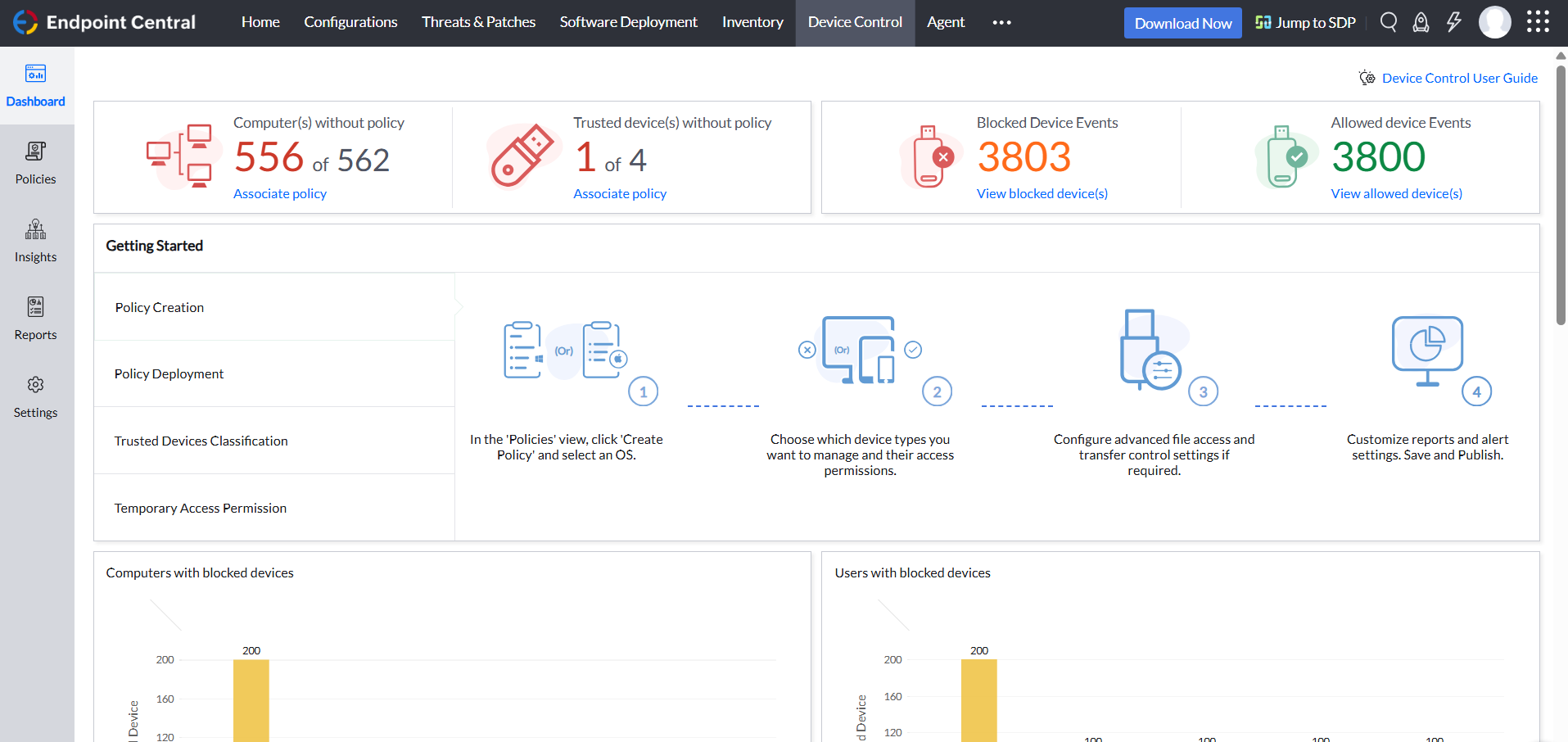 |