Overview
ProductRatingMost Used ByProduct SummaryStarting Price
accessiBe
Score 10.0 out of 10
N/A
accessiBe is a fully automated, AI-powered, web accessibility solution for ADA and WCAG compliance.
$49
per month
AudioEye
Score 9.9 out of 10
N/A
AudioEye, headquartered in Tucson, creates technology to make digital content more consumable, and more accessible, for more people.N/A
UserWay Accessibility Monitor
Score 9.2 out of 10
N/A
UserWay’s Accessibility Monitoring flags and fixes WCAG violations, supports team management and integrates easily with your platforms.
$990
per year pages
Pricing
accessiBeAudioEyeUserWay Accessibility Monitor
Editions & Modules
Standard
$49
per month
Large
$149
per month
Huge
$199
per month
Enterprise
custom pricing
No answers on this topic
Offerings
Pricing Offerings
accessiBeAudioEyeUserWay Accessibility Monitor
Free Trial
YesNoNo
Free/Freemium Version
NoNoNo
Premium Consulting/Integration Services
NoNoNo
Entry-level Setup FeeNo setup feeNo setup feeNo setup fee
Additional DetailsAccessibility Scanning: 100 pages/month $990/ year Accessibility Scanning: 500 pages/month $4,490/ year Accessibility Scanning: 1500 pages/month $10,990/year
More Pricing Information
Community Pulse
accessiBeAudioEyeUserWay Accessibility Monitor
Considered Multiple Products
accessiBe
Chose accessiBe
They all offer a very similar service but I needed great WordPress support, accessiBe excelled at that.
AudioEye

No answer on this topic

UserWay Accessibility Monitor

No answer on this topic

Best Alternatives
accessiBeAudioEyeUserWay Accessibility Monitor
Small Businesses
BrowserStack
BrowserStack
Score 8.5 out of 10
BrowserStack
BrowserStack
Score 8.5 out of 10
BrowserStack
BrowserStack
Score 8.5 out of 10
Medium-sized Companies
Siteimprove
Siteimprove
Score 9.1 out of 10
Siteimprove
Siteimprove
Score 9.1 out of 10
Siteimprove
Siteimprove
Score 9.1 out of 10
Enterprises
BrowserStack
BrowserStack
Score 8.5 out of 10
BrowserStack
BrowserStack
Score 8.5 out of 10
BrowserStack
BrowserStack
Score 8.5 out of 10
All AlternativesView all alternativesView all alternativesView all alternatives
User Ratings
accessiBeAudioEyeUserWay Accessibility Monitor
Likelihood to Recommend
9.6
(13 ratings)
9.2
(3 ratings)
-
(0 ratings)
Support Rating
9.1
(1 ratings)
-
(0 ratings)
-
(0 ratings)
User Testimonials
accessiBeAudioEyeUserWay Accessibility Monitor
Likelihood to Recommend
accessiBe
I have found this tool on many sites and offers solutions for people to have options to change the style of the website even if they are not disabled. Today everyone is looking for a personal experience and this tool can offer that to all, this is really evident when you read terminology on a website that you might not understand. The user interface has a search web option so you can find the meaning of items that you may not have understood by only being on the website.
Read full review
AudioEye
It is near impossible to find all accessibility flaws on your own when designing a website. Having an AI keeping track brings firstly, peace of mind, but also more customers and engagement. It makes sure no customers lose interest because they can’t maneouver in the space properly. So this helps when you’ve come on the web, but want to make sure you have legal and accessibility compliance.
Read full review
UserWay
No answers on this topic
Pros
accessiBe
  • Automate alt text image descriptions. Makes websites more accessible to people with visual disabilities. Makes websites more accessible to people with other physical disabilities. Enhances SEO possibilities for websites by implementing alt text for all images. Very user-friendly and plug-and-play for website admins.
Read full review
AudioEye
  • Easy to use.
  • WordPress plugin.
  • Low cost.
  • Friendly and intuitive interface.
  • It can be integrated with the main CMS solutions.
Read full review
UserWay
No answers on this topic
Cons
accessiBe
  • Adding a font changer especially for people with Dyslexia.
  • ability to gather Closed Captions or Read video transcripts.
  • ability to control videos from the user interface, some embedded videos do not have the option to pause or rewind video.
  • When viewing video not to be taken away from the site or offer alternatives that are not relevant to the site. Website owners often use embedded videos from YouTube which then offers other videos that are not related. AccessiBe should be able to play the embed link in a separate iframe which can auto-close once the video is over.
Read full review
AudioEye
  • Haven't noticed any yet. Maybe pricing, since it's in USD and I'm in Brazil, the exchange rate makes ir harder to place it in more clients of mine.
Read full review
UserWay
No answers on this topic
Support Rating
accessiBe
I have called several times and my questions were always answered right away.
Read full review
AudioEye
No answers on this topic
UserWay
No answers on this topic
Alternatives Considered
accessiBe
We have not used any other ADA plugins. We did evaluate what was available from custom coding - which would have been far too expensive to WordPress plugins that were not fully supported. When you see what is available and weigh the pros/cons of other service providers there are really no other options out there that stack up to their product.
Read full review
AudioEye
They are accessibility tools that help achieve ADA/WCAG compliance. They offer plugin with WordPress, Go Daddy, Wix, Shopify, etc. AudioEye can be installed without any problem. They also offer a 7-day free trial.
Read full review
UserWay
No answers on this topic
Return on Investment
accessiBe
  • accessiBe had made our business good enough to boost the overall income because of people from different countries.
  • We haven't noticed any negative impact yet. However, we are trying to collect the data.
  • The overall sale of products has gone after using accessiBe.
Read full review
AudioEye
  • Oh definitely a positive impact on growth.
  • As more people can access our digital spaces, it allows more room for expansion. The value is immeasurable.
Read full review
UserWay
No answers on this topic
ScreenShots

accessiBe Screenshots

Screenshot of accessiBe

UserWay Accessibility Monitor Screenshots
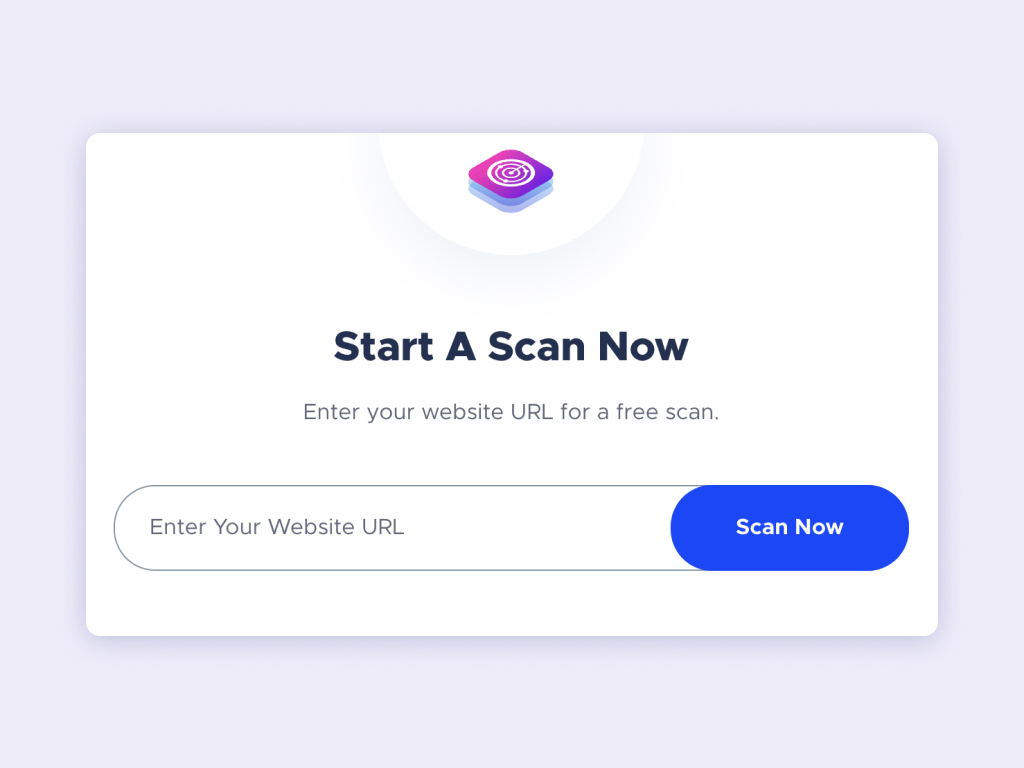
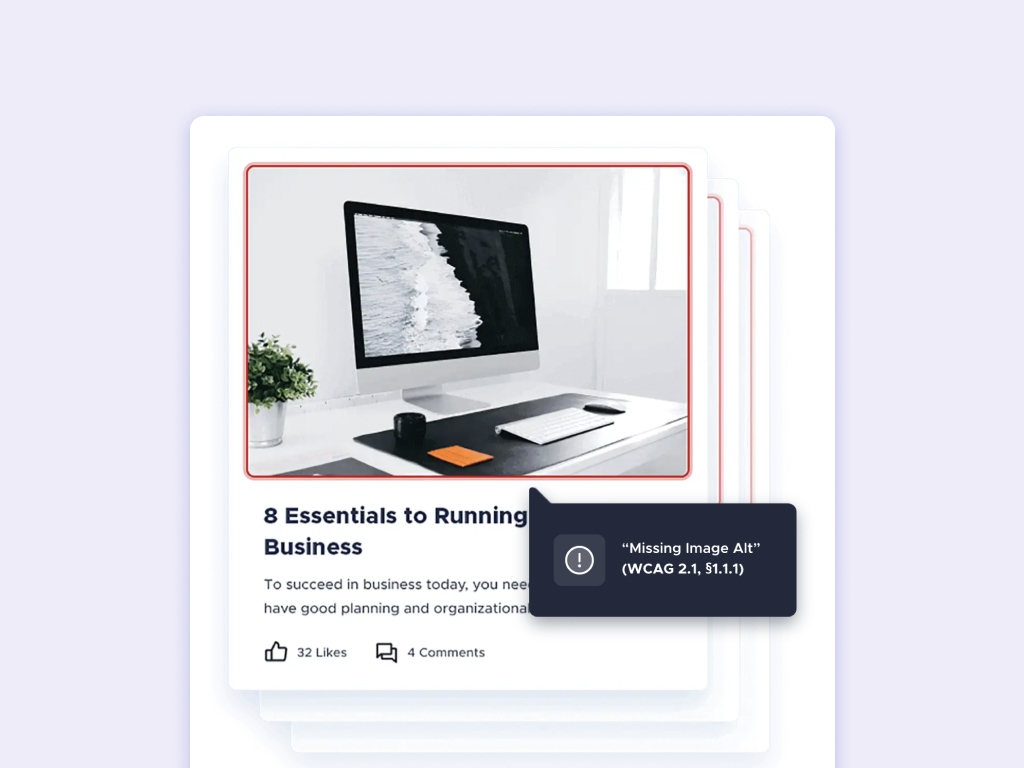
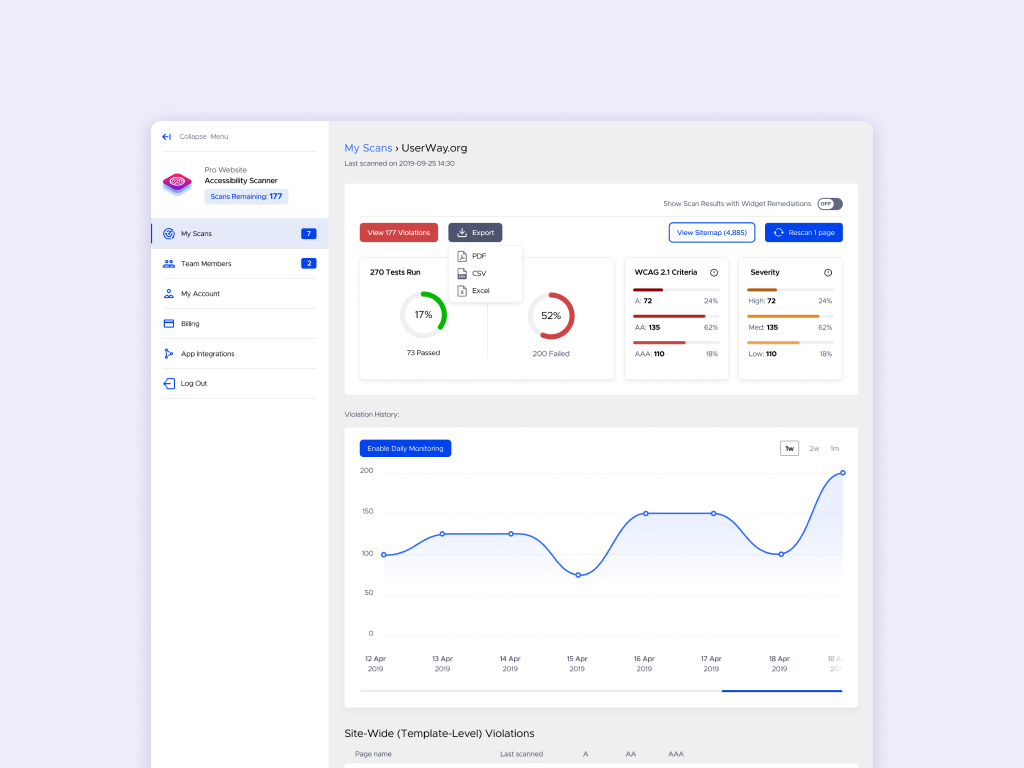
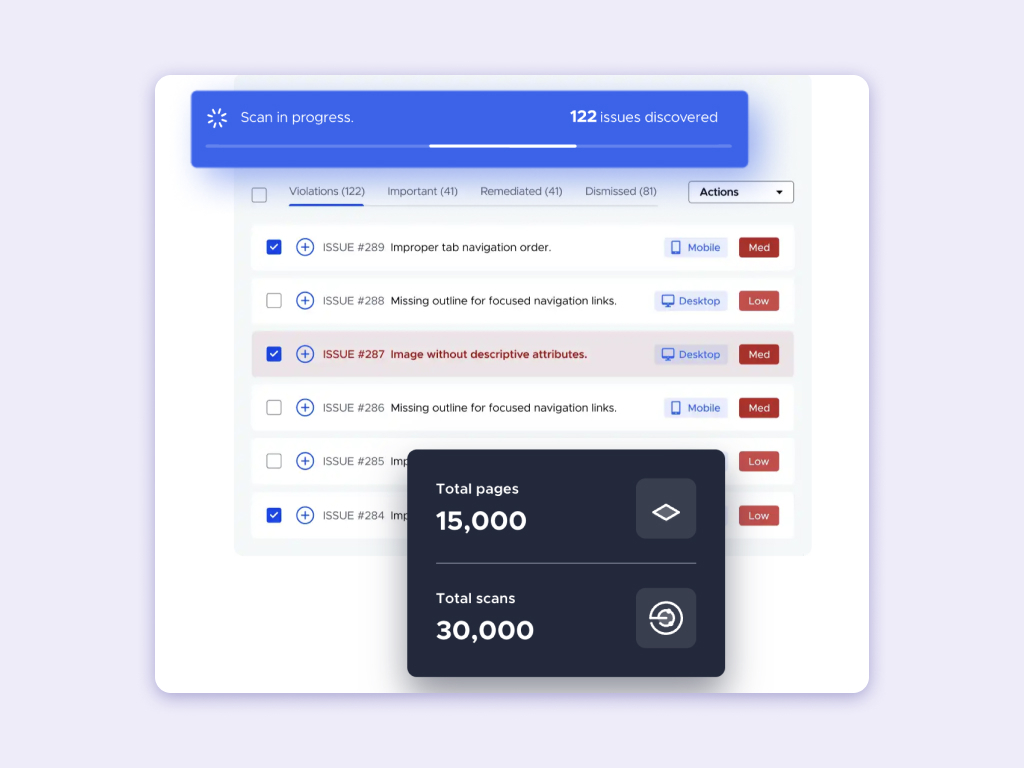
Screenshot of a website interface featuring a call-to-action that reads 'Start A Scan Now' with a field to 'Enter Your Website URL' for a free scan, and a 'Scan Now' button.Screenshot of a responsive web design display across a desktop, tablet, and mobile, featuring a luxury watch product page, with a monitoring overlay visible.Screenshot of a user interface displaying a website monitoring tool detecting a violation, specifically a 'Missing Image Alt' error on an image within a blog post on a site.Screenshot of a dashboard showing website accessibility scan results, with a graph of violation history and a summary of WCAG criteria violations.Screenshot of a website scan dashboard showing '122 issues discovered' with a list of accessibility problems and counters for total pages and scans.