Adobe's Creative Cloud for enterprise enables enterprise-scale collaboration through Creative Cloud Libraries, which allow teams to store, share, and sync assets across apps and users, ensuring brand consistency across departments and geographies.
N/A
Adobe Express
Score8.7 out of 10
N/A
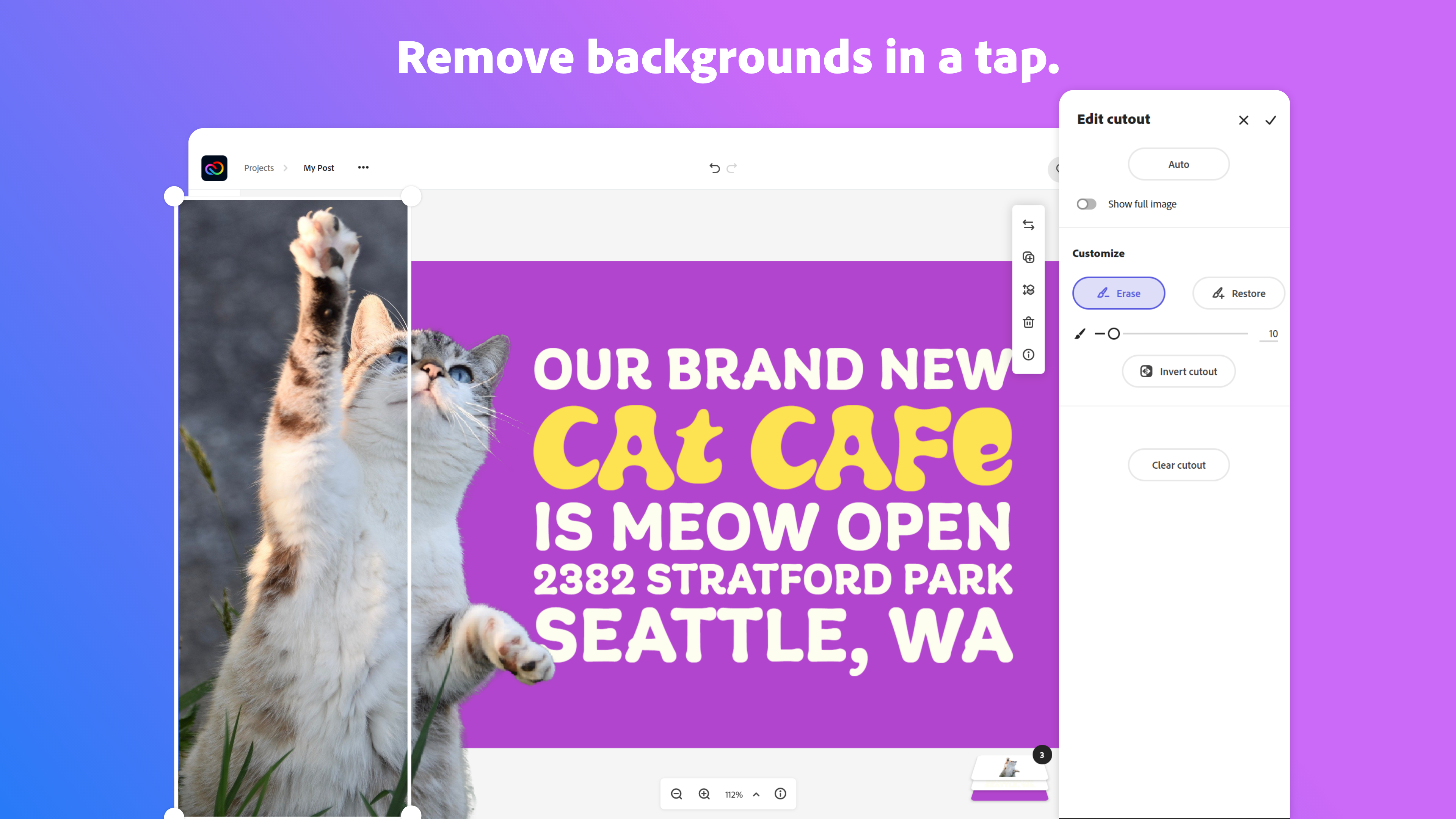
Adobe Creative Cloud Express (formerly Adobe Spark) is a task-based, web and mobile product used to create and share rich multimedia content – from social media posts and stories to invitations to marketing materials like logos, flyers and banners.
$0
Pricing
Adobe Creative Cloud for Enterprise
Adobe Express
Editions & Modules
No answers on this topic
Free
$0.00
Premium
$9.99 / $99.99
per month
Teams
$9.99
per month per user
Offerings
Pricing Offerings
Adobe Creative Cloud for Enterprise
Adobe Express
Free Trial
No
Yes
Free/Freemium Version
No
Yes
Premium Consulting/Integration Services
No
No
Entry-level Setup Fee
No setup fee
No setup fee
Additional Details
—
Contact Adobe directly for Enterprise pricing plan details.
A de minimis incentive was given to thank the reviewer for their time. The incentive was not used to bias or drive a particular response, nor was the incentive contingent on a positive endorsement. More Info
Creative Cloud for Enterprise is really built for marketing departments and creative teams where the value comes from breadth and collaboration: shared libraries, consistent brand assets across a dozen people, version control on big campaign files, that kind of thing. If your team needs the whole suite and needs everyone working in the same ecosystem, the enterprise licensing model makes sense, and the price reflects real value.
A de minimis incentive was given to thank the reviewer for their time. The incentive was not used to bias or drive a particular response, nor was the incentive contingent on a positive endorsement. More Info
It works amazing for the creation of attention grabbing, clean, and professional looking flyers or infographics. Especially when you need to create a few graphic organizers, like a workflow, or a reference sheet for new members, it is awesome. I have created a few in one day, and honestly, even though you can utilize AI tools to do so, I love that I get to choose what the end product looks like during the process, and it's still easy and fast. It falls short with multi-page brochures, and while illustrator can take on branding quite well, it needs to be pre-made and imported to work in Express.
A de minimis incentive was given to thank the reviewer for their time. The incentive was not used to bias or drive a particular response, nor was the incentive contingent on a positive endorsement. TR verified that a representative sample of customers was invited. More Info
A de minimis incentive was given to thank the reviewer for their time. The incentive was not used to bias or drive a particular response, nor was the incentive contingent on a positive endorsement. TR verified that a representative sample of customers was invited. More Info
Adobe’s enterprise licensing model (VIP, Enterprise Agreement, named users, All Apps vs Single Apps, add‑ons like AI Assistant) is difficult to manage at scale, especially across multiple countries and legal entities.
Adobe’s audit and compliance process is highly punitive in tone and structure, even when issues stem from historical deployments or poor uninstall hygiene.
The cost delta between:
All Apps, Single App, Acrobat + AI Assistant.
Is significant, especially for users that only require sporadic access.
A de minimis incentive was given to thank the reviewer for their time. The incentive was not used to bias or drive a particular response, nor was the incentive contingent on a positive endorsement. More Info
The only improvement that I wish that Adobe Express could make would be to increase the number of video and audio tracks their Video application could have. Even adding one extra track for both would totally increase the overall professional output of the video, while allowing for a more engaging and memorable product.
A de minimis incentive was given to thank the reviewer for their time. The incentive was not used to bias or drive a particular response, nor was the incentive contingent on a positive endorsement. More Info
There is nothing out there that can compete with Adobe Creative Cloud for Enterprise. It is the gold standard in the industry and there is nothing else that we would ever consider using. I have opted to train people in lieu of finding anything more cost effective, because it's worth it to me for people to use the right tool for the job.
A de minimis incentive was given to thank the reviewer for their time. The incentive was not used to bias or drive a particular response, nor was the incentive contingent on a positive endorsement. More Info
I foresee Adobe Express becoming the "go-to" platform for everyone except professional, high-level designers. It is a relatively easy-to-use tool that allows users to create a wide variety of visuals quickly. Because it is a template-driven tool, the in-house design team has the ability to make brand kit available to keep visuals on point
A de minimis incentive was given to thank the reviewer for their time. The incentive was not used to bias or drive a particular response, nor was the incentive contingent on a positive endorsement. More Info
In terms of overall usability, it ranks really well and is probably a leader in its field. Staff are able to learn the systems straight away due to its in built intuitive interface. Permissions are able to be given at the appropriate level so that it doesn't hold up delivery of assets, but yet keeps security and licence management intact.
A de minimis incentive was given to thank the reviewer for their time. The incentive was not used to bias or drive a particular response, nor was the incentive contingent on a positive endorsement. More Info
The user interface is pretty straightforward to use. It has easy to navigate navigations, and the canvas UX is also pretty good. One thing i would like to add it to use shortcuts to add elements on canvas. Like if I am on canvas and I press 'T' on my keyboard the text box should be added automatically
A de minimis incentive was given to thank the reviewer for their time. The incentive was not used to bias or drive a particular response, nor was the incentive contingent on a positive endorsement. More Info
Overall, the Adobe Creative Cloud Express is worth a try and may be a good fit for many organizations and businesses. At a monthly rate, the cost is not prohibitive, but the tools are somewhat limited and not necessarily worthwhile when compared to standard applications and software that are often available free or through a package of services commonly found on workplace computers.
A de minimis incentive was given to thank the reviewer for their time. The incentive was not used to bias or drive a particular response, nor was the incentive contingent on a positive endorsement. More Info
There is no comparable tool to Adobe Creative Cloud for Enterprise and its apps. Yes, in some professions you can do fine without it, but the level of produced assets will probably be not of the quality you can produce in Adobe Creative Cloud for Enterprise. The sheer width of the apps, covering all aspects of design and production (Images, videos, documents and others) in one ecosystem is a major advantage that no other company can offer, at this scale and quality.
A de minimis incentive was given to thank the reviewer for their time. The incentive was not used to bias or drive a particular response, nor was the incentive contingent on a positive endorsement. More Info
I think Adobe Express is a bit behind Canva, but as an Adobe Community Expert, I try to provide as much feedback as I can to help improve Adobe Express. ADobe Express does a better job than InShot and a few other apps, but isn't quite there against Canva, I'm sorry to say!
A de minimis incentive was given to thank the reviewer for their time. The incentive was not used to bias or drive a particular response, nor was the incentive contingent on a positive endorsement. More Info
Adobe Creative Cloud Express is included with an Adobe Creative Cloud account. Our company has a corporate team membership so it is nice to have a professional and powerful tool that anyone on our team can use for free. The pricing structure of giving the tool away for free will be fundamental to users utilizing the tool. Similar tools, such as Canva, cost significantly more but do not offer the same features
A de minimis incentive was given to thank the reviewer for their time. The incentive was not used to bias or drive a particular response, nor was the incentive contingent on a positive endorsement. More Info
The professional services for Adobe Creative Cloud Express is top notch and should be highly commended. I am thoroughly impressed with how far Adobe has come. In the past, I had several issues with how something were handled, but in the past few years things have been better than ever and they get no complaints from me
A de minimis incentive was given to thank the reviewer for their time. The incentive was not used to bias or drive a particular response, nor was the incentive contingent on a positive endorsement. More Info
A de minimis incentive was given to thank the reviewer for their time. The incentive was not used to bias or drive a particular response, nor was the incentive contingent on a positive endorsement. More Info
A de minimis incentive was given to thank the reviewer for their time. The incentive was not used to bias or drive a particular response, nor was the incentive contingent on a positive endorsement. More Info